This article explains the types of roles and permissions available in Quantify.
Standard Roles
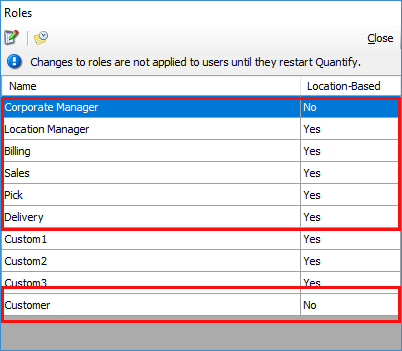
By default, Quantify has eight Standard Roles (including the Administrator role), each assigned with its own default permissions. You can edit the permissions assigned to a standard role as needed, except the Administrator role. As the Administrator role has all rights and permissions and may not be edited, it does not appear in the Roles dialog.
Custom Roles
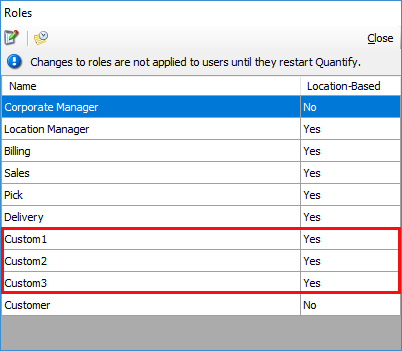
Quantify provides the Custom1, Custom2 and Custom3 roles that you can tailor to suit your circumstances. By default, these roles do not have any permissions assigned to them. You do that through the Permissions for Role dialog. Refer to Permissions Types below and the Creating a Custom Role section of Working with User Accounts and Roles.
Permissions Types
Quantify provides three types of permissions that enable you to define each Role in great detail.
Invisible (View-Level)
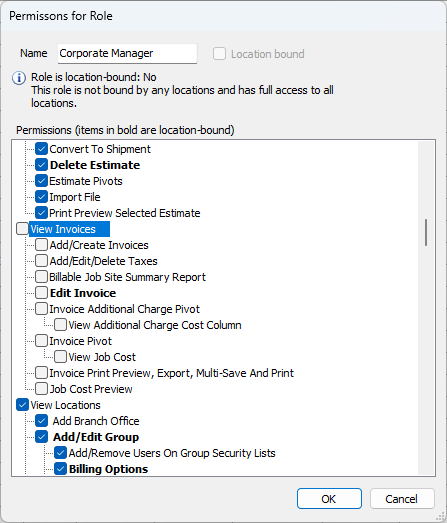
View-level permissions control whether Users assigned to the selected Role can view specified items. If a User is not assigned to the selected Role, Quantify will not allow that user to view the item when logged in. In the example below, Quantify will not allow a User assigned the Corporate Manager Role to view the Invoices tab.
Visible with Full Permissions
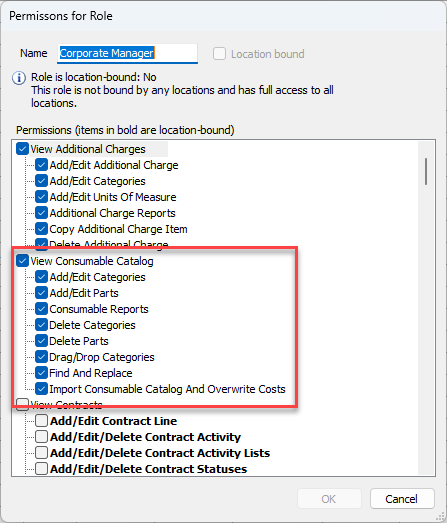
When the View checkbox is checked and all checkboxes within that section are also checked, users assigned to the selected role have full access to the feature. In the example below, the User assigned to the Corporate Manager Role is able to access and view the Consumable Catalog and has full access to the Consumable Catalog functionality.
Visible with Partial Permission
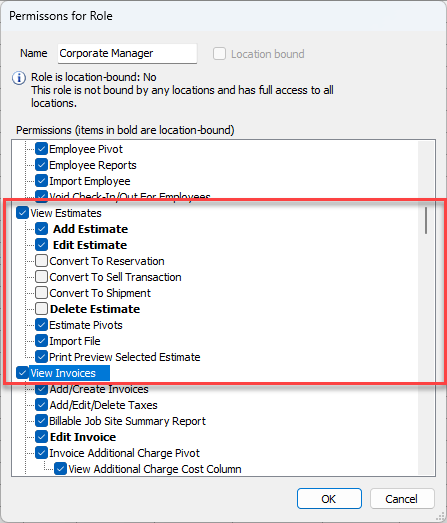
If the View item is checked, users assigned to the selected Role can view the tab or feature. However, you can use the additional checkboxes within that section to assign partial permissions. In the example below, users assigned to the Corporate Manager Role can view the Estimates tab. However, this Role has partial permissions for the Estimate feature. Therefore, users assigned to this role can only convert an Estimate to a Reservation, convert the Estimate to a Sell Transaction and print preview an Estimate, but they may not edit Estimates. All other Estimate functionality is disabled for this role.
Permissions to Hide Costs
Quantify has permissions that enable you to hide the costs in the Product Catalog, Rate Profiles and Out of Service dialogs, pivots and reports. These permissions restrict viewing to only specified roles.
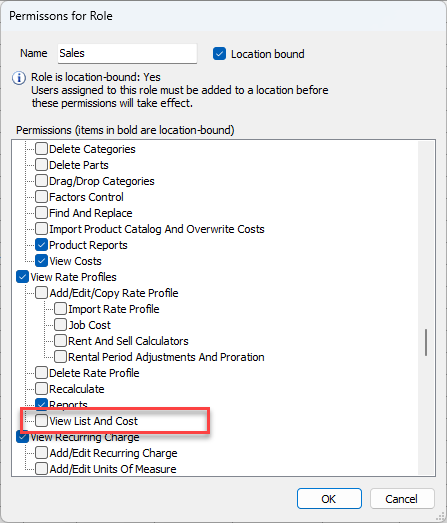
The View List And Cost permission controls the visibility of list and cost in the Rate Profile dialog and report.
The View Cost permission controls the visibility of cost data in the Out of Service Products pivot.
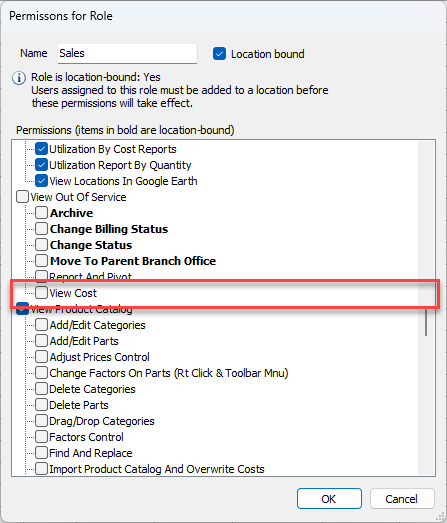
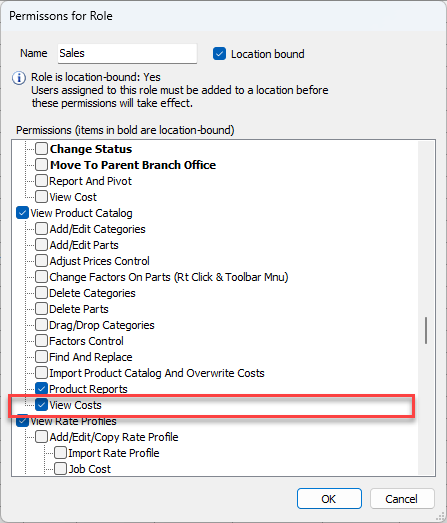
The View Cost permission controls the visibility of cost data in the Product Catalog, the Product Pricing, and the Product Catalog pivots.