The Scaffold Bays interface of the Drawing Options dialog enables you to set the dimensions and scaffold materials Avontus Designer will use when you create new Bays. This section will also allow you to specify bearer details where you can set the bearer threshold and the material used below and above the specified threshold.
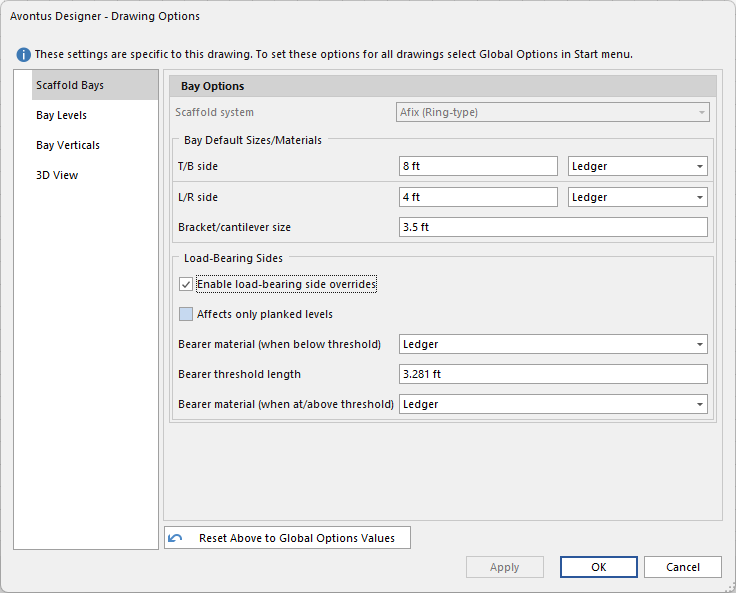
Scaffold System - Specify the scaffold system used for this drawing
Note: Not selectable in Drawing Options
Bay Default sizes/materials
Specify the size and material used for the TB and LR sides of the bays. You can also specify the Bracket/Cantilever side.
Load Bearing Sides
This section will also allow you to specify bearer material where you can set the bearer threshold and the material used below and above the specified threshold. This will allow you to enable Load-bearing side overrides for structural integrity.
Enable loading bearing side - Click this to enable the load bearing side override options.
Affects only planked levels - Enable this to apply overrides to planked levels only.
Bearer Material (when below threshold) - Specify the material used when below the bearer threshold.
Bearer threshold length - Specify the bearer threshold.
Bearer Material (when above threshold) - Specify the material used when above the bearer threshold.