Quantify provides a simple process for selling one or more Consumables residing on a Branch Office or Laydown Yard for a price you specify.
To sell a Consumable:
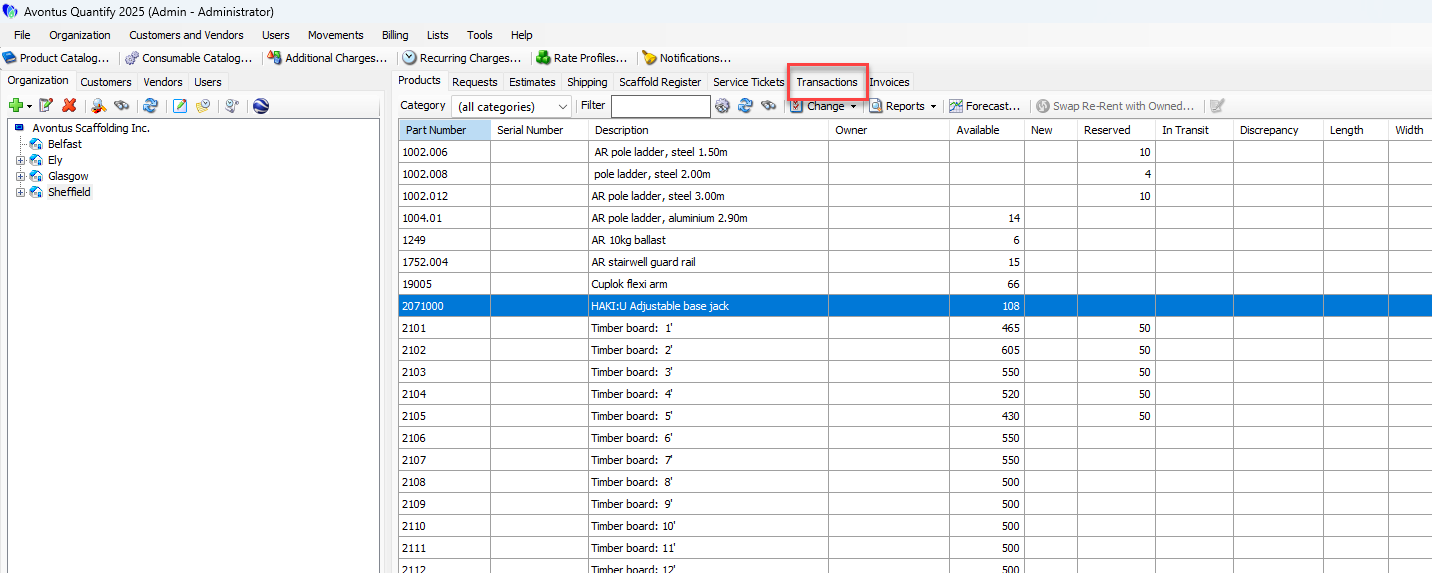
Click the Transactions tab.
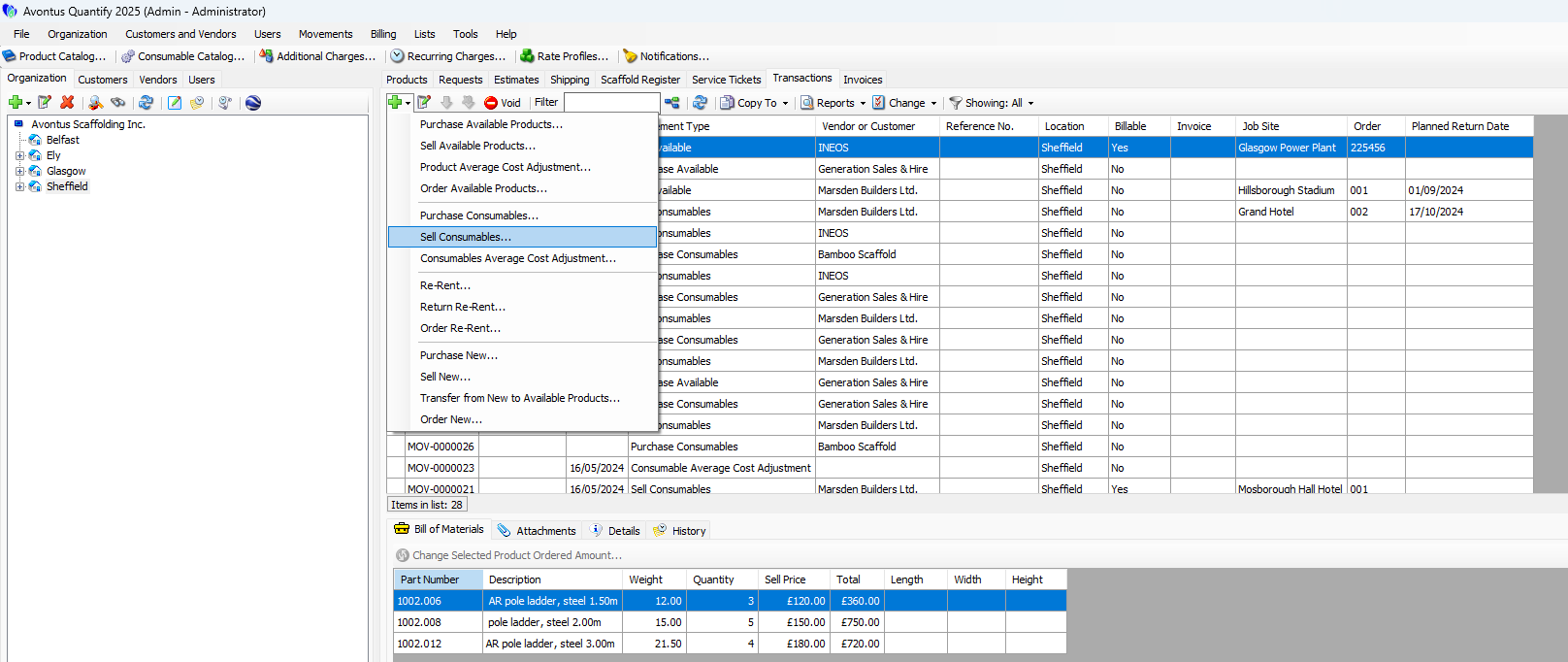
Click the Add button (
 ) and select Sell Consumables from the menu that appears.
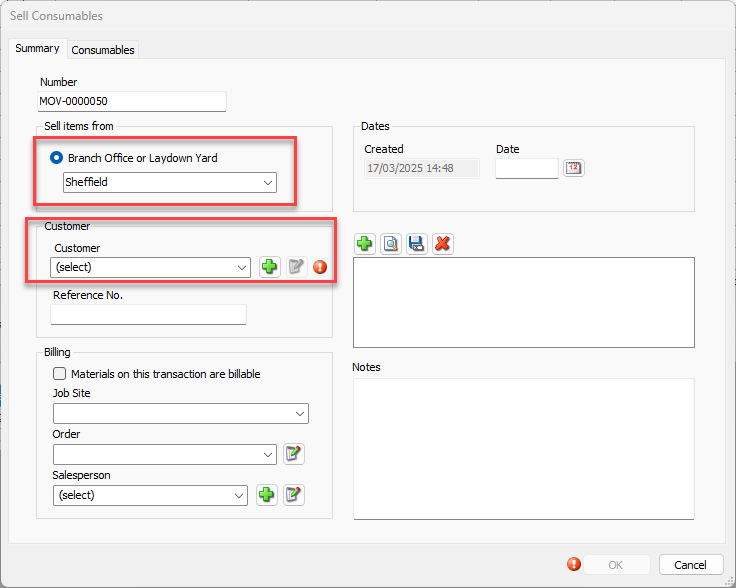
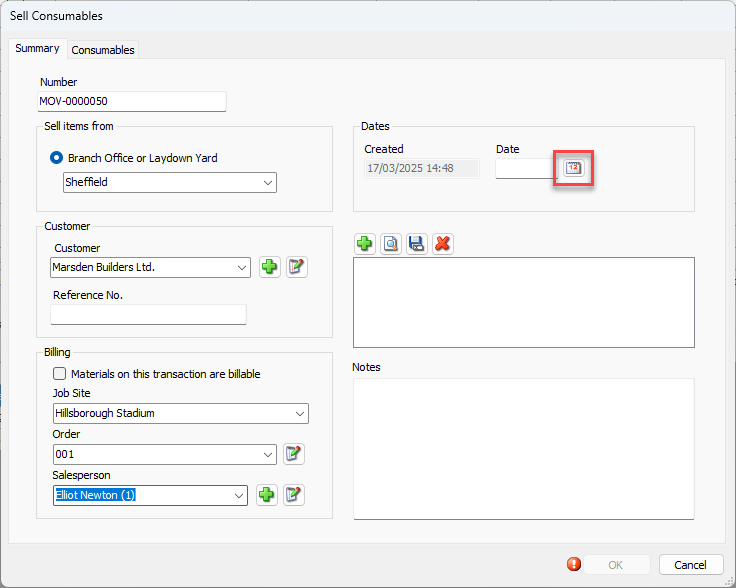
The Sell Consumables dialog appears.Note: The procedures below only identify required fields.
Click the Branch Office or Sub-Branch dropdown and select the appropriate Branch Office or Sub-Branch.
Click the Customer dropdown and select the appropriate Customer.
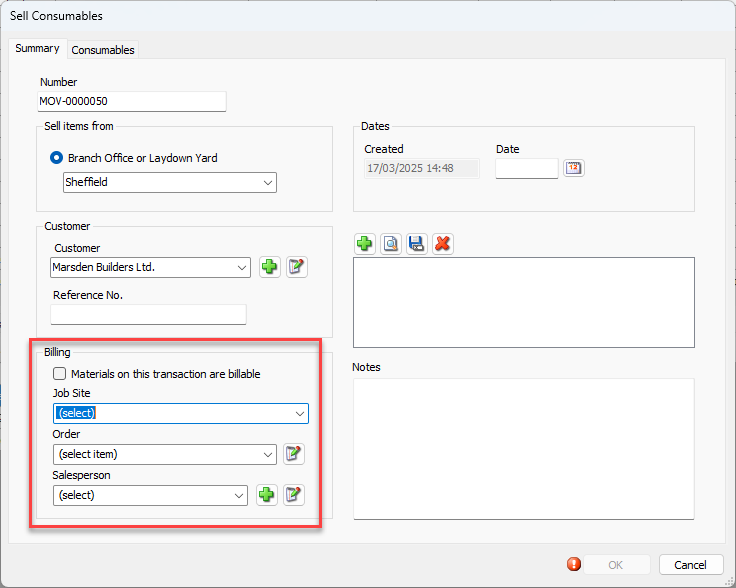
If a Customer will be invoiced for the Consumables, complete the Billing section.
Set the Date
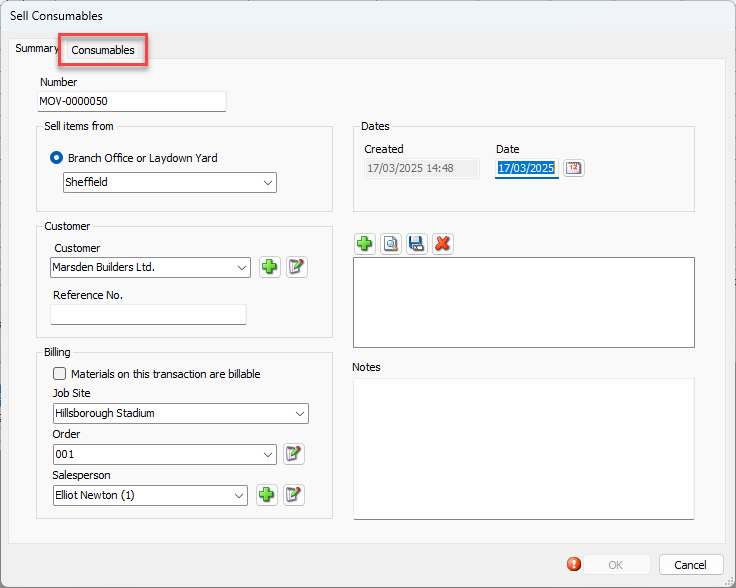
Click the Consumables Tab.
The Sell Consumables dialog refreshes.
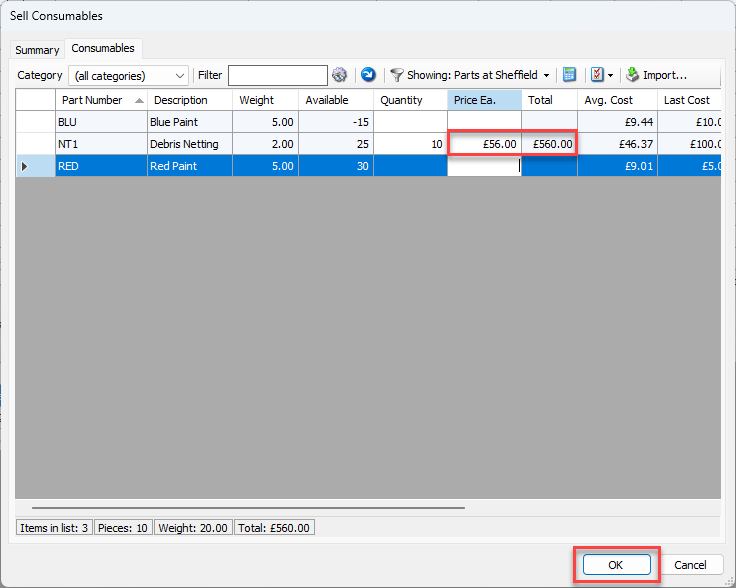
Locate the appropriate Consumable, click in its cell in the Quantity column and enter the counts of material ordered.
Click in its cell in the Price Ea. column and enter the cost of each one piece.
Repeat the above two steps as many times as necessary.
Click OK.
Quantify adds the completed sell Consumable transaction to the Transactions tab.
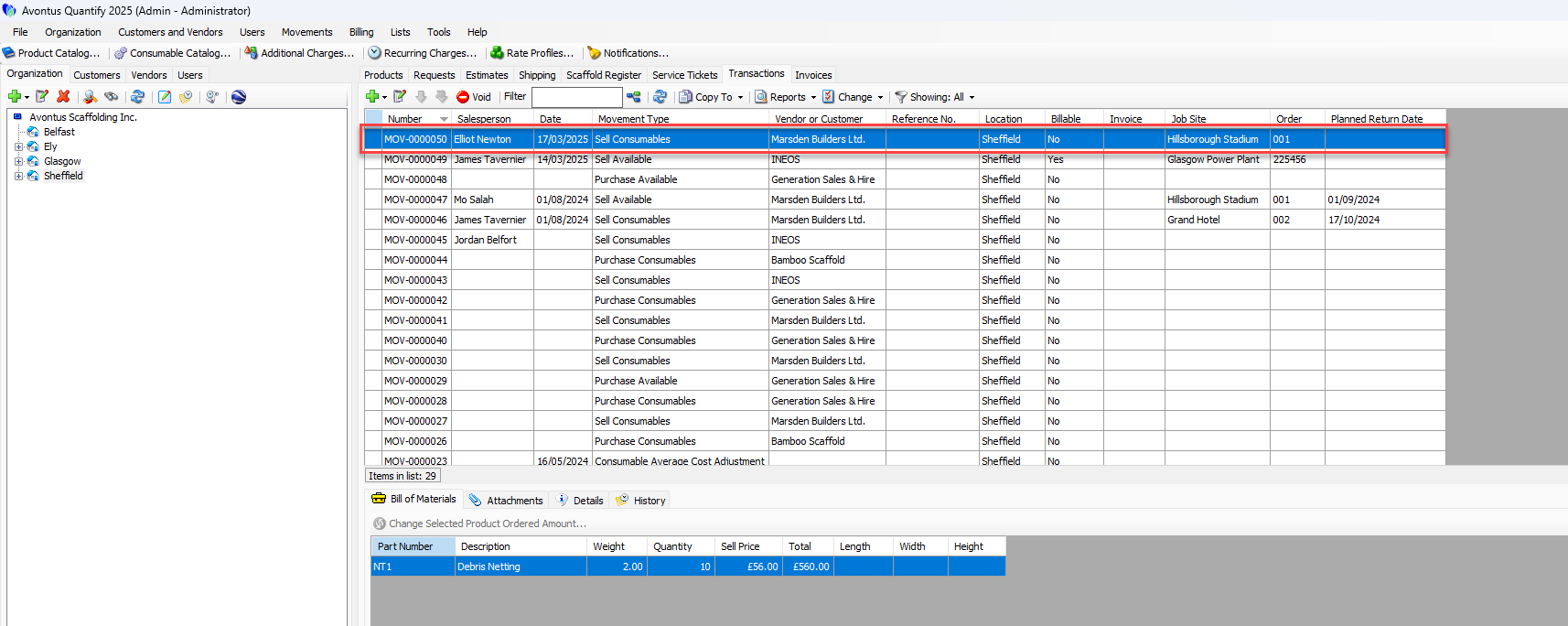
Quantify will reduce the quantity of available Consumable(s) from the Branch Office by the quantities on the sell Consumable Transaction.