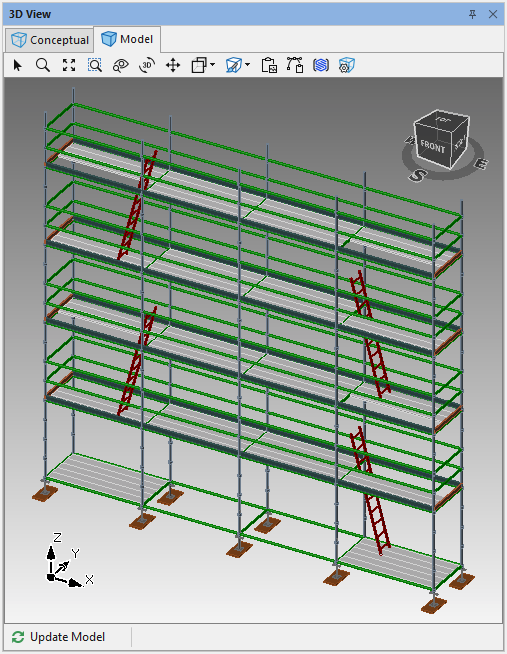
Skipping ladders is useful for when you need to add a deck penetration for pillars, posts or other construction objects.
It could also be useful for creating a ladder on the other end of the scaffold.
To skip a ladder
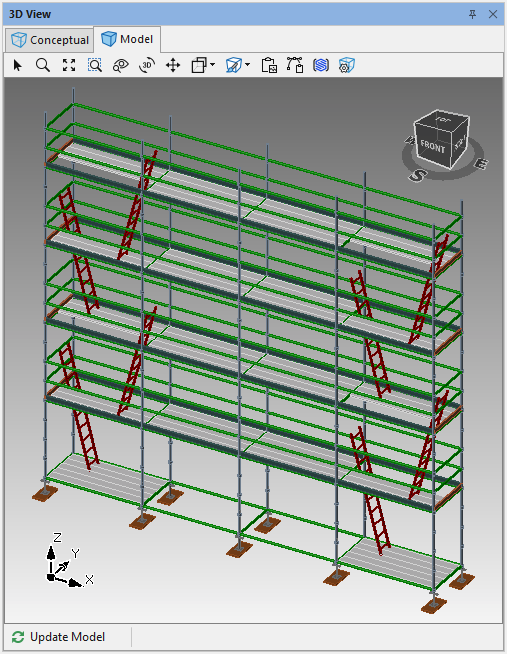
In the example below there are ladders on each level of a bay. We could skip levels 1 & 3 and instead move the ladders on levels 1-3 to the other end of the scaffold.
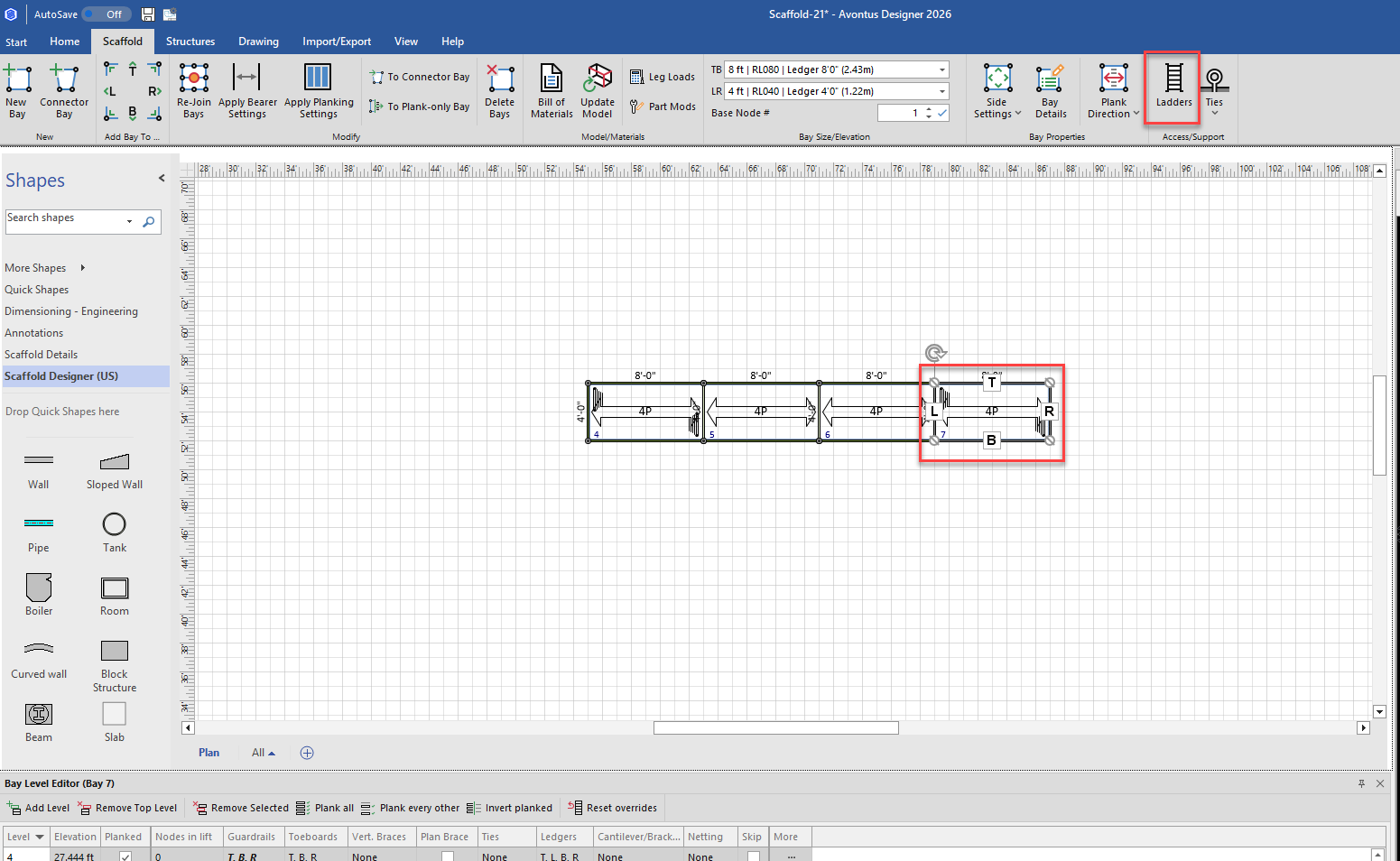
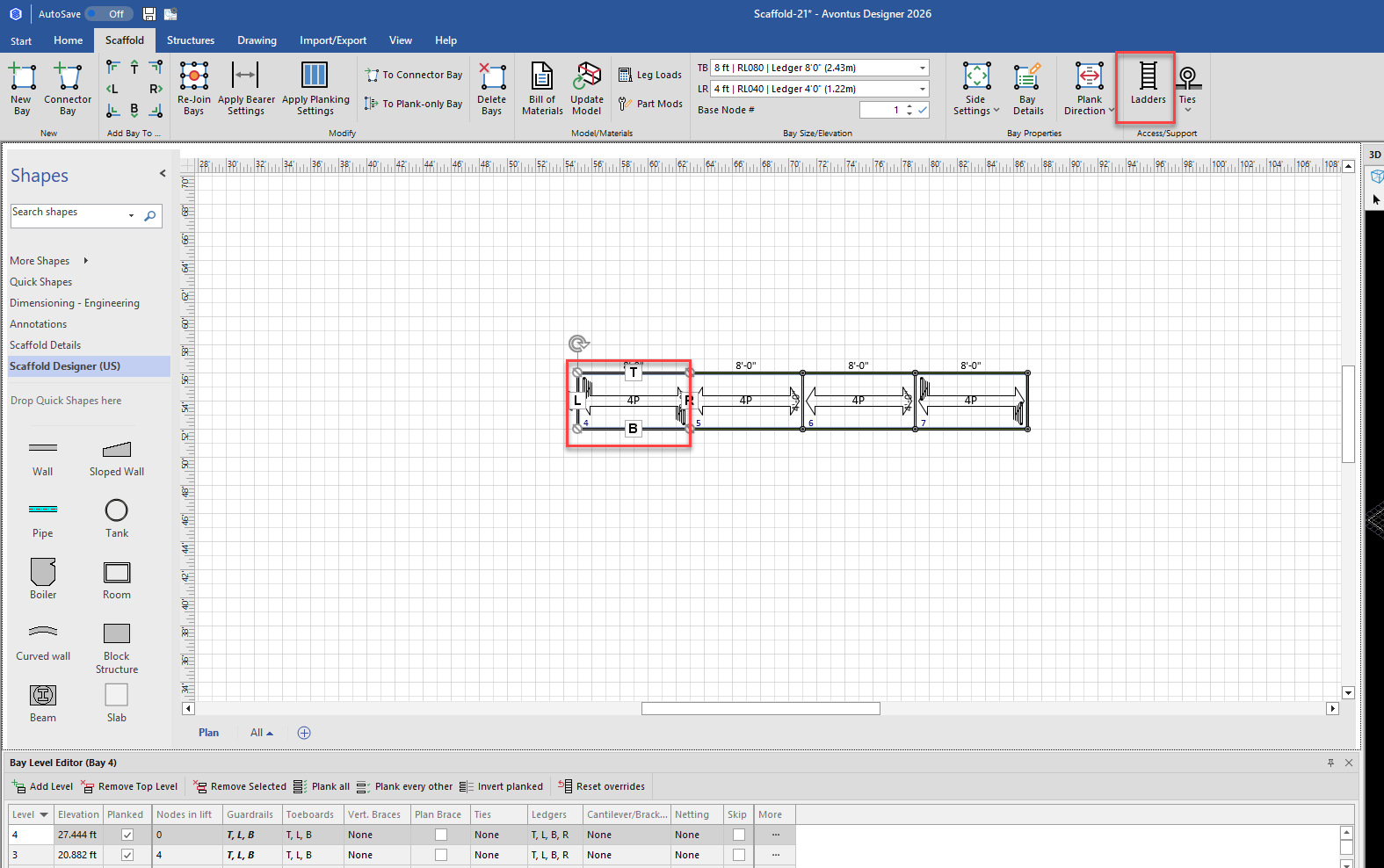
Select the Bay with the ladders and click Scaffold in the toolbar.
Select Ladders
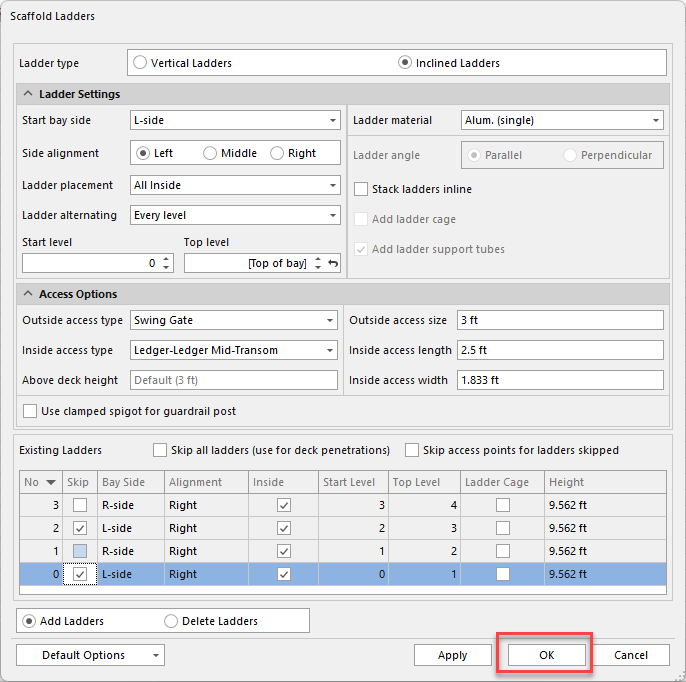
In the Ladders dialog, select to Skip Ladders on row 1 and 3.
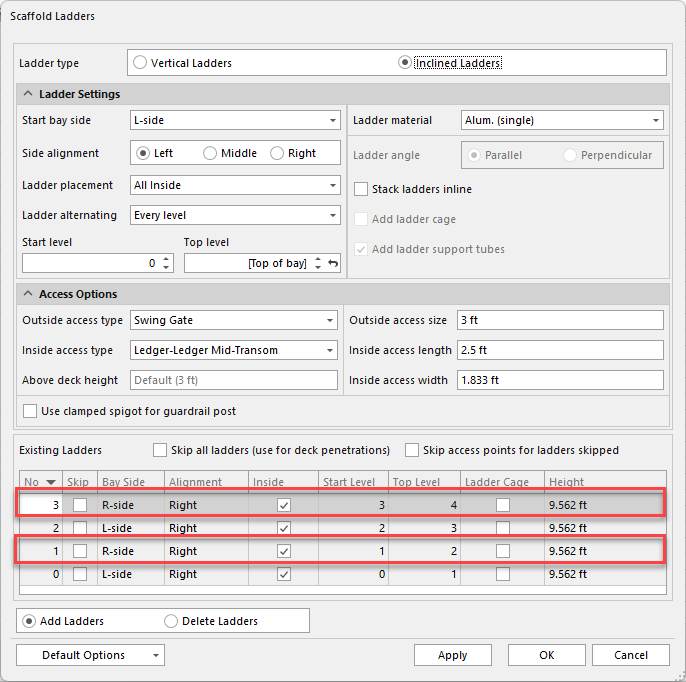
Click OK
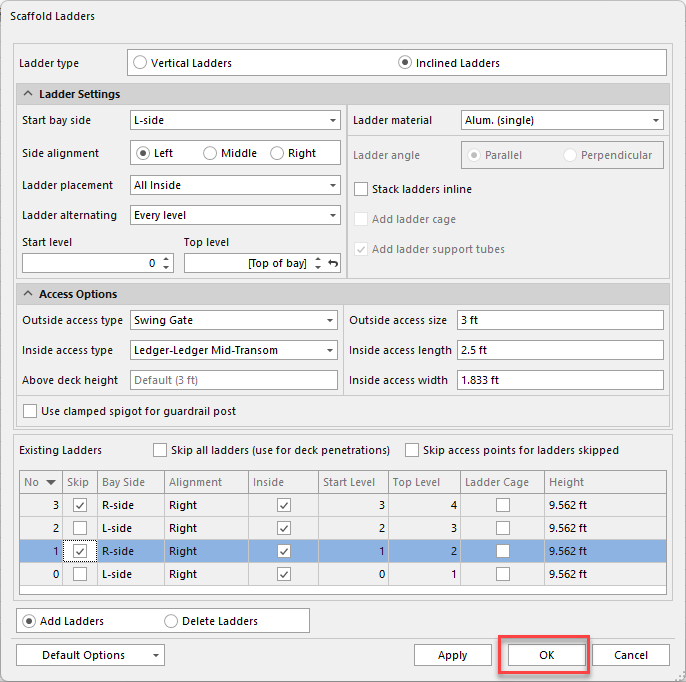
This will remove ladders on levels 1 and 3.
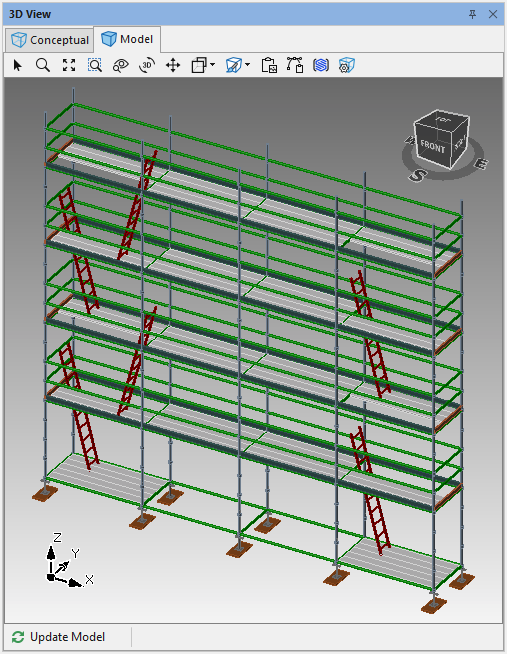
We can then add ladders to levels 1 and 3 to the Bay on the other end of the scaffold.Select the opposite scaffold Bay to add the ladders to and in the Scaffold tab click Ladders.
Select to skip ladders 0 and 2.
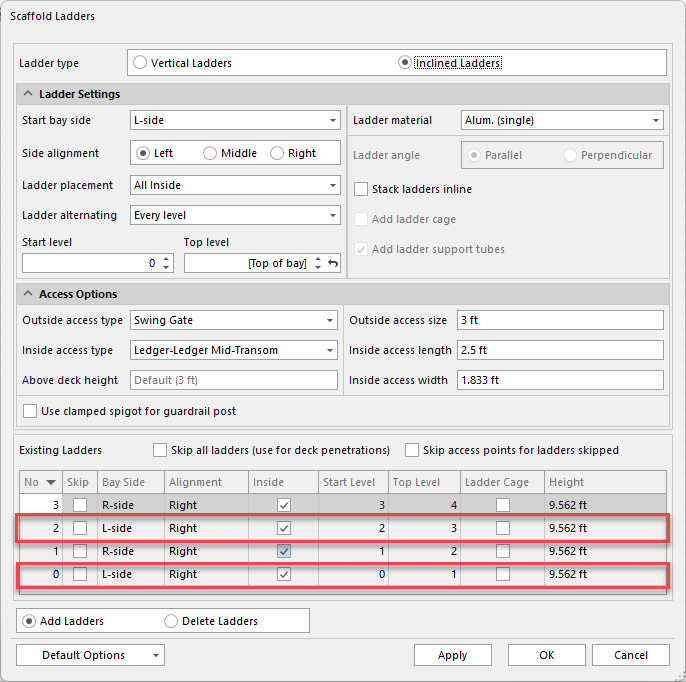
Click OK
This will then alternate ladders on each level.