You can upload an attachment to a Request. This could be something like a drawing plan of the scaffold or a photo of the location where the scaffold will be erected.
To upload an attachment to a request.
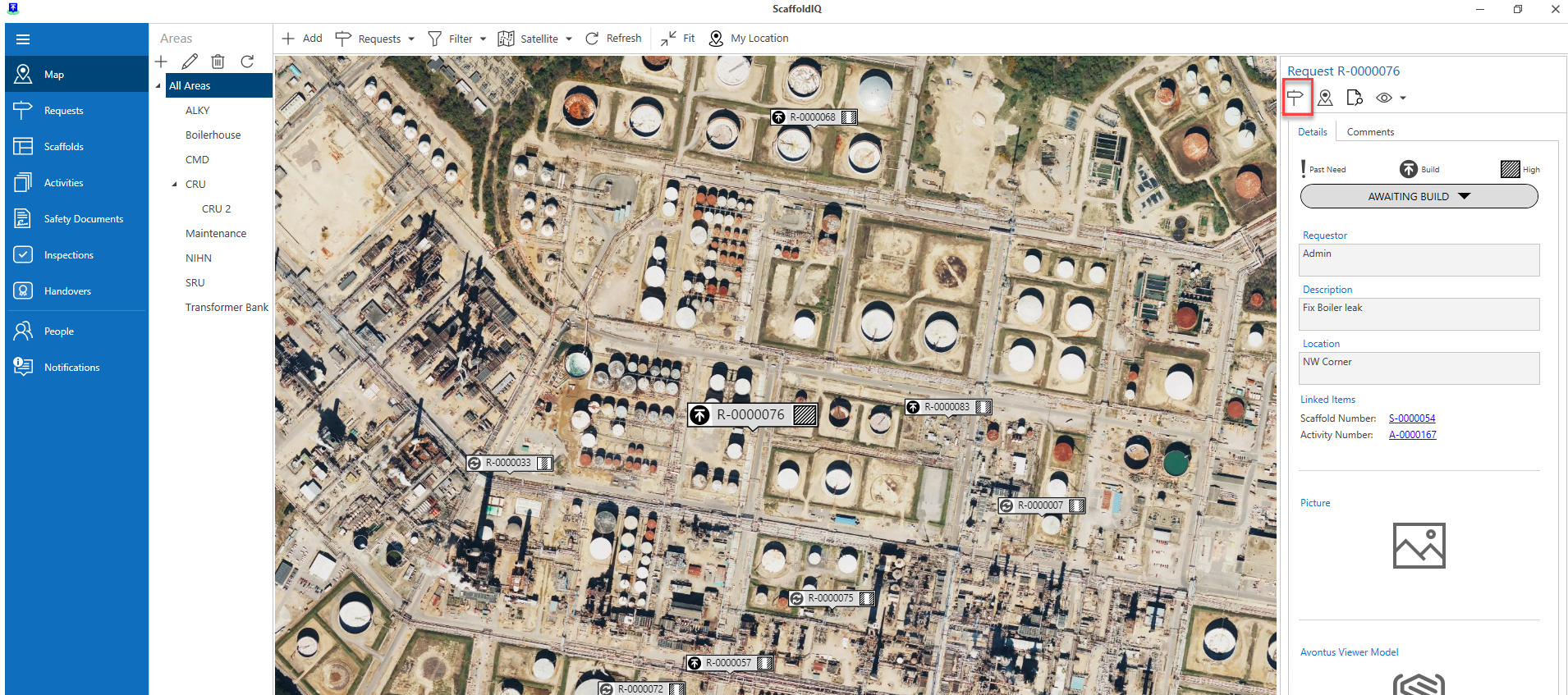
From the Requests screen, select the request and open the Request Details.
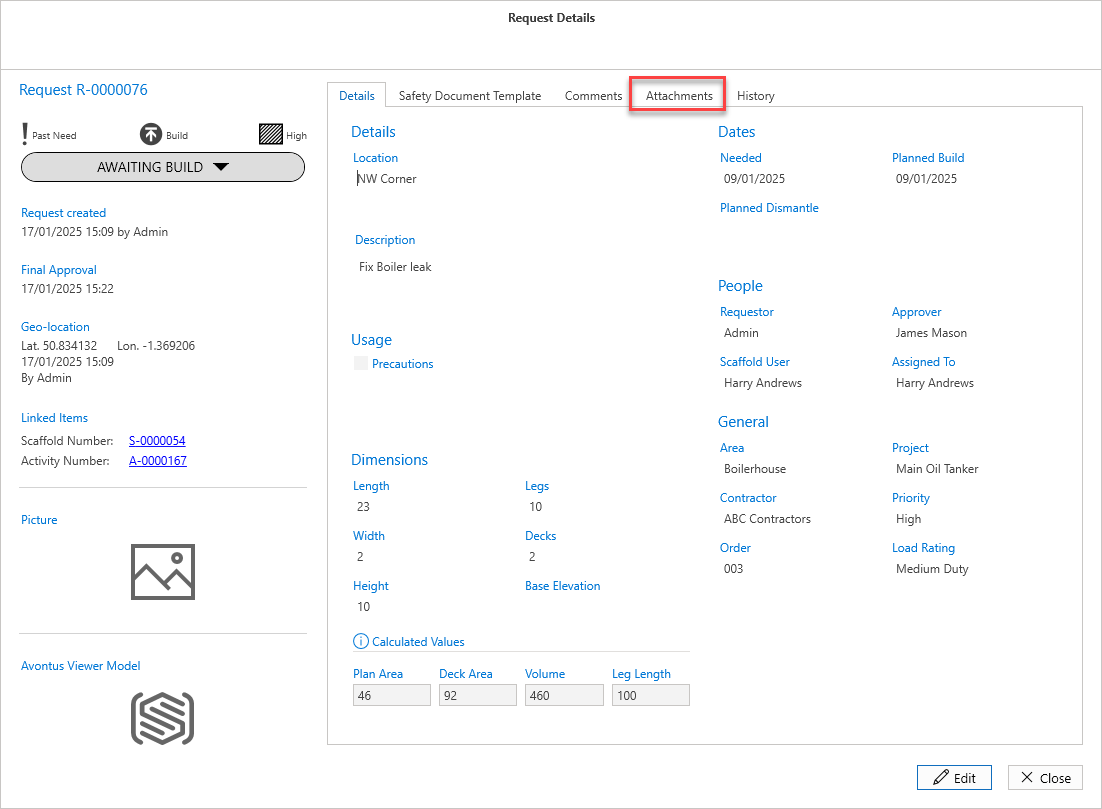
In the Request Details screen, select Attachments.
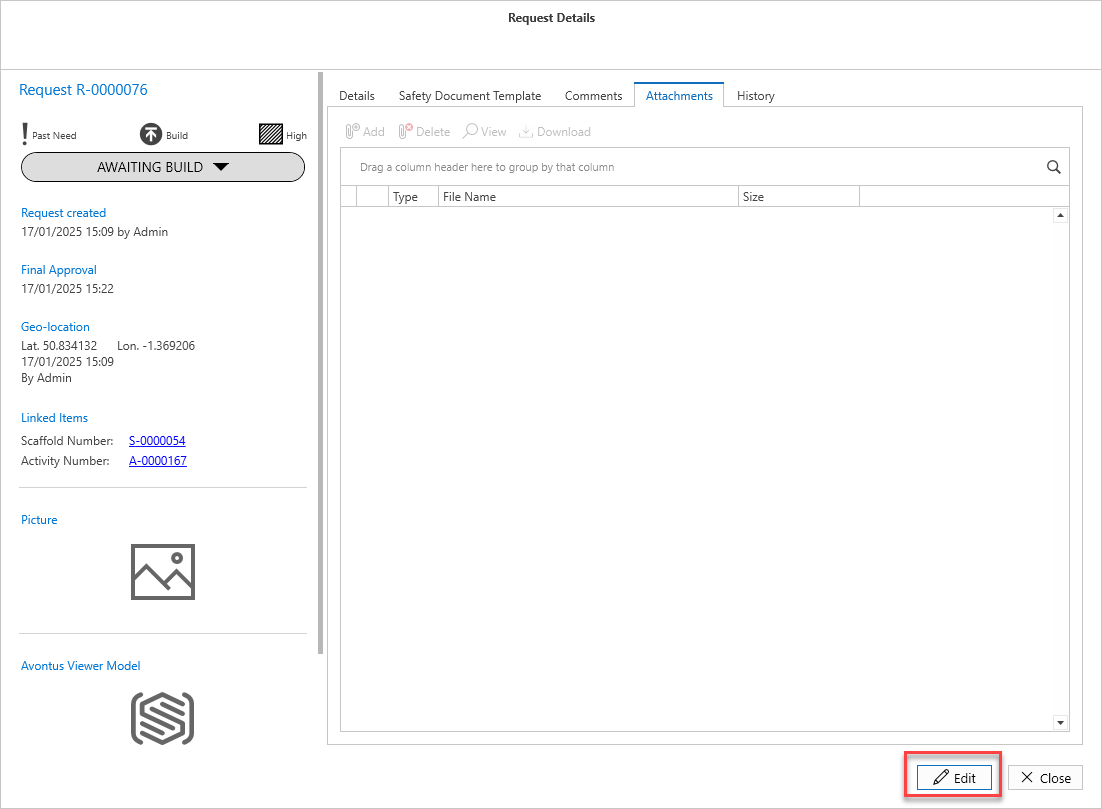
In the Attachments tab, click the Edit button.
Click Add.
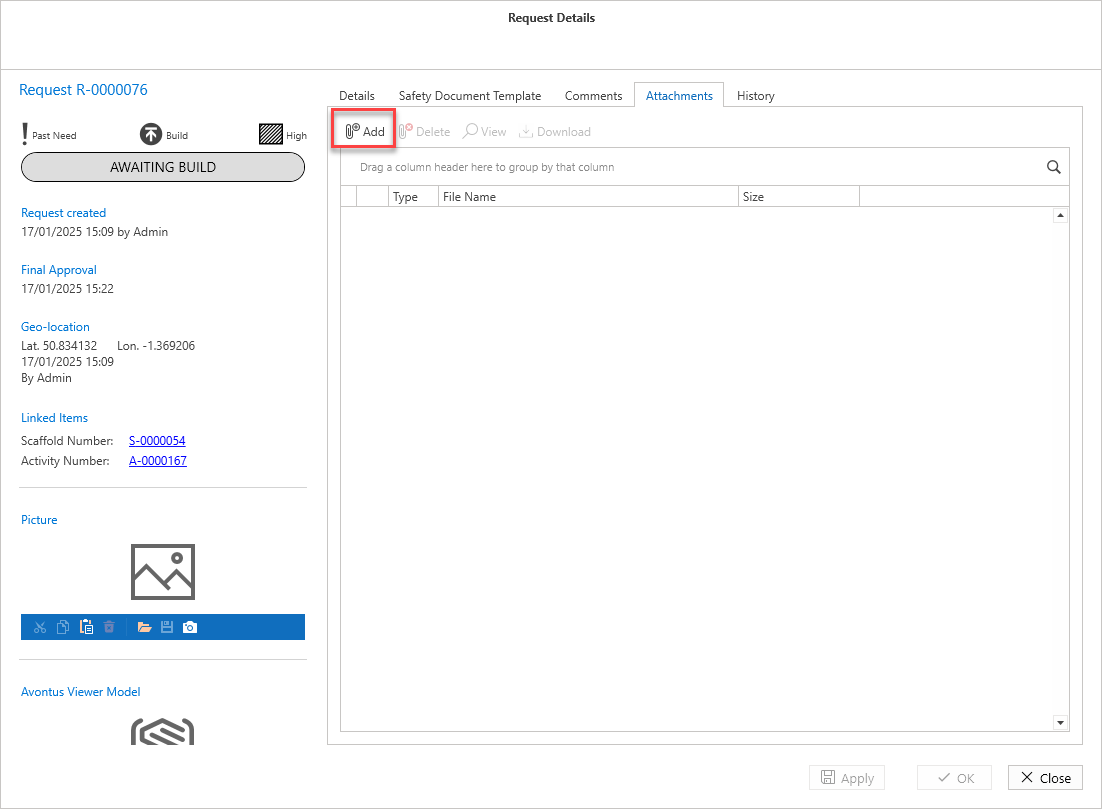
Navigate to your selected file.
Click Apply and then click Close or just click OK
The image will be added to the attachment.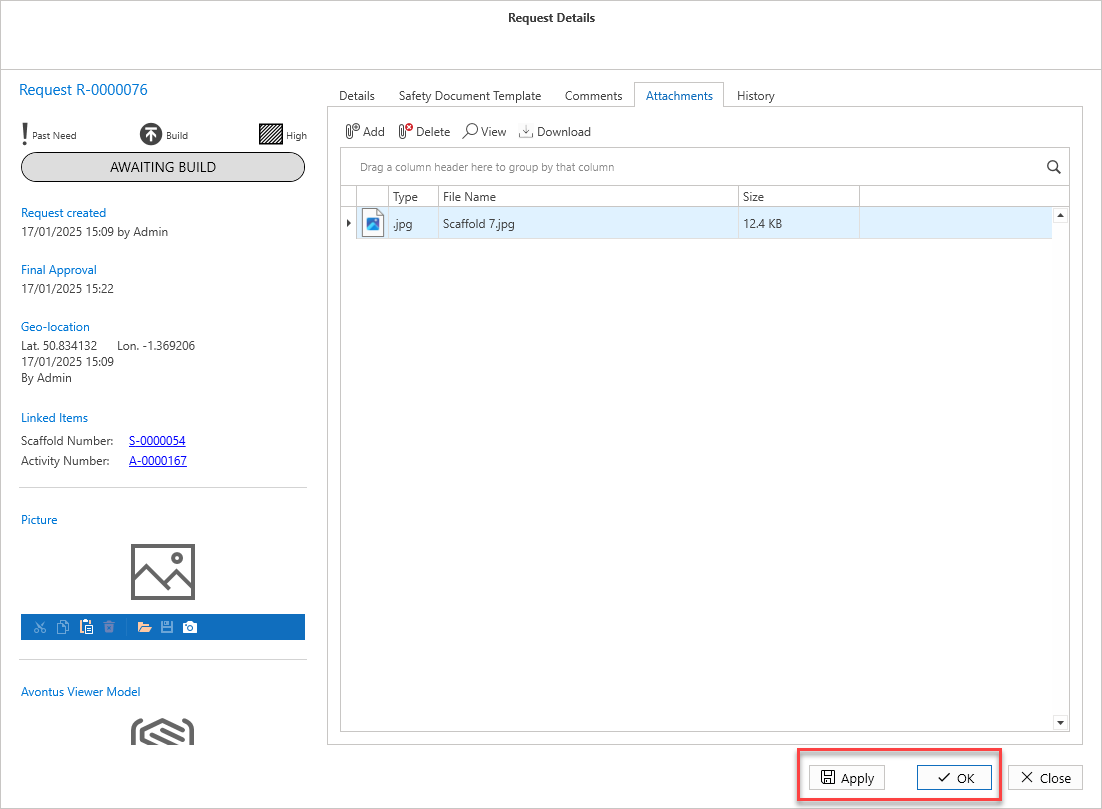
Note: The maximum attachment size is 20MB.