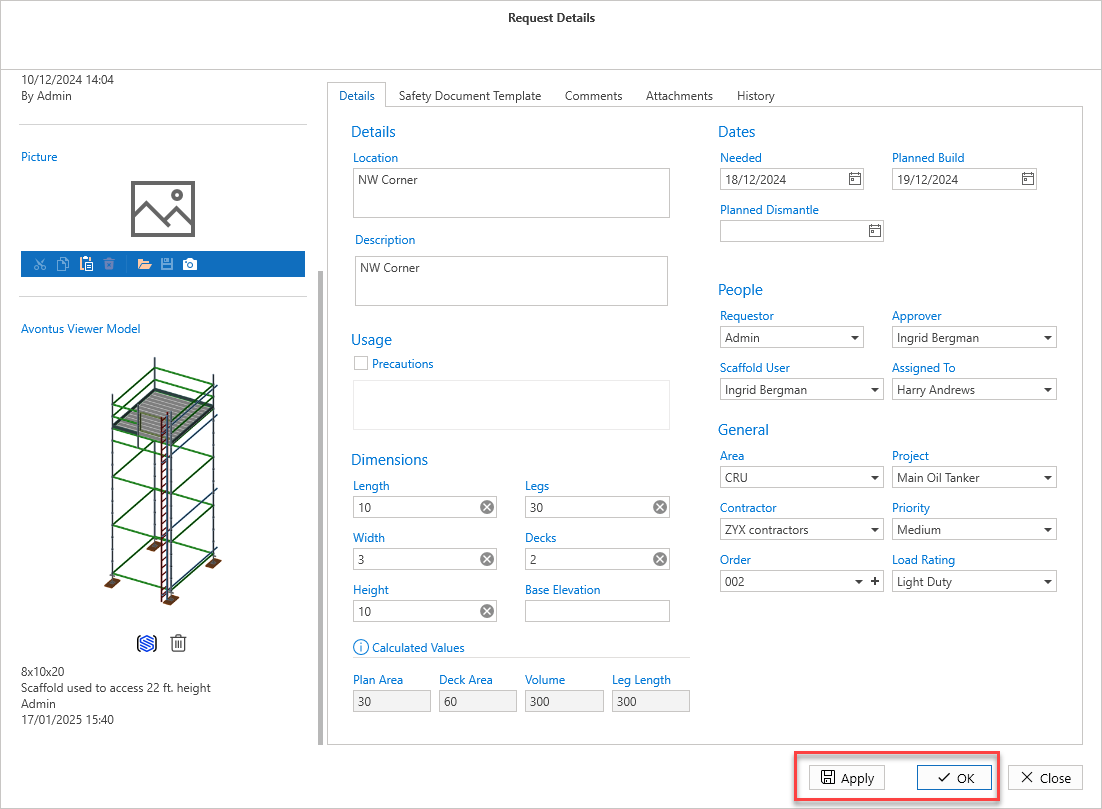
Using Avontus Viewer Model, users can view a 3D rendering of the scaffold to gauge an idea of what the scaffold will look like. These can be attached to a Request or Scaffold.
Note: You will need an Avontus Viewer Model account and you will need to have Avontus Viewer Model installed.
To upload a 3D model:
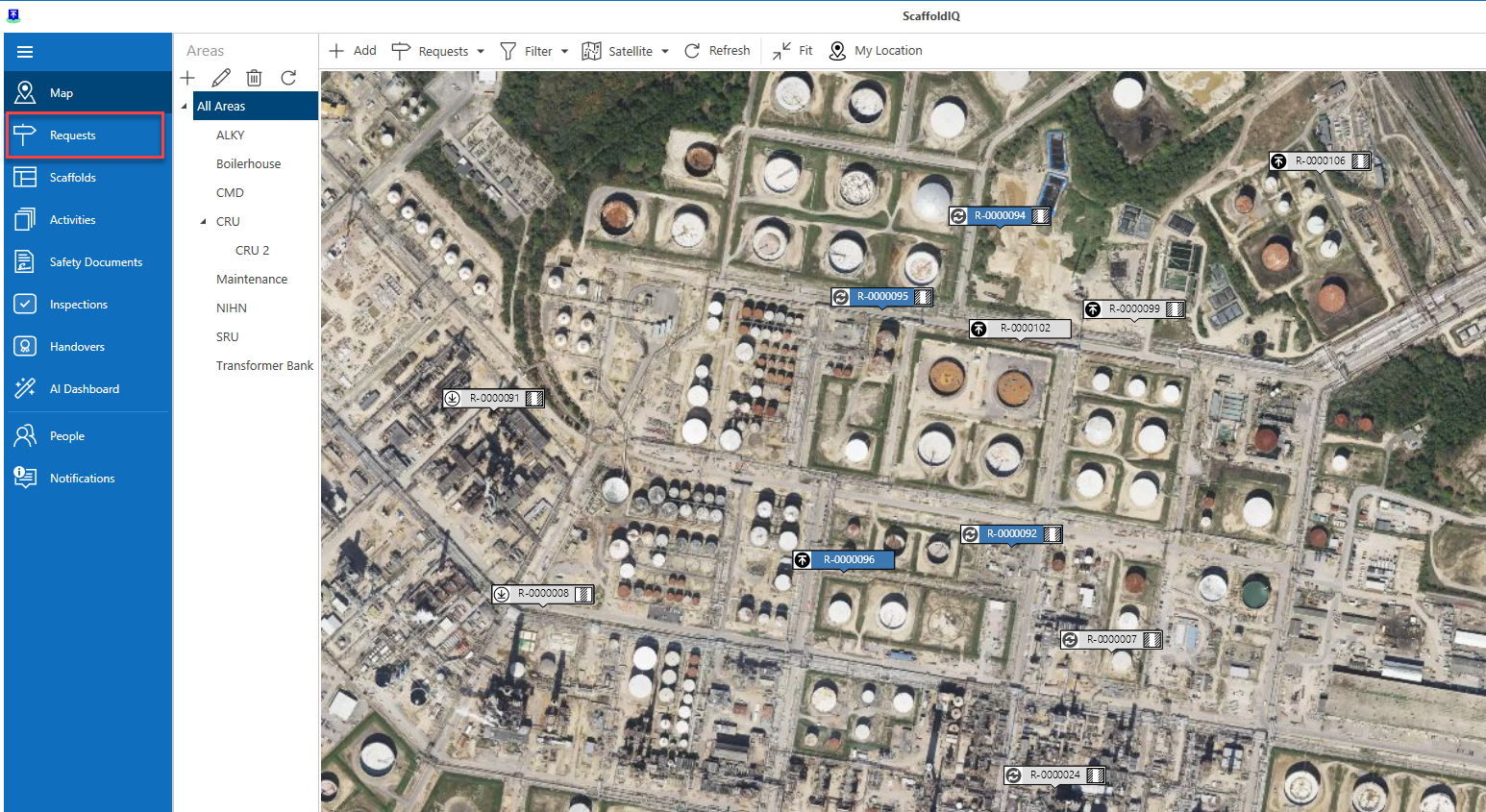
From the Map screen, select Requests.
Note: You can also select Details directly from the Map screen.
Double-click a row in the table to access the Request Details screen. You can also select the Details buttons
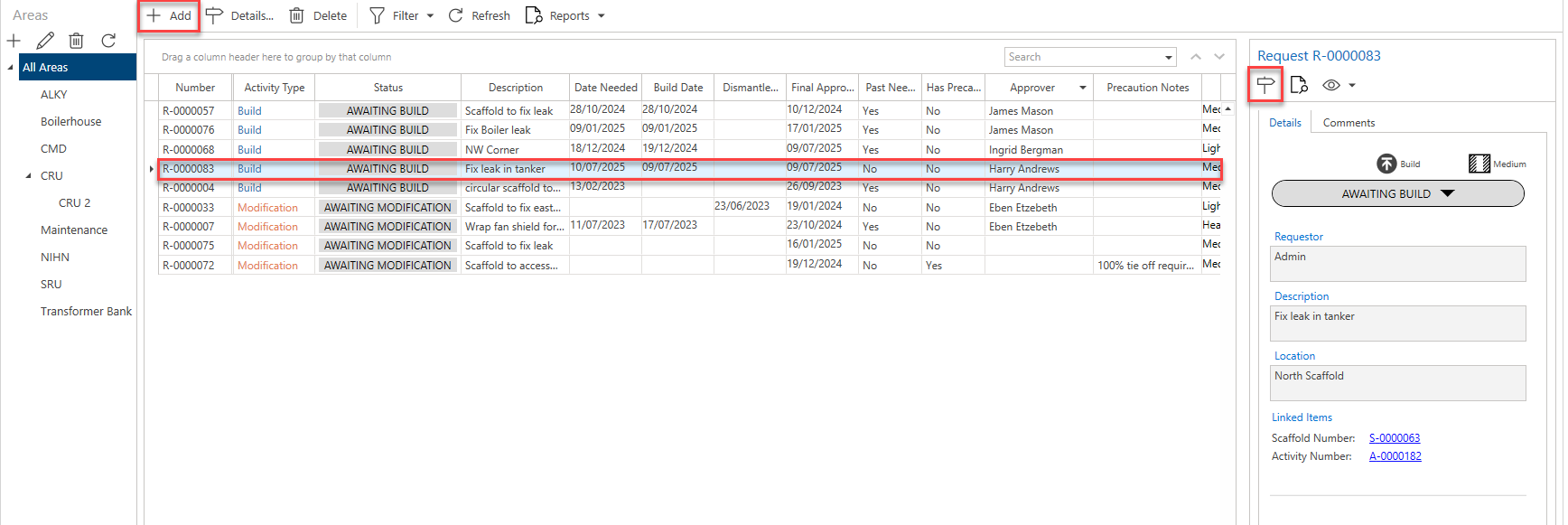
Note: You can also access the same screen via the Map screen.
In the Request screen, click Edit in the bottom right of the window.
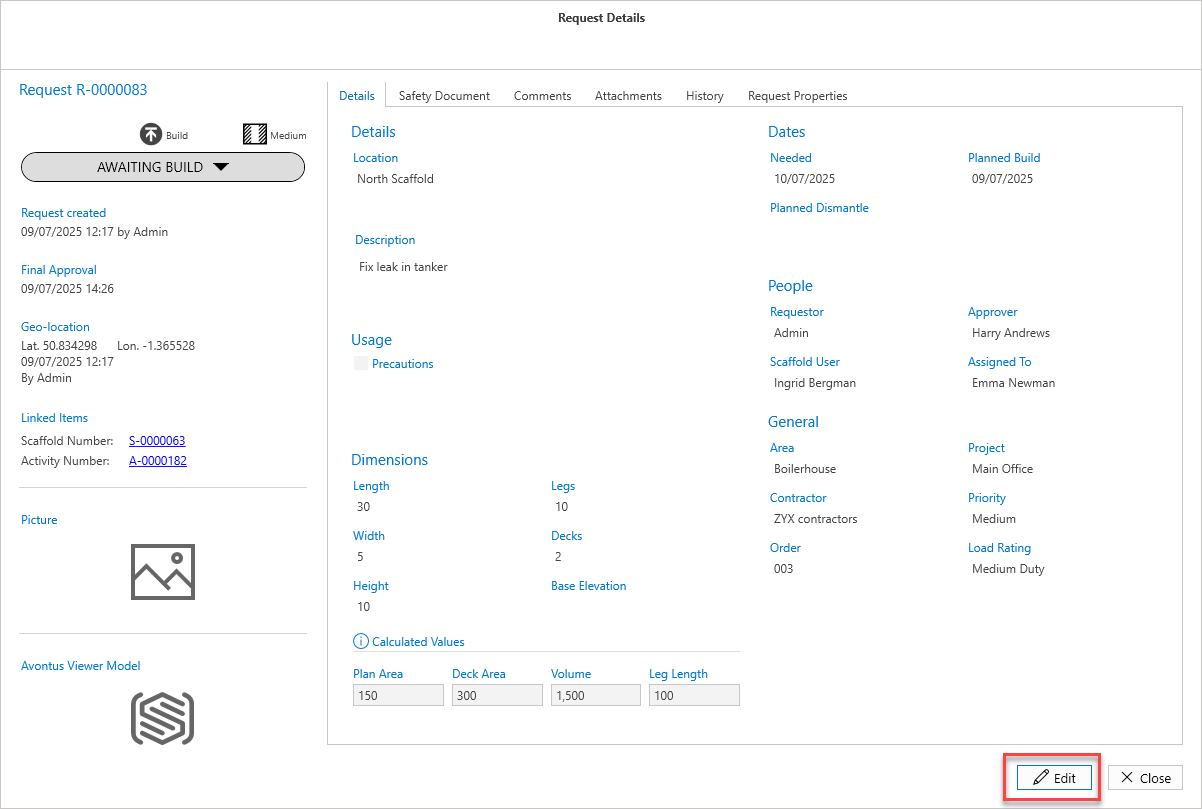
In the Avontus Viewer Model panel, select the blue icon.
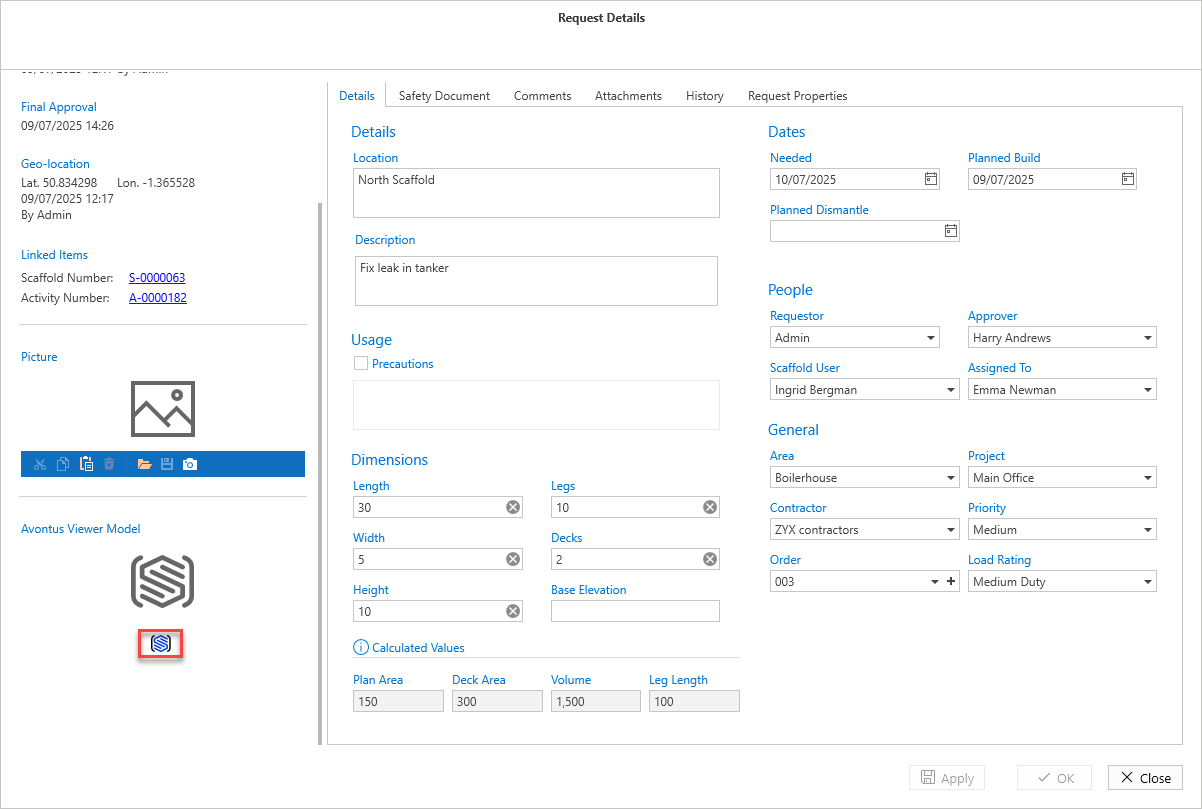
If prompted, log in with your Avontus Viewer details and select the 3D model you wish to upload.
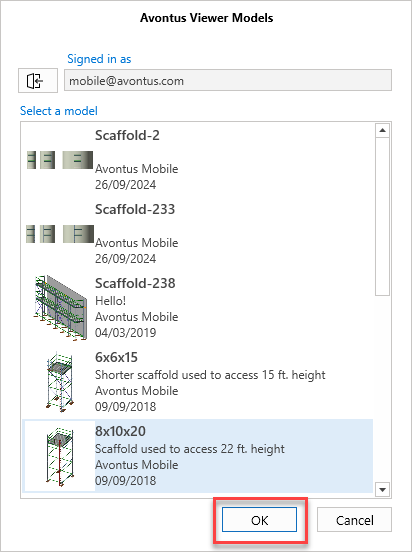
Click Apply or OK
The 3D model of the selected scaffold will be uploaded.