Avontus Designer and Quantify can be used together to the Creating an Estimate from a Drawing section of Integrating with Quantify.
In order to use Avontus Designer data when Quantify is on a different machine, you need to set up a system variable on each PC. This system variable is a path to a location that is available to both machines.
Do the following on both the Avontus Designer and the Quantify machines:
Open the Control Panel.
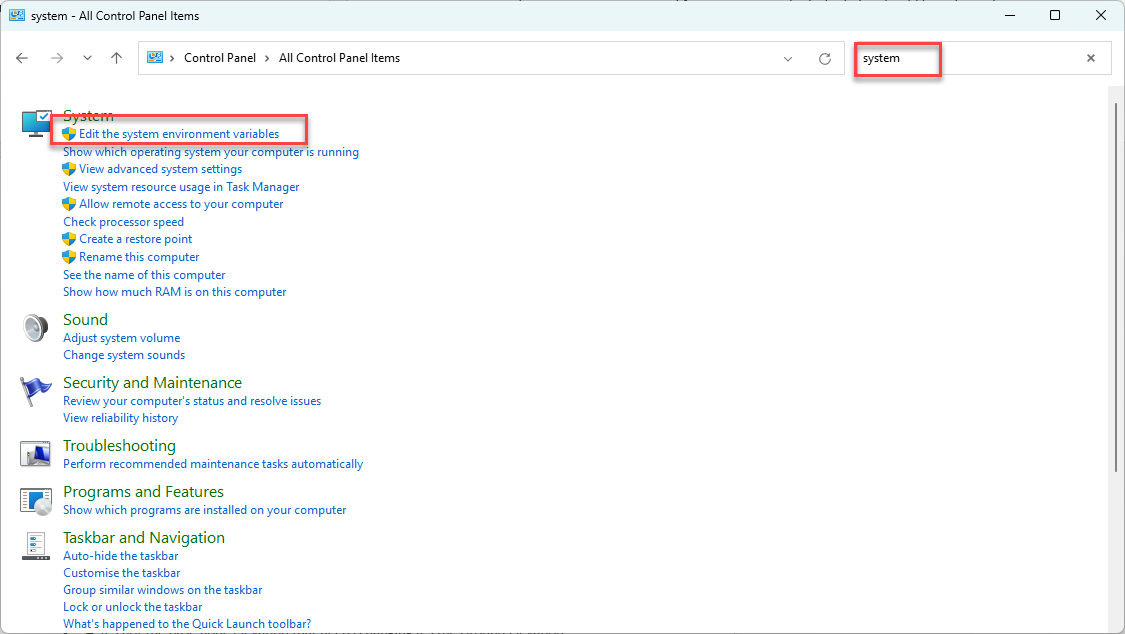
Click in the Search text field and enter the word system.
The Control Panel refreshes, containing the results of the search.Click Edit the system environment variables.
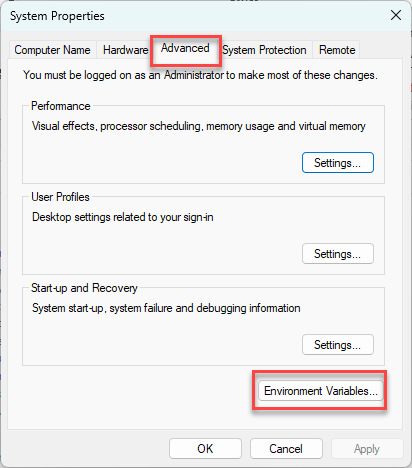
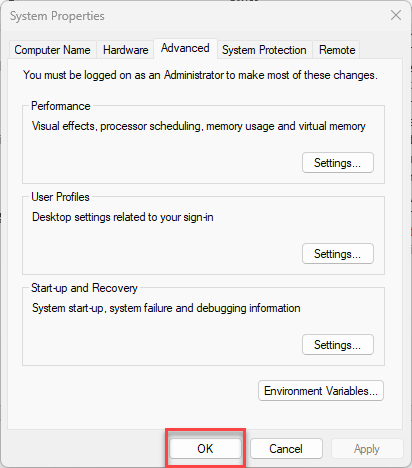
The System Properties dialog appears.Click the Advanced tab and click Environment Variables.
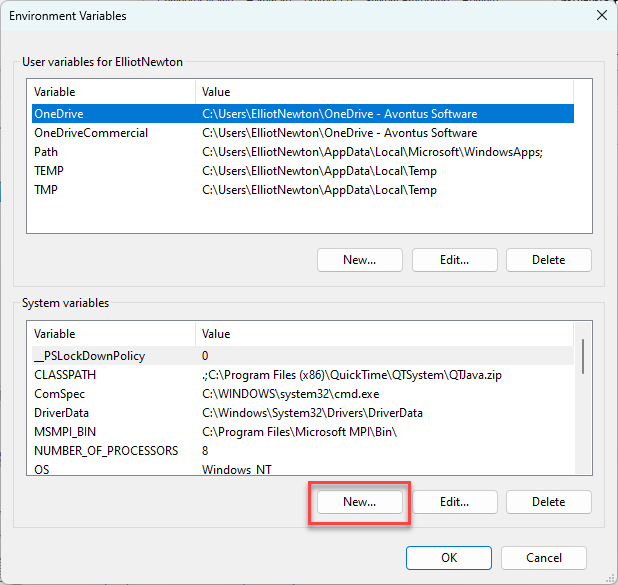
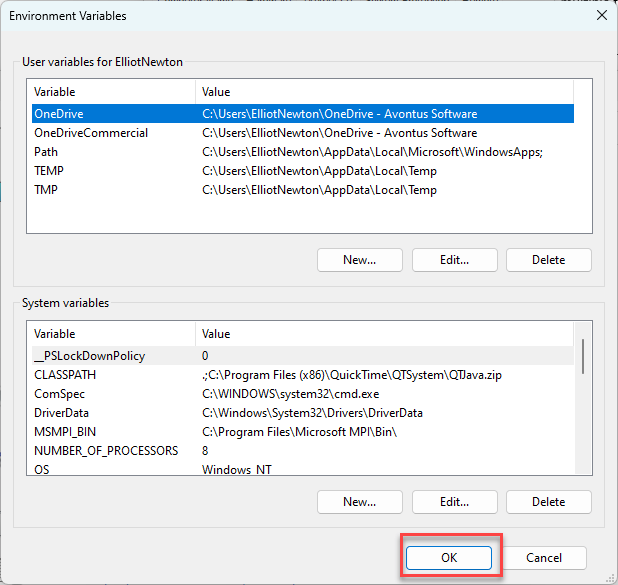
The Environment Variables dialog appears.Click New in the System Variables area.
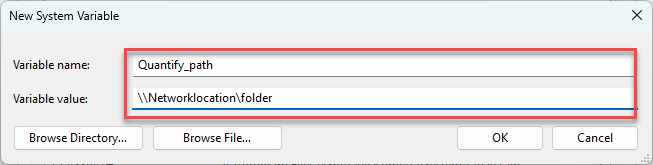
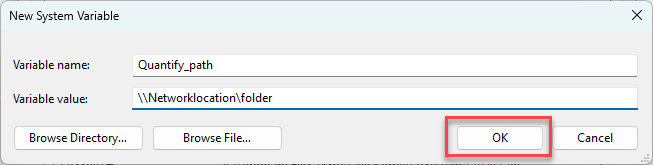
The New System Variable dialog appears.Click in the Variable name text field and enter Quantify_Path.
Click in the Variable value text field and enter any location shared by Avontus Designer and Quantify machines.
Click OK.
The Environment Variables dialog returns.Click OK.
The System Properties dialog returns
Click OK.
Note: After setting this System Variable, you may need to reboot either or both of the PCs.
Once complete, when you click Open in Quantify in Avontus Designer's Bill of Materials, the files will be created in the location you specified in the system variable. When Quantify launches, it should automatically pull in the Bill of Materials and scaffold units data.