Quantify's Find and Replace feature enables you to quickly change Product part numbers and/or descriptions.
Note: The procedures in this section uses the Product Catalog. However, they also work in the Consumable Catalog as well.
To use Find and Replace in the Product and Consumable Catalog:
Click Product Catalog.
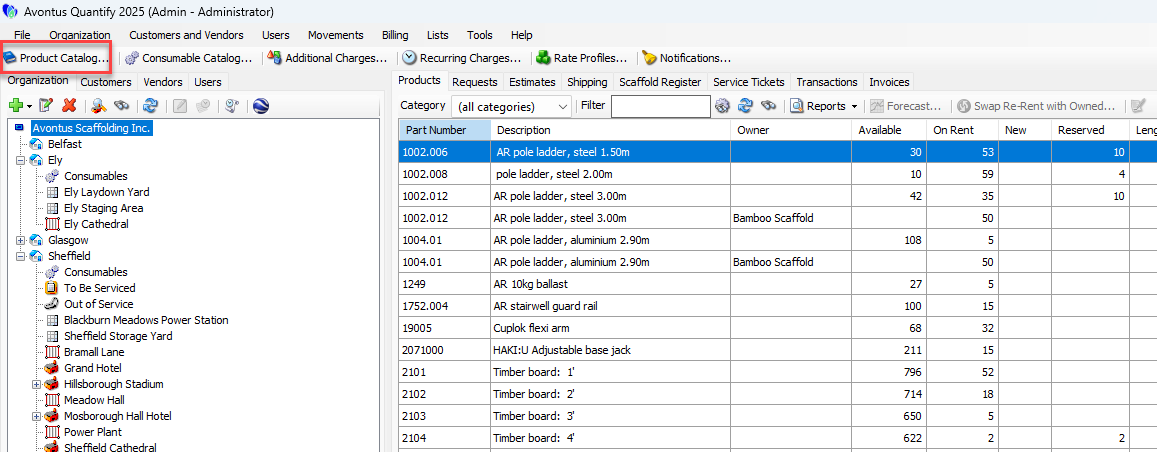
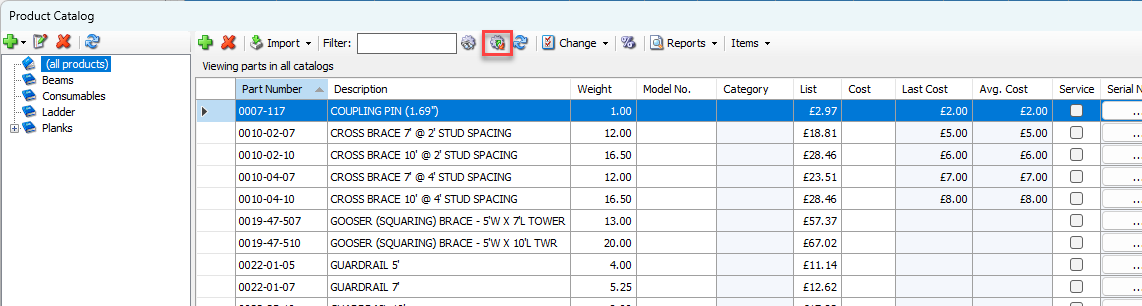
The Product Catalog appears.Click the Find and Replace button (
 ).
).
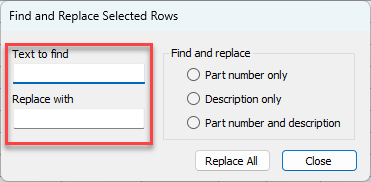
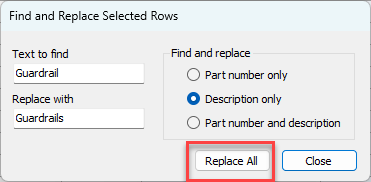
The Find and Replace Selected Rows dialog appears.Click in the Text to find text field and enter what you want Quantify to find in the Product Catalog.
Click in the Replace with text field and enter what you want Quantify to replace what it found with.
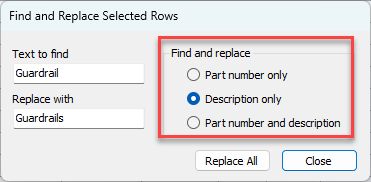
Click the appropriate Find and Replace radio button:
Part number only
Quantify will only find and replace in the Part Number column.Description only
Quantify will only find and replace in the Description.Part number and description
Quantify will find and replace in both the Part Number and Description.
Click Replace All.
Quantify finds and replaces product part numbers and/or descriptions based on your settings.