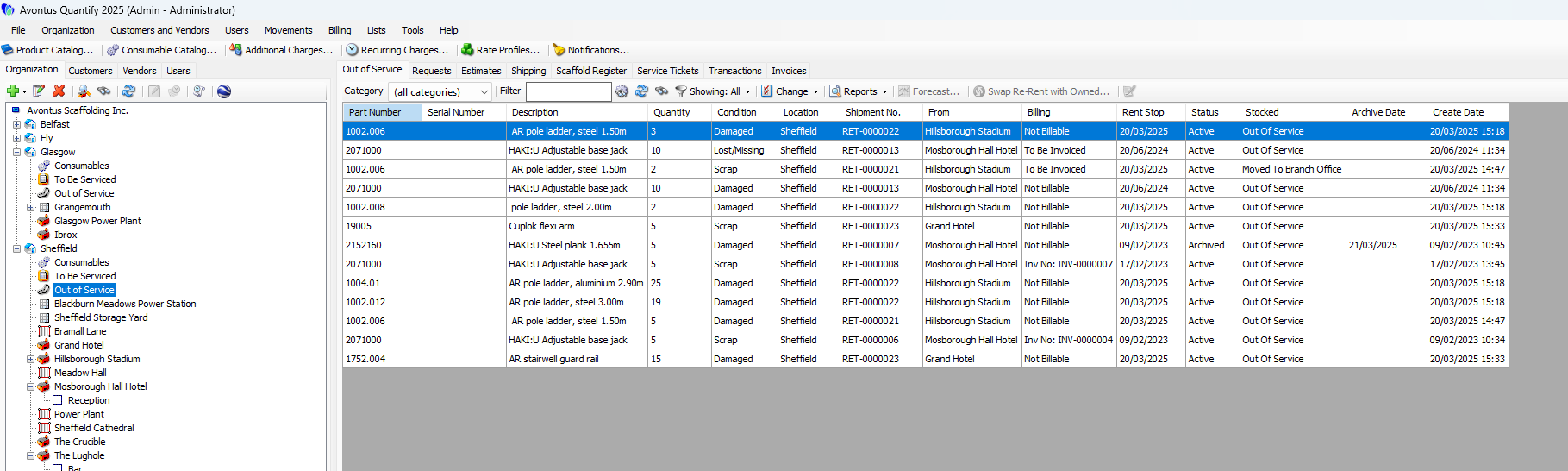
You can return Products that require servicing and inspections to a To Be Serviced node, at which time you can create Service Tickets and charge associated costs to service the Product to the Job Site. Quantify deducts the Consumable items used during servicing from the Branch Office consumable stock, thus maintaining an accurate inventory of these items.
Once the Product has been serviced or inspected, return the Product to the Branch Office stock or move it to Out of Service. Place items that are not returned (missing/lost), are returned damaged beyond repair, or are otherwise unusable Out of Service until found or repaired and placed back into service and/or billed to the Job Site You can move items from Out of Service to To Be Serviced and vice versa. Refer to Out of Service for more information.
You can flag Products for inspection or service during the return to the Branch Office. For Products that always require servicing, you can enable servicing in the Product Catalog, to automatically flag the Product for inspection or service each time it is returned to the Branch Office. You can also manually move Products from Branch Office inventory to the To Be Serviced node.
To set up servicing in your Quantify database, follow the basic steps that are detailed in the sections below.
- To enable servicing at the Global level, refer to About the Global Options Dialog General Tab in The Global Options Dialog.
- To enable servicing for the appropriate Branch Office(s), refer to the General Tab section of Adding a Branch Office/Sub-Branch. Note: the Branch Office must also have the Out of Service feature enabled.
- For products that always require servicing, refer to Products Always Requiring Service.
- To enable products to be placed out of service, refer to About the Global Options Dialog Products Tab in The Global Options Dialog.