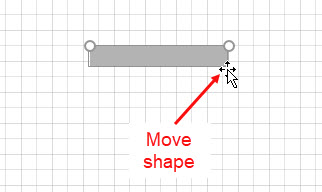
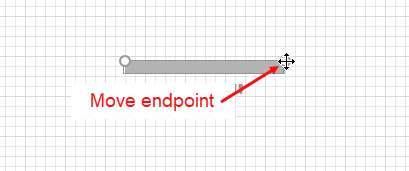
Once your Walls are on the page you can move, stretch, or rotate the Walls to arrange them into the building outline. Your mouse cursor gives you an indicator of what action you are about to perform.
If your mouse cursor displays as a cross arrow as well as a mouse pointer (as in Figure 1), you will move the Wall (and unglue it from other Walls if they are connected). If your mouse cursor shows as a cross (as in Figure 2), you will rotate, grow or shrink the Wall.
Figure 1
| Figure 2
|