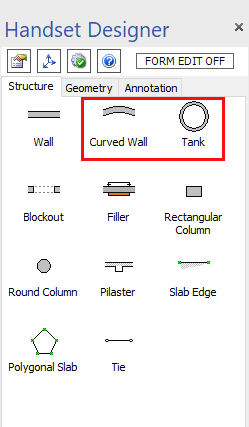
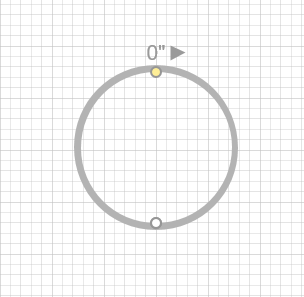
Handset Designer fully supports Curved Walls and Tanks. Curved Walls behave similarly to the straight Wall, but have an additional property for a radius.
Note: For best results with Tank and Curved Walls Formwork designs, ensure that at least one Steel Filler and several Filler widths are initially turned on (see the Formwork sizes topic under Options). This gives an optimal layout without bent Ties. You can then check items off to experiment with different sizes to match what you have in inventory.
Tanks and Curved Walls only have a single top and bottom elevation, which does not allow them to be used in sloped situations.
You can draw sections for Curved Walls and Tanks. To do so, highlight the Wall or Tank after the Formwork has been drawn and click the Section View button in the toolbar, or right click the shape and select the item from the menu that appears.
You can connect Curved Walls to straight Walls, but only end-to-end. Handset Designer does not support T-intersections between straight and Curved Walls or Walls and Tanks. To do this, you can create a separate Wall that is not connected to the original Wall.
Handset Designer completes Tanks and radius Wall layouts with a repeating pattern. Your available equipment sizes and the chord offset determine this pattern.
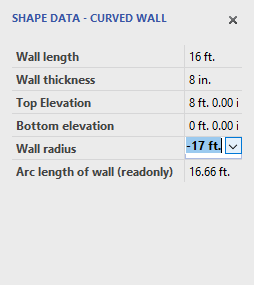
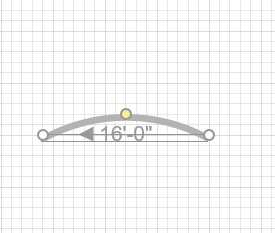
To control the radius and other properties of Curved Walls and Tanks, use the Custom Properties window. You can use a negative or positive radius in a Curved Walls. A negative radius marker appears on the outside of the curve; this is the default for a Curved Walls.
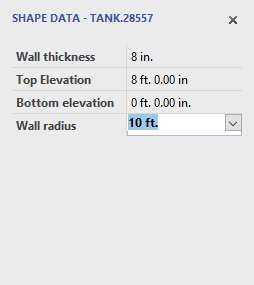
For Tanks, the default radius is positive, indicating the radius is to the inside Wall of the Tank. If you want the radius to be to the outside of the Tank wall, enter a negative value in the Wall radius box. You can see when your Tank radius is to the inside or outside by observing the location of the yellow control point. For Tanks there is no wall length.
Tank and Curved Walls layouts are optimized for the most efficient Panel and Filler layout. However, you have control over which materials you include in your Tanks and circular Walls.