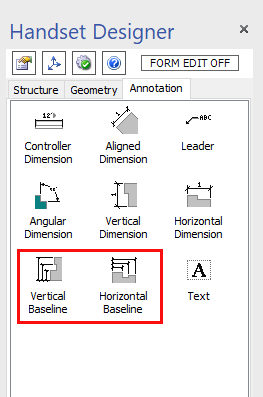
Use the Vertical and Horizontal Baseline annotations to show up to four linear Dimensions from a single baseline using one annotation.
A Baseline is a group Dimension annotation. It enables you to draw a collection of Dimensions (up to four) relative to a single base reference. The first point chosen is the base. All subsequent points are relative to this first point. The Dimension value in each case is therefore the distance between each reference point and the base, measured in the default units (feet, inches or meters). The references may be shapes (Walls, Columns, Pilasters, Panels, corners) or any points in free space on the Drawing Page. Unlike the other Dimension types, it is unnecessary to attach the Baseline to a particular shape, because the aim is less to display or control the Dimension of a shape than it is to show Dimensions of the drawing relative to the starting base point.
However, once glued to a connection point on a Wall, the extension lines will move with the Wall anywhere on the drawing. Also, when you change the length of a Wall to which it is attached, the baseline displays the new measure.
Vertical Baseline |
|
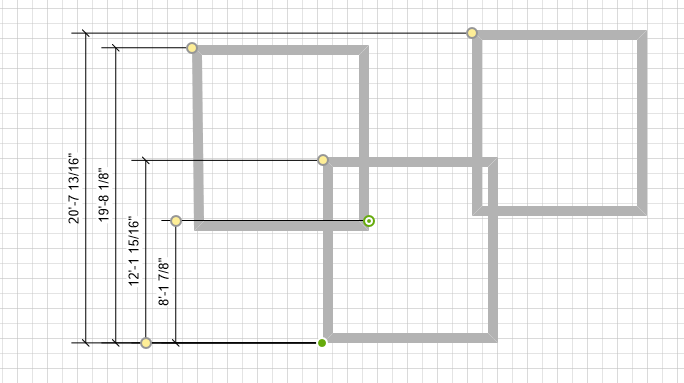
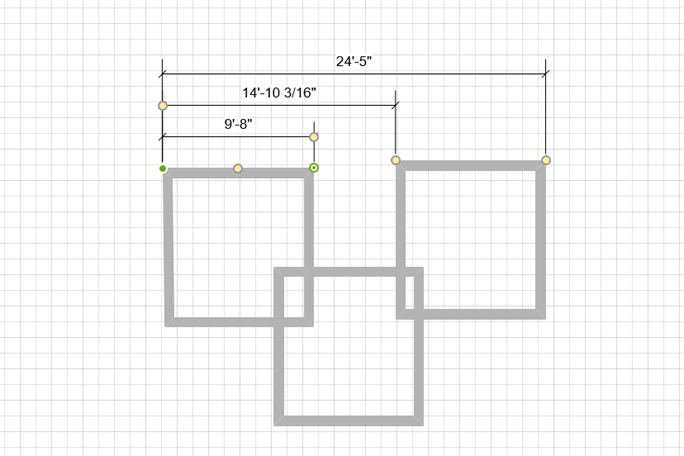 Horizontal Baseline
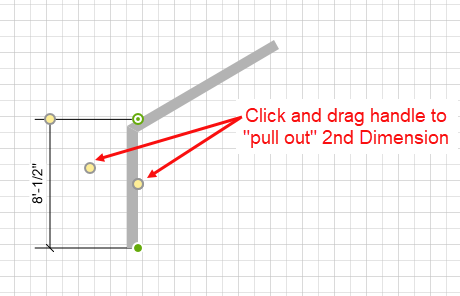
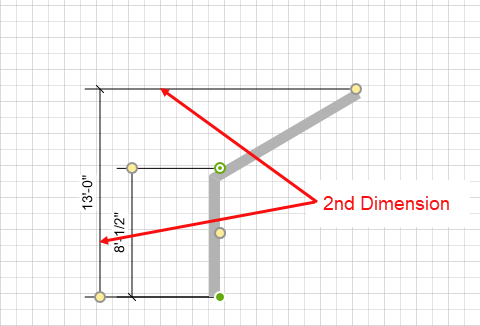
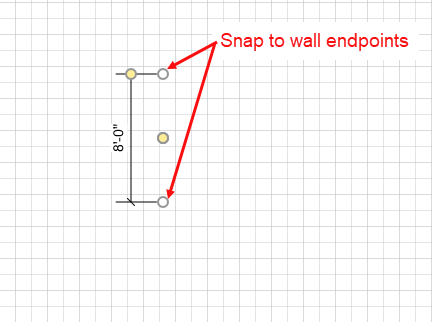
Use the Baseline's white shape handles to create connections to Walls (or other shapes) by snapping to the endpoints. Also use the Baseline's white shape handles to establish the baseline from which the additional Dimensions lines will grow. Once the baseline is set, you can use the yellow shape handles to extend the Dimension lines and to add 2nd, 3rd, and 4th Dimensions. The yellow shape handle on the edge extends the Dimension lines.
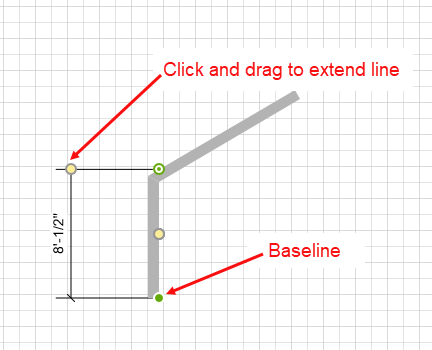
The yellow shape handle in the middle enables you to pull out the additional Dimensions. As you drag the yellow handle out, the Dimension lines appear. You can then glue the handle to whichever point on the Drawing Page you wish to measure.