NOTE: The features mentioned in these articles are only available in the Industrial Edition of Quantify.
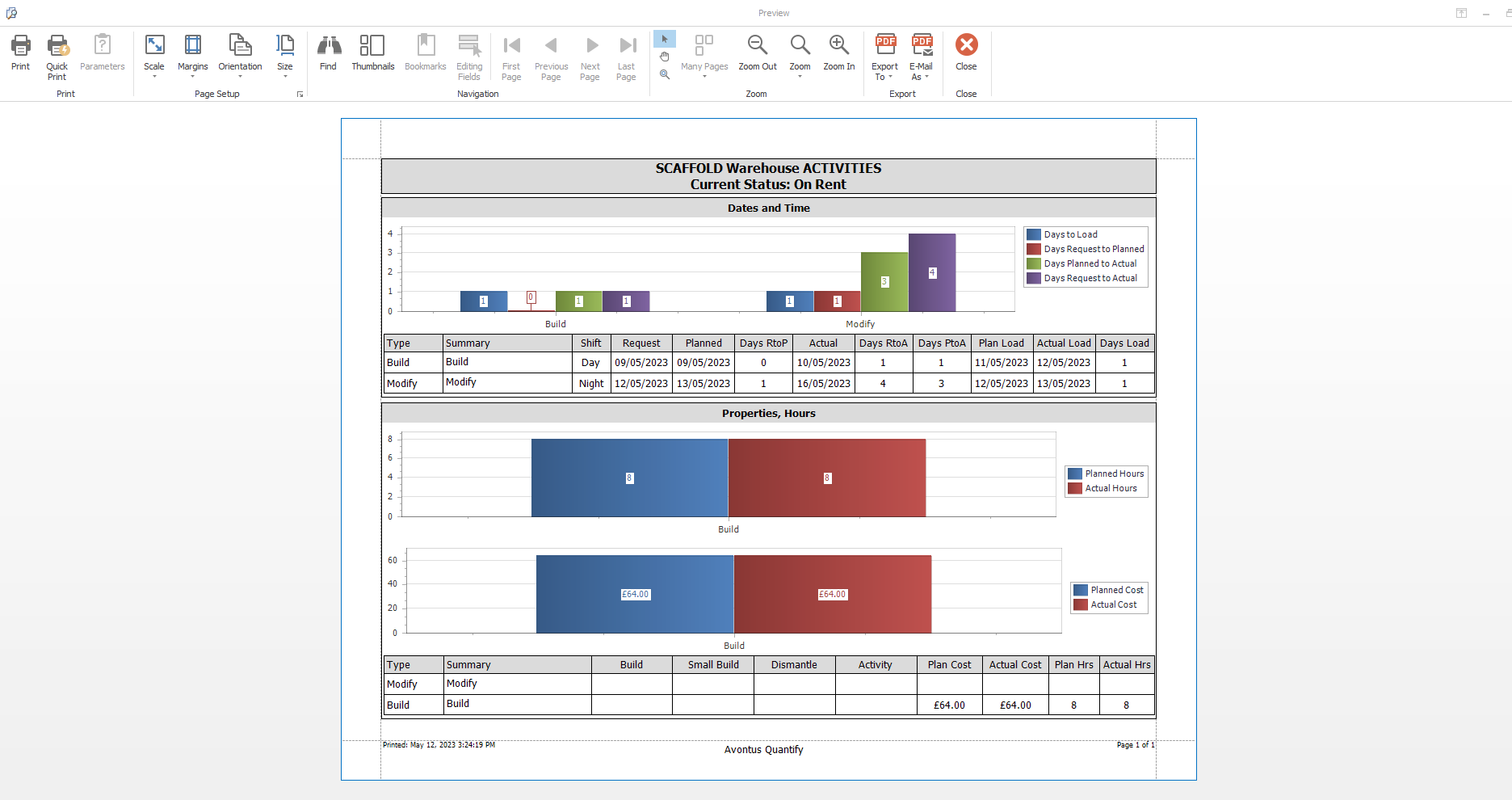
Quantify enables you to preview the Scaffold Activities report, which provides details and graphs for the Activities associated with a specific Scaffold.
To view the Print Preview of the Scaffold Activities report:
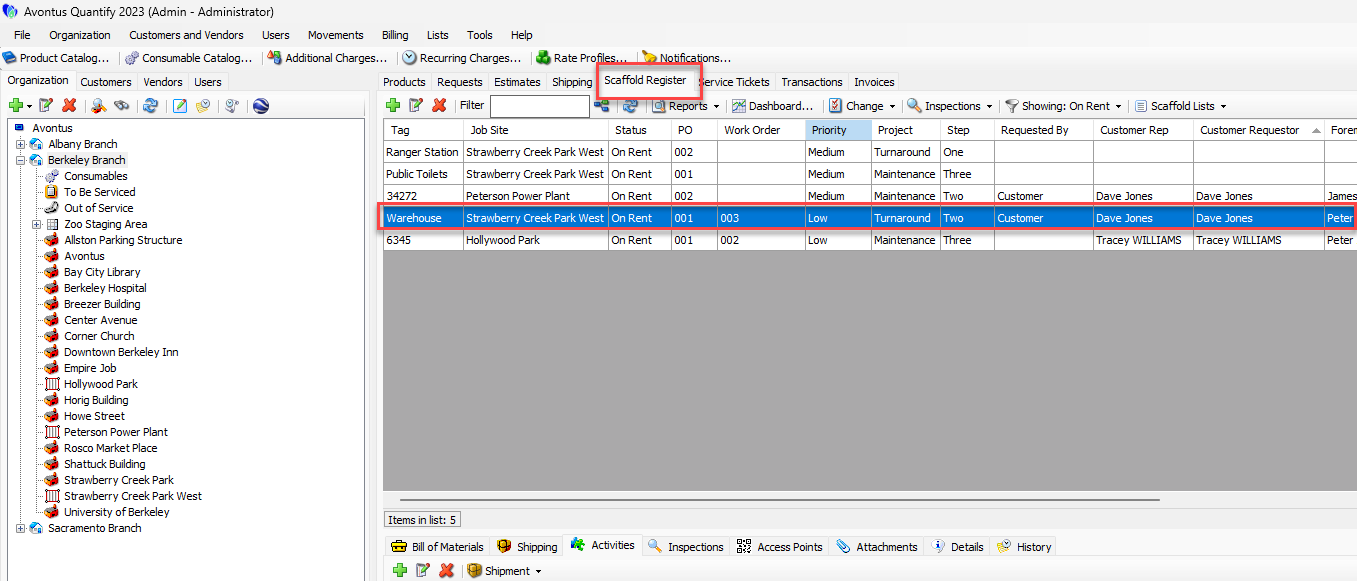
- Click the Scaffold Register tab and then click the appropriate Scaffold.
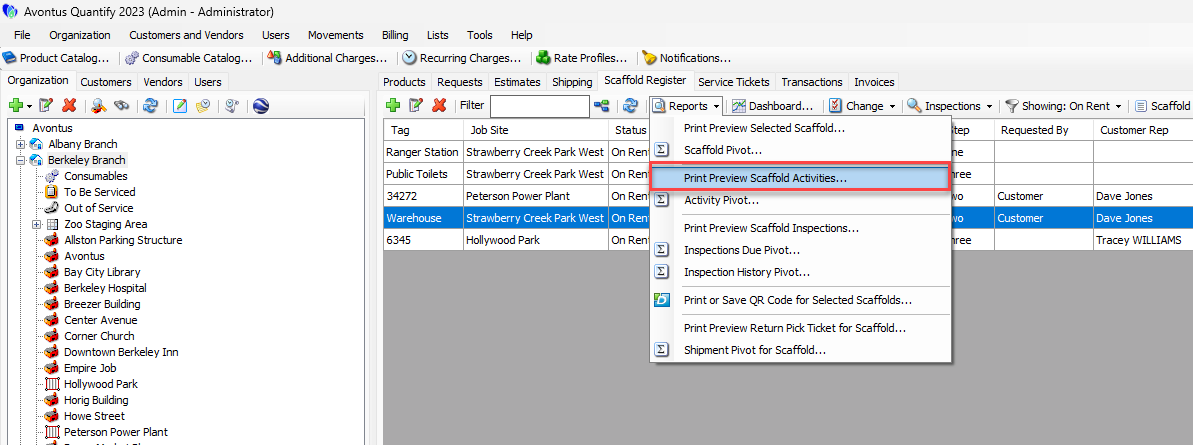
- Click the Reports menu and select Print Preview Scaffold Activities.
The Print Preview Scaffold Activities report appears.