NOTE: The features mentioned in these articles are only available in the Industrial Edition of Quantify.
Quantify provides three Scaffold Lists (Priority, Project and Step, in the procedures below) that you can customize and add items to. The Scaffold List names are customized in the Shipments and Scaffolds tab of the The Global Options Dialog dialog. Quantify also provides a list for shifts. The procedures below show you how to add items to the list named Priority. However, these procedures are identical to those for adding items to the other two customizable lists and the Shifts list, as well.
Note: To add Activity Types, refer to New-Adding a Custom Activity Type. To add Unit-Hour Profiles, refer to Adding a Unit-Hour Profile.
To add items to a Scaffold List:
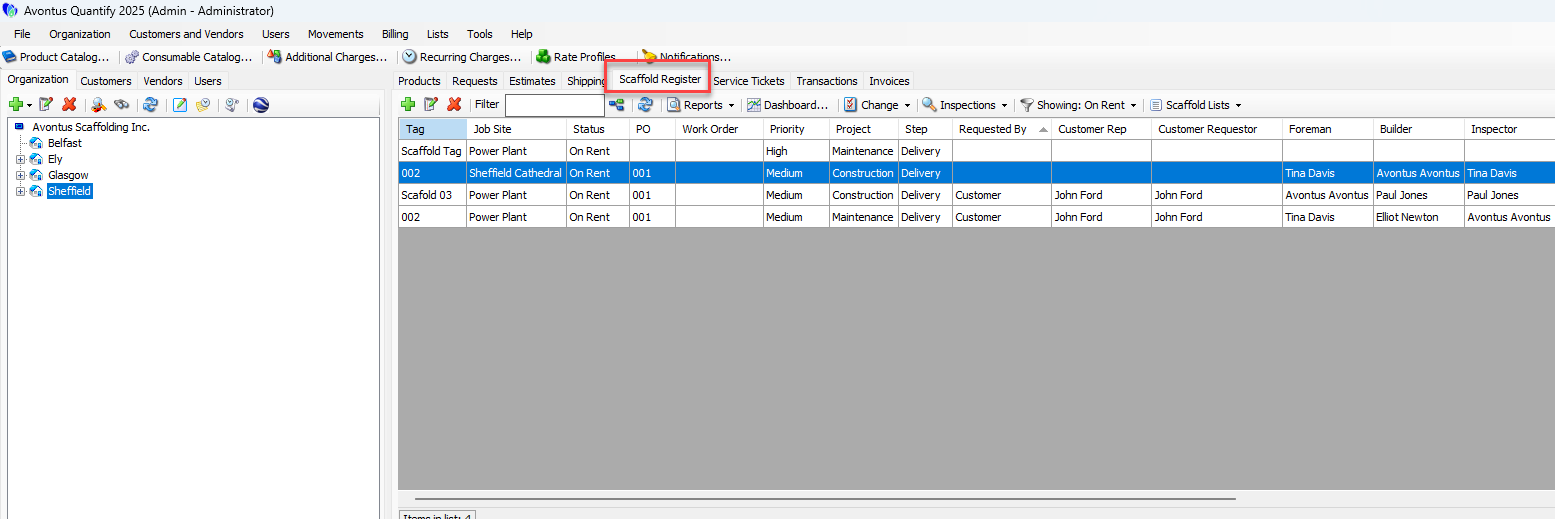
Click the Scaffold Register tab.
Click the appropriate Scaffold Tracking Job Site.
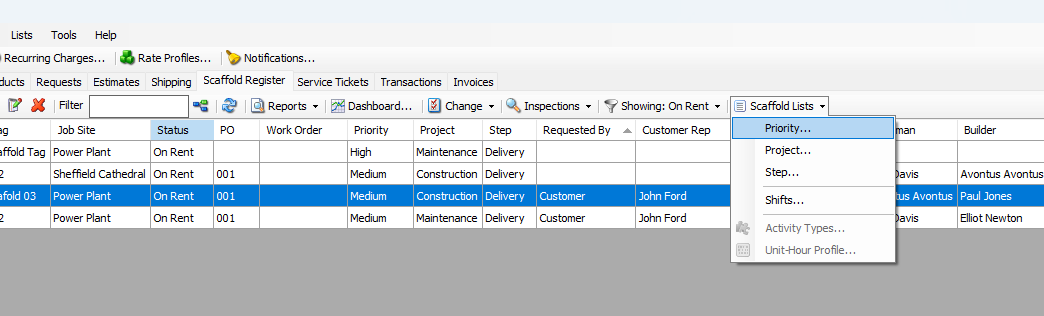
Click the Scaffold Lists menu and select Priority.
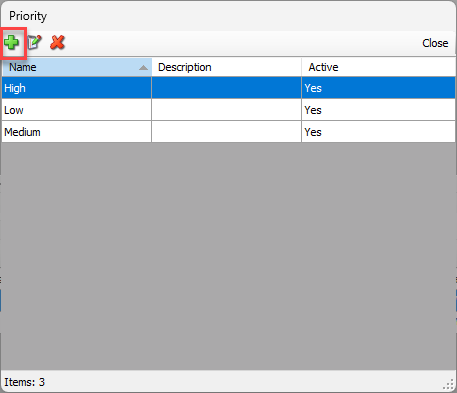
The Priority dialog appears.Click the Add button (
 ).
).
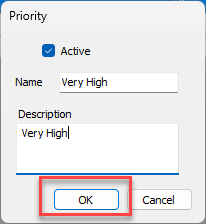
The Priority dialog appears.Click in the Name text field and enter the name of the Priority.
Click the Description text field and enter a short description of the Priority.
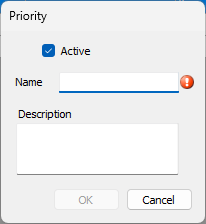
Click OK.
The Priority will be added
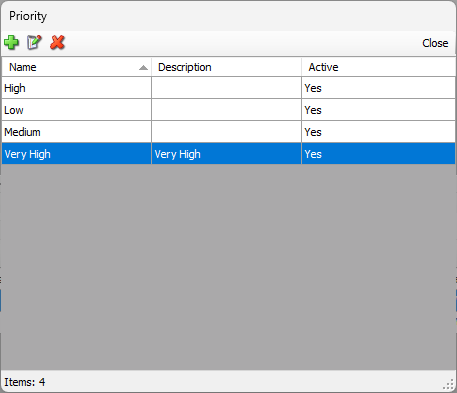
Repeat the above three steps as many times as necessary, then click Close in the Priority dialog.