The Utilization by Quantities report shows use and utilization information for all stocked inventory for a selected location, including all child locations (Sub-Branches, Staging Areas and Job Sites). This includes both available/on-rent inventory and out of service inventory (when the Out of Service feature is enabled). Results will be displayed as quantities.
To view the Utilization by Quantities report:
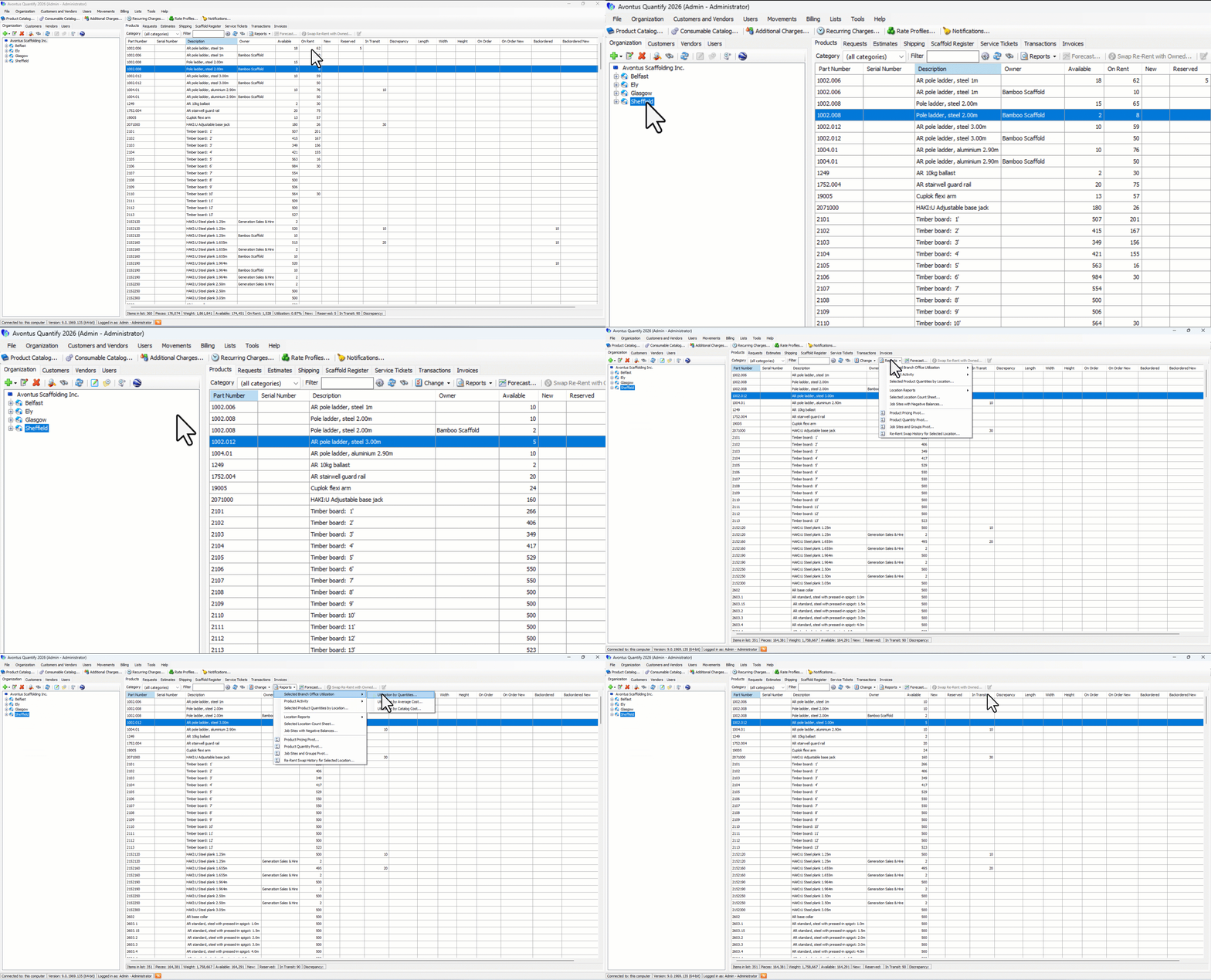
Select the desired stocking location and click the Products tab.
Click the Reports menu and select Utilization by Quantities from the Selected [Location] Utilization sub-menu.
The Utilization by Quantities report appears.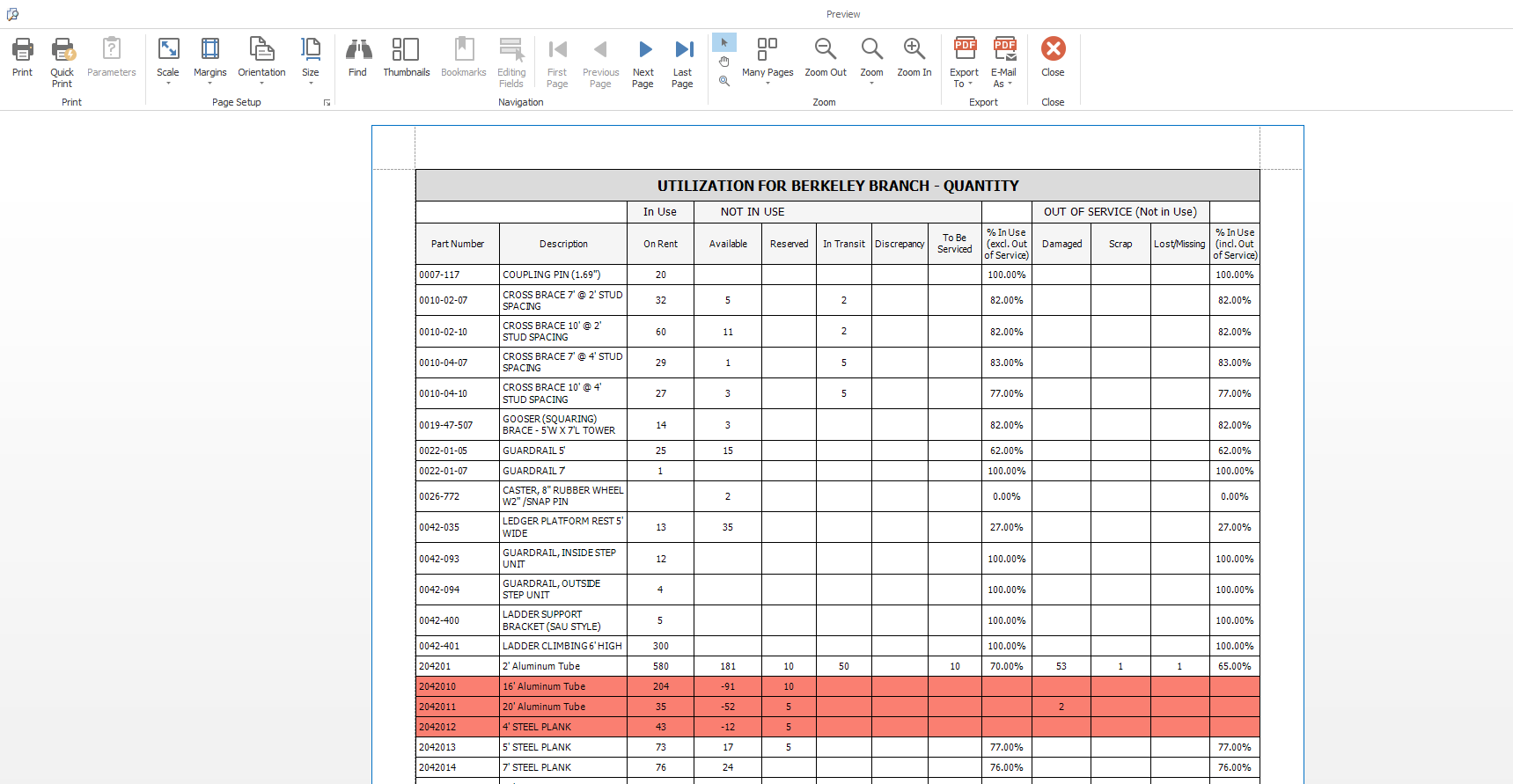
Note: Results colored red identify parts that have negative product available balances.