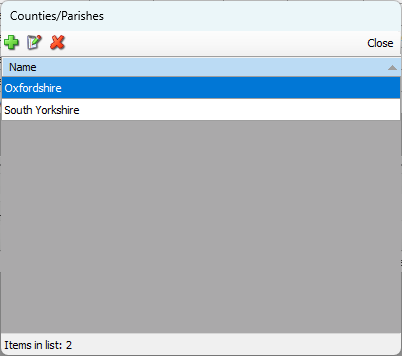
In Quantify, geographical locations are States and Provinces, and Counties and Parishes. Once you add them to the Quantify database, you can assign them to things like shipping addresses, business addresses, etc.
Adding a State or Province
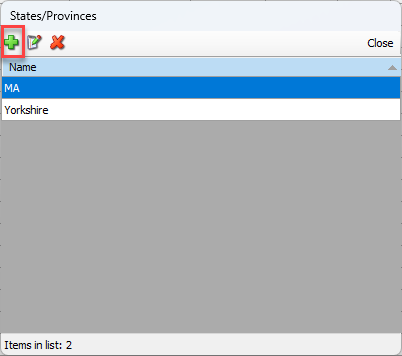
Before you can add a State or Province to a shipping or business addresses, you must first add it to the Quantify database. The States/Provinces dialog provides the means for managing the list of states and provinces.
To add a State or Province:
Click the Lists menu and select States/Provinces
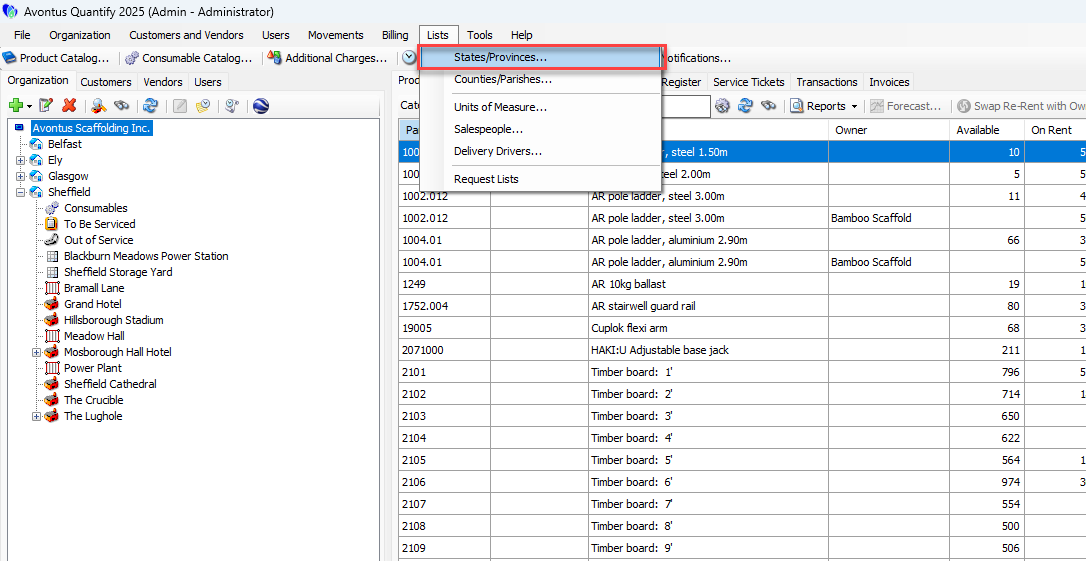
Click the Add button
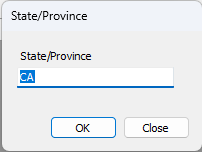
Specify the State/Province field
Click OK
Deleting a State or Province
Once entered, Quantify enables you to delete a State or Province at any time.
To delete a State or Province:
Click the Lists menu and select States/Provinces.
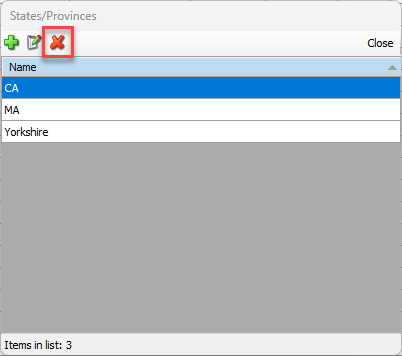
The States/Provinces dialog appears.Click the State or Province you want to delete, then click the Delete button (
 ).
).
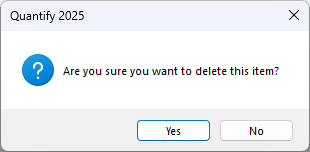
A confirmation dialog appears.Click Yes.
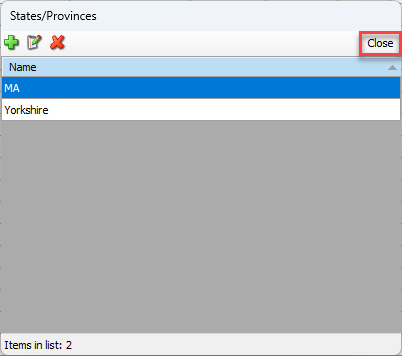
The States/Provinces dialog returns, minus the name of the deleted state or province.
Click Close.
Adding a County or Parish
Before you can add a County or Parish to a shipping or business addresses, you must first add it to the Quantify database. The Counties/Parishes dialog provides the means for managing the list of Counties and Parishes.
To add a County or Parish:
Click the Lists menu and select Counties/Parishes.
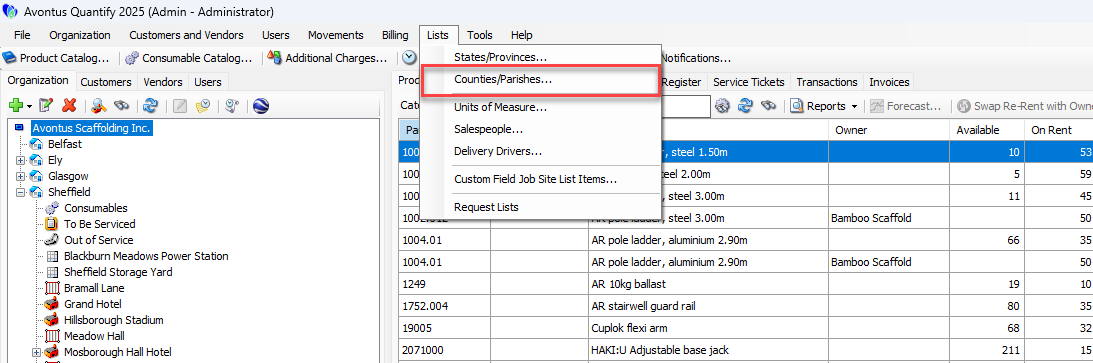
The Counties/Parishes dialog appears.Click the Add button (
 ).
).
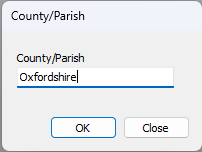
The County/Parish dialog appears.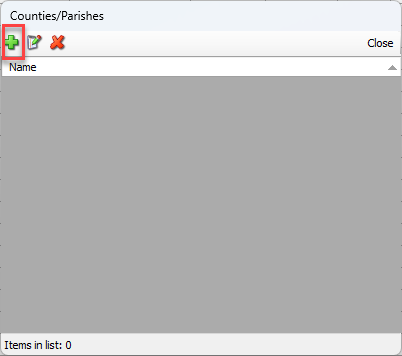
Click in the County/Parish text field and enter a name for the new county or parish.
Click OK.
The Counties/Parishes dialog returns, with the new county or parish in the list.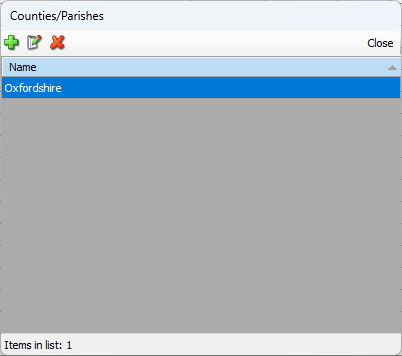
Deleting a County or Parish
Once entered, Quantify enables you to delete a County or Parish at any time.
To delete a County or Parish:
Click the Lists menu and select Counties/Parishes.
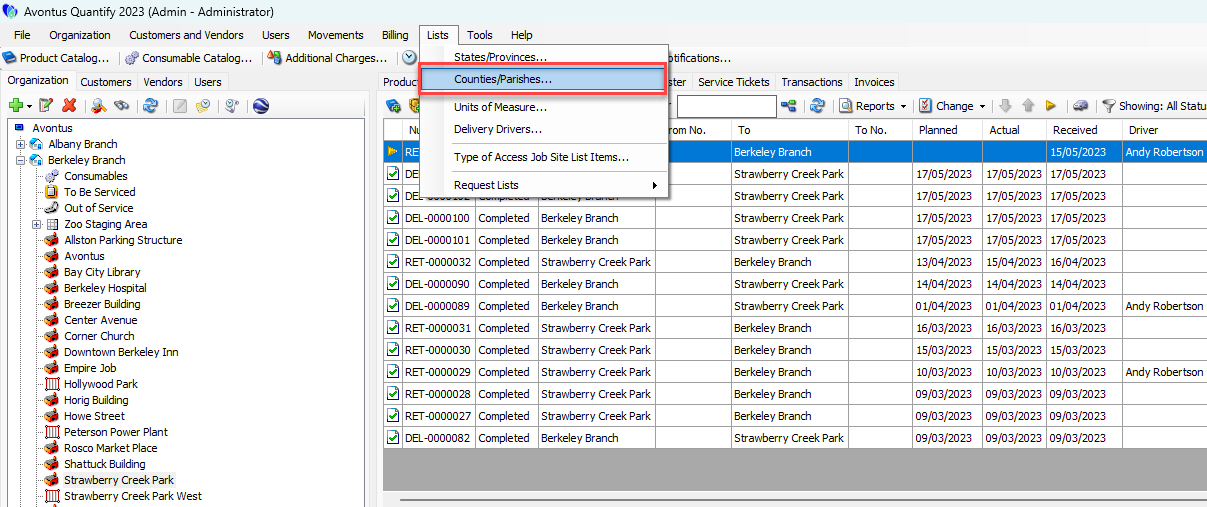
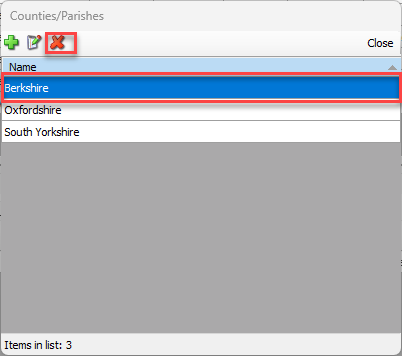
The Counties/Parishes dialog appears.Click the county or parish you want to delete, then click the Delete button (
).
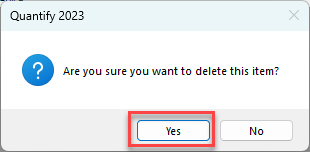
A confirmation dialog appears.Click Yes.
The Counties/Parishes dialog returns, minus the name of the deleted county or parish.Click Close.