Quantify enables you to create a list of manufacturers whose products your organization uses. Once created, you appropriately assign manufacturers as necessary.
Adding a Manufacturer to a Product or Consumable
Before you can assign a manufacturer to a Product or Consumable, you must enter that manufacturer's name into your Quantify database, through the Product Catalog or the Consumable Catalog. The procedures in this section of Quantify Help show you how to do that.
Note: The procedures in this section use the Product Catalog. However, they also work in the Consumables Catalog as well.
To add a manufacturer:
Click Product Catalog.
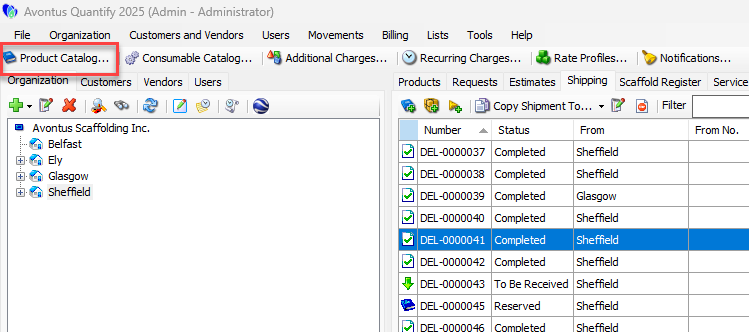
The Product Catalog appears.Click the Items dropdown and select Manufacturers.
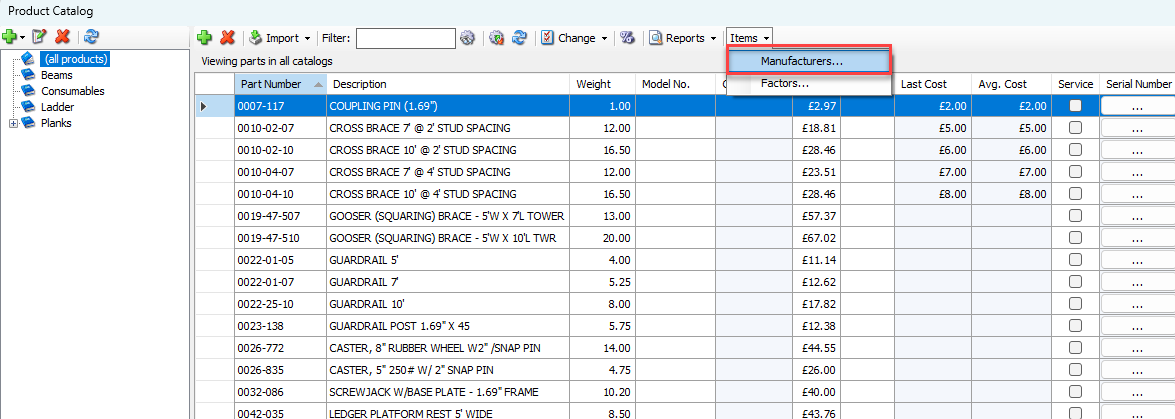
The Manufacturers dialog appears.Click the Add button (
 ).
).
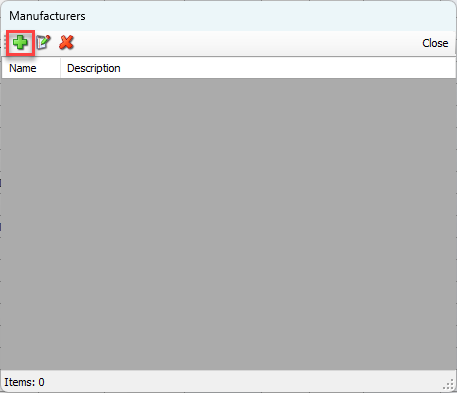
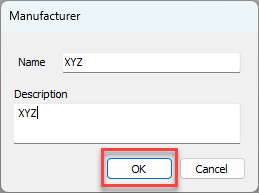
The Manufacturer dialog appears.Click in the Name text field and enter the manufacturer's name.
Click in the Description text field and enter a short description of the manufacturer.
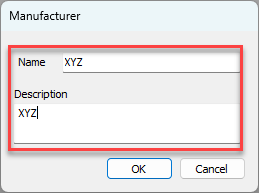
Click OK.
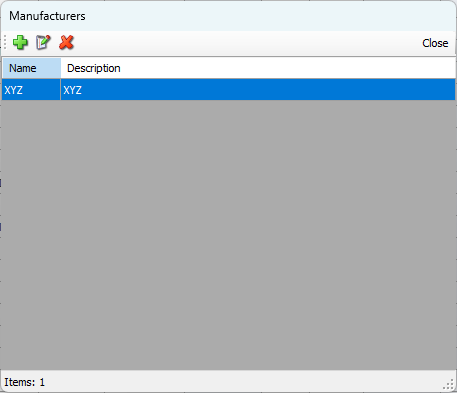
The Manufacturers dialog returns with the added manufacturer.
Repeat the above three steps as necessary.
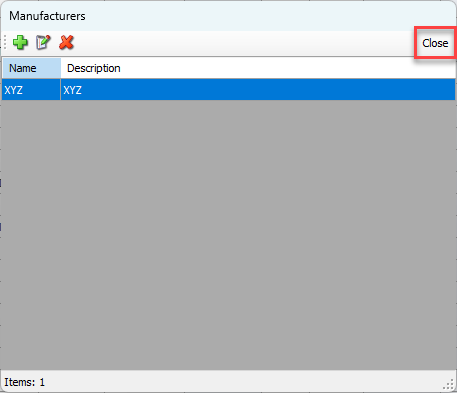
When you are done, click Close in the Manufacturers dialog.
Deleting a Manufacturer
Once entered, Quantify enables you to delete a Manufacturer at any time.
Note: The procedures in this section uses the Product Catalog. However, they also work in the Consumable Catalog as well.
To delete a manufacturer:
Click Product Catalog.
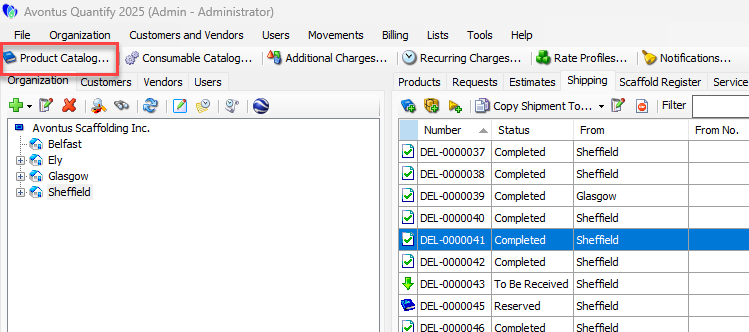
The Product Catalog appears.Click the Items dropdown and select Manufacturers.
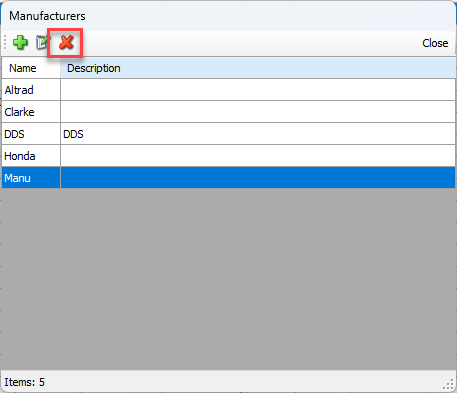
The Manufacturers dialog appears.Click the manufacturer you want to delete, then click the Delete button (
 ).
).
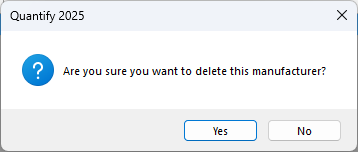
A confirmation dialog appears.
Click Yes.
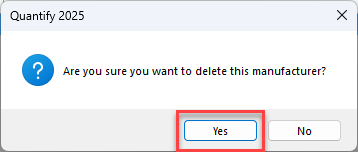
Quantify deletes the manufacturer.