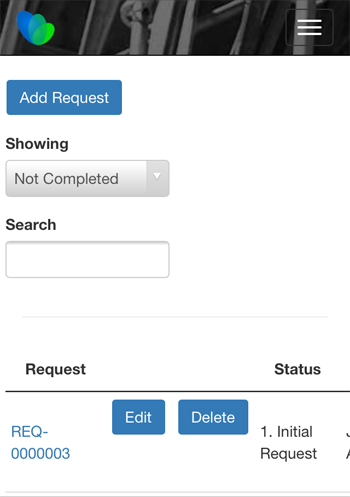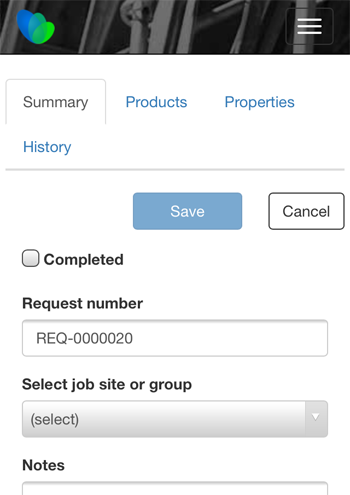
The Request Portal enables to make requests from the field. For example, you can request:
- Materials for job sites
- Scaffold dismantling
- Modification to a scaffold tag
This feature is available to those with purchased licenses of Quantify Web and is available for both the Enterprise and Industrial Editions of Quantify. The ability to request items is available for both the desktop version of Quantify and from mobile apps (iOS, Android, WinPhone). To use this feature, you must first enable it in the Requests tab of the Global Options dialog. Once enabled, you can enable requests for each Job Site as appropriate and add default Request statuses to a Job Site.
Logging In to the Mobile Request Portal
You can access the Request Portal through any device that has internet access and a web browser.
To use the Request Portal on a mobile device:
- Launch your device's web browser and navigate to your Quantify Web URL.
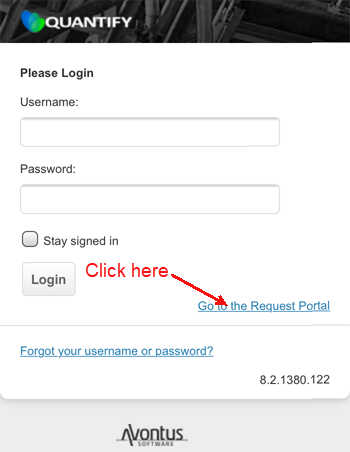
The Quantify Web Login page appears. - Click Go to the Request Portal.
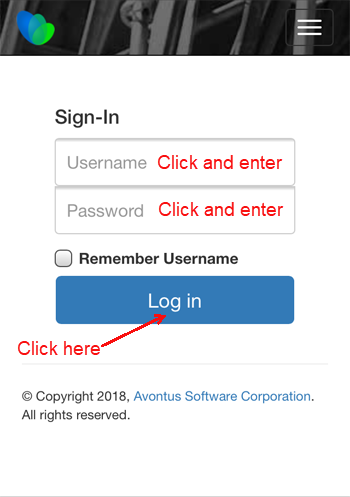
The Request Portal Sign-In page appears. - Click in the Username text field and enter your username.
- Click in the Password text field and enter your password.
- Click Log In.
The Request Portal Home Page appears.