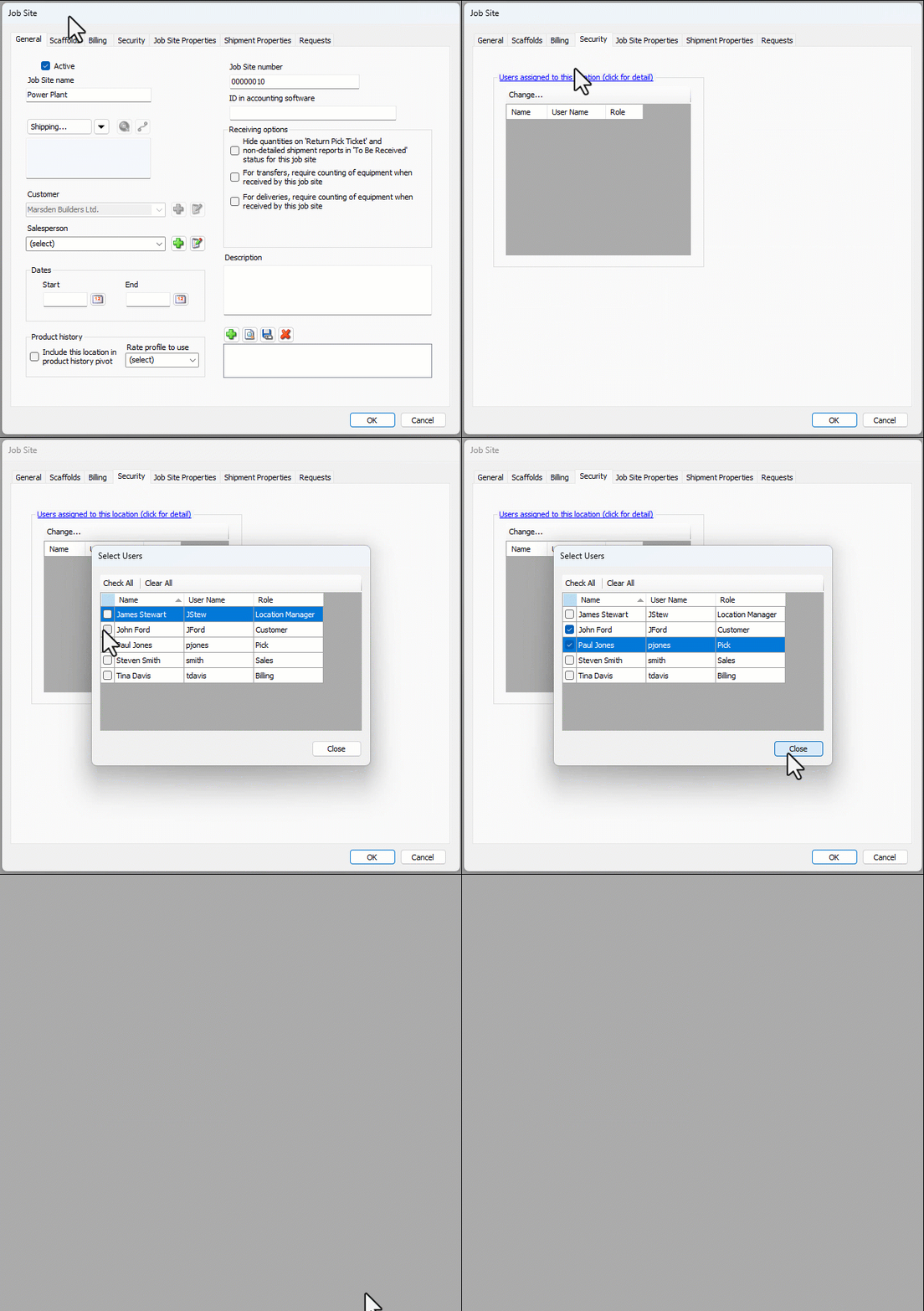
You can restrict certain Job Site tasks to end users assigned to the Job Site through Job Site Location-Based Security. Once restricted, only the assigned end users can perform the tasks.
The Security tab on the Job Site will display the end users that have been assigned to the Job Site and have the ability to perform these tasks, limited by the permissions assigned to their role.
To assign users to Job Site Location-Based Security:
Locate and click the appropriate Job Site, then click the Edit Selected Item button.
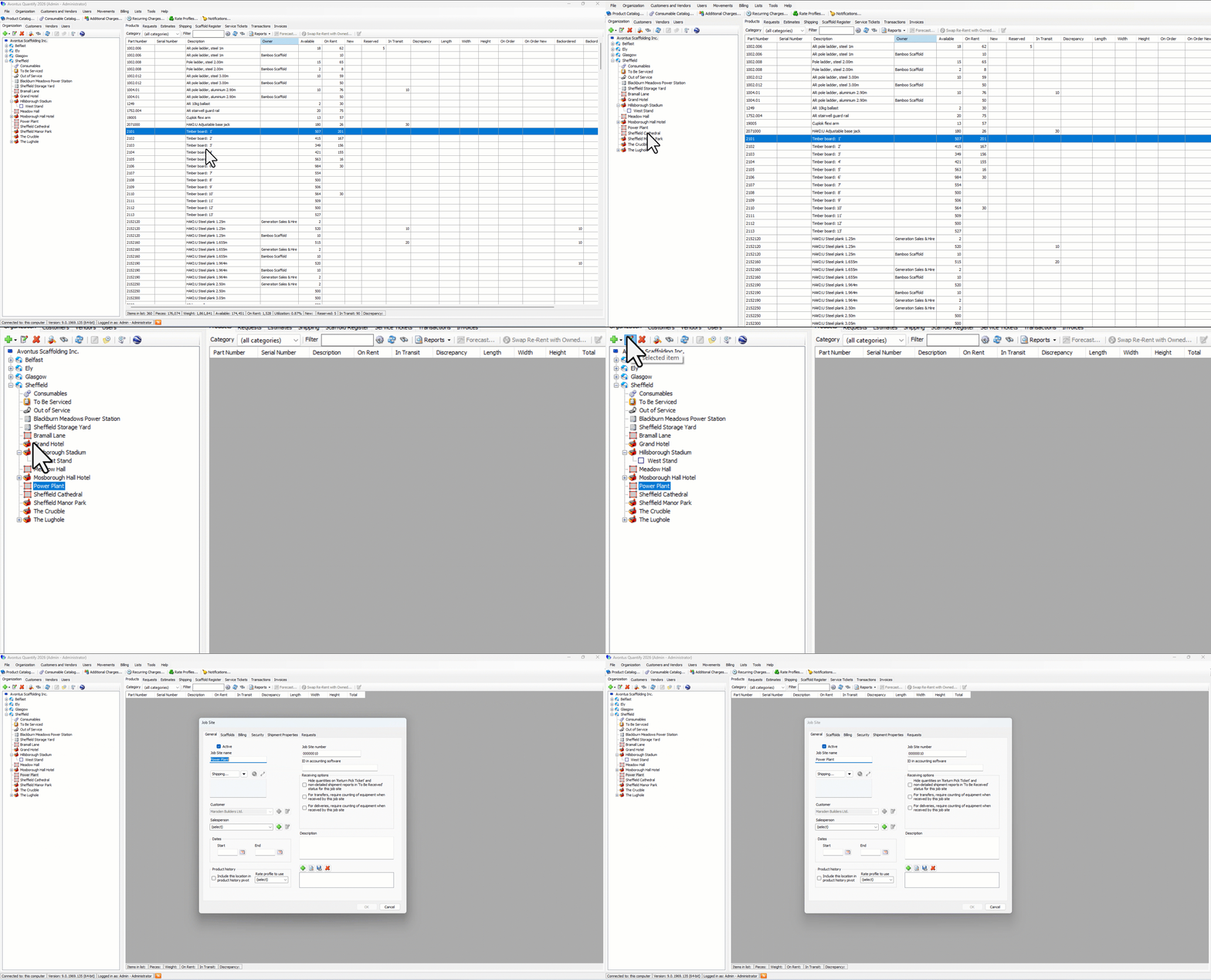
The Job Site dialog appears.Click the Security tab, then click Change.
The Selected Users dialog appears.Click the checkbox for each user you want to assign.
Click Close.
The Job Site dialog returns, displaying the assigned user(s).Click OK.