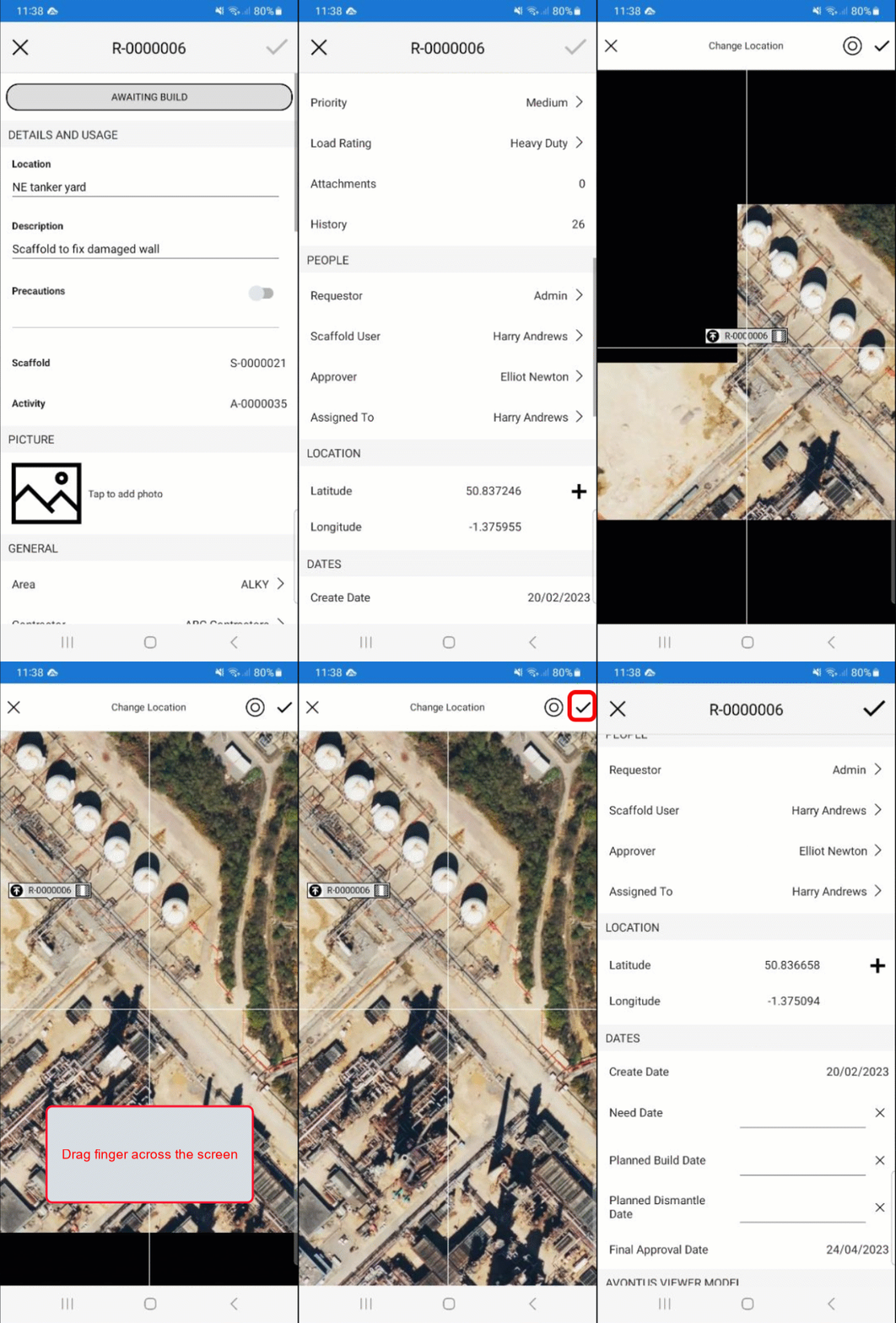
You can change the location of the Request. This is useful when a Request has been misplaced.
To do this:
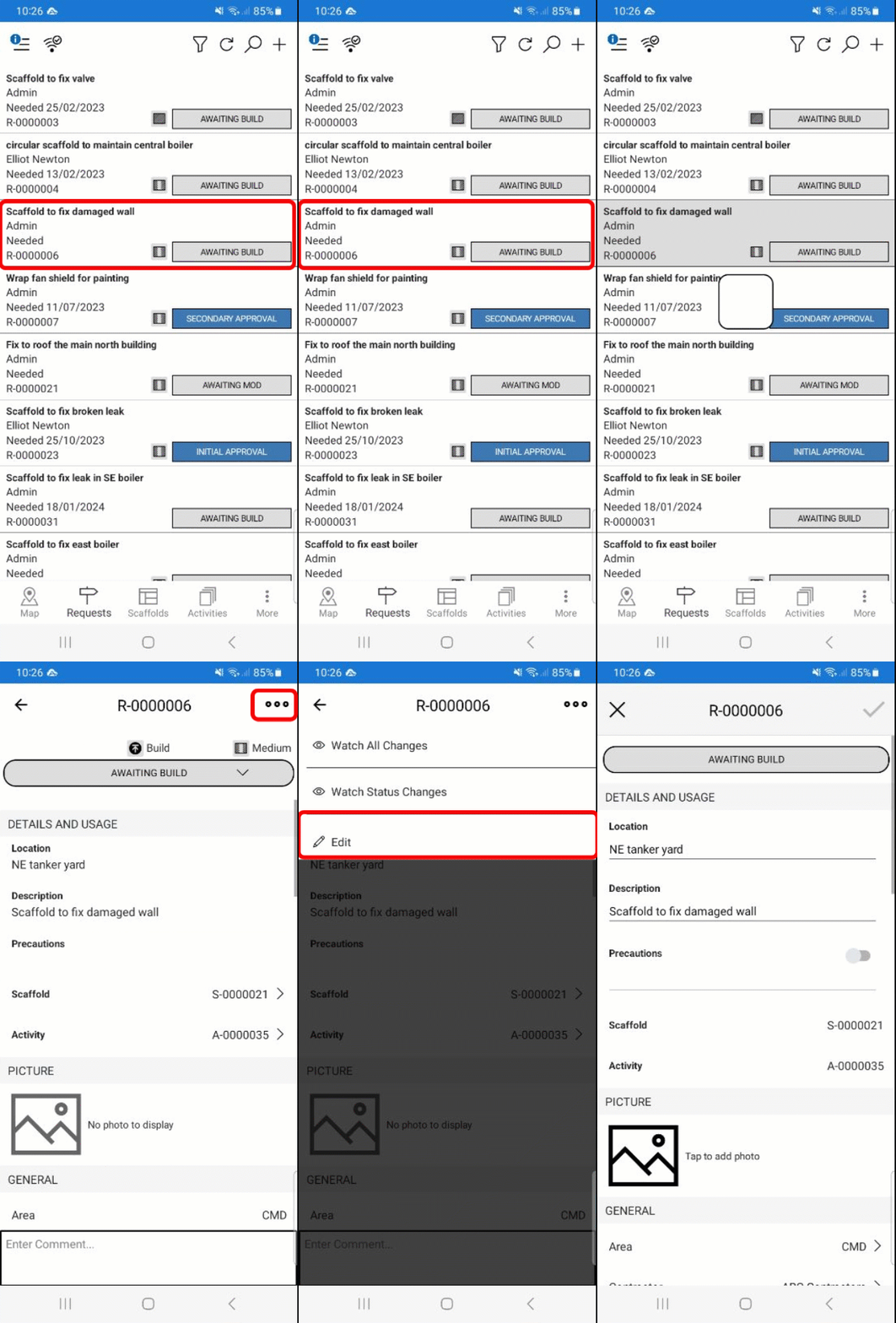
Go to the Requests screen
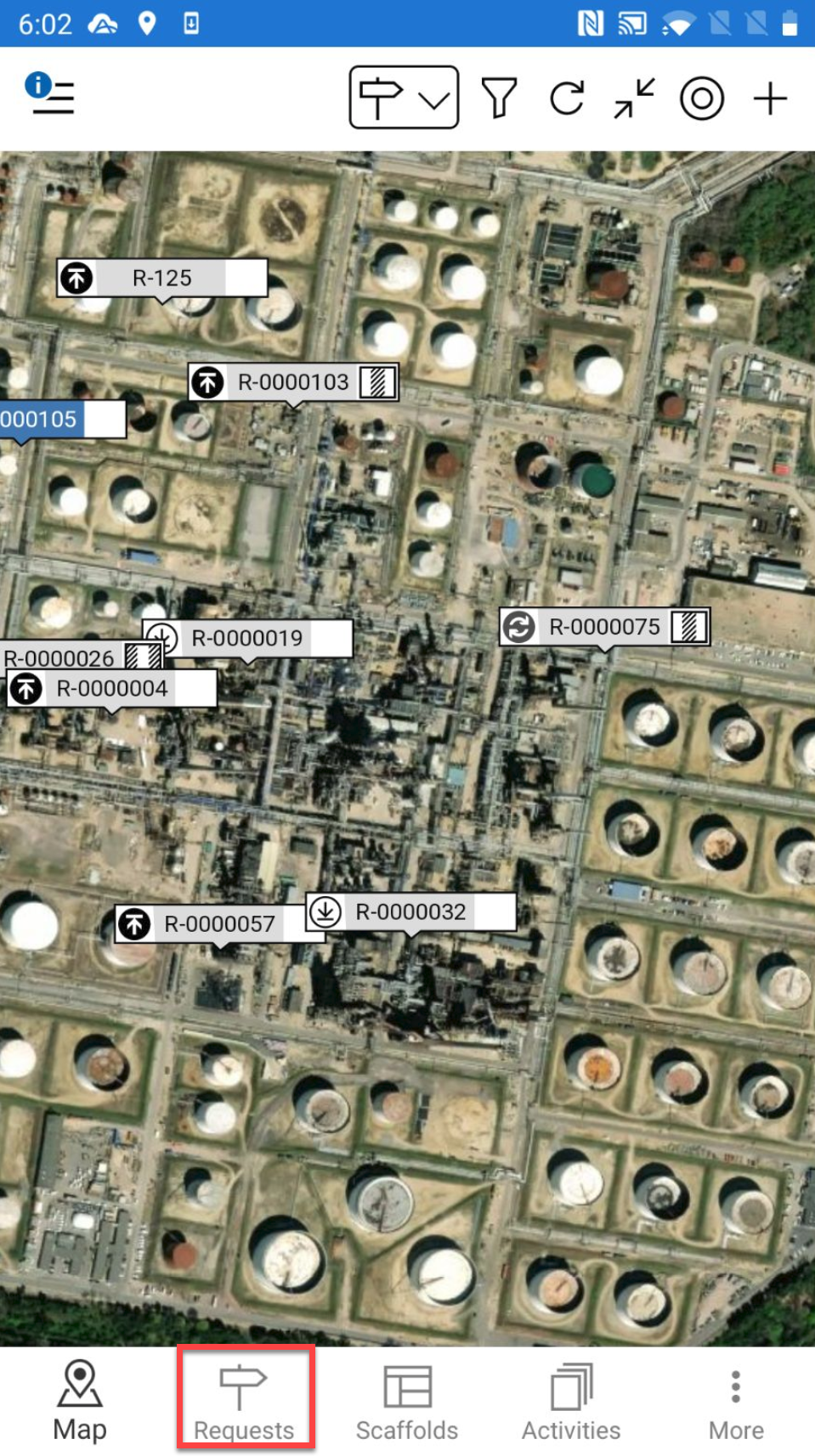
You can also access the Request Details screen by tapping the Request pin and selecting the details section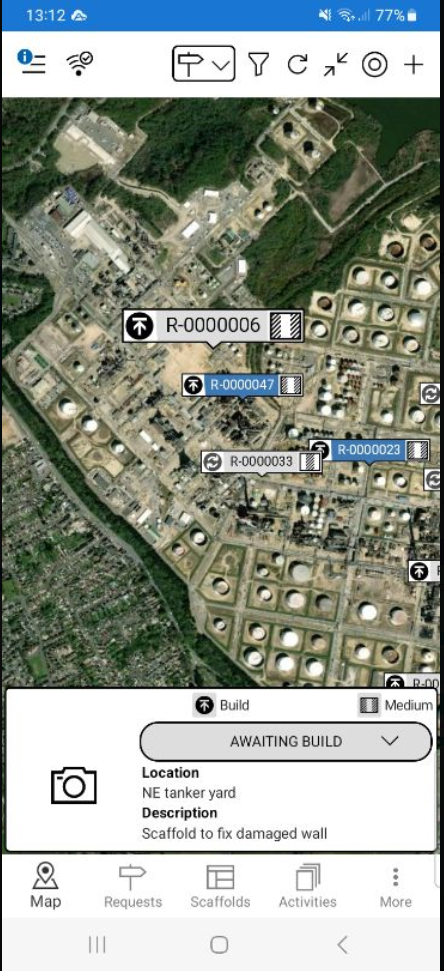
Tap a Request
In the Request screen, tap the …. in the top right and select Edit
Scroll down to the location section and tap anywhere within that section
Tap the drag the background so the crosshairs appear at the Scaffolds new location
Tap the tick icon