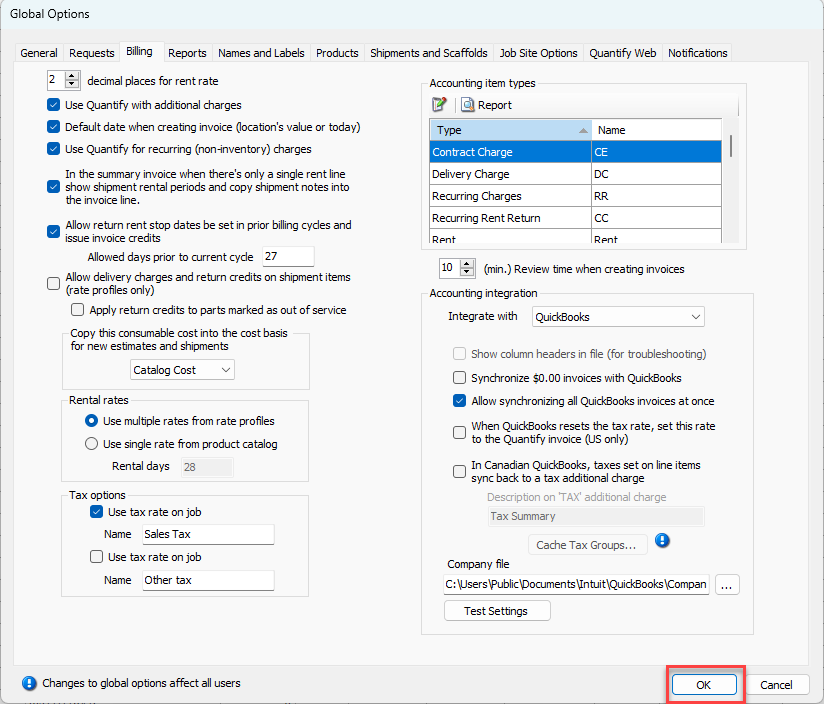
You enable Consumable sell price editing and set Consumable default cost basis in the Global Options dialog. The former occurs in the Shipments and Scaffold tab. The latter occurs in the Billing tab.
Enabling the Editing of Consumable Sell Prices in Shipments
The sell prices set in Rate Profiles for Consumable items are pulled into the New Direct Ship dialog and will default based on the price set in the Rate Profile selected for the Job SIte. The ability to edit the sell price on the New Direct Ship dialog is set at a global level in the Global Options dialog and affects all end-users of the database. The initial default is for editing to be disabled.
To enable the editing of consumable Sell:
Click the Tools menu and select Global Options.
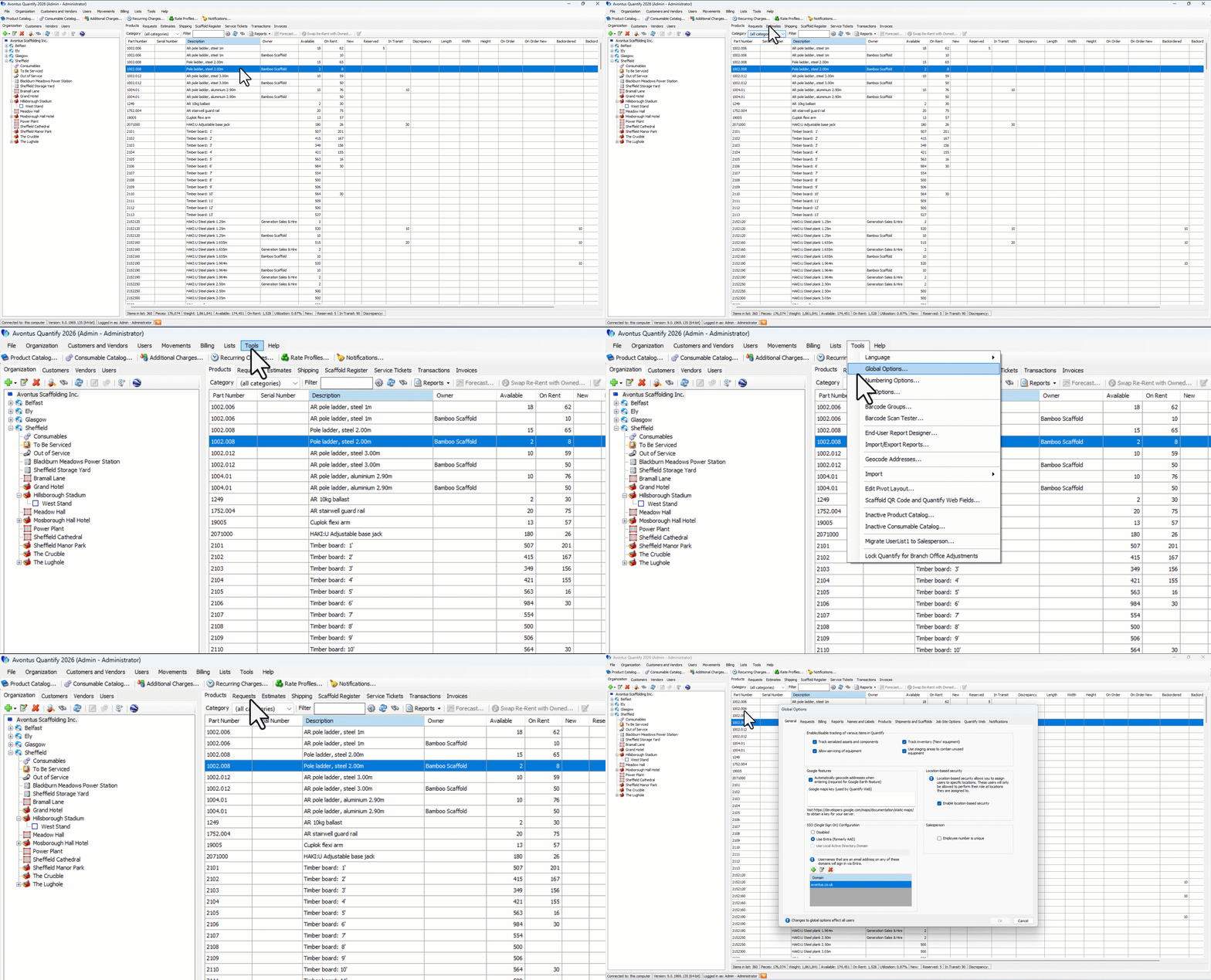
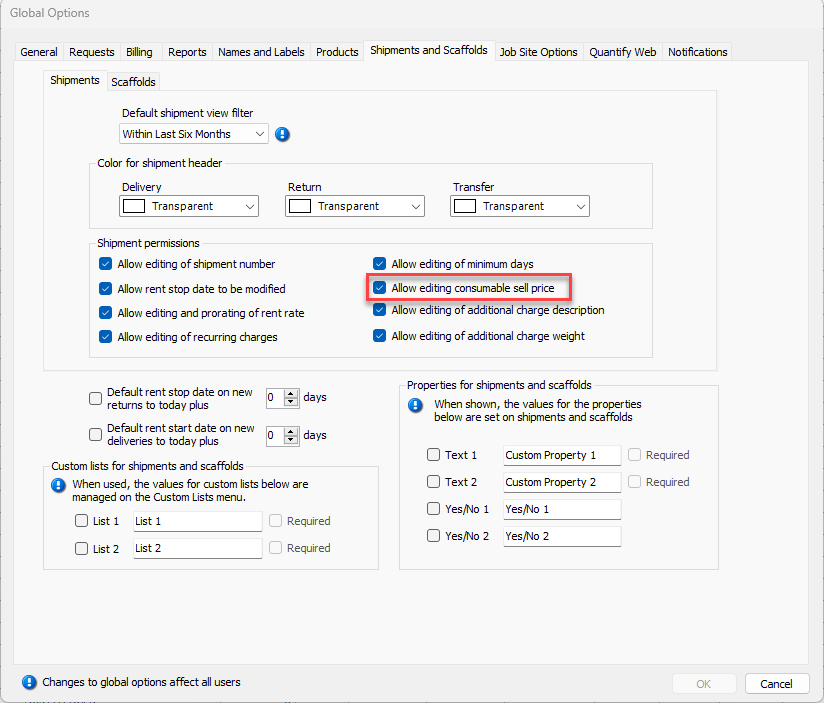
The Global Options dialog appears.Click the Shipments and Scaffolds tab.
Click the Allow editing consumable sell price checkbox (to put a check in it).
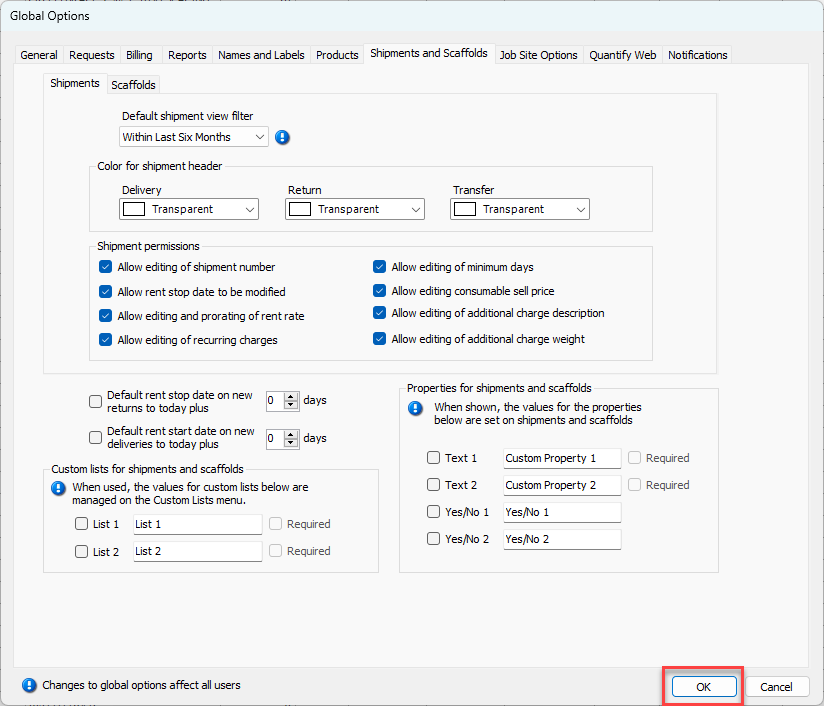
Click OK.
In addition to allowing the editing of Consumable sell prices, Quantify also adds a Calculator button to the New Direct Ship dialog to apply markups and discounts to Consumable items.
Setting the Consumables Default Cost Basis
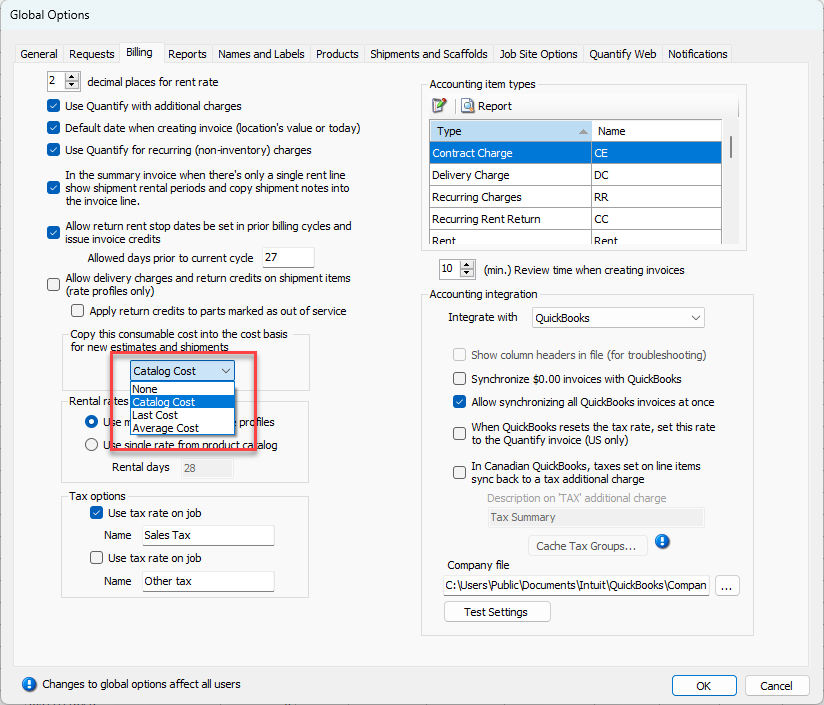
Quantify provides options from which you can select the Consumable cost basis for new Estimates and Shipments: No basis, catalog cost, last cost and average cost.
To set the default cost basis for Consumables:
Click the Tools menu and select Global Options.
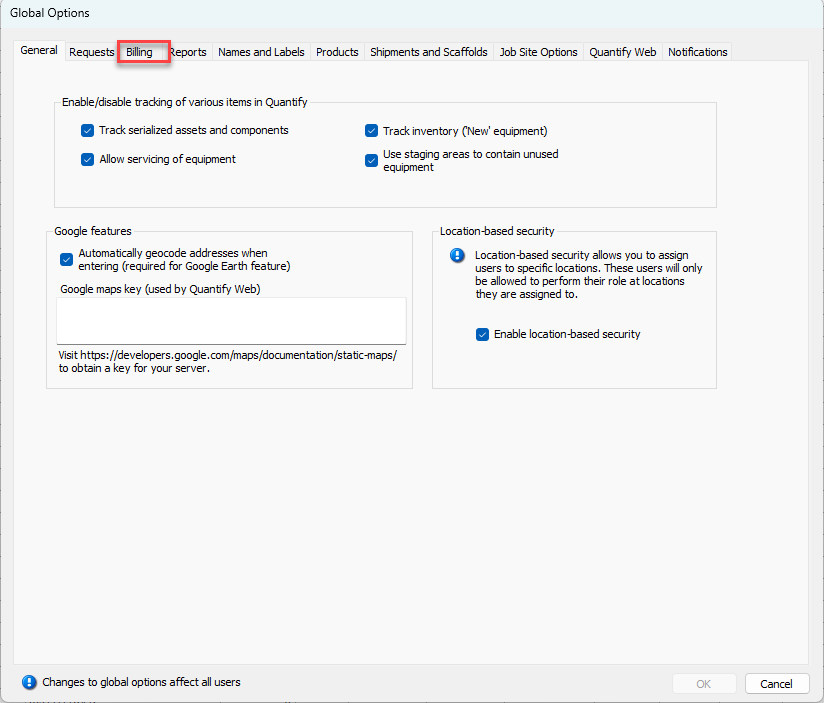
The Global Options dialog appears.Click the Billing tab.
Click the Copy this consumable cost into new estimates and shipments dropdown and make the appropriate selection. Your options are:
Note: a default is not enabled.
Catalog Cost: pulls the cost amount for items from the Consumable Catalog.
Last Cost: Pulls the last cost amount for items from the Consumable Catalog.
Average Cost: Pulls the average cost for items from the Consumable Catalog.
Click OK.