Handset Designer makes it very simple to import an AutoCAD drawing. Depending on your AutoCAD file types, you may need to change which file types are displayed in order to locate the file you wish to import.
To import a drawing:
- Click the Handset Designer tab, then in the CAD Tools group, click Import Drawing.
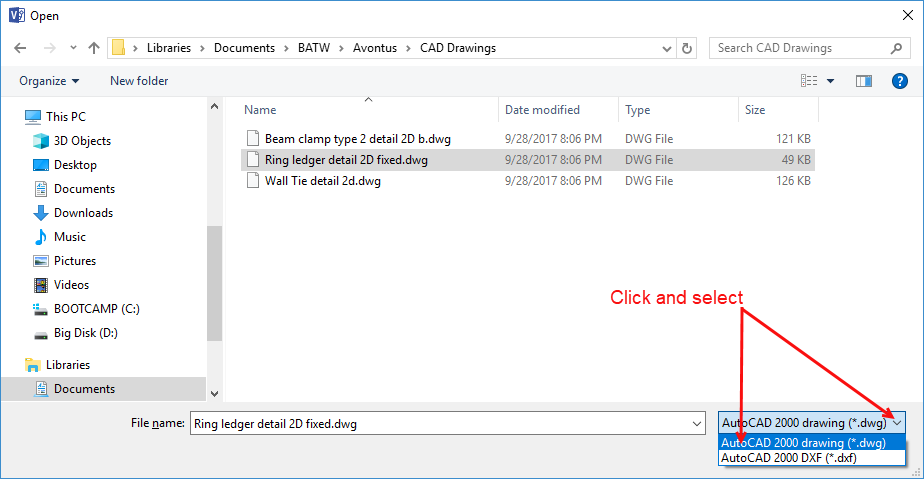
 The Open dialog appears.
 - Navigate to the AutoCAD file location.
- Click the dropdown menu and select the AutoCAD file type (.dwg or .dxf).
- Highlight the file you want to import and click Open.