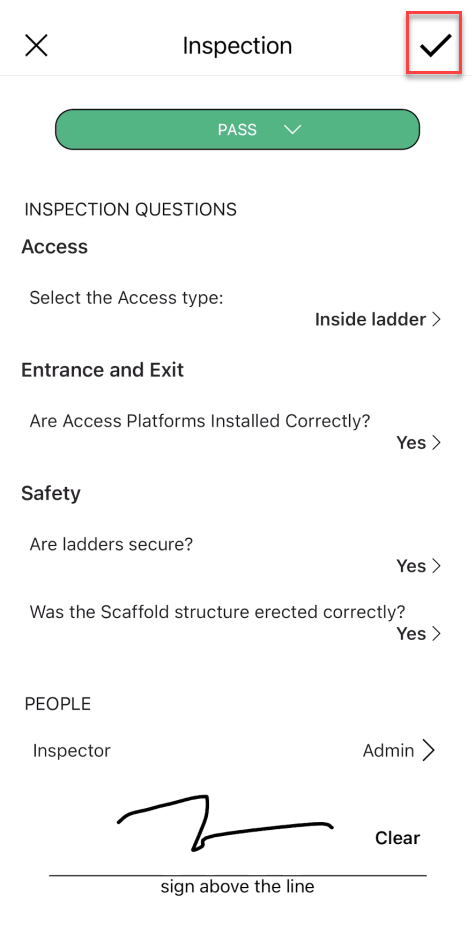
To ensure safety, scaffolds will need to be inspected routinely. In the Scaffold Details screen, an inspection can be arranged by selecting the Inspect button. You can inspect scaffolds manually or you can set scaffolds up to be inspected routinely. You can do this via the Scaffold Settings in the Settings screen.
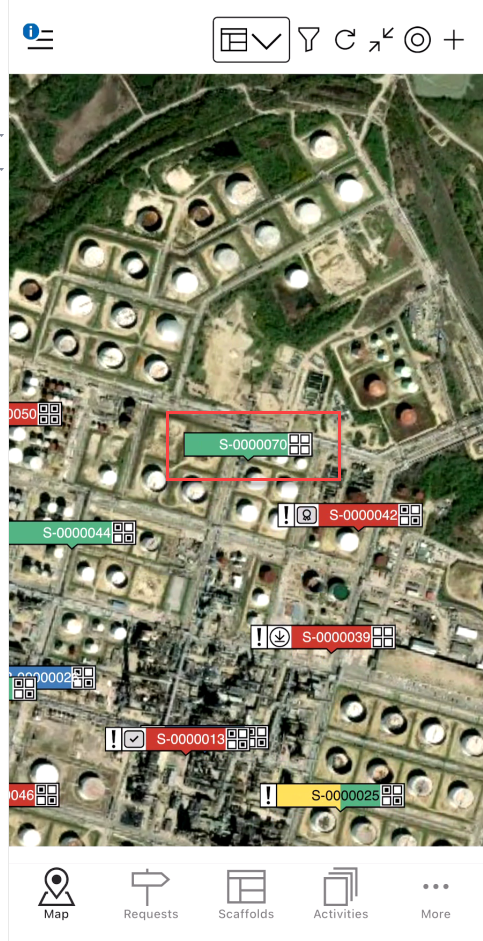
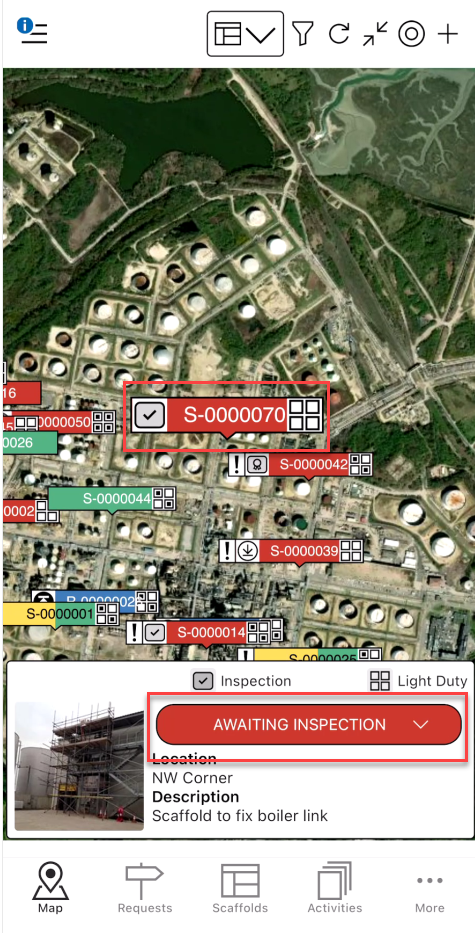
Tap on the Scaffold pin
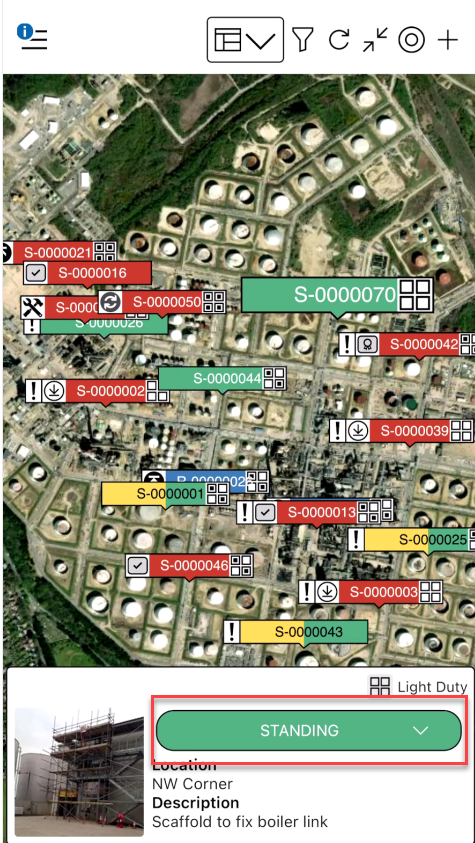
Tap the status
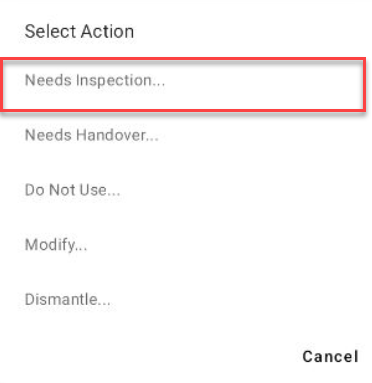
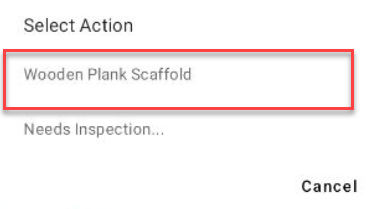
Tap Needs Inspection
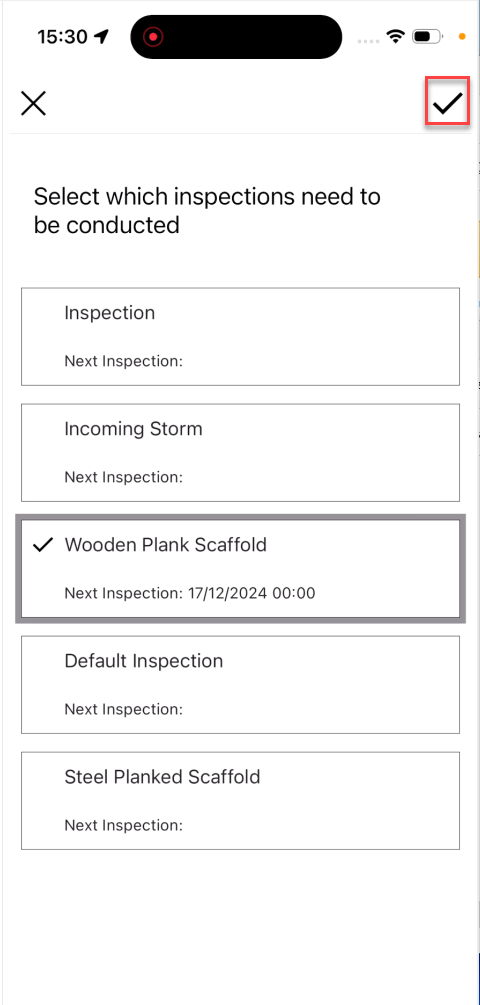
Select the Inspection Type
 5. With the Scaffold pin selected, tap Awaiting Inspection
 6. Select the Inspection Template
The inspection form will be launched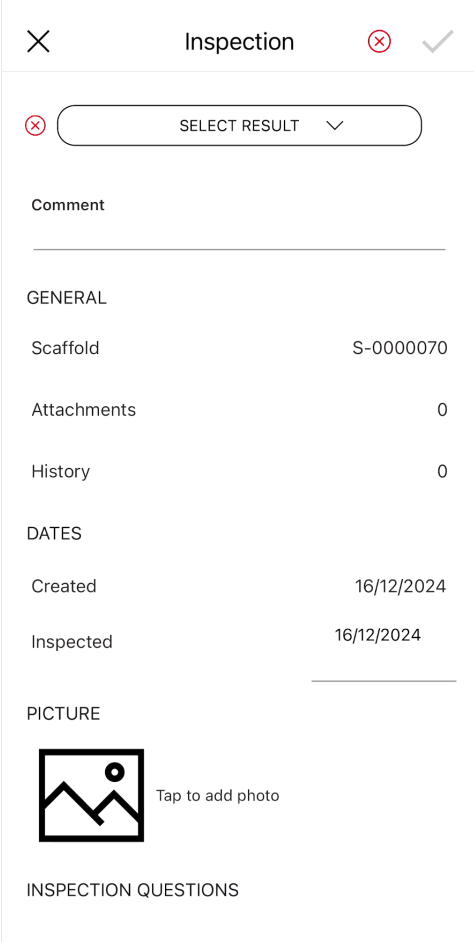
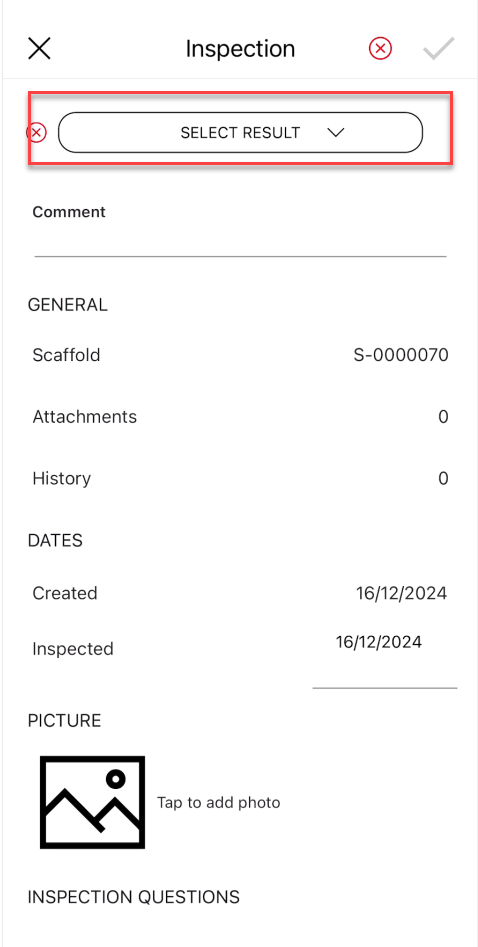
Select the Result
8. Answer any of the mandatory inspection questions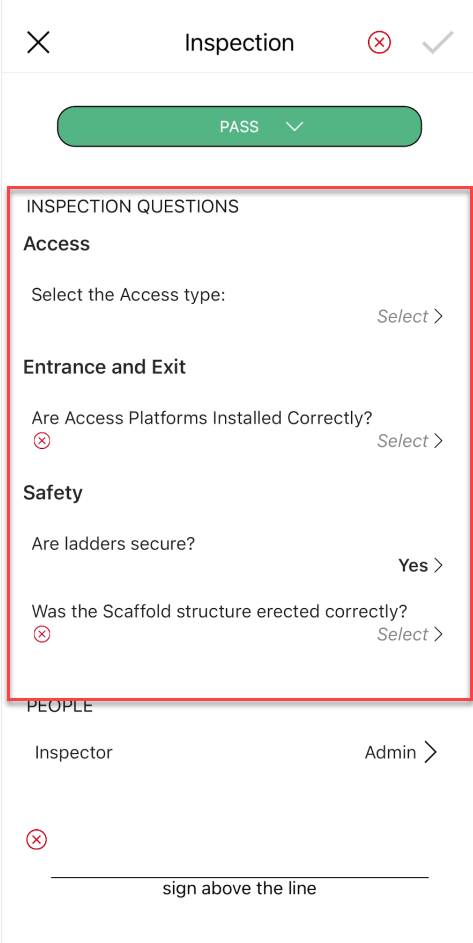
Provide the inspector’s signature
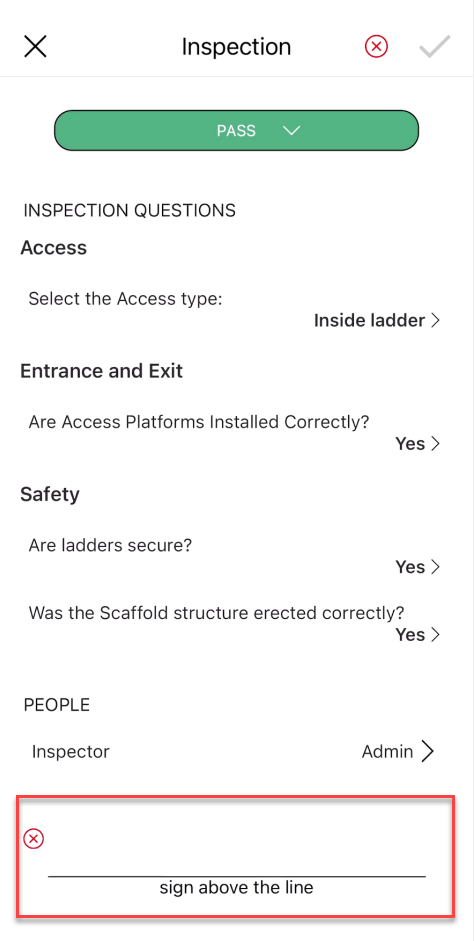
10. Tap the tick icon