There are some cases in which you must recreate Invoices for a Job Site. Quantify enables you to reset billing and Invoices at the Job Site level. Resetting Invoices deletes and recreates Invoices based on their original dates.
Warning: Resetting billing cannot be undone. This process deletes ALL existing Invoices for the Job Site and recalculates Invoices based upon current settings. Changes (such as manually adjusted rent pricing, updates to Rate Profiles, and returns) entered after invoicing will cause Invoice results that differ from the original Invoice history. Please contact support@avontus.com if you have questions or need assistance with this feature.
Note: This feature is not recommended for use on Job Sites with significant Invoice history or when invoicing is integrated with an accounting package. Please contact support@avontus.com for assistance and alternate options for editing Invoices.
Note: If a stop rent date exists on the Job Site/Scaffold, the reset billing process will remove this date.
If an Invoice has been generated for a Job Site, but changes must be made to existing Shipment(s), you can use the Reset Billing feature. For example, if the last Invoice created includes a Shipment with incorrect rent start/stop information, you can use Reset Billing to recreate all but the last Invoice (see below). This option removes the last Invoice and removes billing locks on Shipment(s) that started invoicing during the last cycle. The Shipments can now be edited or corrected as required.
To reset billing for a Job Site:
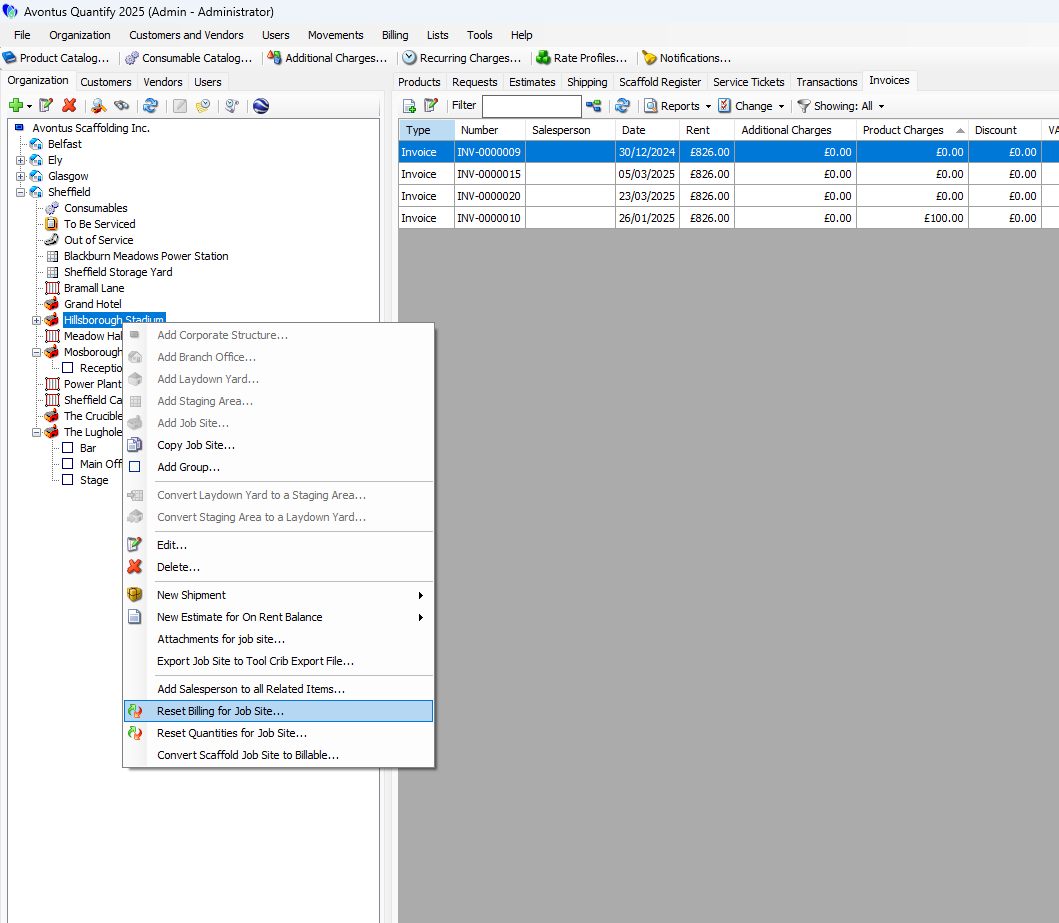
Locate and select the appropriate Job Site, then right-click and select Reset Billing for Job Site from the menu that appears.
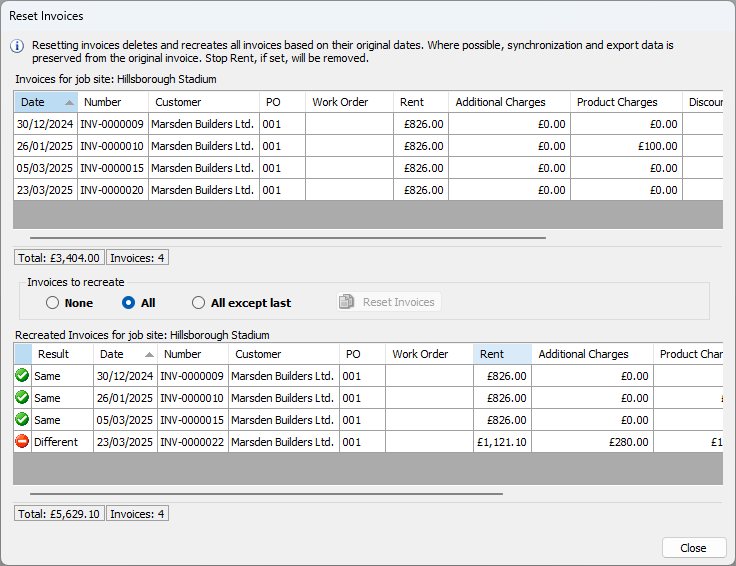
The Reset Invoices dialog appears.
The status bar displays the count of Invoices and the total amount of existing invoices.
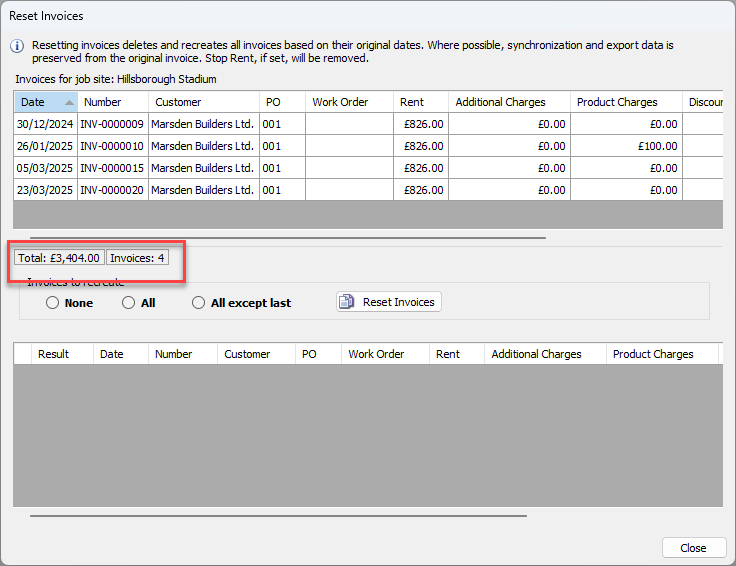
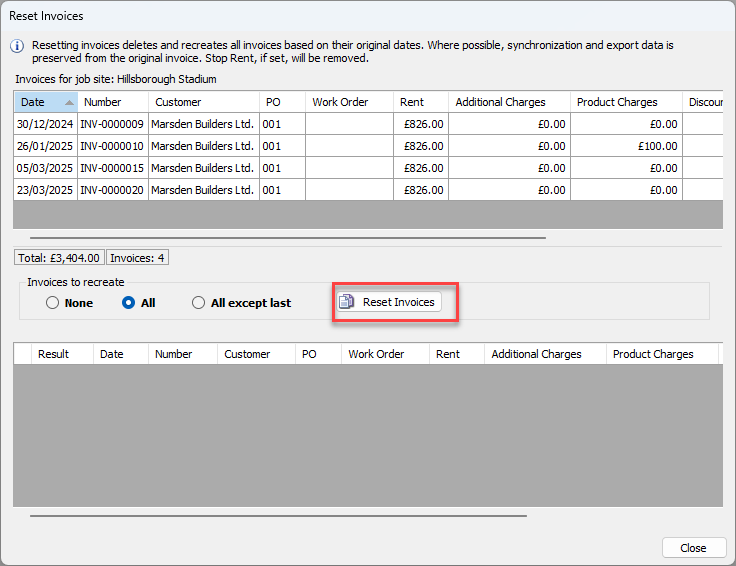
Click the appropriate Invoices to Recreate radio button.
None
All invoices will be reset, and none will be recreated for the job site.
All
All invoices will be reset, all will be recreated for the job site.
All except last
All invoices will be recreated with the exception of the last one generated for the job site.
Click Reset Invoices.
A confirmation dialog appears.
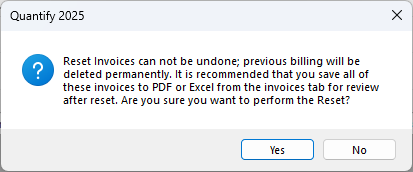
Click Yes.
Quantify resets the billing and notifies and notifies you when it is done.Click OK.
The Reset Invoices dialog refreshes. The bottom grid displays the results of the new Invoices created during the Reset Billing. You can compare the original Invoices (top grid) to the new Invoices (bottom grid) at this time.Note: Invoices that were synchronized with an accounting package will remain synchronized if there were no changes to the Invoice.
Click Close.