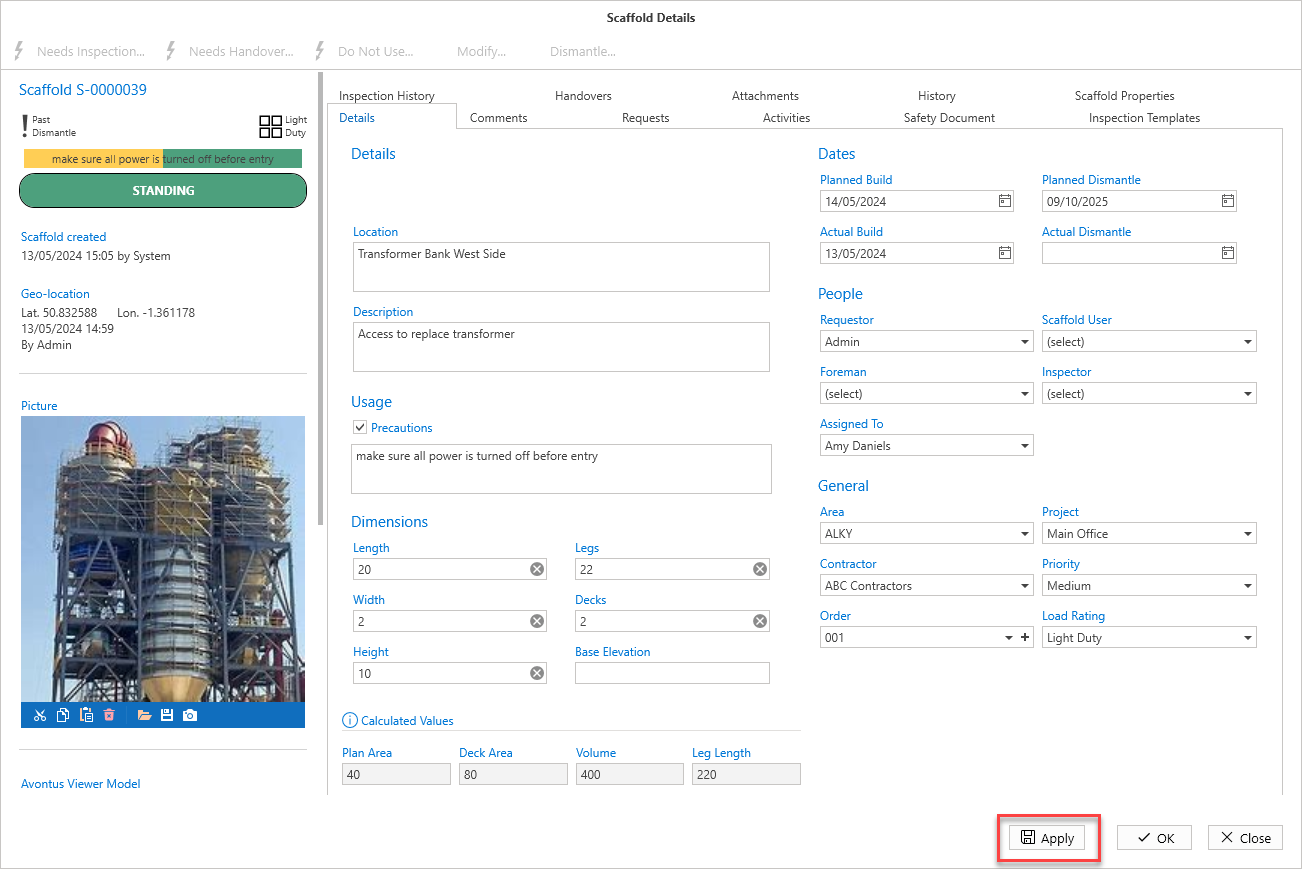
To ensure an onsite worker does not mistakenly update the wrong scaffold, a picture can be uploaded to ensure correct identification.
To do this:
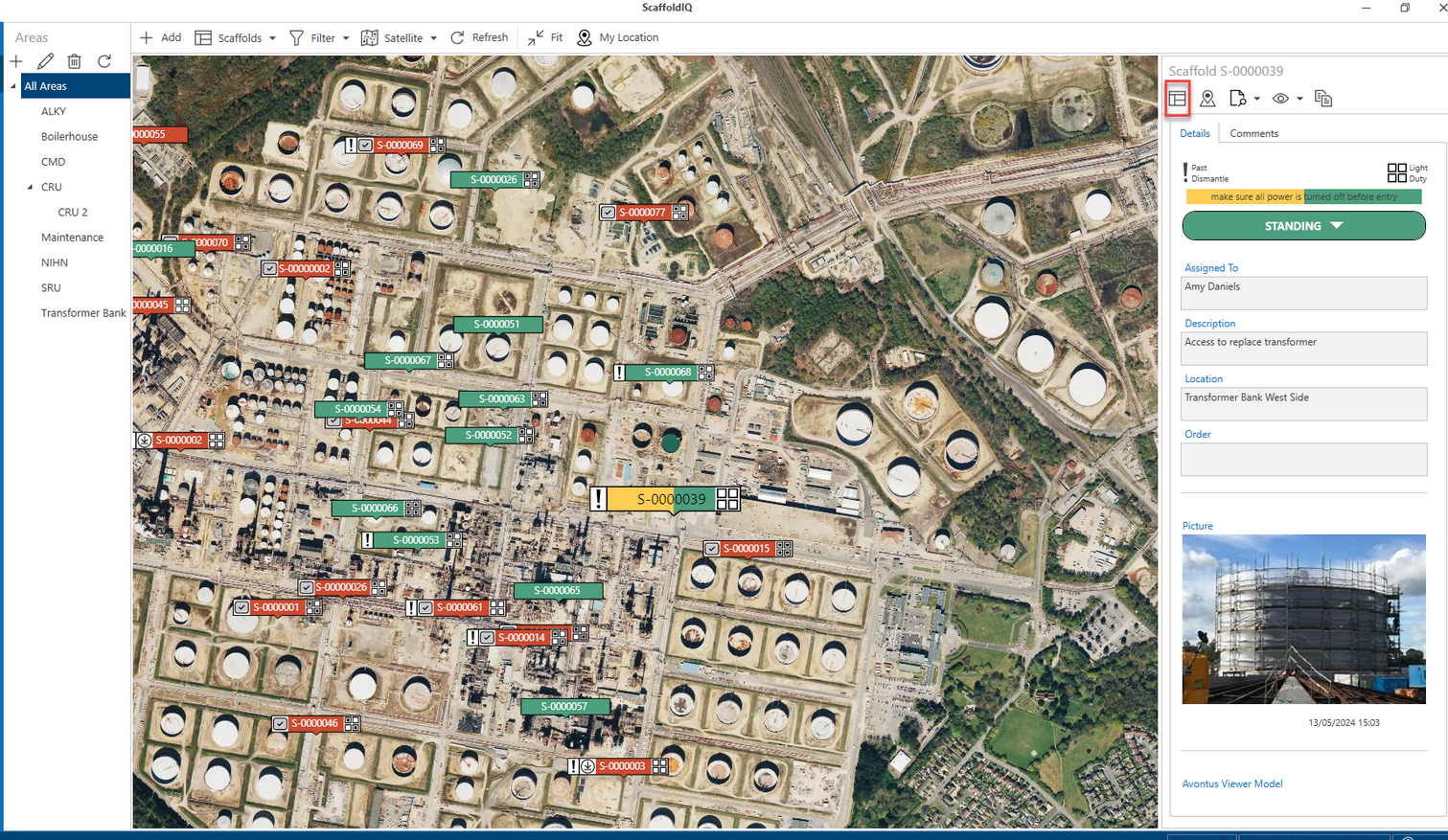
From the Map screen, select the Request or Scaffold then click Details.
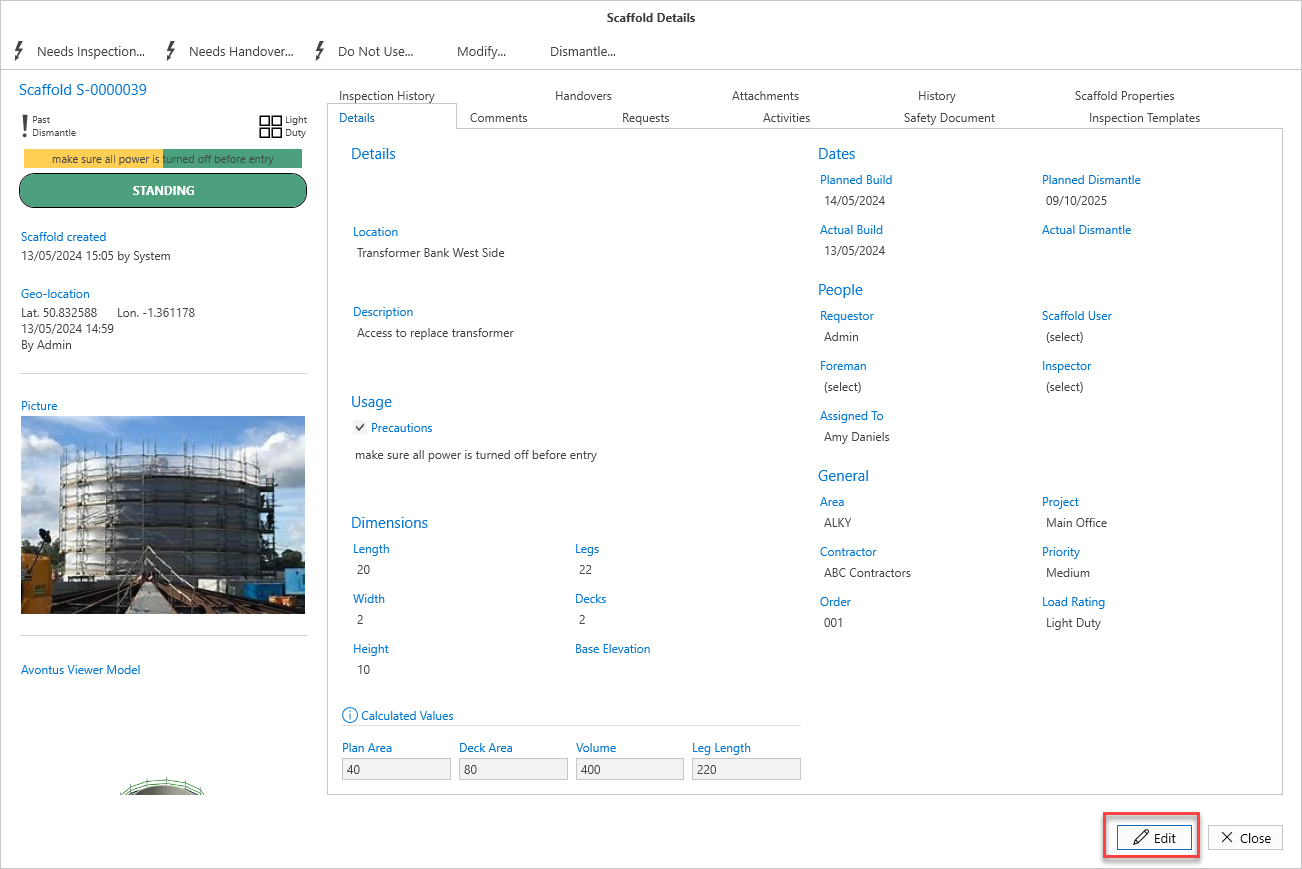
In the Request Details or Scaffold Details screen, click Edit in the bottom right of the window.
In the Picture panel on the left, select Open.
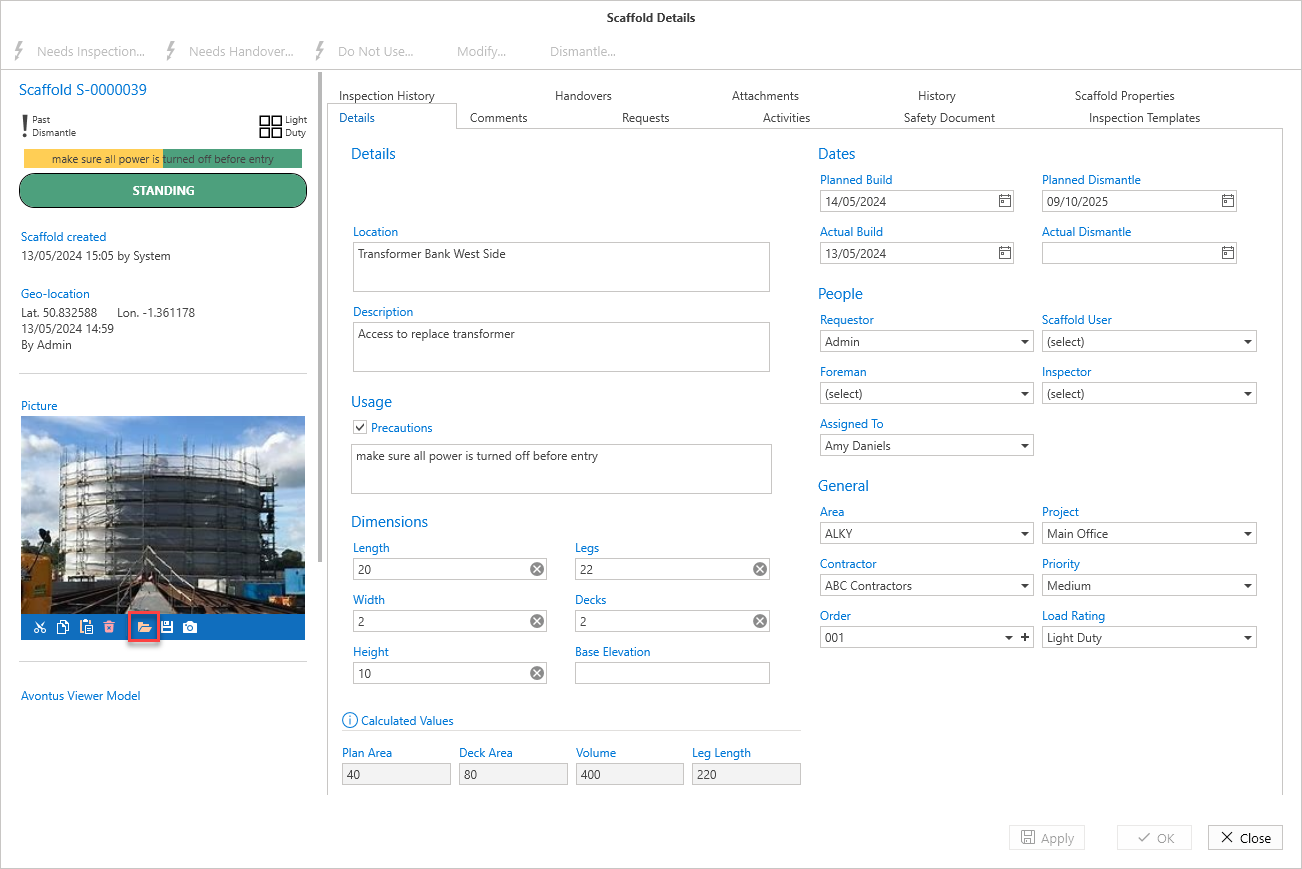
Browse to your selected image and open it.
Your picture will be uploaded to the selected request or scaffold.Click Apply