NOTE: The features mentioned in these articles are only available in the Industrial Edition of Quantify.
Both the Scaffold dialog and the Scaffold Pivot contain a Google Earth ( ) button which enables you to view scaffold locations in Google Earth.
Note: To view scaffold locations in Google Earth, you must first have Google Earth installed on your machine. If you need to download Google Earth to install it, you can do that here:
Viewing a Scaffold's Location in Google Earth
NOTE: The features mentioned in these articles are only available in the Industrial Edition of Quantify.
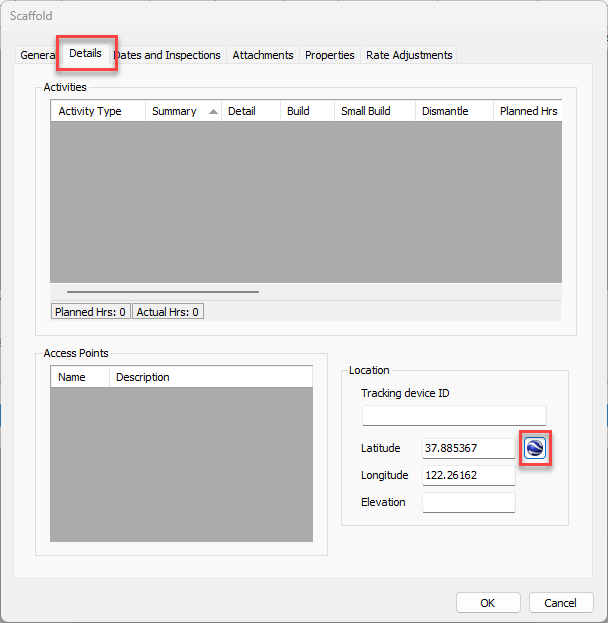
Quantify enables you to view scaffold locations in Google Earth by entering their longitude and latitude in the Location section of the Details tab in the Scaffold dialog. This can be done when creating a new Scaffold Tag or editing an existing one.
To view a scaffold's location in Google Earth:
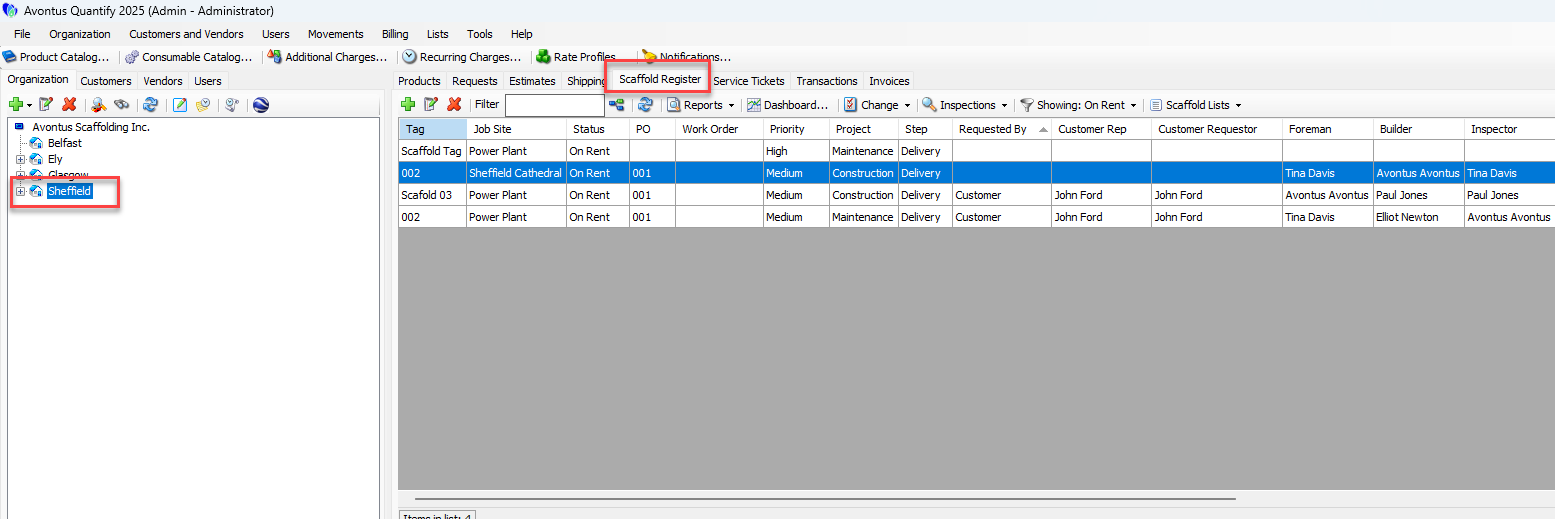
Click the appropriate Branch Office, then click the Scaffold Register tab.
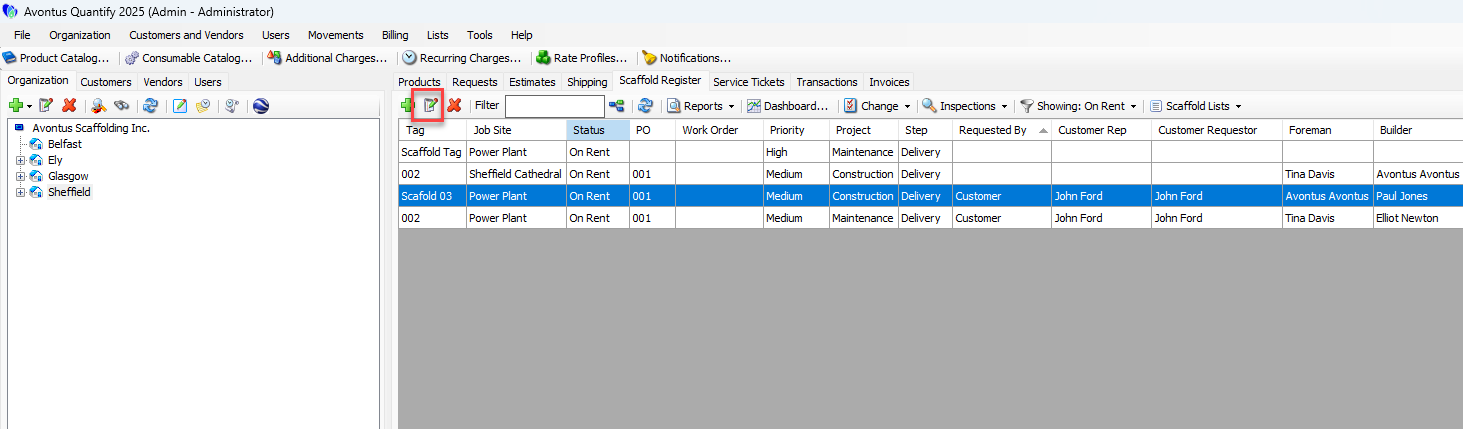
Locate and select the appropriate Scaffold, then click the Edit Scaffold button (
 ).
).
The Scaffold dialog appears.Click the Details tab, then click the Google Earth button (
 ).
).
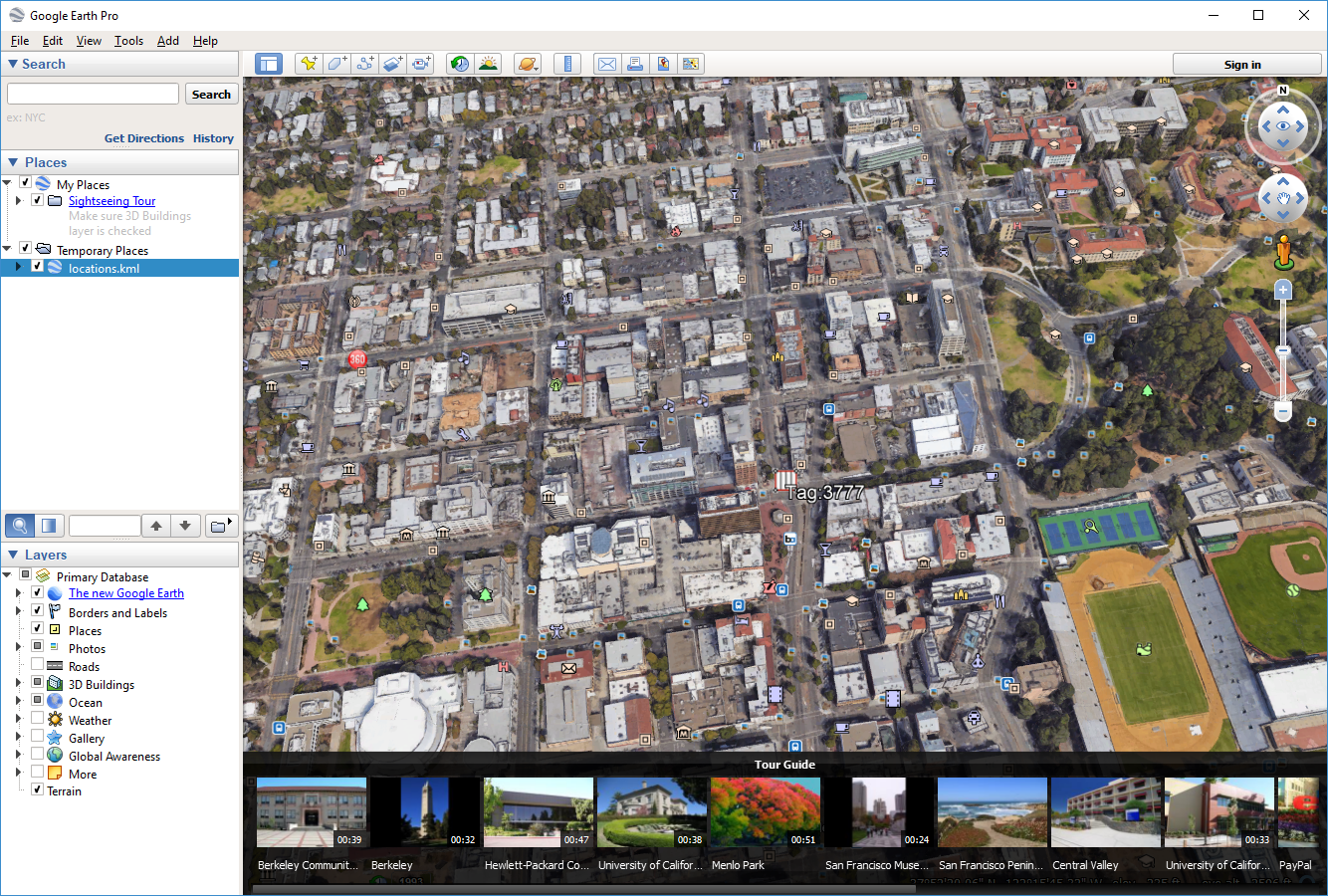
Google Earth launches and displays the scaffold's location.If you want to see the details related to the scaffold, click the Scaffold Tag icon (
 ).
).
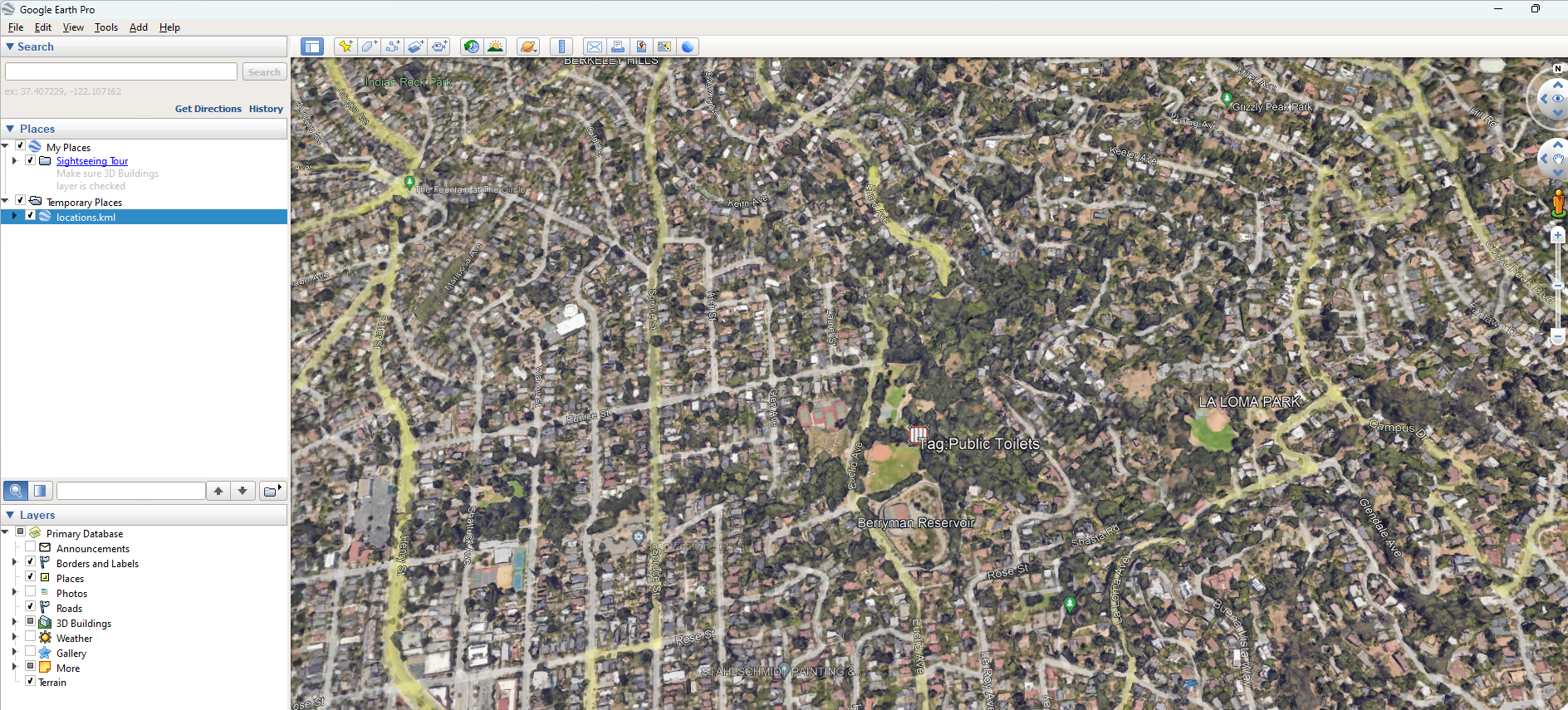
Google Earth displays the scaffold's status, order and other information, as set up for the tag in Quantify.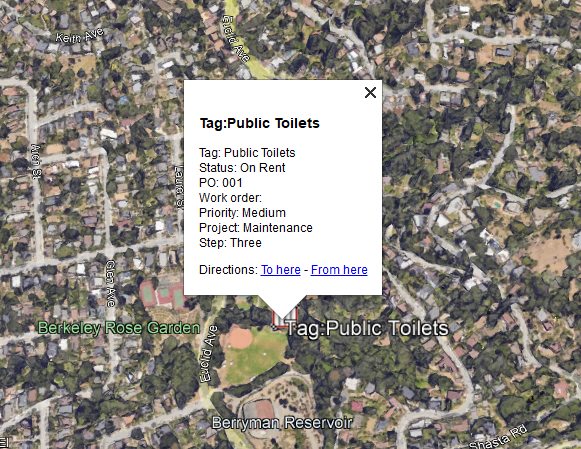
Viewing All Scaffold Locations in Google Earth
Note: The features mentioned in these articles are only available in the Industrial Edition of Quantify.
You can view all location information for multiple scaffolds in Google Earth by launching Google Earth from the Scaffold Tag pivot.
Note: You can also view Scaffold Tag Locations in Google Maps from the Scaffold Tag Pivot from Quantify Web in the same way.
To view all scaffold locations in Google Earth:
Click the appropriate Branch Office, then click the Scaffold Register tab.
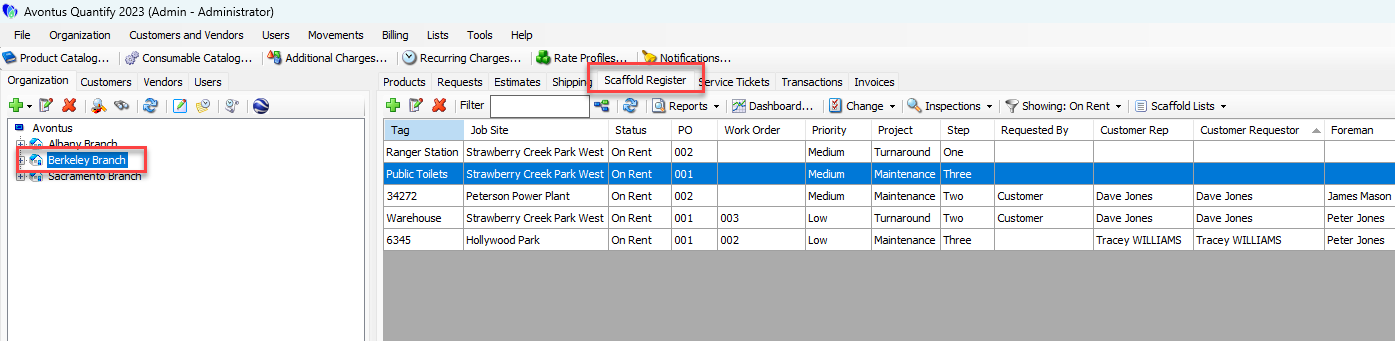
Locate and select the appropriate scaffold, then click the Reports dropdown and select Scaffold Pivot.
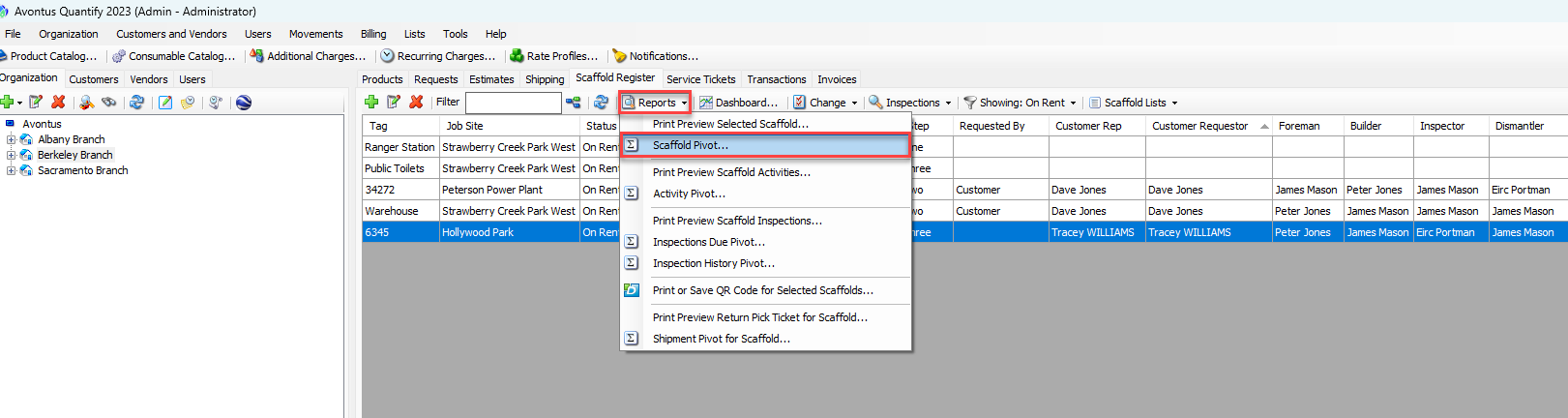
The Scaffold Pivot dialog appears.Click the Google Earth button (
 ).
).
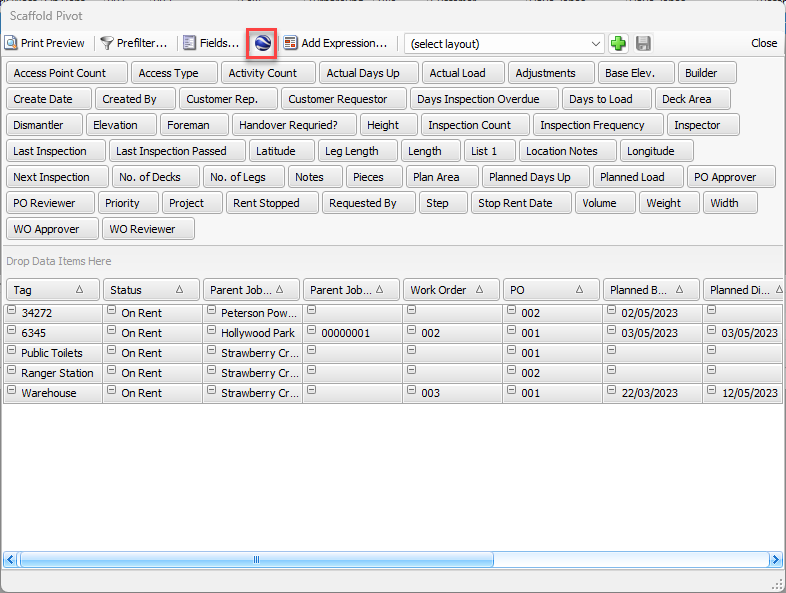
Google Earth launches and displays the locations of all tags that have latitude and longitude information in the Location section of the Details tab in the Scaffold dialog.