Avontus has created a number of videos to help users quickly learn how to work with Avontus Designer. The Backstage contains a tab that provides access to the Avontus Video Player, with which you can view the videos and bookmark your favorites for easy reference.
Note: The videos each focus on a different aspect of Avontus Designer, but build on each other to complete a single project.
Viewing Help Videos
You can access the Avontus Video Player with just one click.
To view help videos:
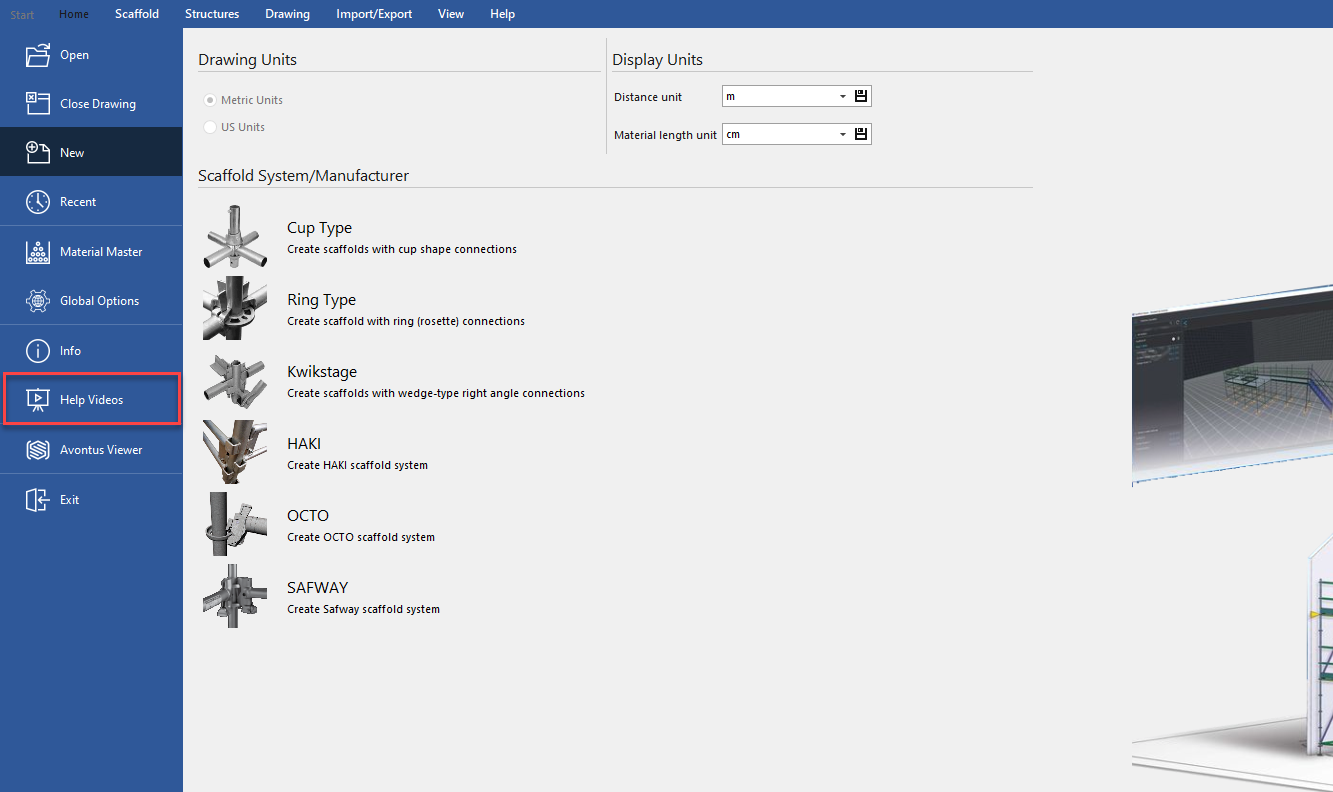
Launch Avontus Designer, or otherwise return to the Backstage, and click Help Videos.
The Avontus Video Player appears.Locate and click the video you want to play, then click the play button.
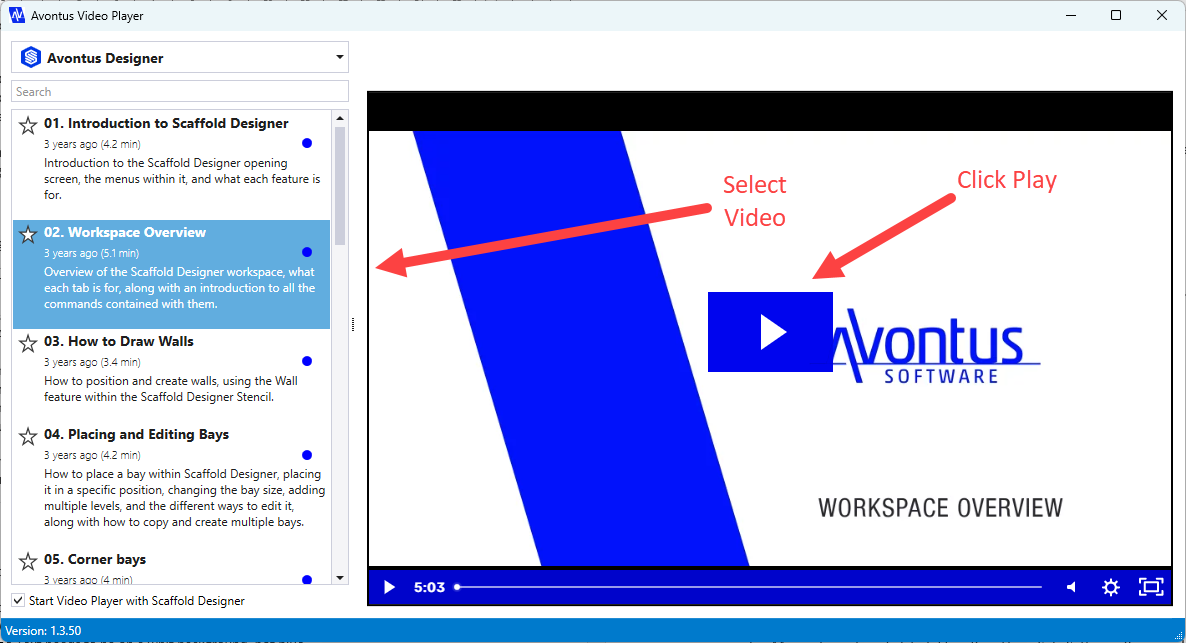
The video you selected plays.
Working with Video Favorites
The Avontus Video Player enables you to add specific videos to your list of favorites. which gives you quick access to them in the future.
Adding a Video to the List of Favorites
The Video Player enables you to add a video to your list of favorites with just a click.
To add a video to the list of favorites:
Locate the video you want to add.
Then click the star in its top-left corner.
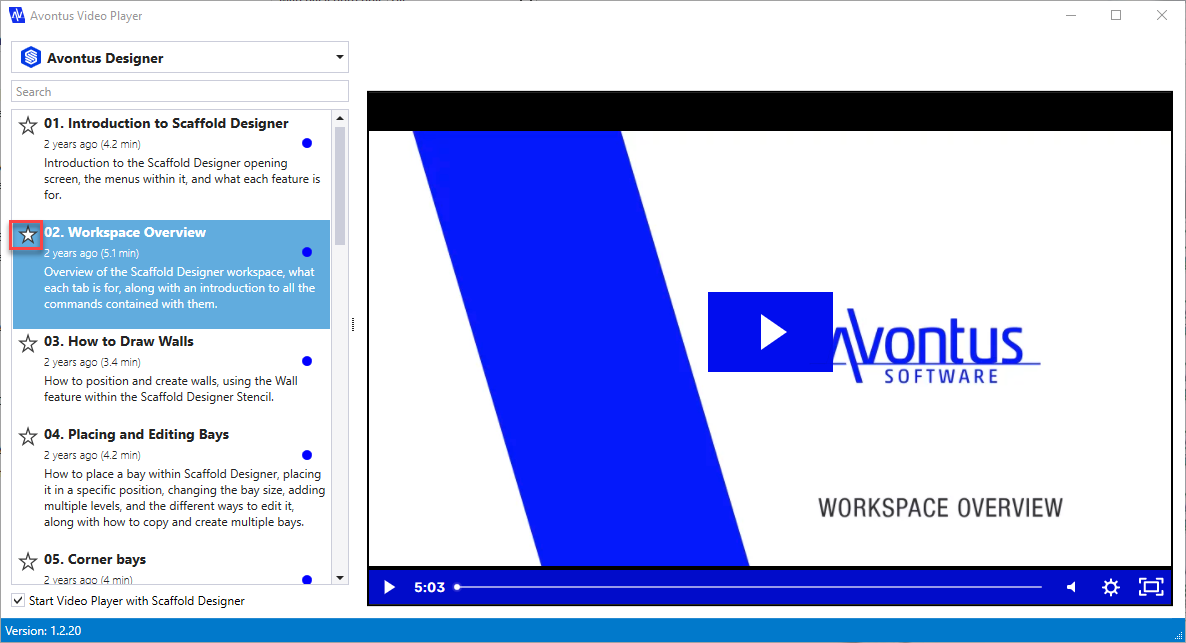
The Video Player adds your selection to your list of Favorites.
Viewing the List of Favorites
By default, a list of videos appears in the left-hand side of the Video Player, The top of the list is a dropdown, from which you can access other videos and your list of favorites.
To view the list of favorites:
Click the Video Player dropdown
Select Favorites for the list that appears.
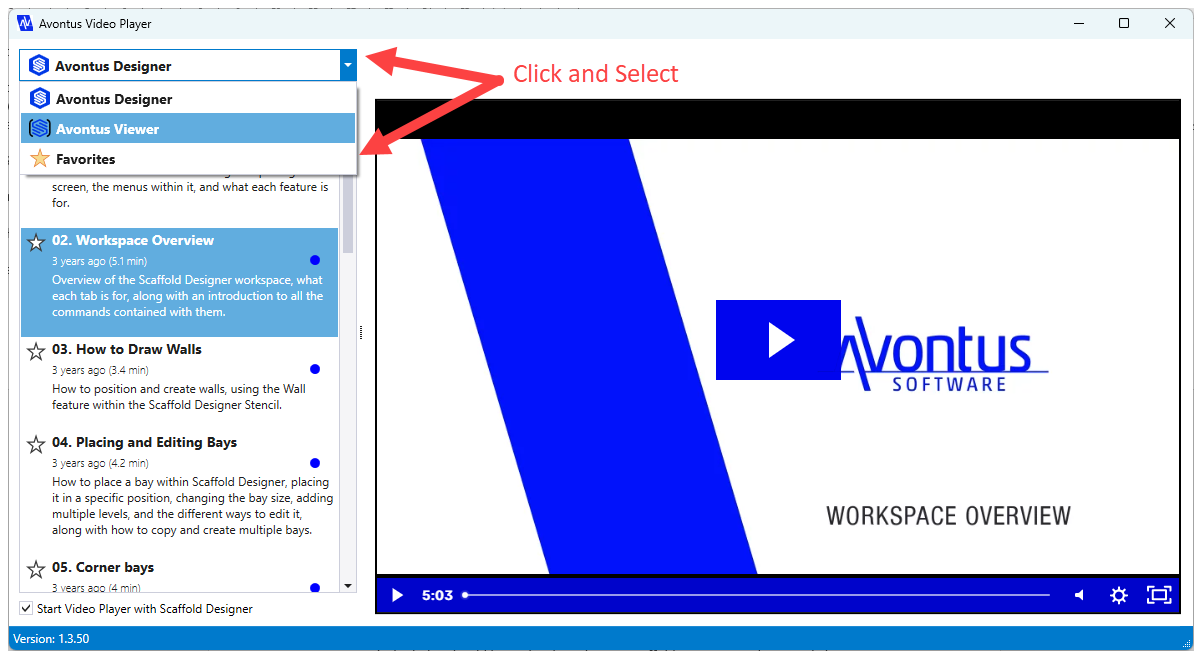
The list of favorites appears in the left-hand side of the player.