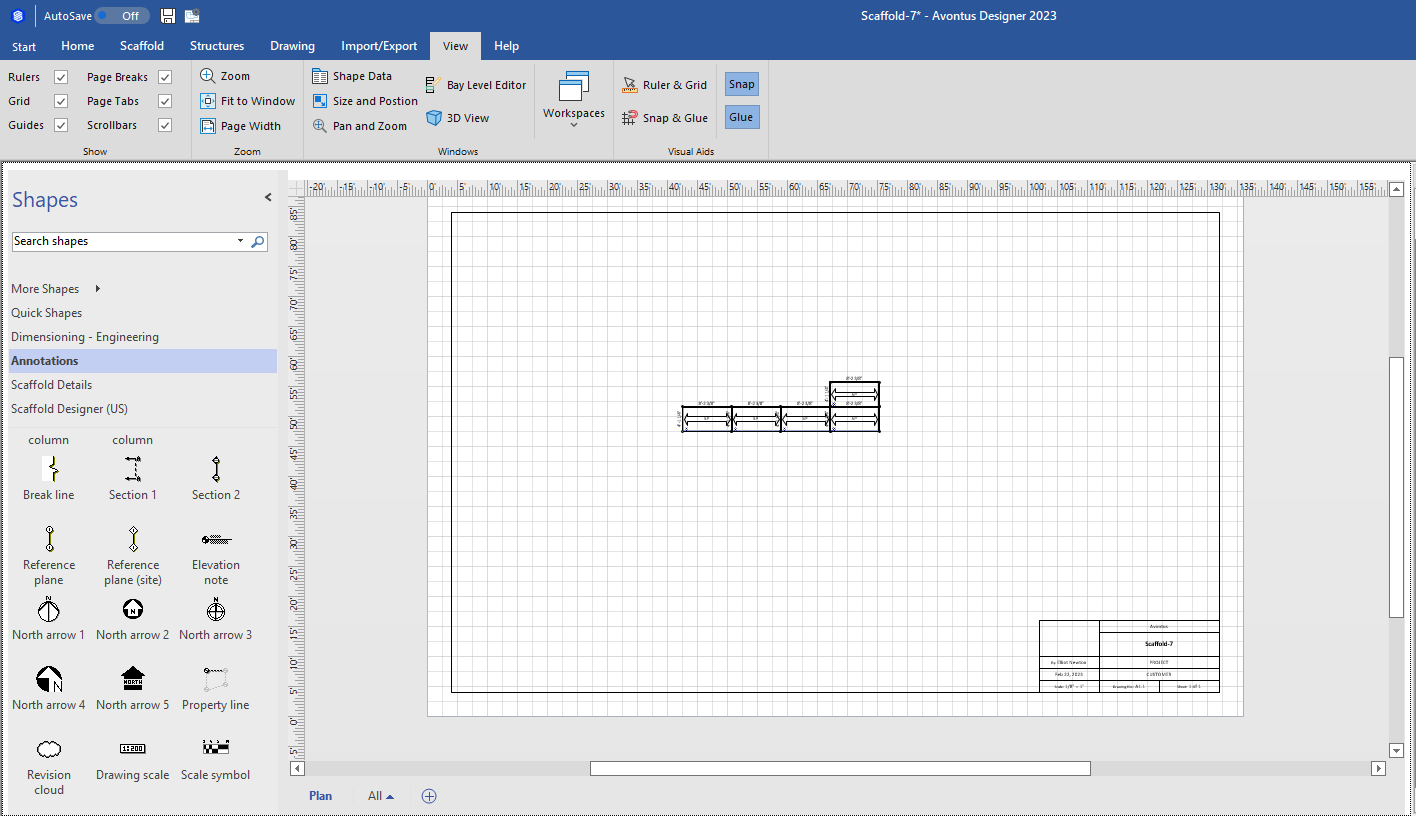
The Drawing Page is where you create scaffold drawings in Avontus Designer. It contains a ruler and a grid that enables you to exactly align the parts of your drawing and place them to the best effect. The lower right-hand corner contains the Title Block, which you can edit for each drawing, or customize a default Title Block that appears in each new drawing by default.
Viewing Drawing Totals
Avontus Designer displays drawing totals for the current design at the bottom of the window.
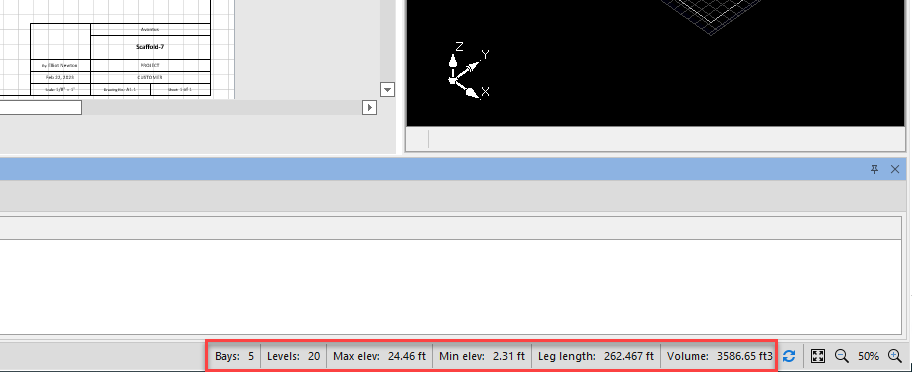
These totals include:
| Bays | Sum of all Bays |
| Levels | Sum of all Levels |
| Max Elev. (Elevation) | The elevation of the highest planked level |
| Min Elev. | The elevation of the lowest planked level |
| Leg Length | Sum of the eff. length of all legs/verticals/standards |
| Volume | Sum of all Bay Volumes Bay Area X Bay Height (distance from the first node to top node of the bay and does NOT include jack height if any) = Bay Volume Bay Runner Length X Bay Bearer Length = Bay Area |