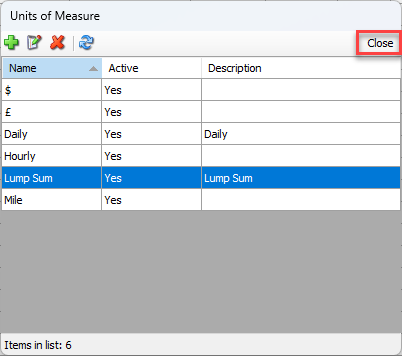
The Lists menu provides a centralized means for configuring Units of Measure for use with Quantify entities, like Additional Charges and Recurring Charges. Units of Measure can include miles, linear feet, hours, days, each (for parts), etc.
Adding a Unit of Measure
Before you can add a Unit of Measure to and Additional Charge or a Recurring Charge, you must first add it to the Quantify database. The Units of Measure dialog provides the means for managing the list of Units.
To add a Unit of Measure:
Click the Lists menu and select Units of Measure.
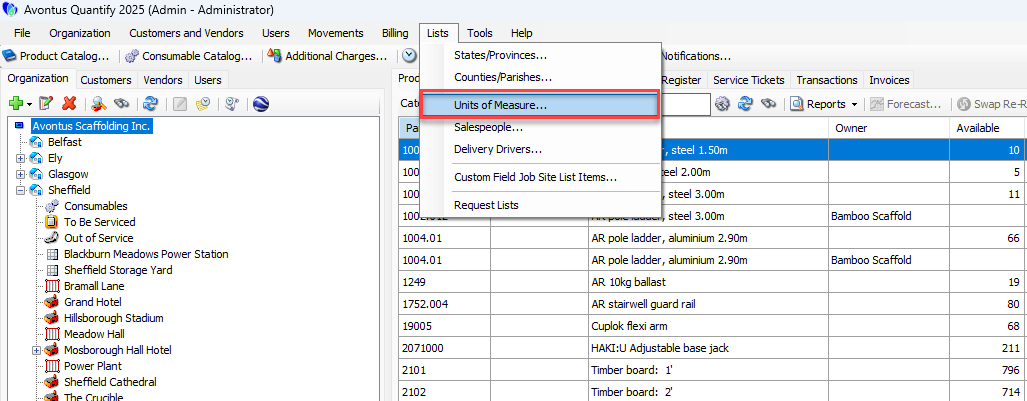
The Units of Measure dialog appears.Click the Add button (
 ).
).
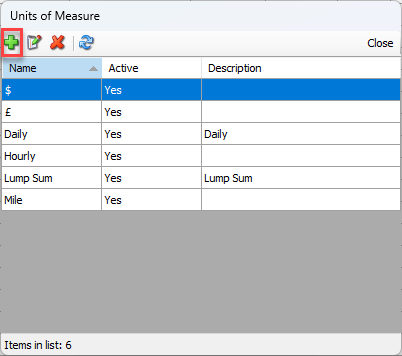
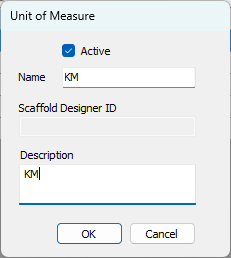
The Unit of Measure dialog appears.Click in the Name text field and enter a name for the new Unit of Measure.
Click in the Description text field and enter a short description of the new Unit of Measure.
Click OK.
The Units of Measure dialog returns, with the new Unit of Measure in the list of units.
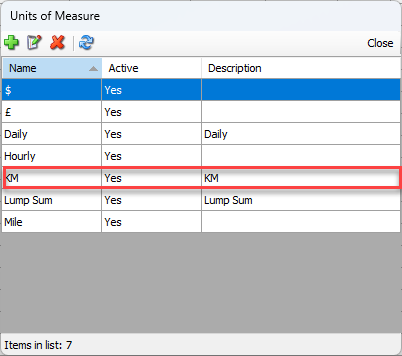
Deleting a Unit of Measure
Once entered, Quantify enables you to delete a Unit of Measure at any time.
To delete a Unit of Measure:
Click the Lists menu and select Units of Measure.
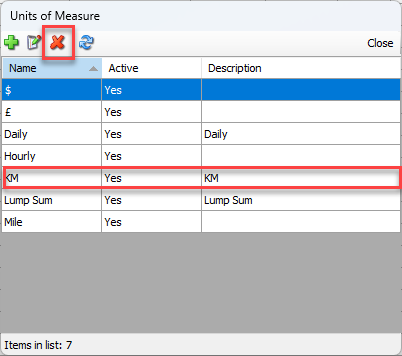
The Units of Measure dialog appears.Click the Unit you want to delete, then click the Delete button (
 ).
).
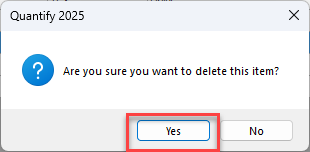
A confirmation dialog appears.Click Yes.
The Units of Measure dialog returns, minus the name of the deleted Unit.Click Close.