The Invoices tab provides an overview of all current Invoices and enables you to see the details of each available Invoice. Use this tab to create and manage Invoices to customers for Job Sites.
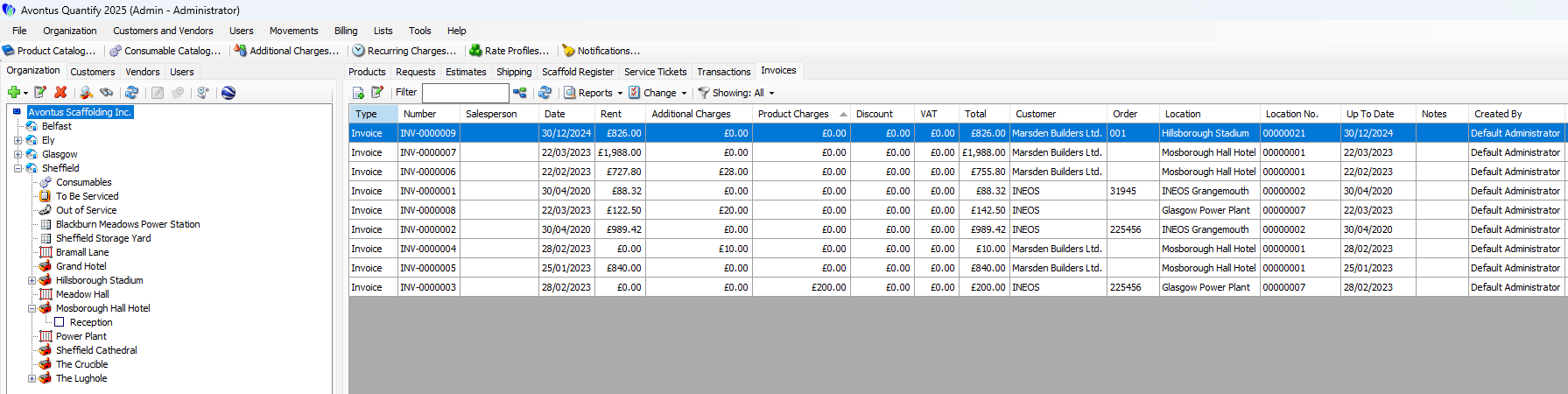
If you click a Job Site, Quantify displays the Invoices assigned to that Job Site. The table below shows information about all the Invoices in the tab and provides features for viewing and working with Invoices, including:
Reports dropdown | The Reports dropdown provides access to: - A preview of the selected Invoice, with the option to view in seven different invoice formats - Preview of the Invoice reporting job costs - Printing selected Invoices - Saving selected Invoices - Billable Job Site Summary Pivot - Invoice Pivot - Invoice Additional Charges Pivot - Rent Extension Pivot |
Accounting dropdown | The Accounting dropdown appears when you integrate an accounting application with Quantify. This dropdown enables you to export or synchronize invoices, set or change invoices export status to Not Exported or Do Not export, among other functions. The functions available depend on which accounting application you select. |
Change dropdown | The Change dropdown enables you to reset one or more Invoice rent rates and job costs from the Rate Profile set in the related Shipment(s). |
Filter dropdown | The Filter dropdown options available depend on the accounting application configured. These filters enable you to filter the Invoices tab by filtering out zero dollar Invoices and by Invoice export status: - Show All - Show Only Non-Zero Invoices/Credits - Not Synchronized - Do not Synchronize - Draft - Awaiting Approval - Awaiting Payment - Paid - Overdue - Deleted - Voided |