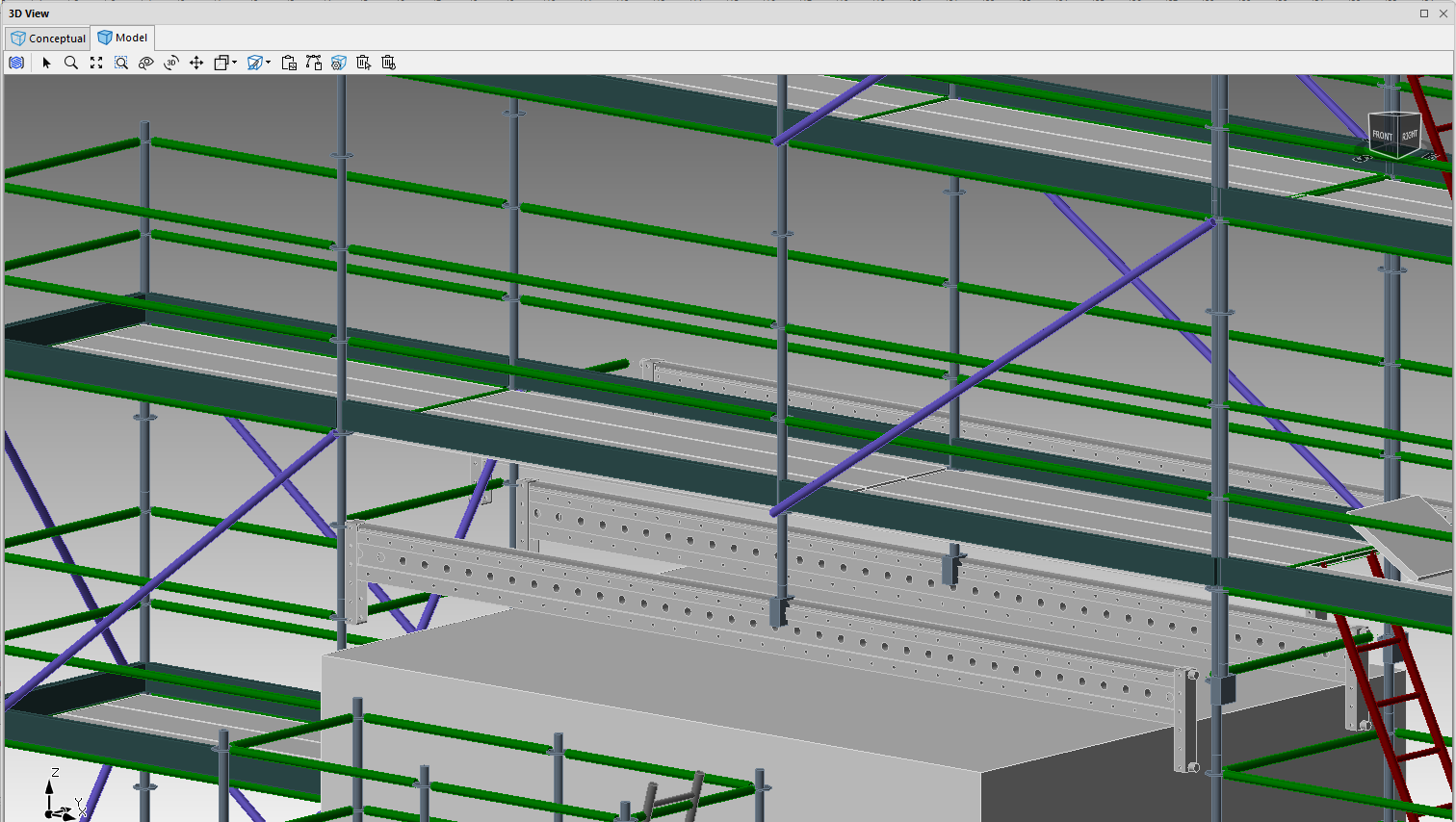
Multi-purpose beams can be added to an Avontus Designer drawing.
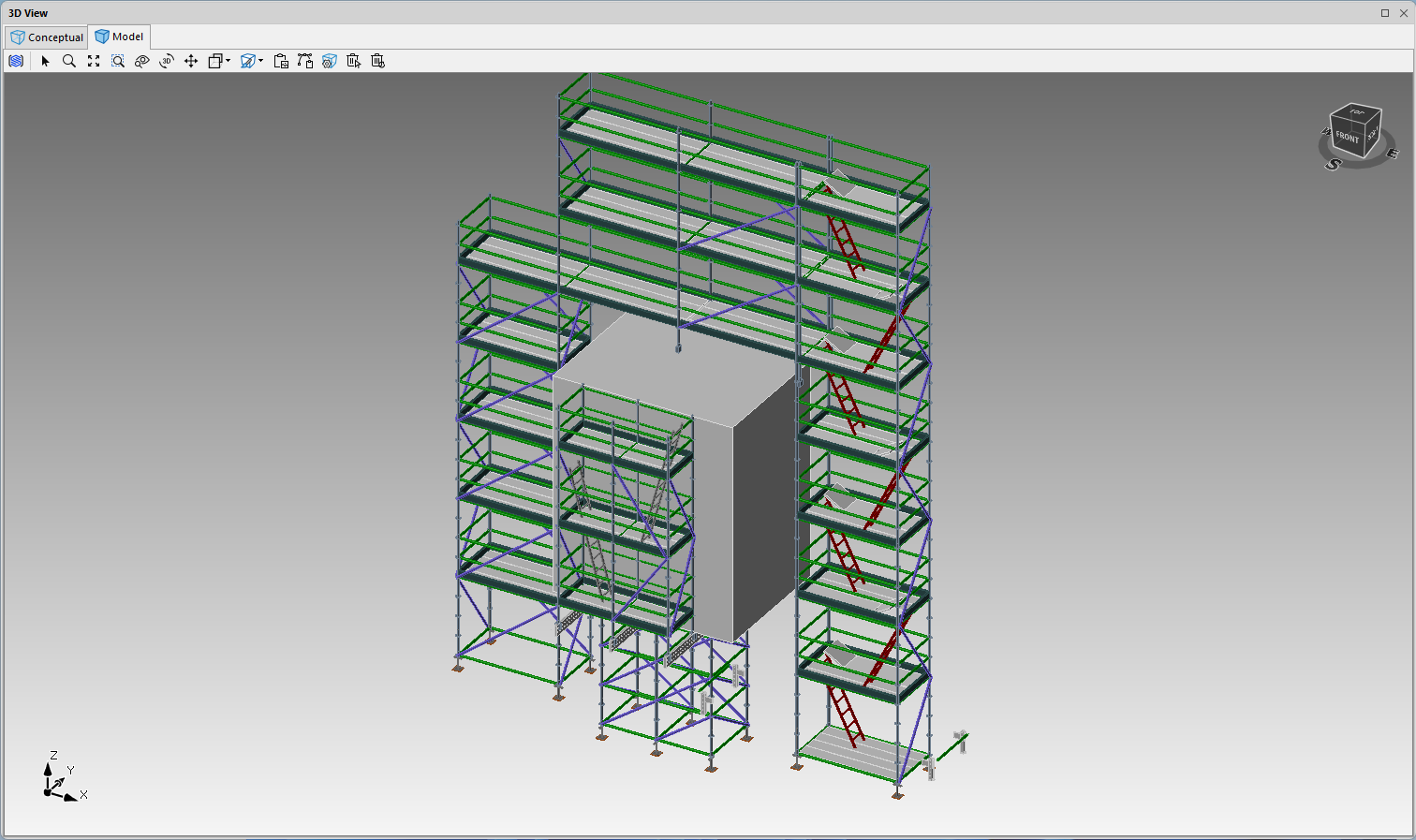
We will add a multi-purpose beam to the design below.
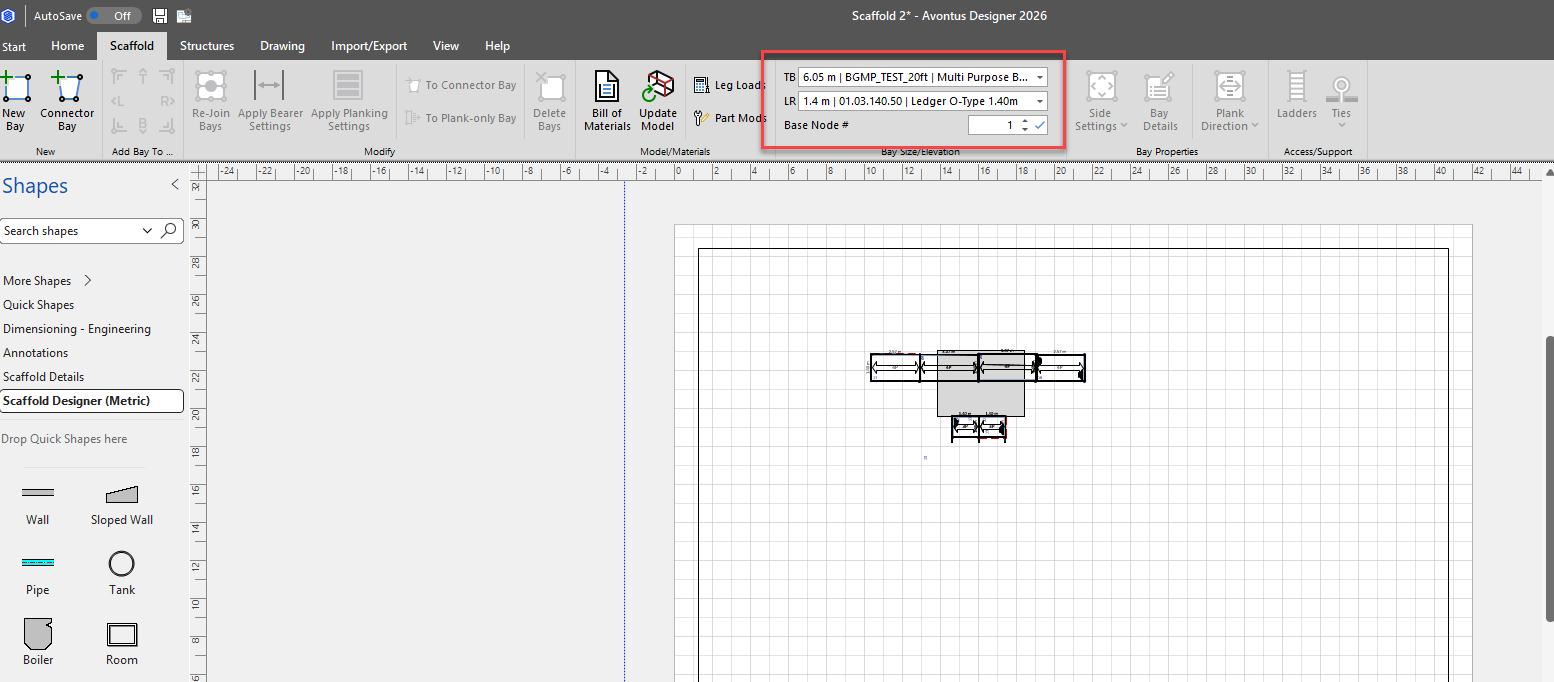
To do this
Set up the Bay size in the TB and LR drop-downs
Drag in a Bay onto the design page
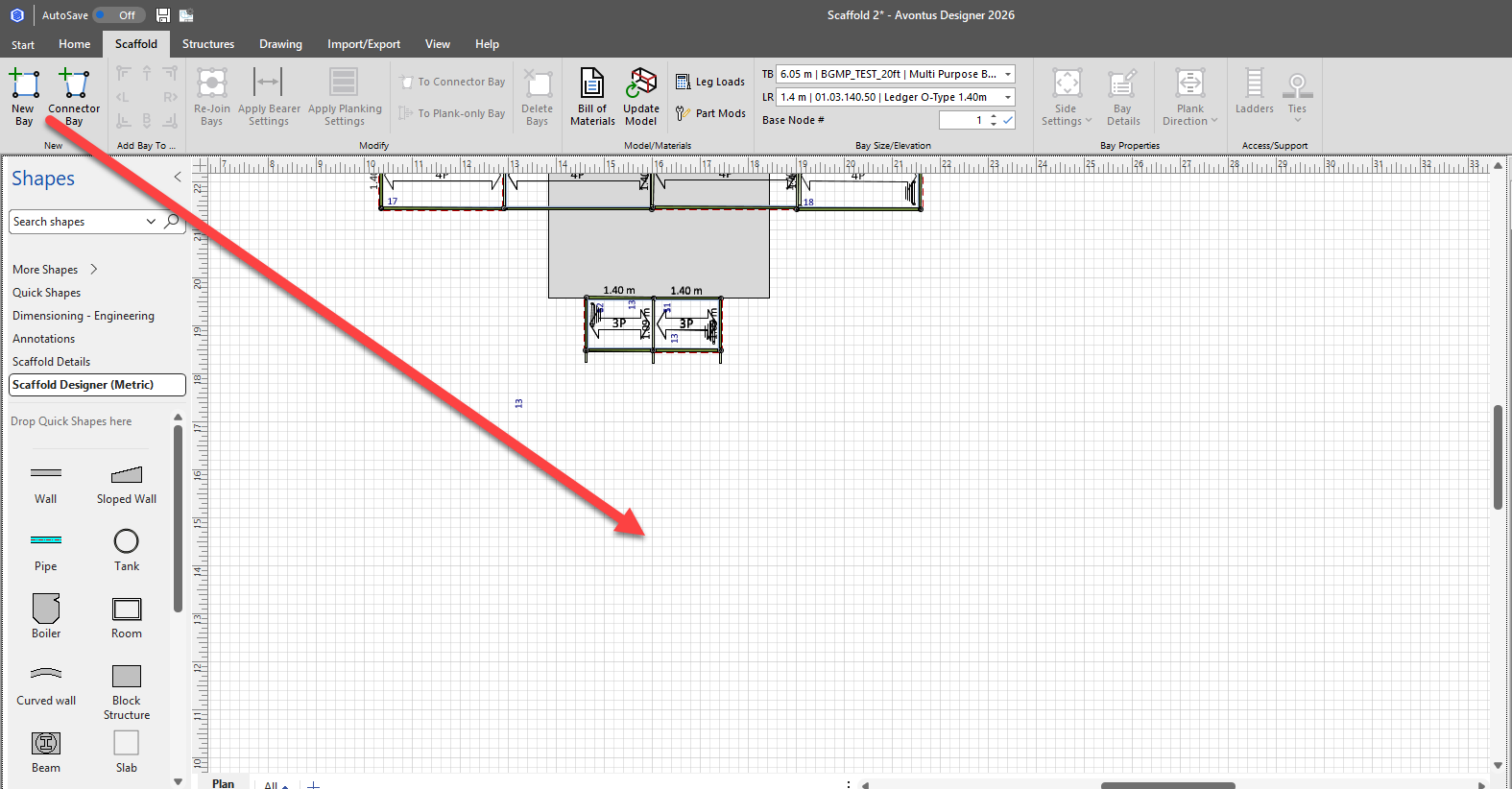
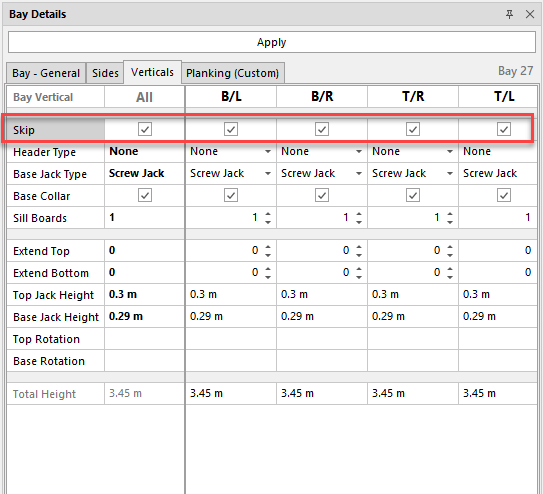
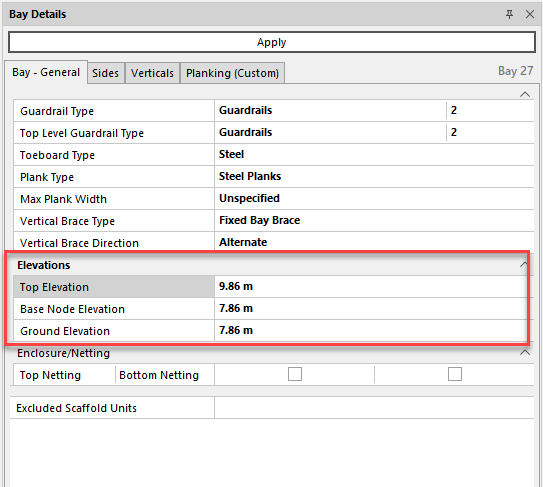
Next modify the Bay to the required specifications. This includes
Skipping the verticals
Setting the Elevation
Unplanking the top level
Removing all bottom Ledgers

4; We can then move the bay into position
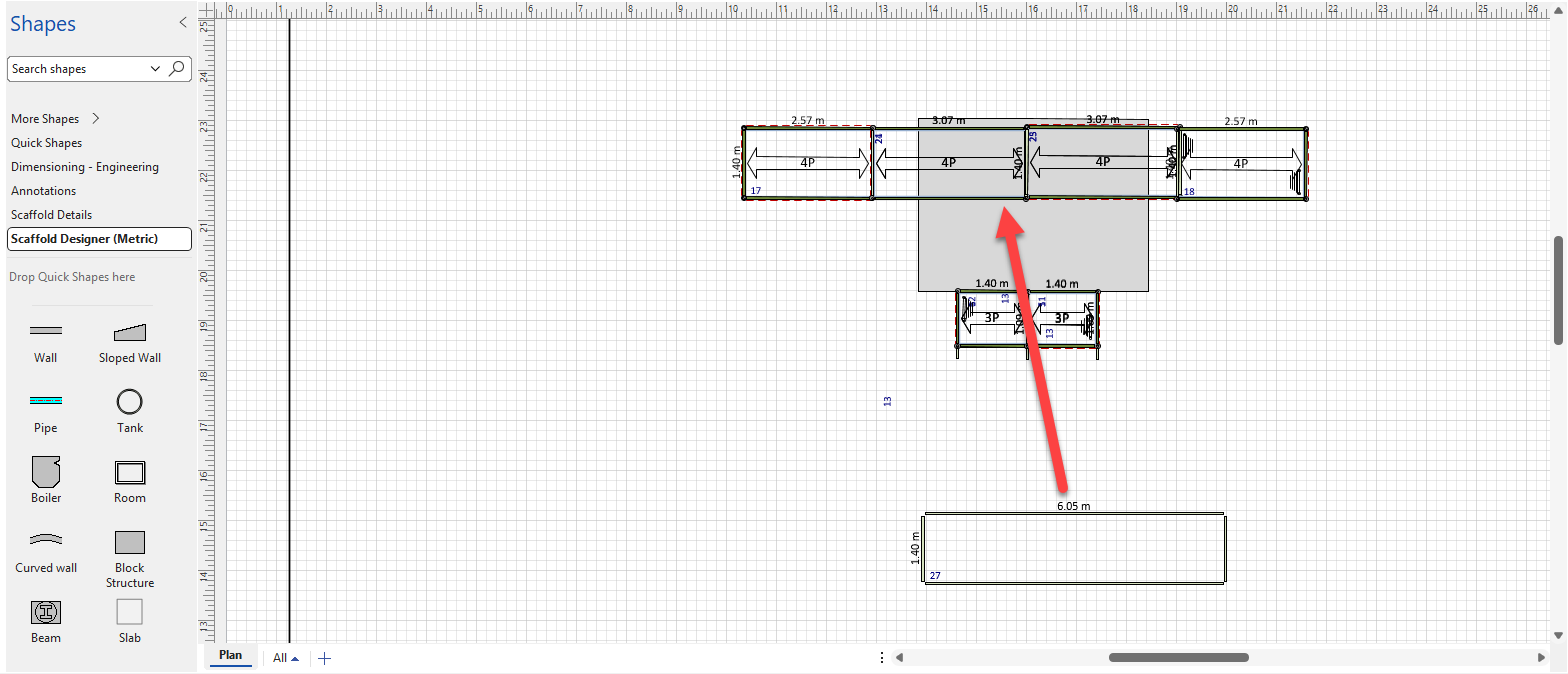
The design will look like this.
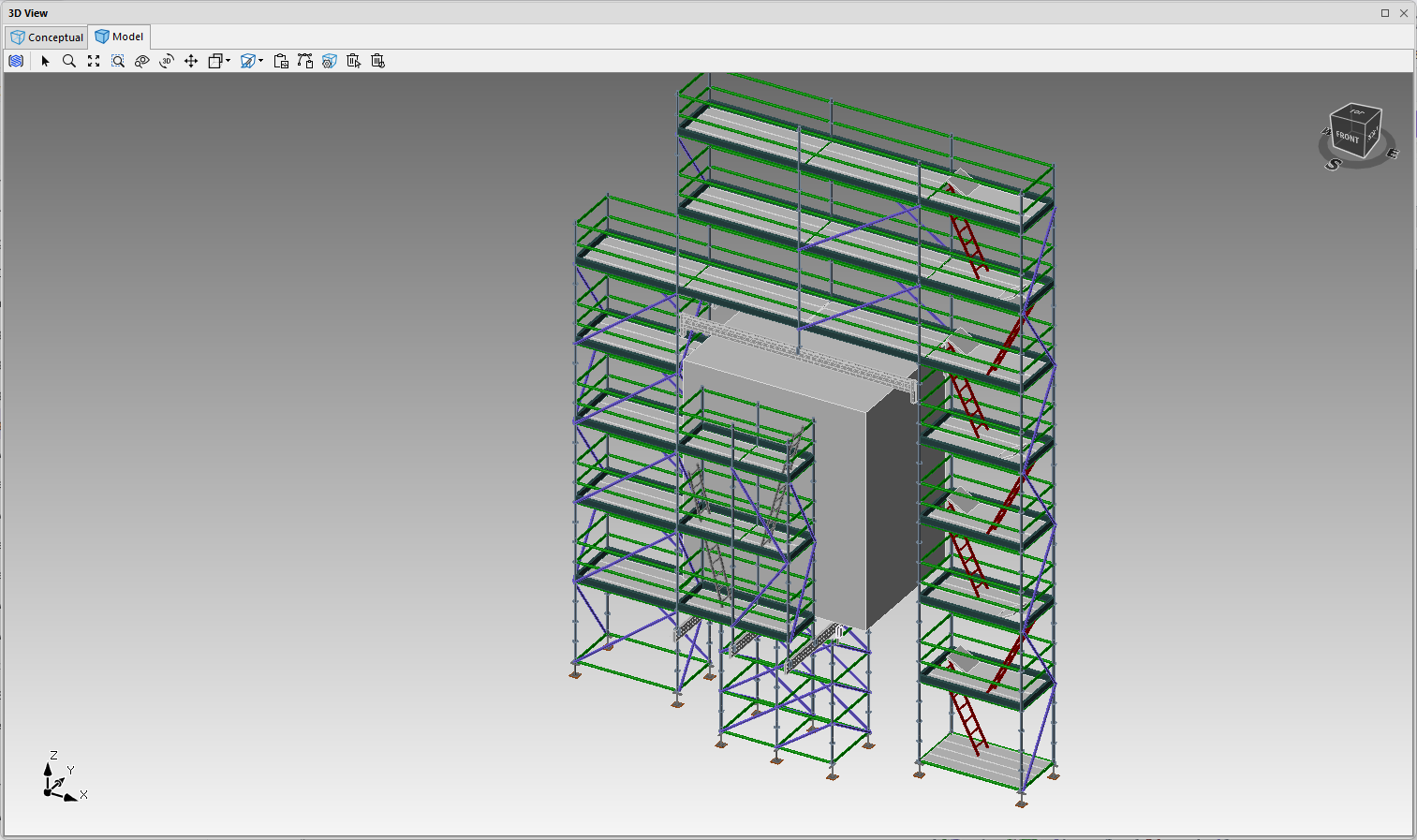
Zoom in, and you can see your multi-purpose beams.