When planks are joined together, you can use Avontus Designer to infill planks, and fill any gap between the planks.
In this example, we are going to fill the highlighted gap.
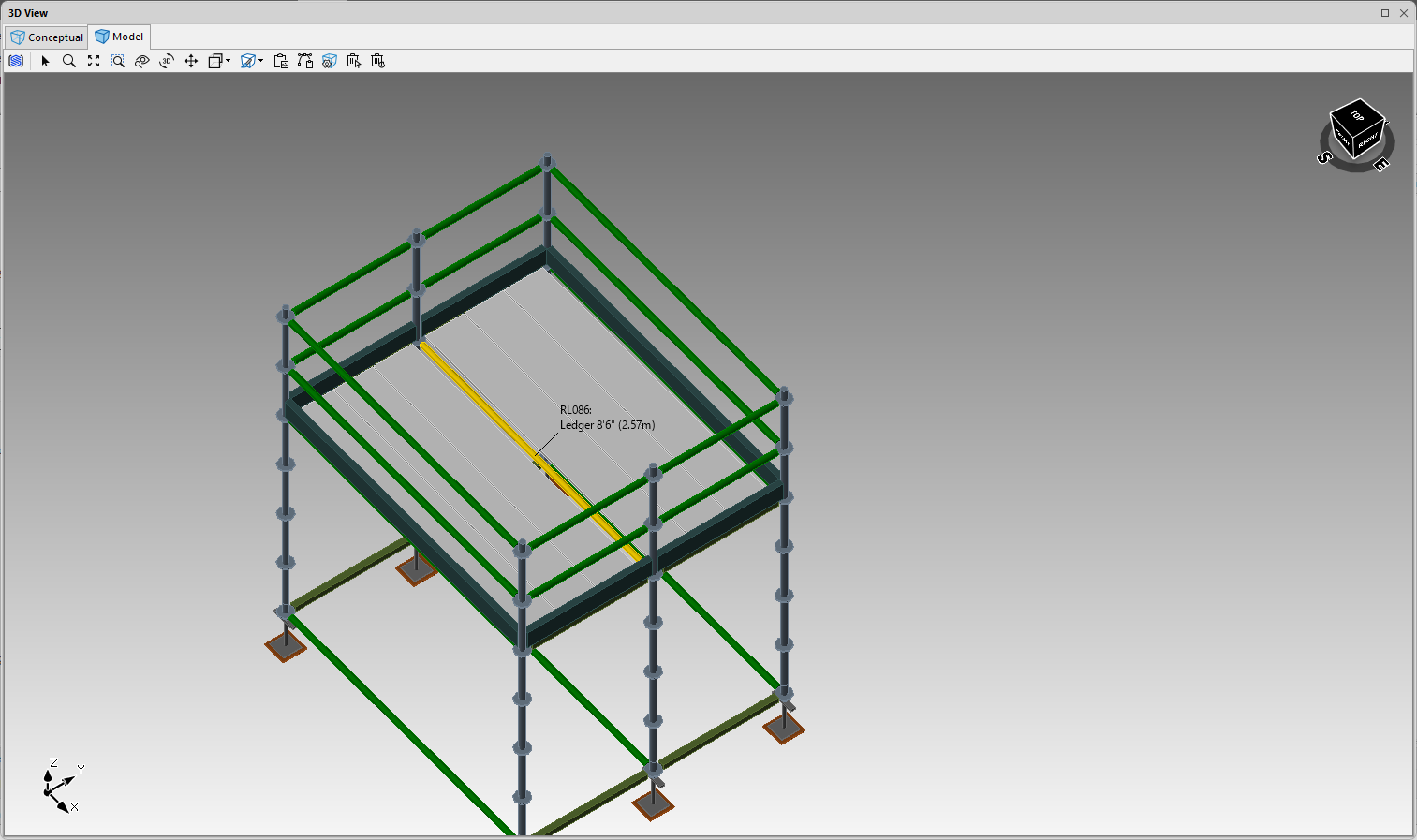
To do this.
Select the required Bay
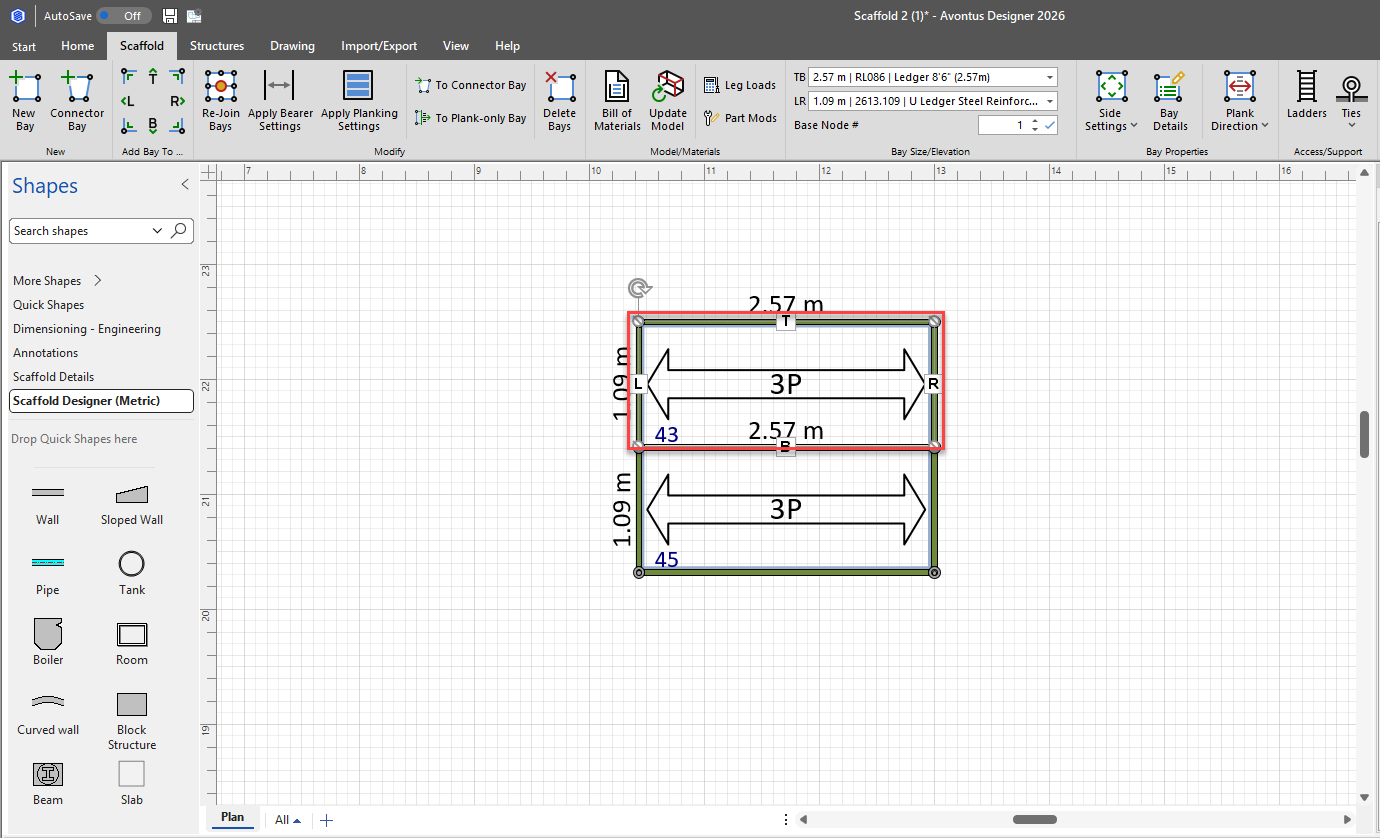
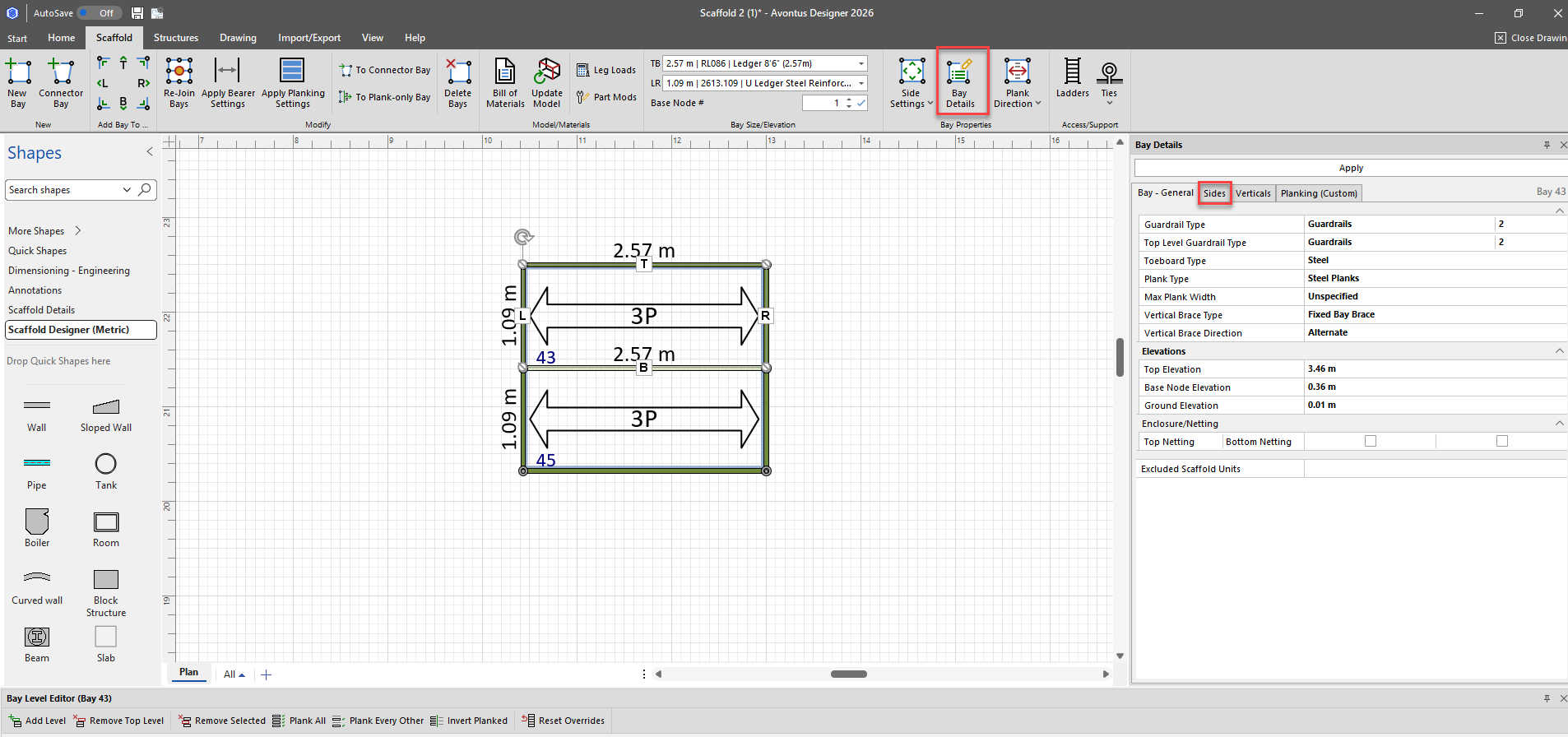
Select Bay Details
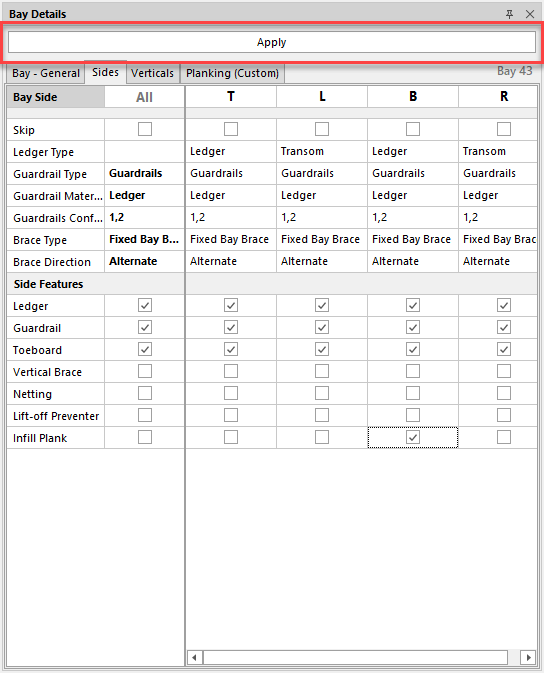
Select Sides
Check the relevant checkbox to add the infill plank
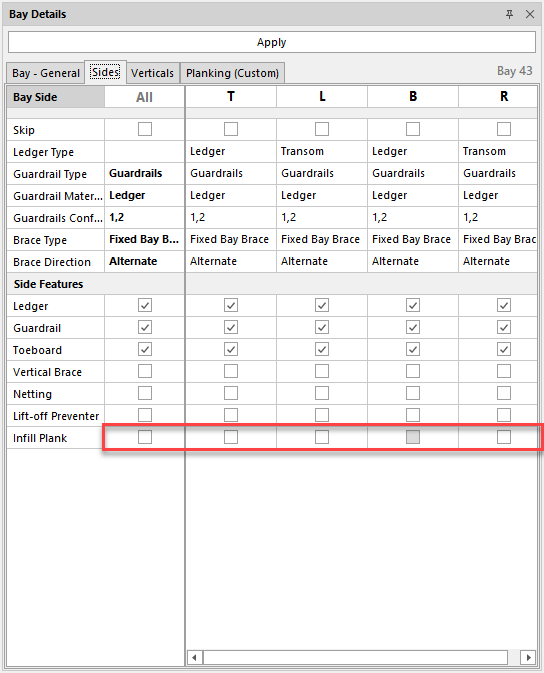
Click Apply
You will be able to see the bays have been infilled.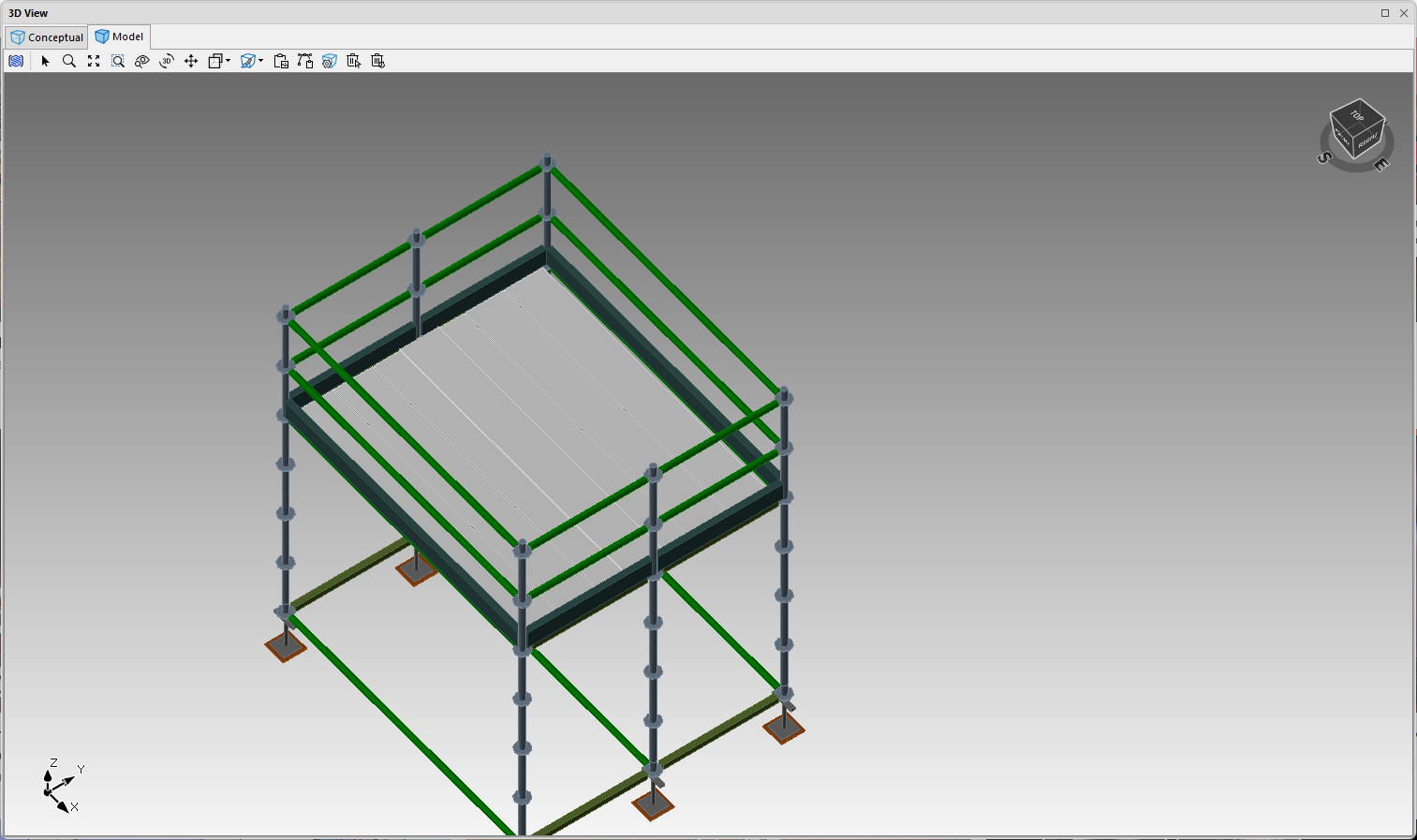
Note that, you can also infill planks via the Bay Level Editor.
