You can create a new shift to ensure scaffolds are inspected at the start of this shift
To do this
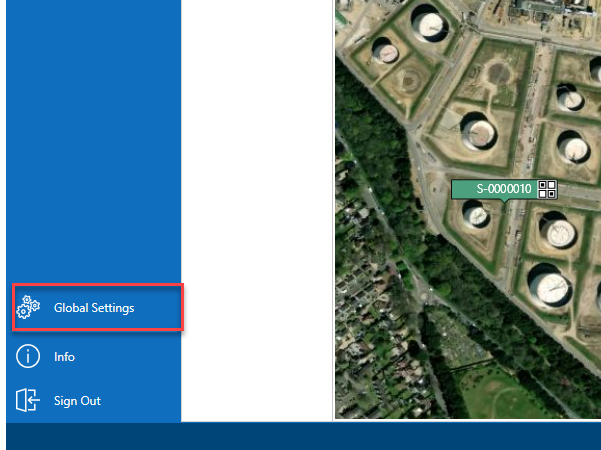
From the Map screen, select Global Settings
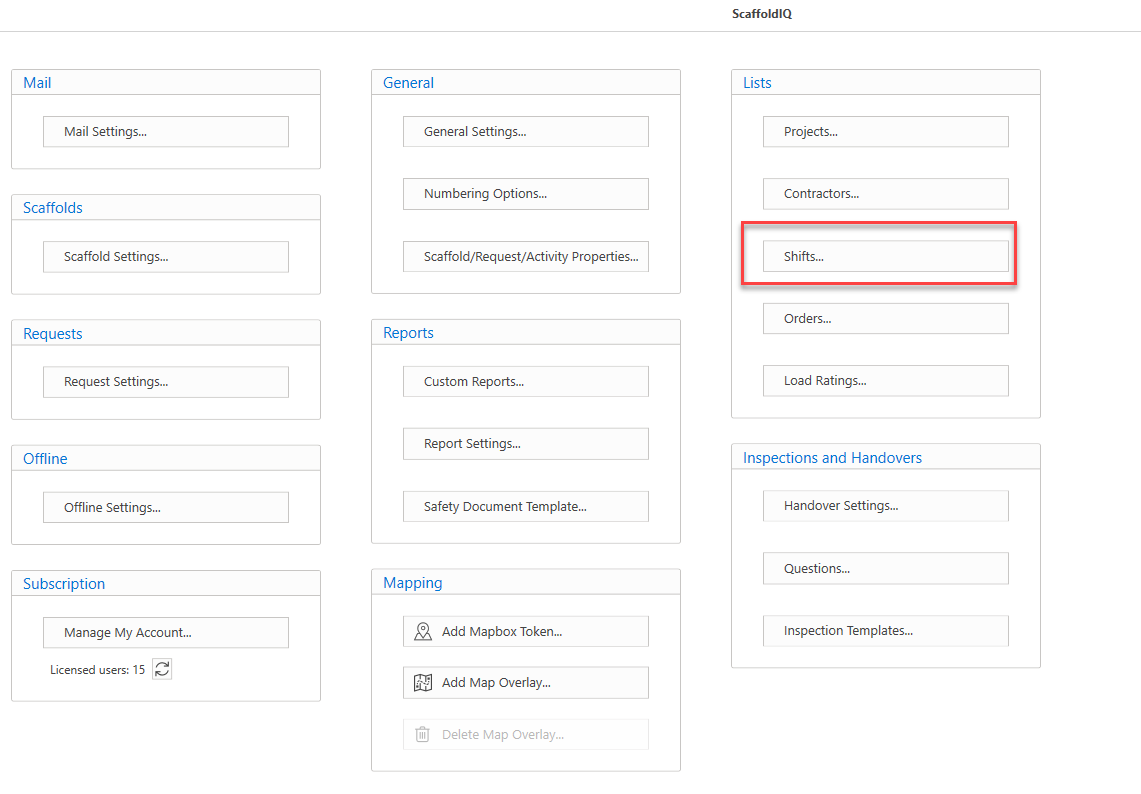
In Global Settings, select Shifts
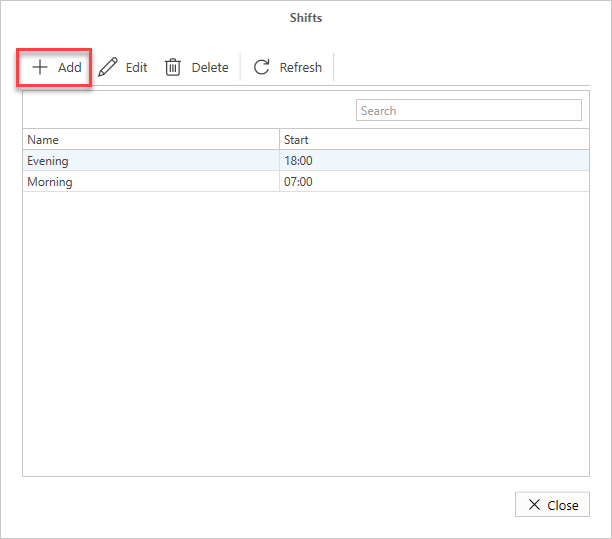
Click Add
In the Shift Details dialog, specify the name of the shift and the start time.
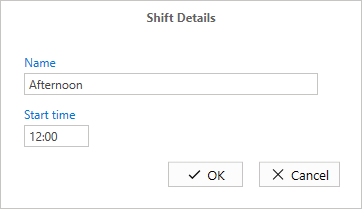
Note: The Start time is in either 12 or 24-time format. In this example, it is in the 24-hour time format. This can be changed the General Settings.Click OK
The new shift will be added.