Adding Height, Width, and length columns
- Updated on Sep 3, 2024
- Published on Jul 18, 2023
You can add Height, Width, and length columns to Products grid. You can do this in the Design Tree,
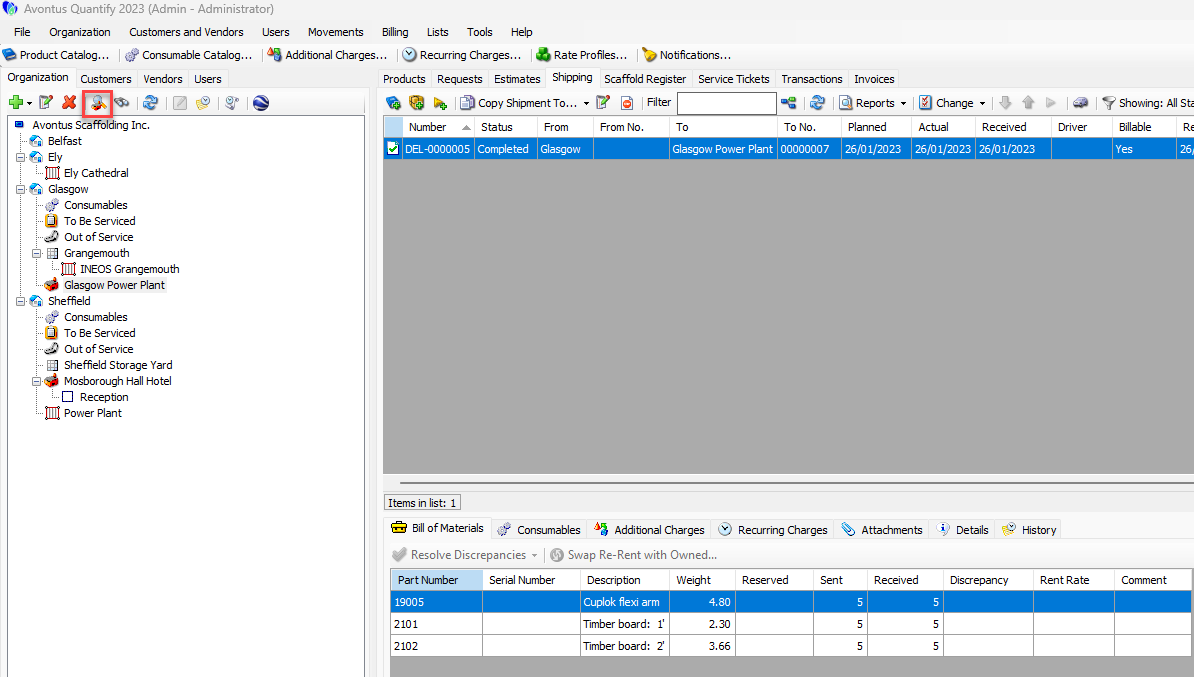
In the tree section, click My Options
In My Options, select the Products and Consumables tab
Enable the columns you need
Click Close
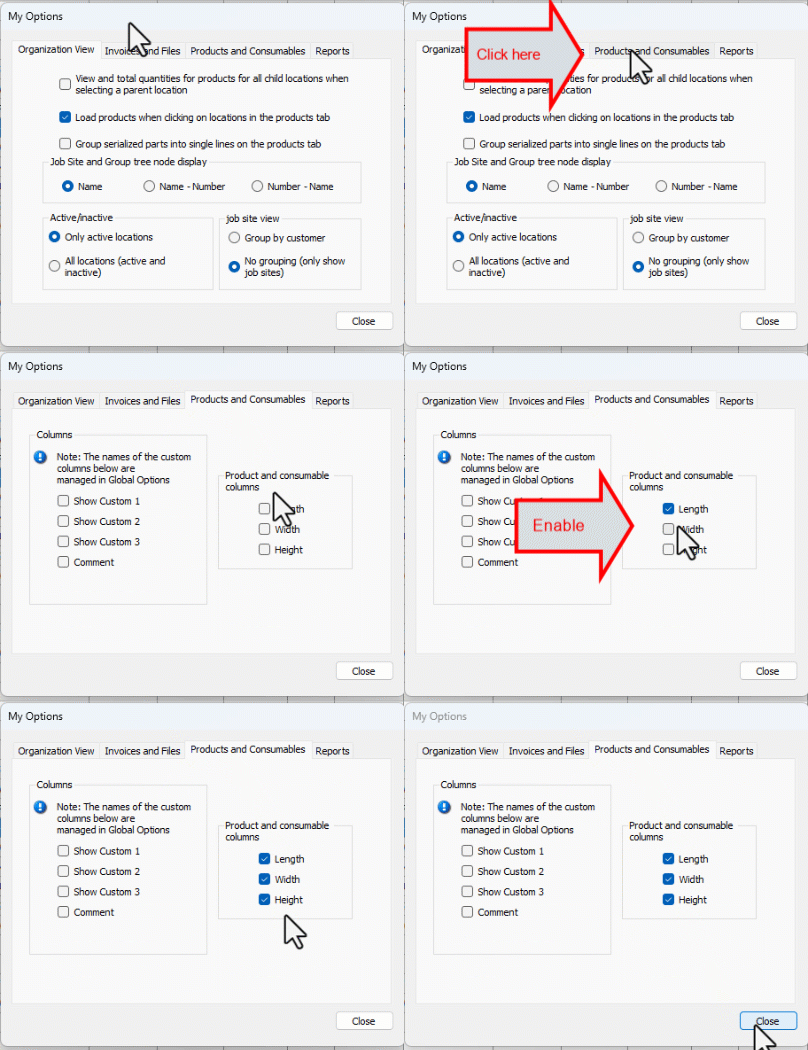
The columns will be added to the Products grid.
Was this article helpful?