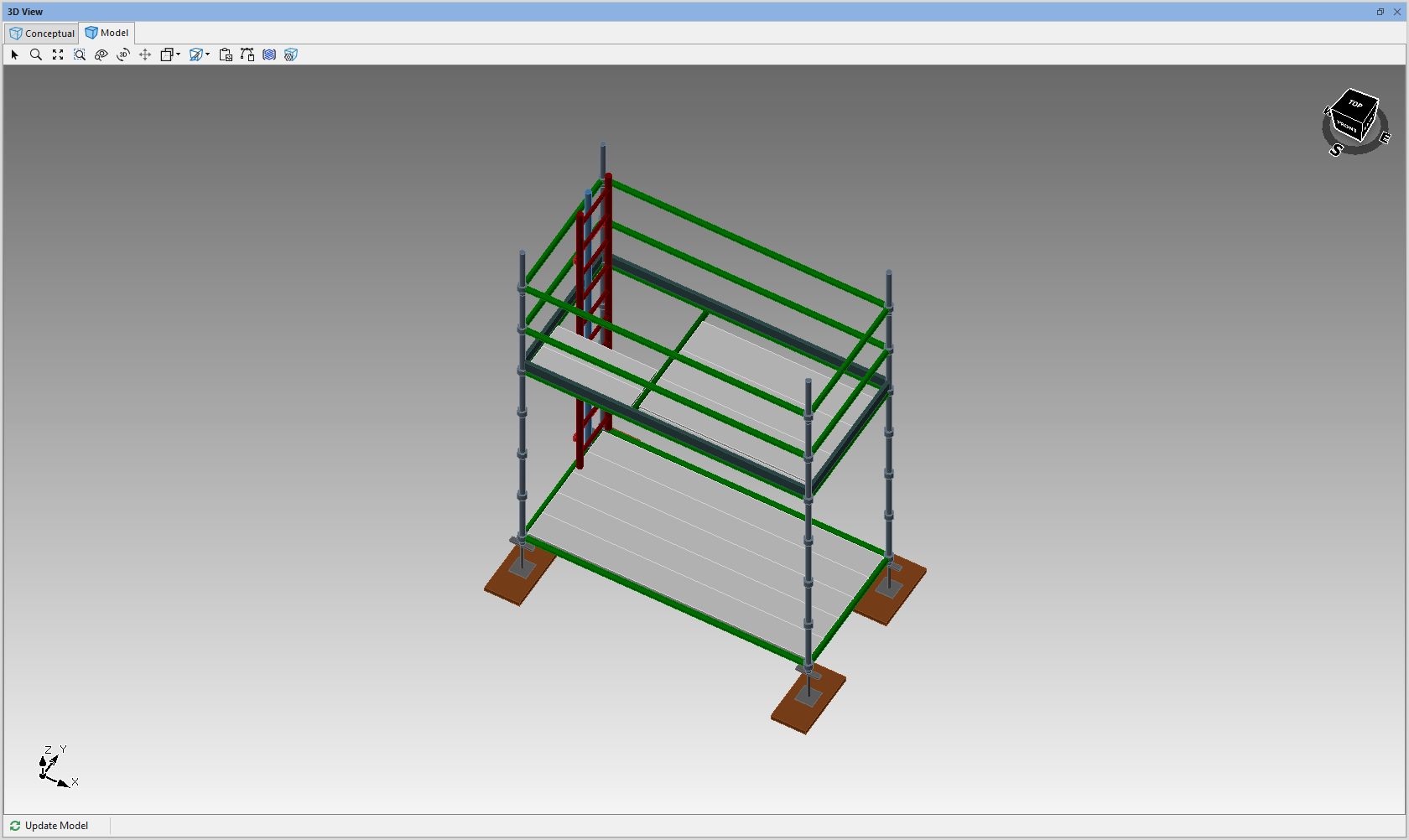
Avontus Designer enables you to control the size of any of your ladder deck openings.
To adjust a ladder's deck opening size:
1. Select a Bay and click Ladders
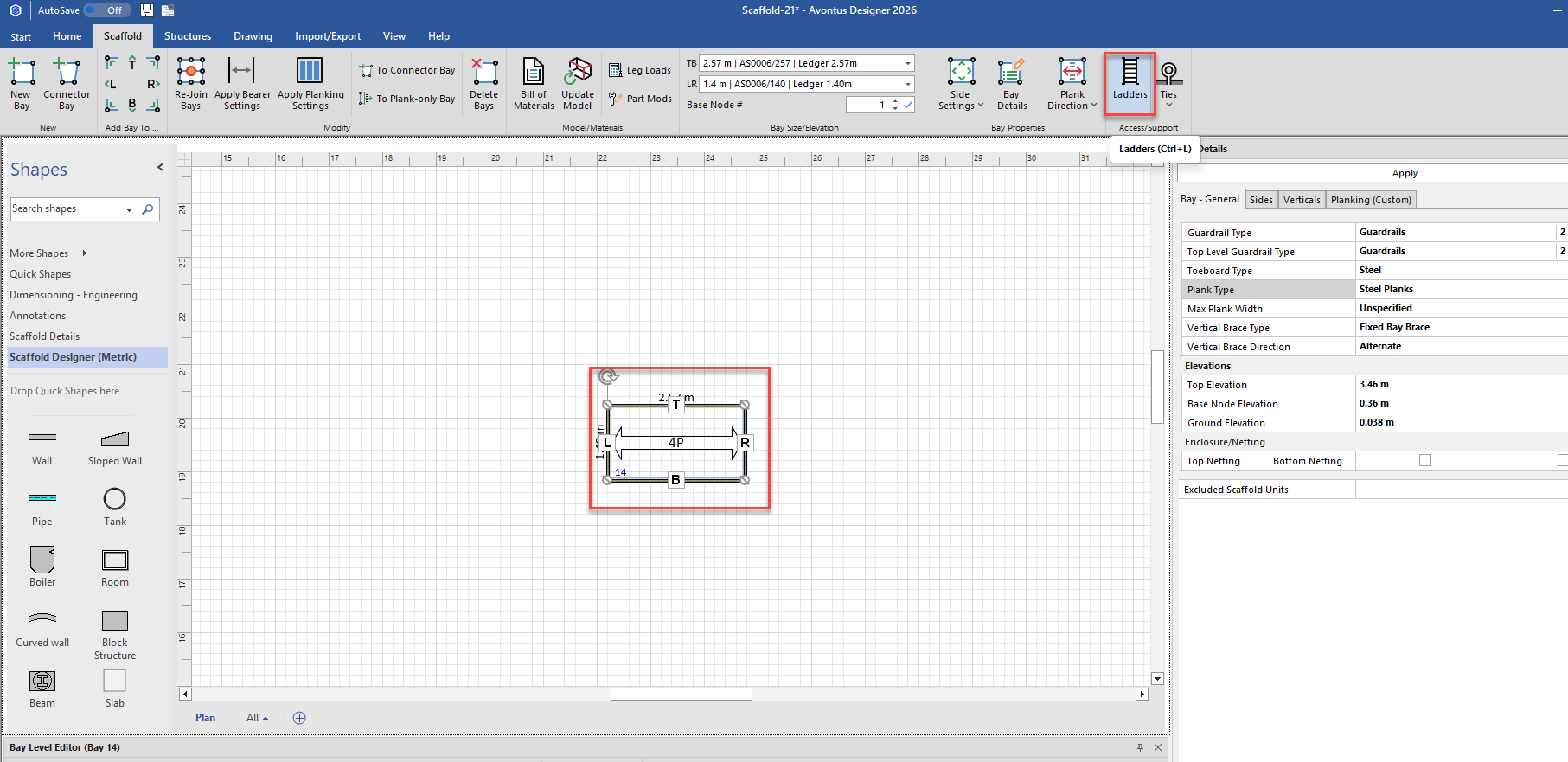
The Scaffold Ladders dialog appears.
2. Set Ladder Placement to All Inside
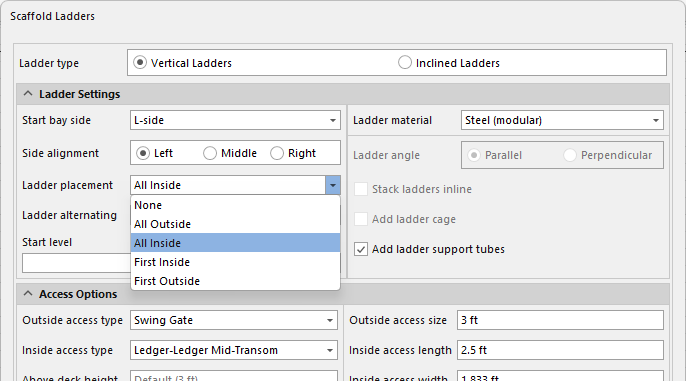
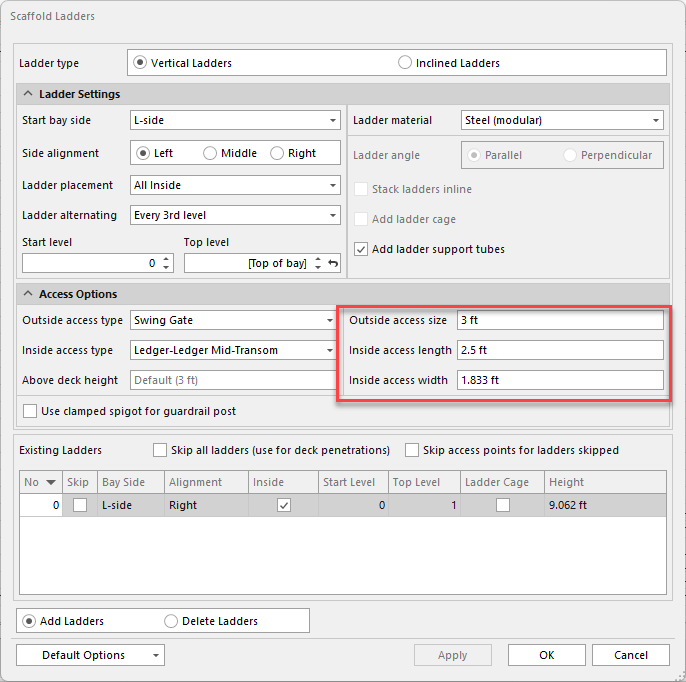
Use the Inside Access Length and Inside Access Width text field to adjust the new ladder's deck opening size,
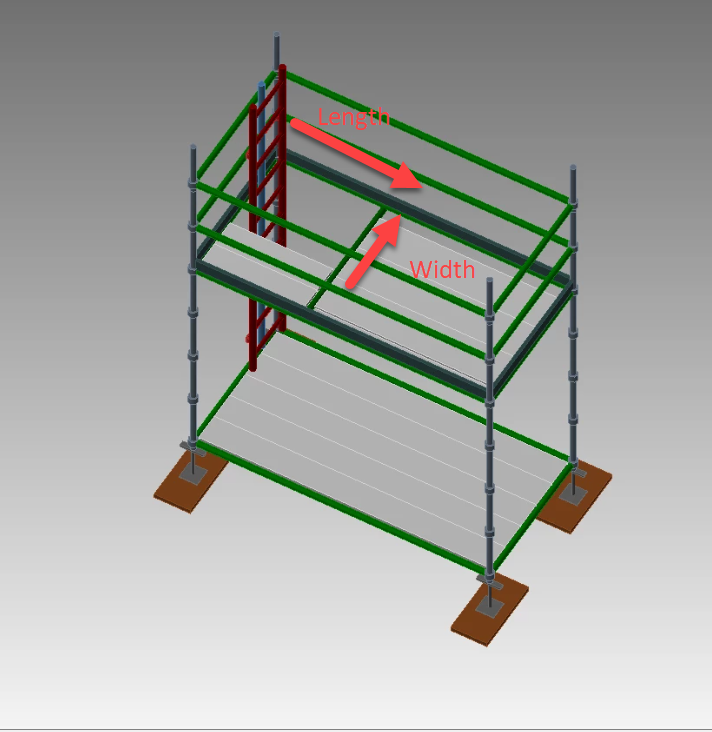
Length is the side of the opening that runs parallel to the Bay’s planks.
Width is the side of the opening that runs perpendicular to the Bay’s planks.
3. Click in the Inside Access Length text field and enter the opening's length.
4. Click in the Inside Access Width text field and enter the opening's width.
Note: Click the Save these settings as default checkbox if these are your most common ladder settings.
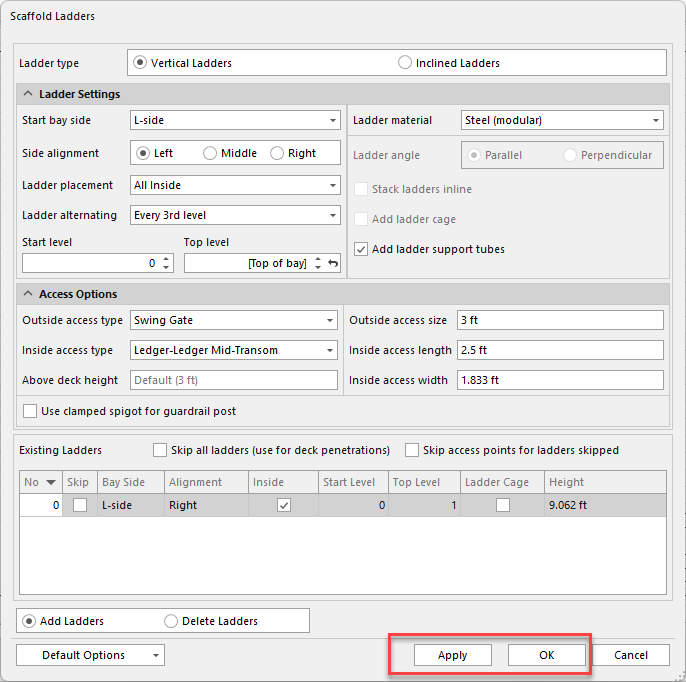
5. Click Apply or OK .
NOTE: The actual dimensions of the custom opening will be limited by your available plank materials.