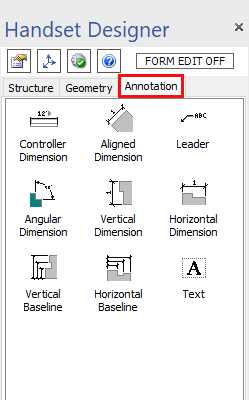
There are numerous occasions where you will want to point out important details to the end user of your drawings. No drawing is complete without text of some kind.
The shapes on the Annotation tab enable you to easily add dimensions, plain text and leaders to your drawing. Simply drag and drop any of these shapes onto the drawing page.
The Controller Dimension is an especially useful tool for managing your shape's dimensions. Refer to Working with Dimensions in Handset Designer and Working with Text Elements for more details on adding and editing these shapes.
You can also see the video below for an overview of the purpose of each annotation.