It is possible to set ScaffoldIQ up so Scaffolds change to the Awaiting Handover status automatically. You can do this in the Scaffold Settings screen. However, you can also manually mark a standing scaffold as awaiting handover in both the Map screen, and the Scaffolds screen.
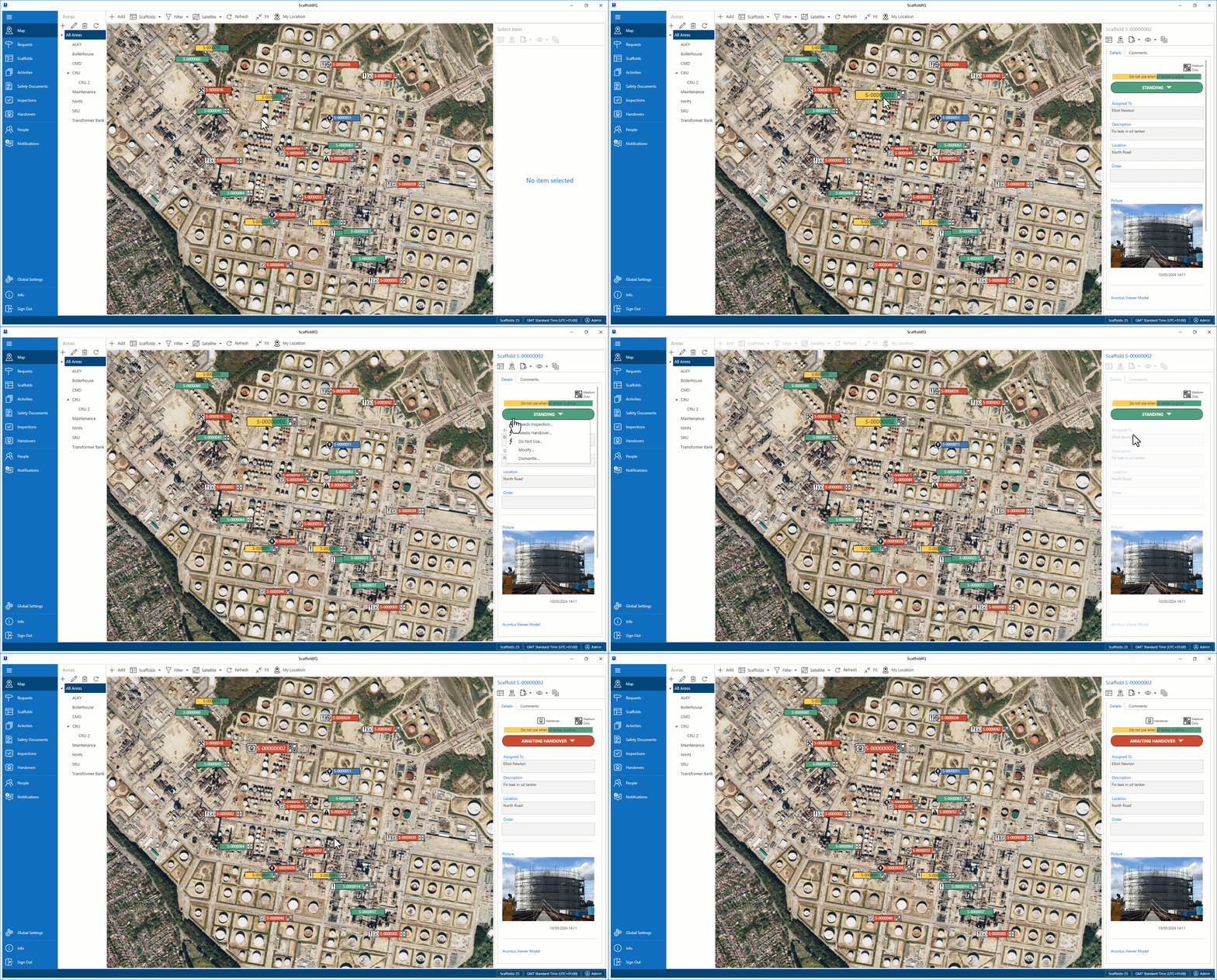
To arrange a Handover via the Map screen
On the Map screen, select the Scaffold and click Standing.
Select Needs Handover.
Click Yes, Change Status.
The Scaffold status will change to Awaiting Handover
To arrange a handover via the Scaffold Details
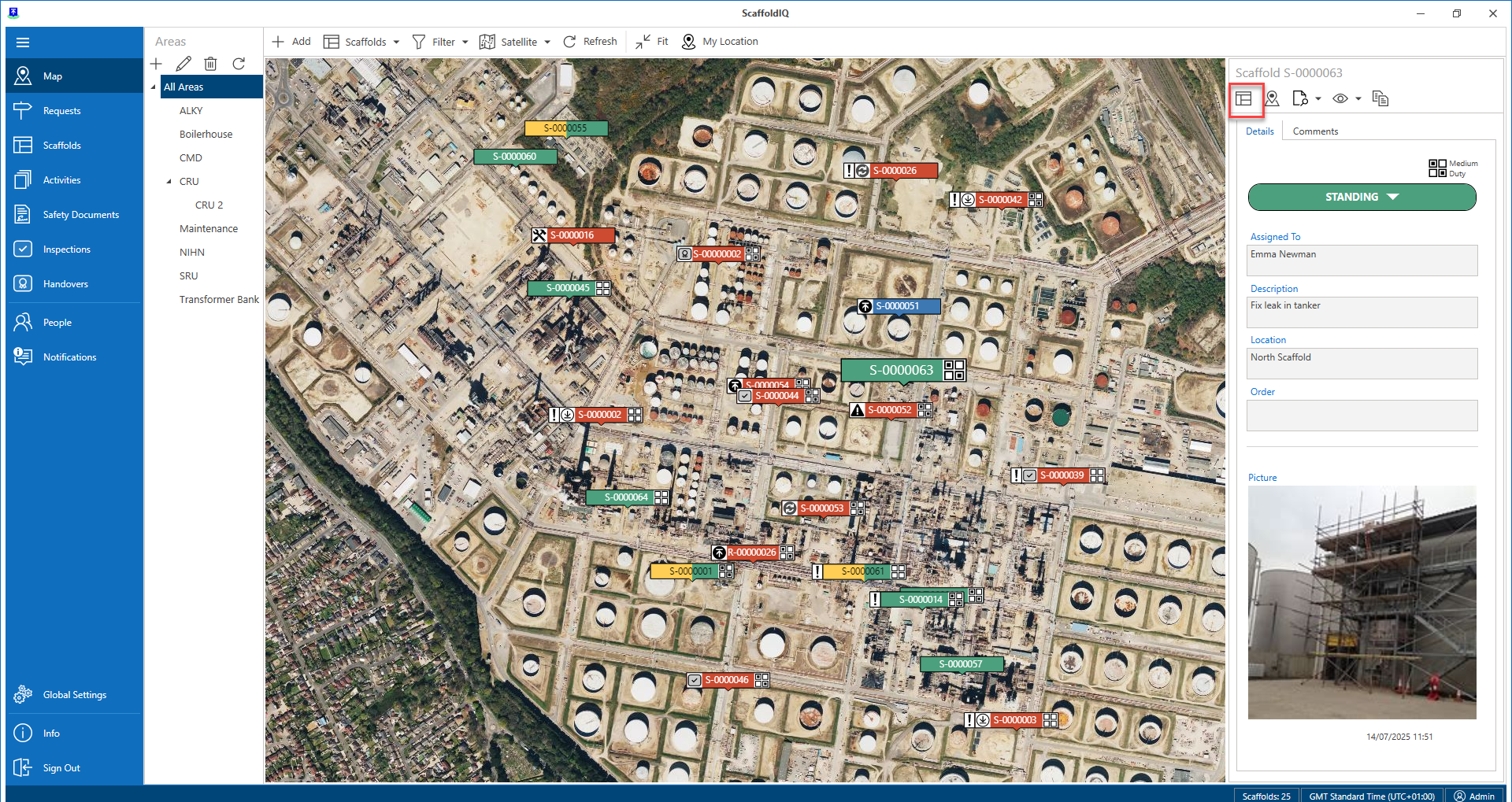
From the Map screen, select the Scaffold and click Details
Note: You can also select a scaffold from the Map and click Scaffold Details
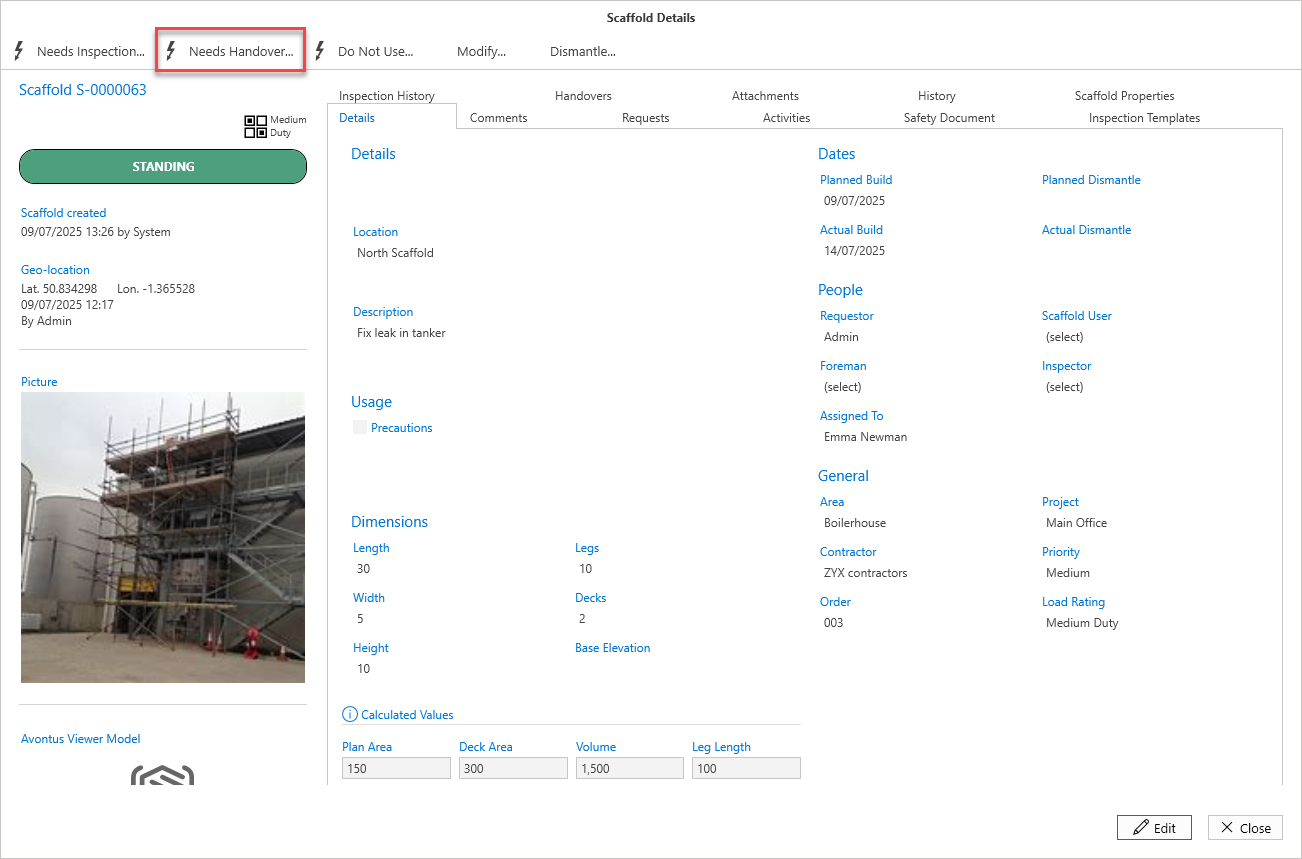
In the Scaffold Details screen, select Handover.
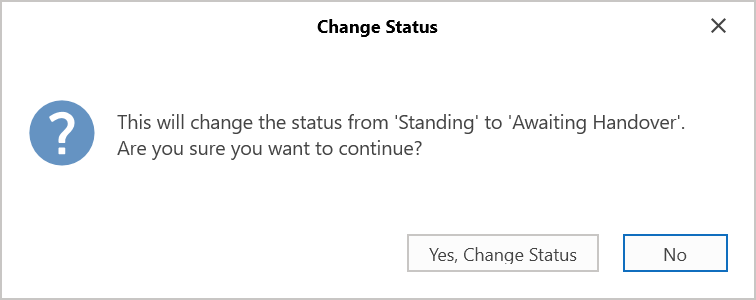
Confirm the change in status from Standing to Awaiting Handover.
The Scaffold status will change to Awaiting Handover
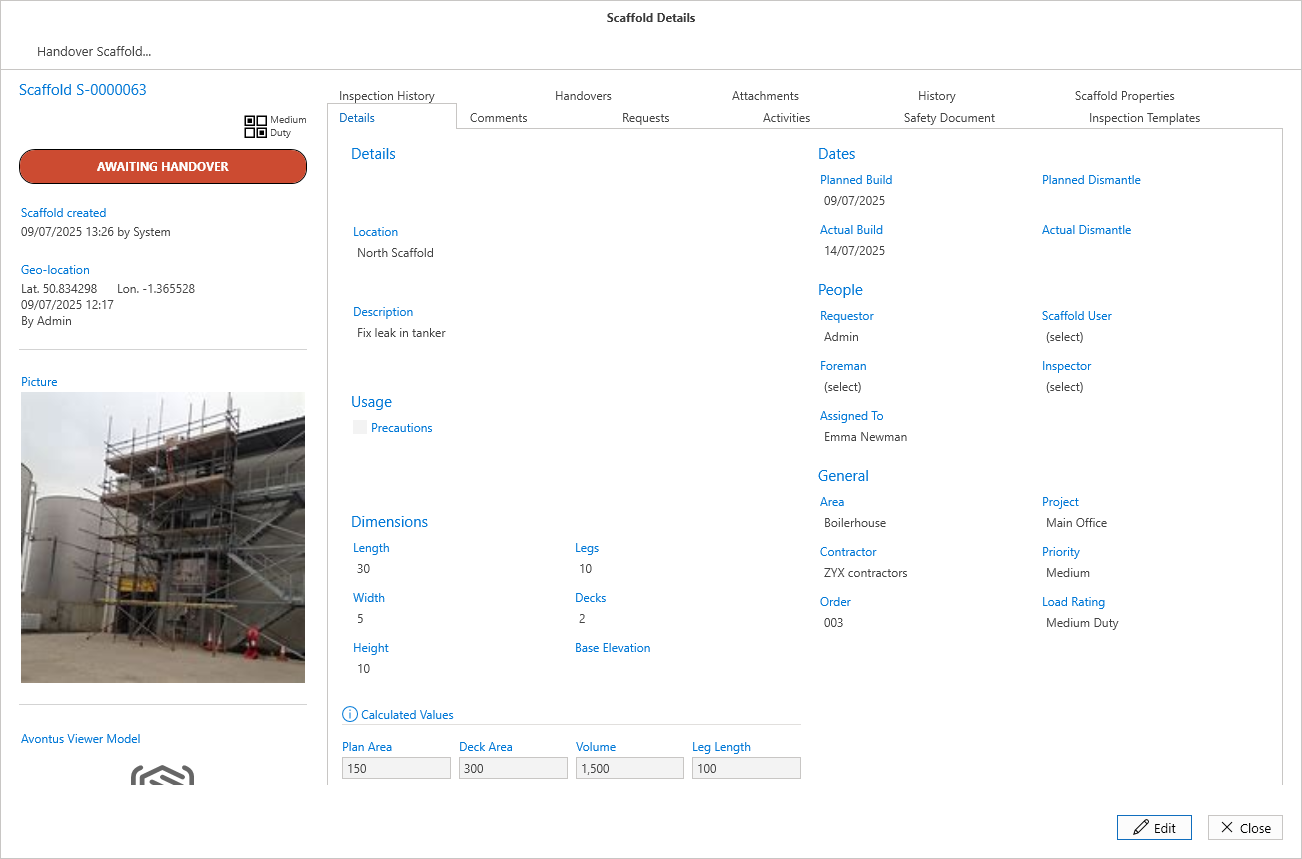
The handover will then need to be passed or failed. Please see Passing or Failing a Handover for more information.