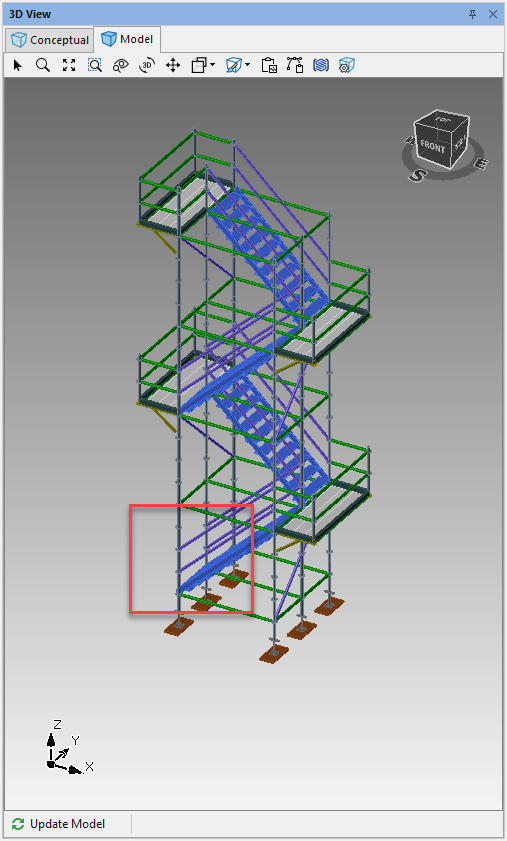
Cantilever Landings can be added to a staircase
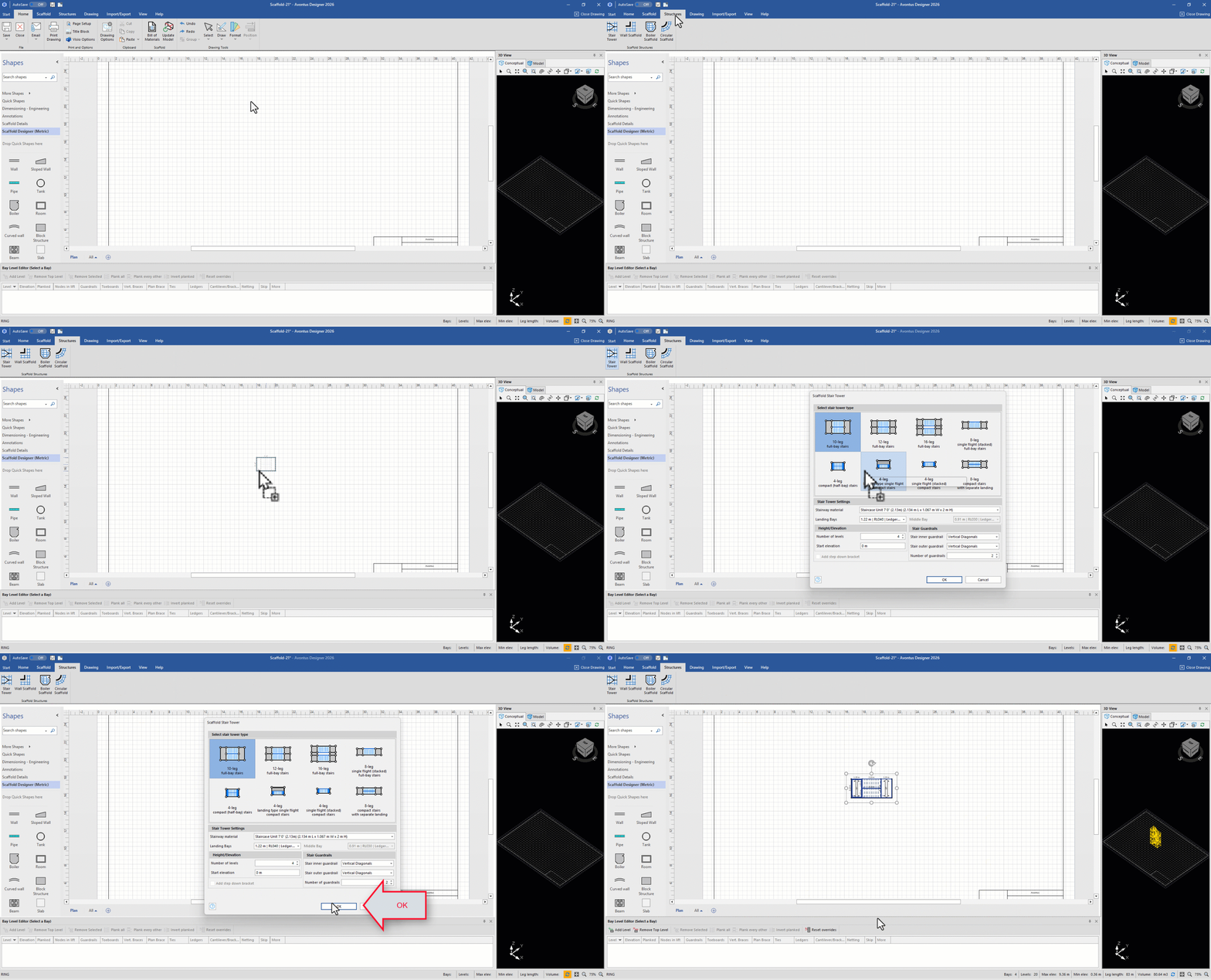
Click Structures and select to drag in a StairTower
Select the StairTower type and the Stairway material
Click OK
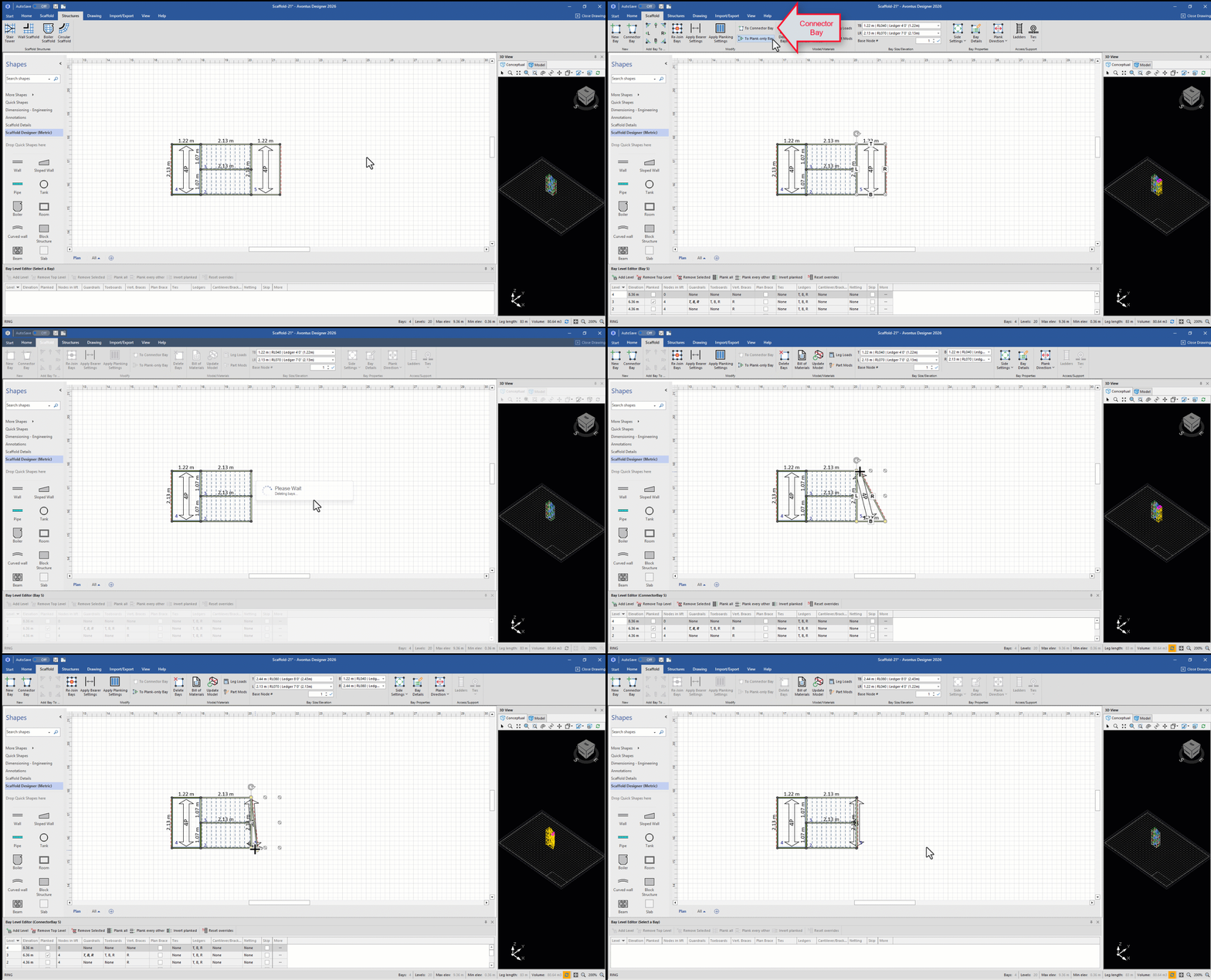
Select a bay and convert it to a connector bay by selecting To Connector Bay in the Scaffold tab
Click Yes to covert the bay to a Connector bay
Collapse the bay by dragging one corner to the other
Repeat this for the other corner
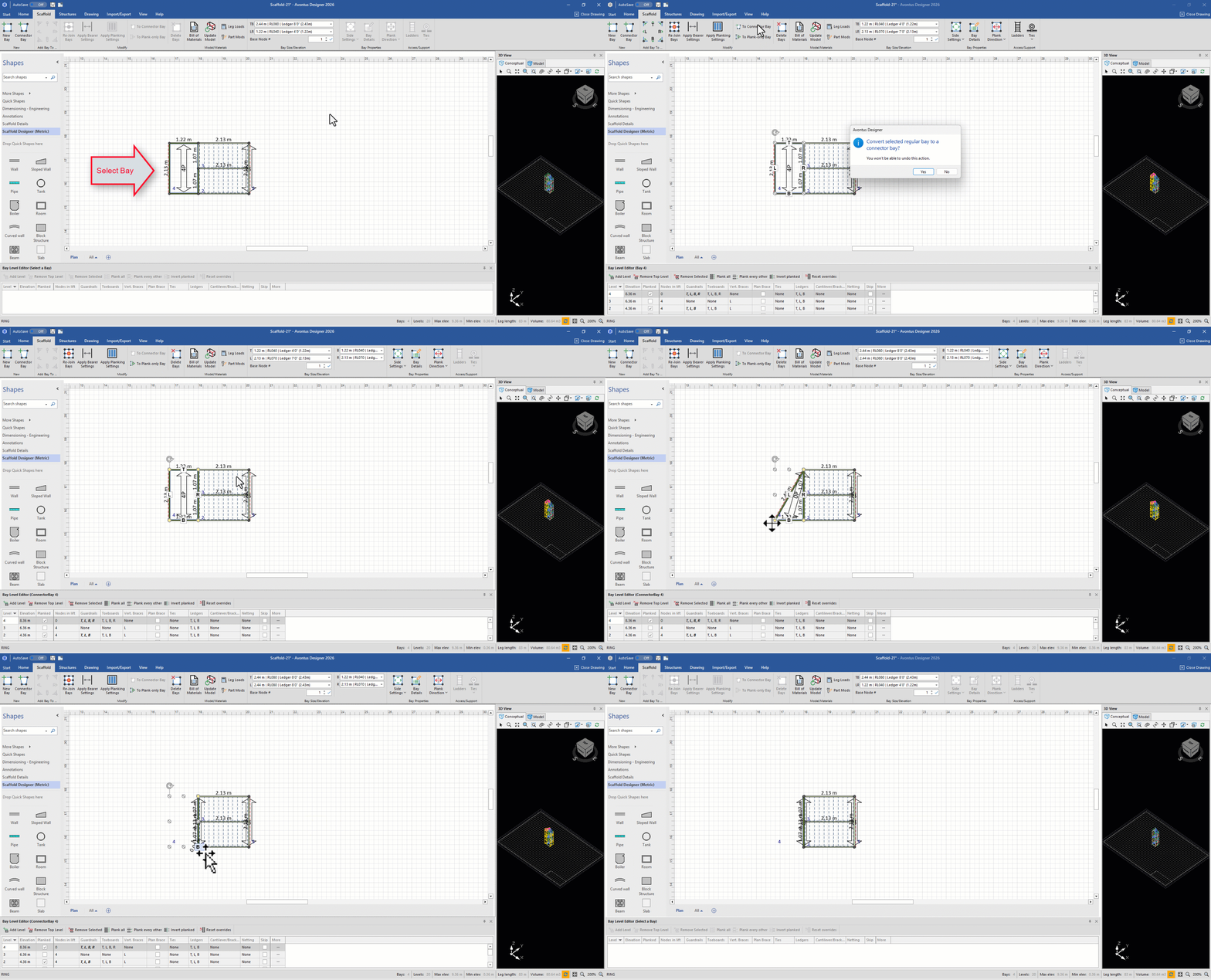
Select Side Settings on the right bay
Enable Catilevers/Brackets on the right-hand side of the Connector Bay
Select the Material type if required,
Click OK
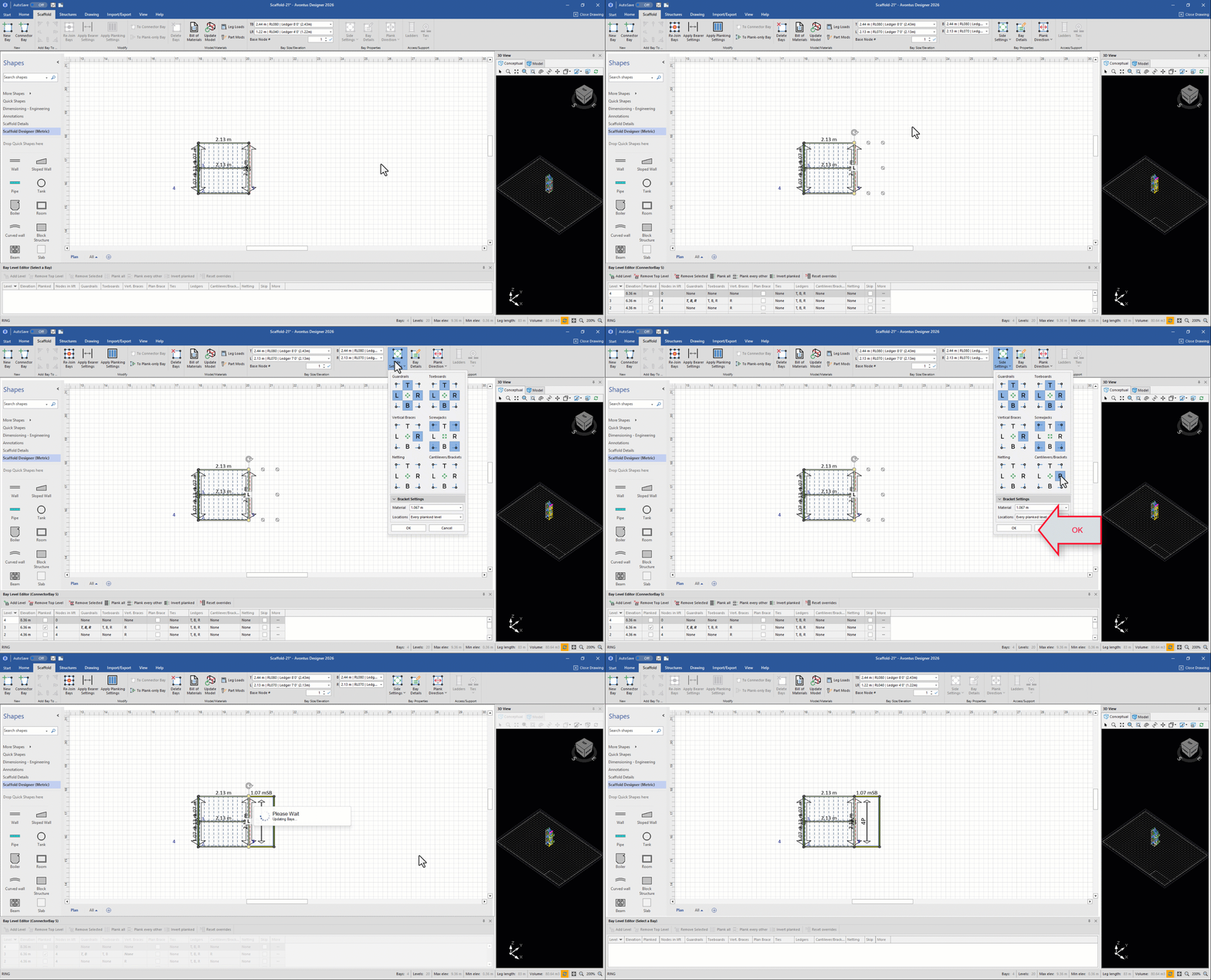
We can view our model to see the changes we have just madeSelect the left bay
Select to enable Cantilevers/Brackets on the left hand side,
Set the Material if required
Click OK
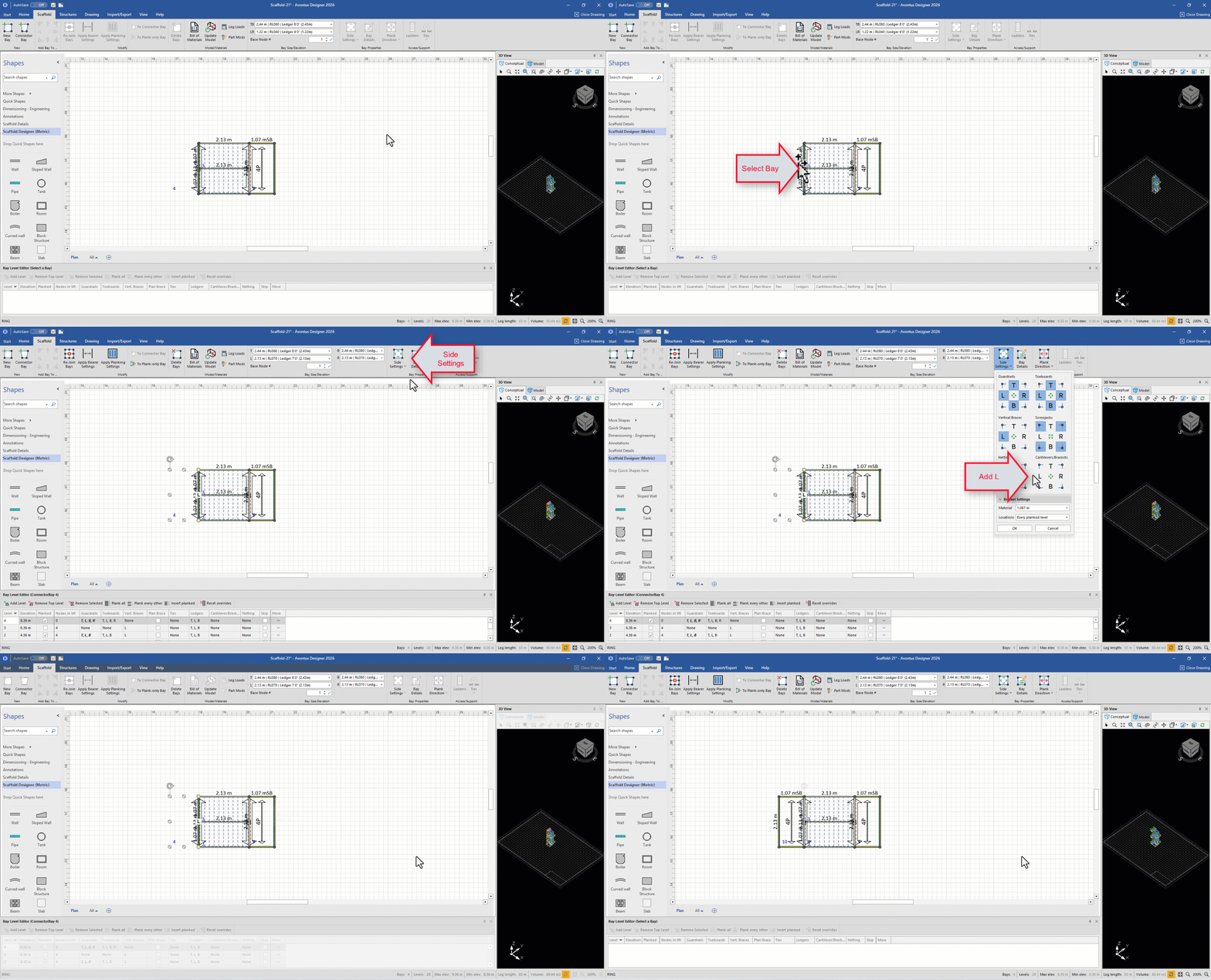
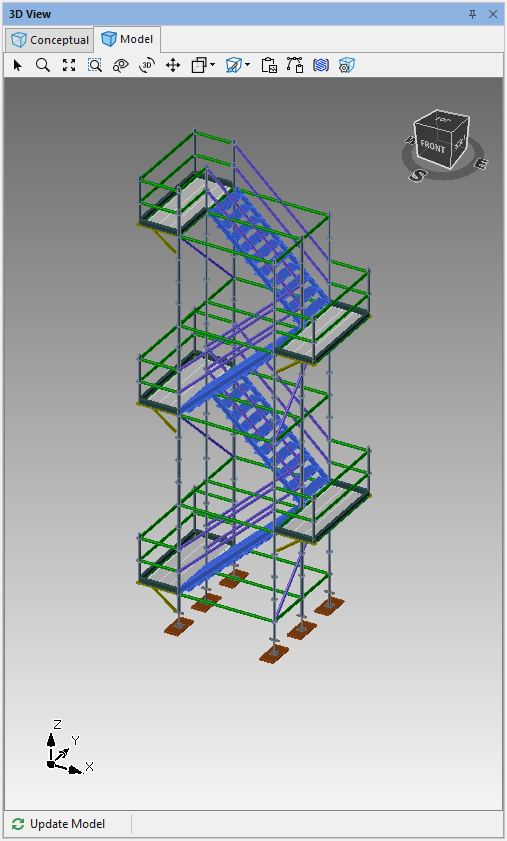
We can now see our Stair Tower with Cantilever landings on both sides
We can then remove the bottom Cantilever, to do thisSelect Conceptual
Select the Bay, then select Delete Bays
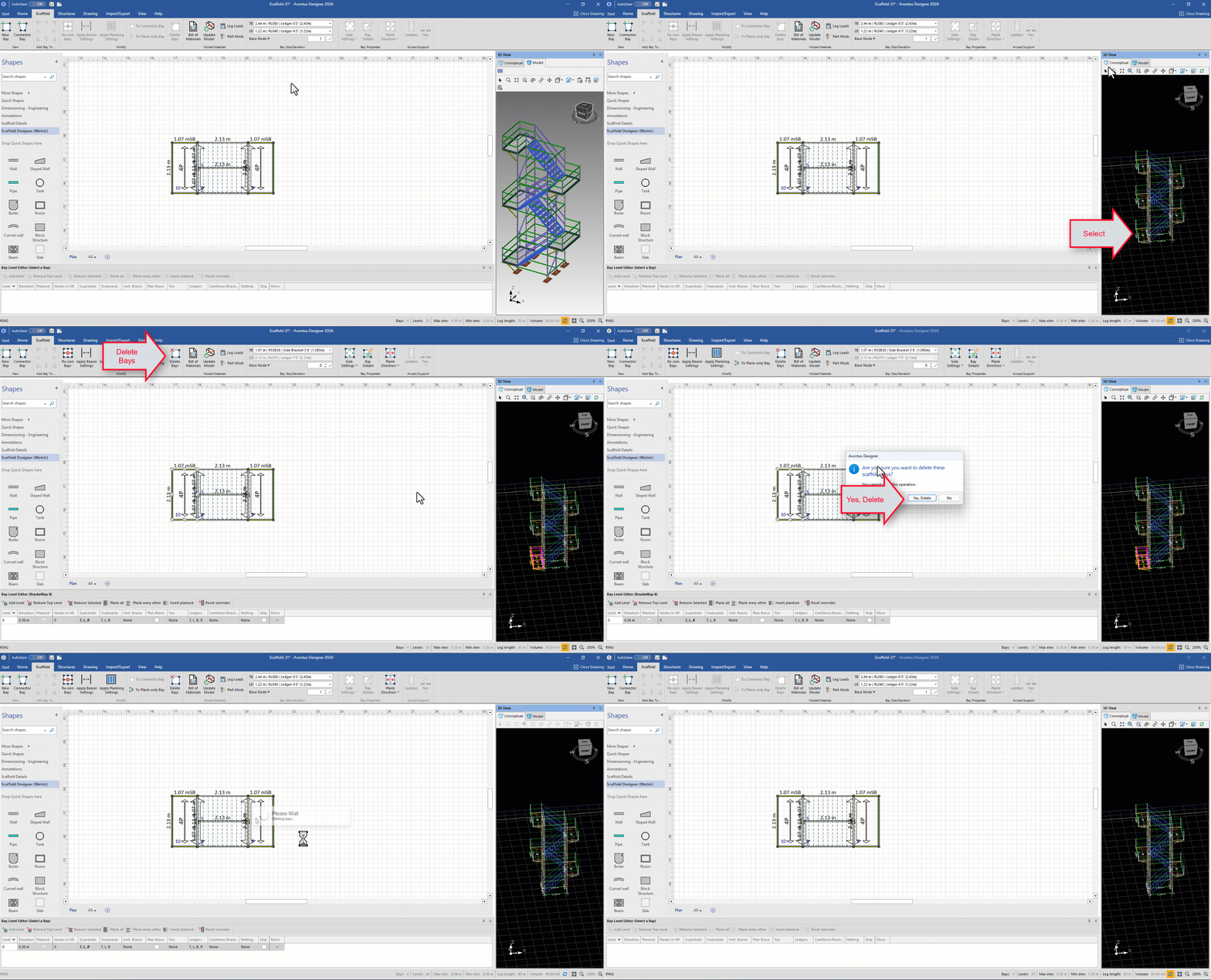
The bottom Cantilever will be removed