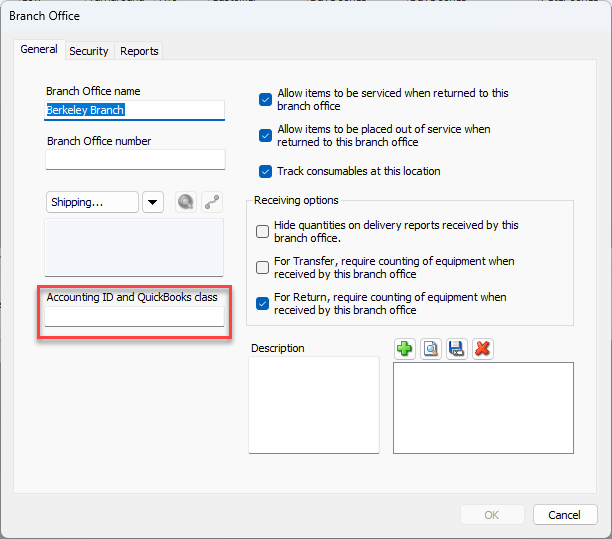
Quantify refers to each business unit as a Branch Office. The invoices for Job Sites under a Branch Office use this location's accounting ID in this field (Segment 1 of GL). To add the accounting ID, edit the parent Branch Office or Sub-Branch and enter the appropriate ID into the Accounting ID and QuickBooks Class text field.
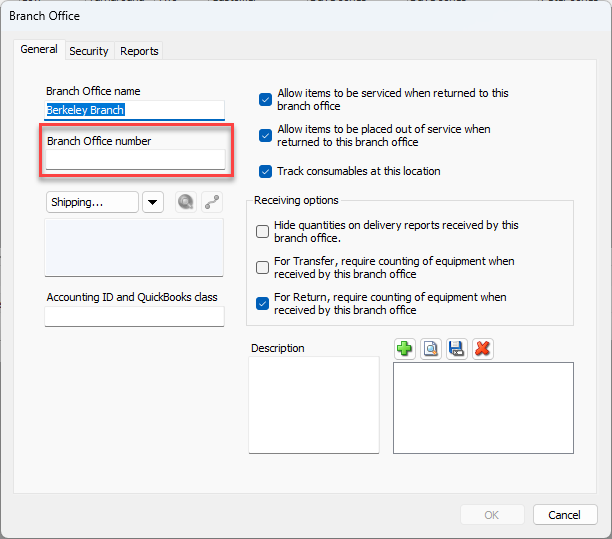
The department code within the export file is the Branch Office or Sub-Branch number.
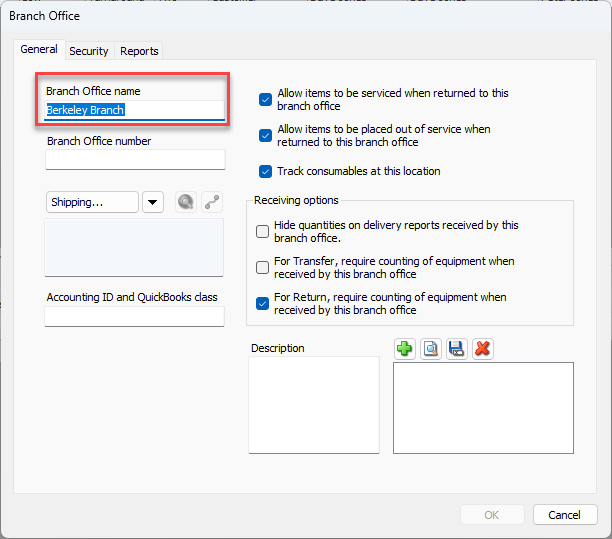
The account code is the Branch Office (or Sub-Branch) name with the word Invoice appended. For example, a location with the name Albany Branch will export to this column as: Albany Branch Invoice
To configure for COMPANY_CODE, ACCOUNT_CODE and DEPARTMENT_CODE:
Click the appropriate Branch Office or Sub-Branch in the Organization Tree and click the Edit Selected Item button (
 ).
).
Note: You can also double-click on the Branch Office to open it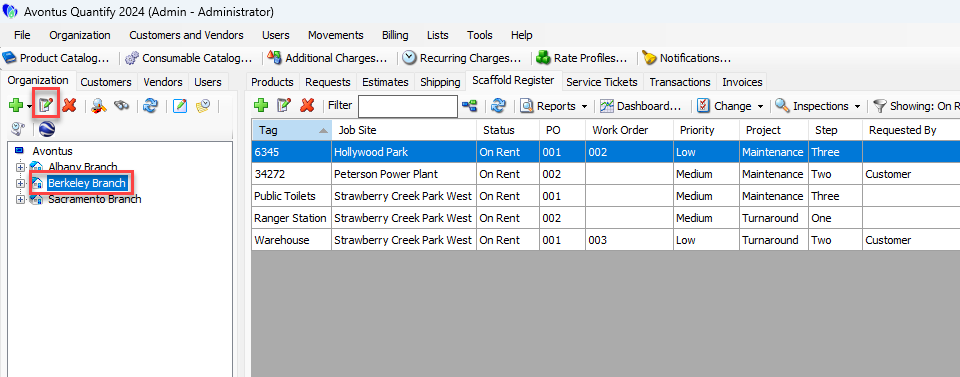
The Branch Office dialog appears, with the General tab active.
COMPANY_CODE
To configure COMPANY_CODE:
Click in the Accounting ID and QuickBooks Class text field and enter the appropriate ID.
DEPARTMENT_CODE
To configure DEPARTMENT_CODE:
Click in the Branch Office Number text field and enter the appropriate number.
ACCOUNT_CODE
To configure ACCOUNT_CODE:
Click in the Branch Office Name text field and enter the appropriate name.
Click OK.