The Memo Line is mapped to the first custom list, which must be set up in the Property Visibility and Labels area of the Job Site Options tab of the Global Options dialog and can optionally be made to be required if needed.
To configure for MEMO_LINE:
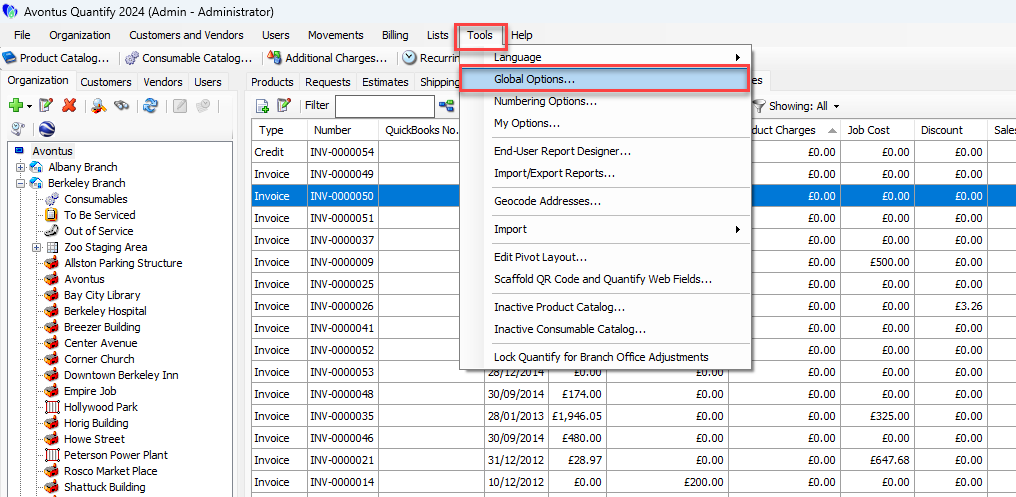
Click the Tools menu and select Global Options.
The Global Options dialog appears.Click the Job Site Options tab.
Click the first List checkbox (to put a check in it) in the Lists area.
Click in the text field to the right and enter the appropriate name for the list.
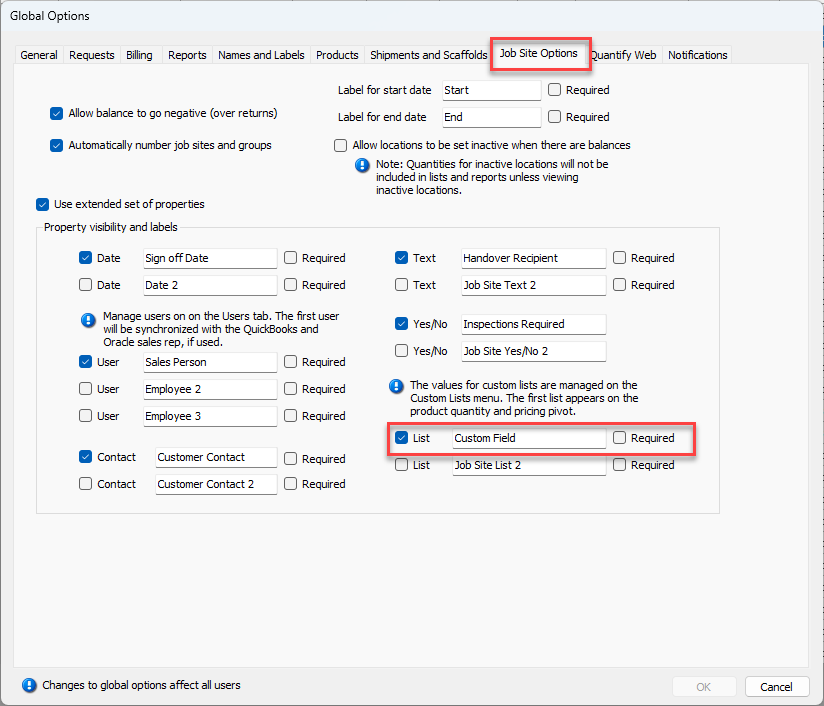
Click OK.
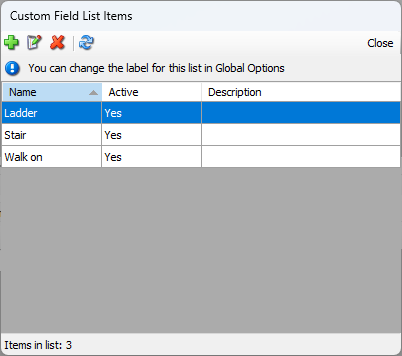
The values for the list are set up in the Custom Field List Items dialog. Commonly these lists will be Scaffold, Formwork or Industrial.
After these have been set up, they are selected for a Job Site within the Job Site Properties tab of the Job Site dialog.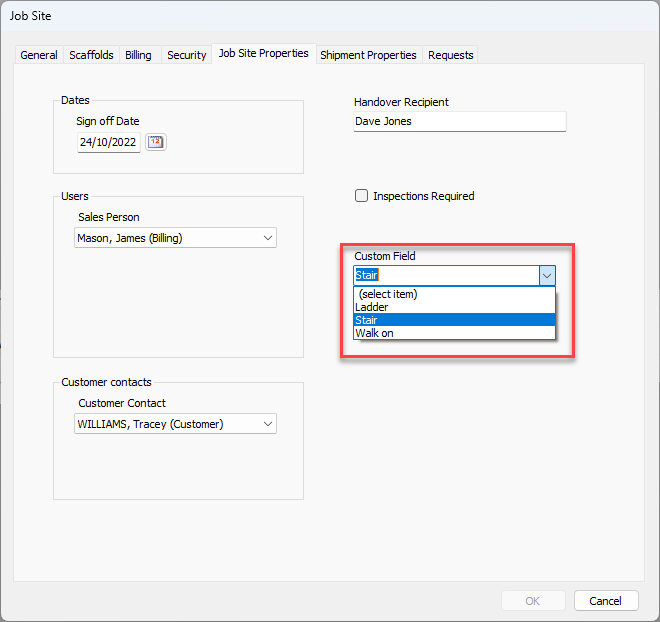
When exported, the transaction type (see description in TRANSACTION_TYPE above) is appended. For example, a scaffold hire invoice line will export to this column as: Scaffold – Hire.