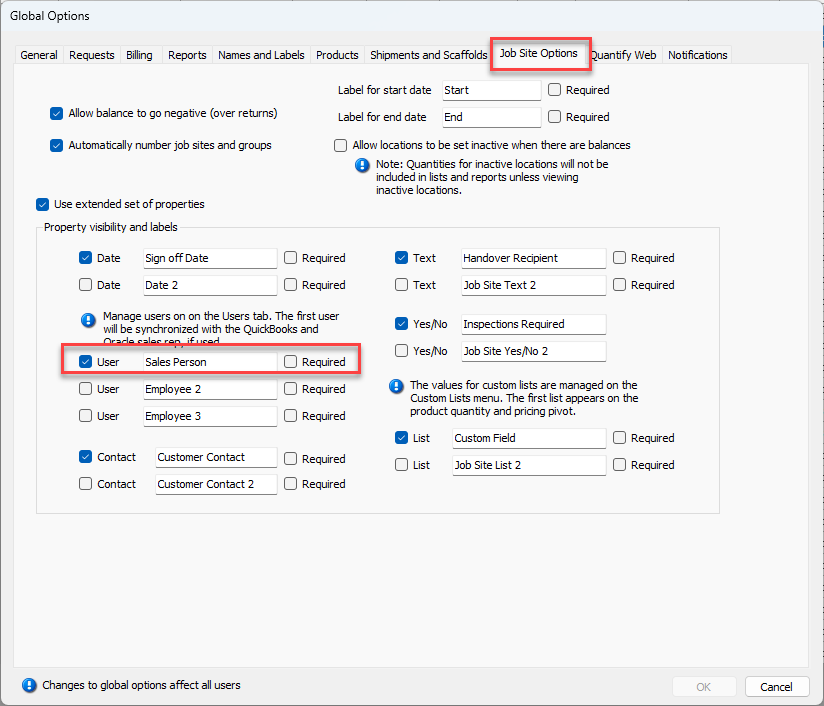
Follow the procedures in this section if you track a sales person via invoicing. They enable users to track the salesperson on each Job Site, through the Job Site Properties tab of the appropriate Job Site dialog. Note that the initials will be mapped within Oracle.
To configure for SALES_PERSON:
Click the Tools menu and select Global Options.
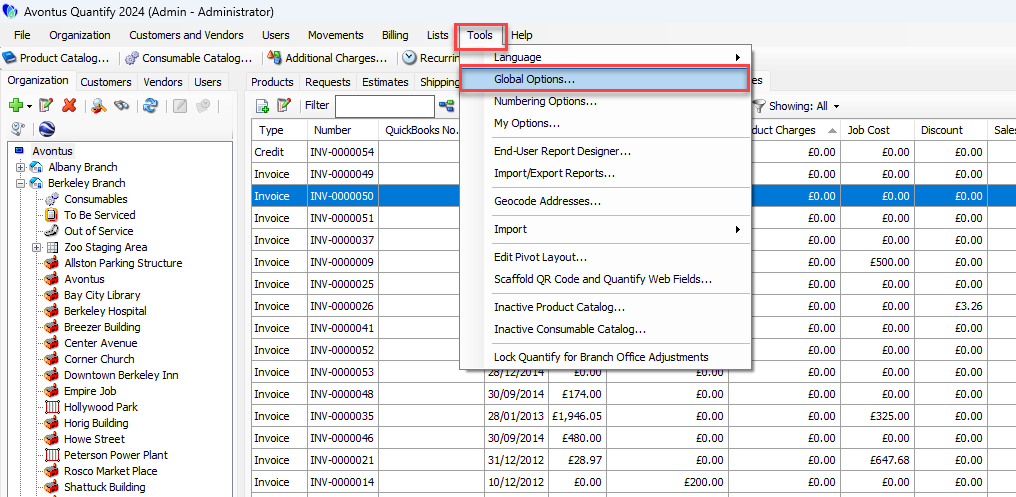
The Global Options dialog appears.Click the Job Site Options tab.
Click the first User checkbox (to put a check in it) in the Manage users on the Users tab The first user will be synchronized with the QuickBooks and Oracles sales rep, if used area.
Click in the text field to the right and enter the appropriate label (for example: Salesman).