The Shipment Properties tab enables you to add custom lists to the Shipment Properties tab of the New Direct Ship dialog.
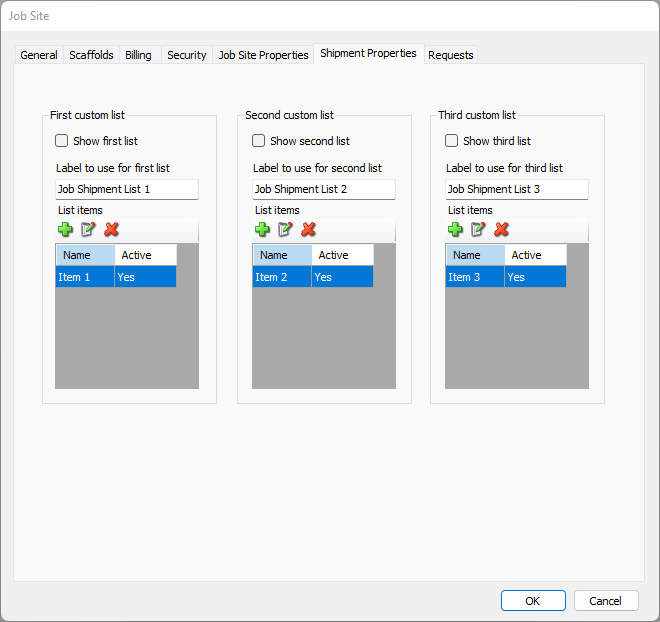
Use the information below to help you configure the Shipment Properties tab, then continue with the rest of the tabs, as necessary.
Show List | When a list has this checkbox checked, that list will appear in the Shipment Properties tab of the New Direct Ship dialog. |
Label to use for list | This text field enables you to configure the name of each available list. |
Add | Click to add an item to a list. |
Edit | Select the list item you want to edit, then click this button to edit that item. |
Delete | Select the list item you want to delete, then click this button to delete that item. |


List Item Dialog
The List Item dialog enables you to add, edit and delete items in the each of the three lists available in the Shipment Properties tab.
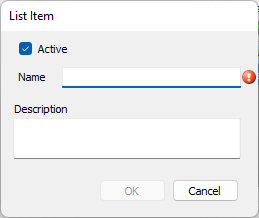
| Active | When this checkbox is checked, Quantify will use this item in its Shipment Properties list. |
| Name | Use this text field to define the name of the list item. This text field is required. |
| Description | Use this text field to define a short description of the list item. |