The Rate Adjustments tab enables you to add, edit or delete Rate Adjustments associated with the current Scaffold. For more information about Rate Adjustments, refer to Working with Rent Adjustments.
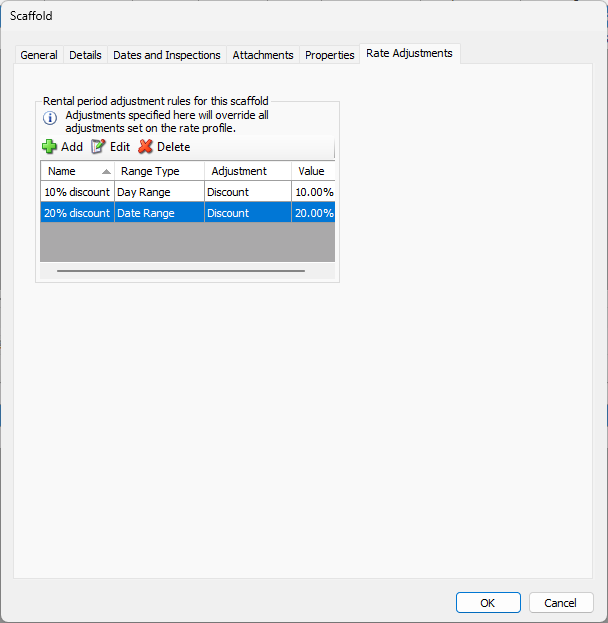
Use the information below to help you configure the Rate Adjustments tab, then continue with the rest of the tabs, as necessary.
| Name | This column lists the names of all available Rate Adjustments. | |
| Range Type | This column shows the type of range each adjustment has: Date or Day. | |
| Adjustment | This column shows what type of adjustment each entry makes: Discount or Markup. | |
| Value | This column shows the value assigned to each adjustment. | |
Add | Click this button to create a new Rate Adjustment and add it to the list. For these procedures, refer to Adding a Rental Period Adjustment Rule to a Scaffold. | |
Edit | Click an existing Rate Adjustment, then click this button to edit it. | |
Delete | Click an existing Rate Adjustment, then click this button to delete it. | |


