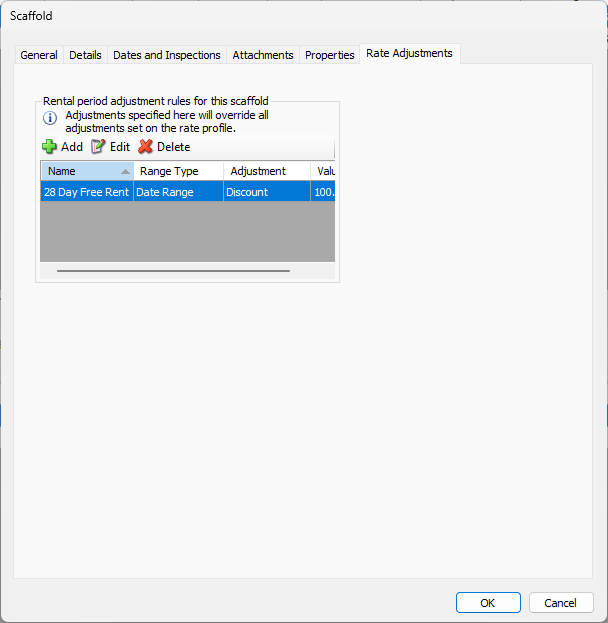
Quantify enables you to add Rental Period Adjustment Rules to individual Scaffolds. These rules can temporarily or permanently adjust rates for a specified date range or a number of days on rent. New Scaffolds may inherit Rental Period Adjustment Rules from the parent Job Site. For more information, refer to About Scaffold Tracking Job Site Rental Period Adjustment Rules.
NOTE: The features mentioned in this article are only available in the Industrial Edition of Quantify.
Warning: Rules added to the Job Site will override any and all adjustments specified in the selected Rate Profile.
Warning: Changes made to rules after invoices have been saved to the Job Site may affect return credit calculations. For more information, refer to Why Is My Return Credit Incorrect? .
To apply a Rental Period Adjustment Rule to a Scaffold:
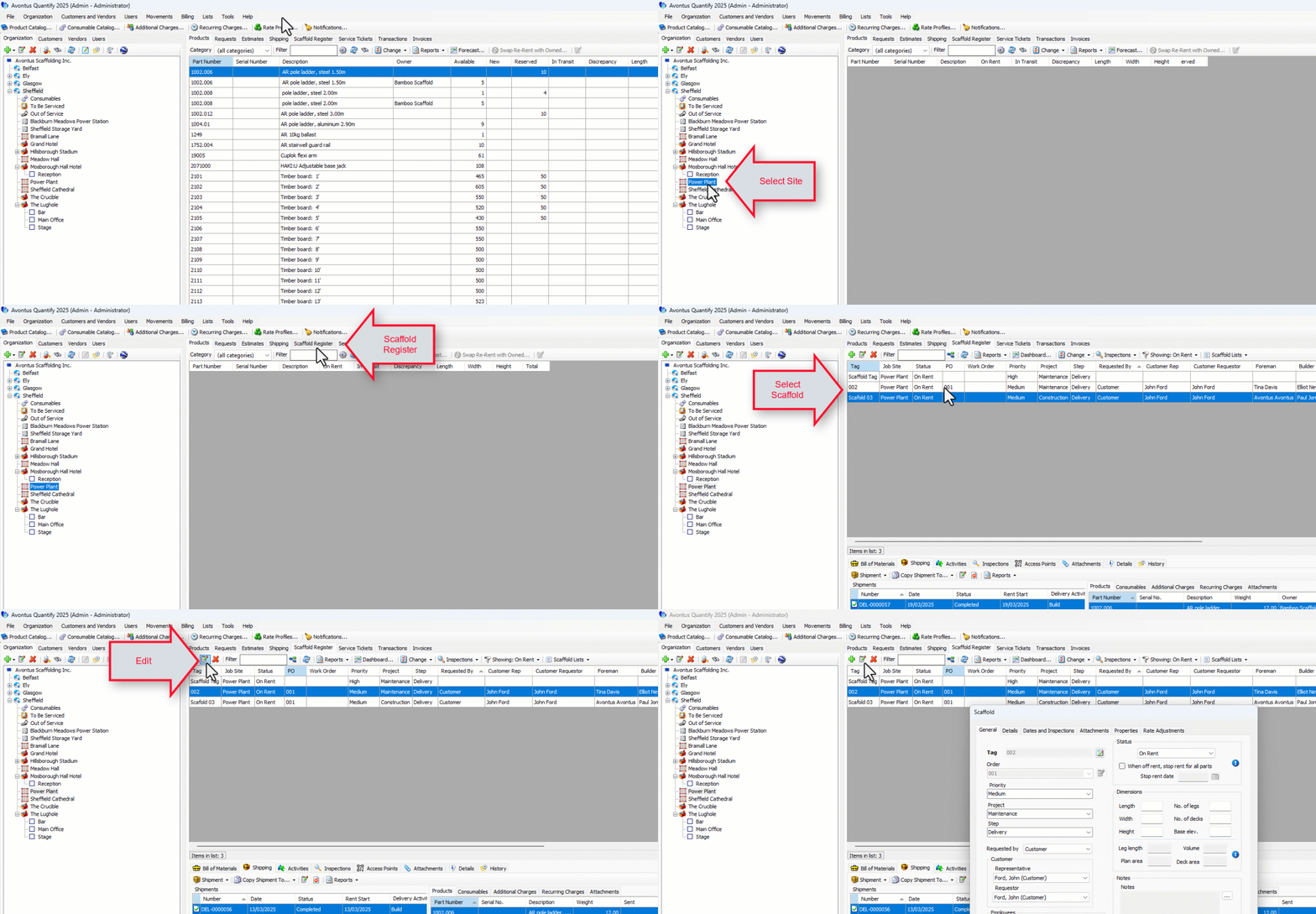
Locate and click the appropriate location, then click the Scaffold Register tab.
Click the appropriate Scaffold and click the Edit Scaffold button.
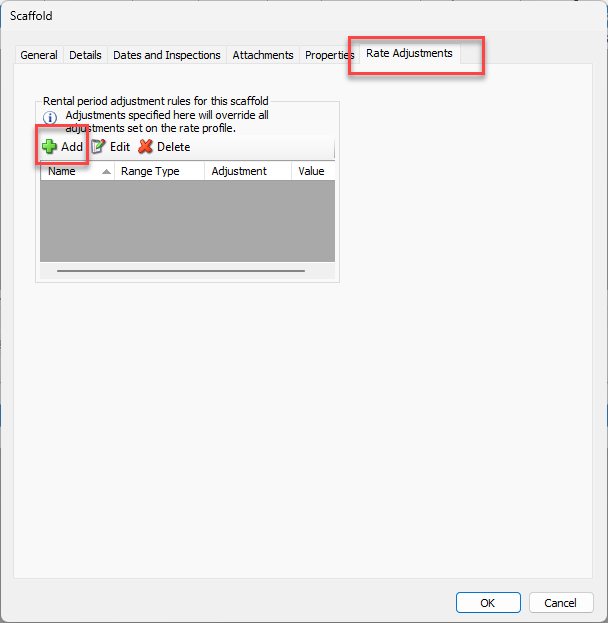
The Scaffold dialog appears.Click the Rate Adjustments tab and click the Add button.
Click in the Name text field and enter a name for the new Adjustment rule.
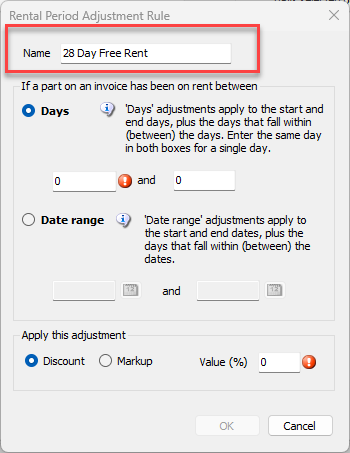
Determine whether this rule should be for a number of days on rent or a date range.
Days
The number of days an item is on rent begins on the rent start date and ends on the rent stop date.
Date range
Date-related rules are based on the actual date range.
Note: If both Days and Date Range Adjustments exist for the same time period, Quantify will apply the Date Range rules and will ignore the Days rule during the overlap time period.
Days
Click the Days radio button, if necessary.
Click in the left Day text field and enter the first day on which Quantify will start applying the rule.
Click in the left Day text field and enter the last day on which Quantify will stop applying the rule.
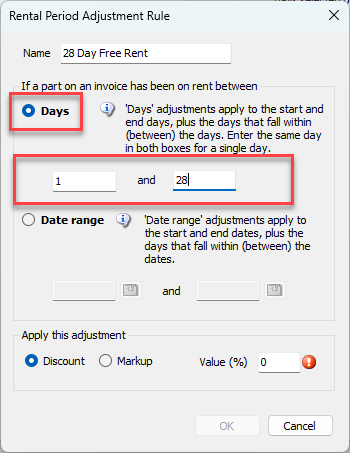
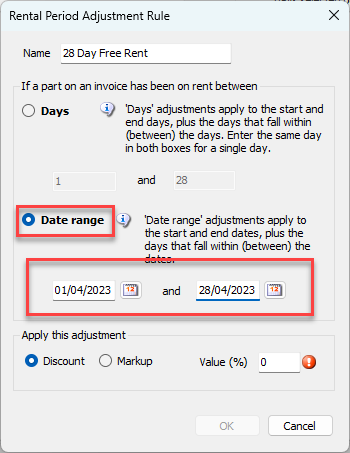
Date RangeClick the Date Range radio button, if necessary.
Click in the left Date Range text field and enter the date on which Quantify will start applying the rule.
Click in the left Date Range text field and enter the date on which Quantify will stop applying the rule.
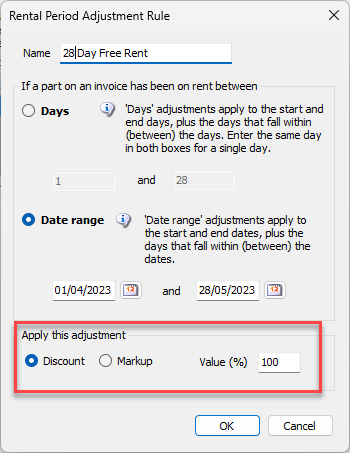
Click the appropriate radio button to apply a Discount or Markup,
Click in the Value (%) text field and enter a value (in percent).
Click OK when ready..
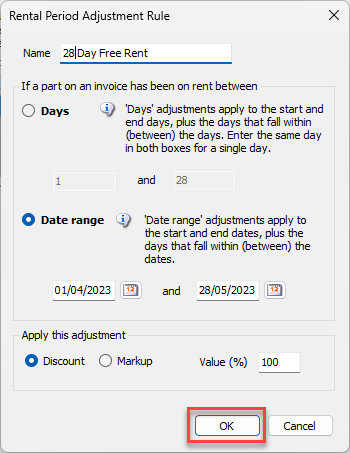
The Rental Adjustment will be added.