You can ship items directly from a Reservation without including all of the parts, and create a new reservation for any unsent parts. This is particularly useful when not all of the equipment has been sent on a single shipment. You would have the option to convert the reservation to a delivery and create a new reservation for the unsent parts. Or you can convert the reservation to a delivery and create a new shipment without creating a reservation for the unsent parts. In this article, you will see how to create a reservation for any unsent parts on a Reservation shipment.
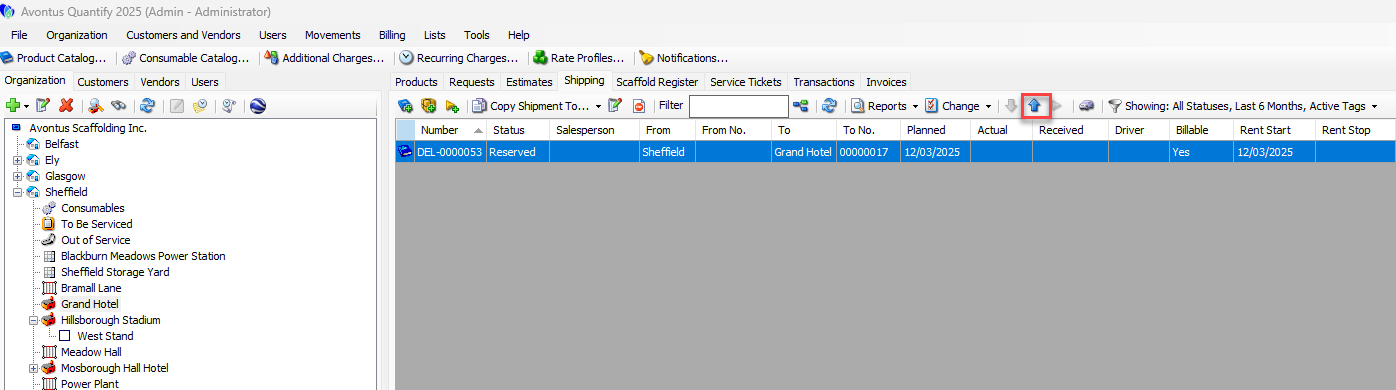
In the Shipments tab, select the Reservation and click Send Selected Shipment. This example, we will select Delivery 117.
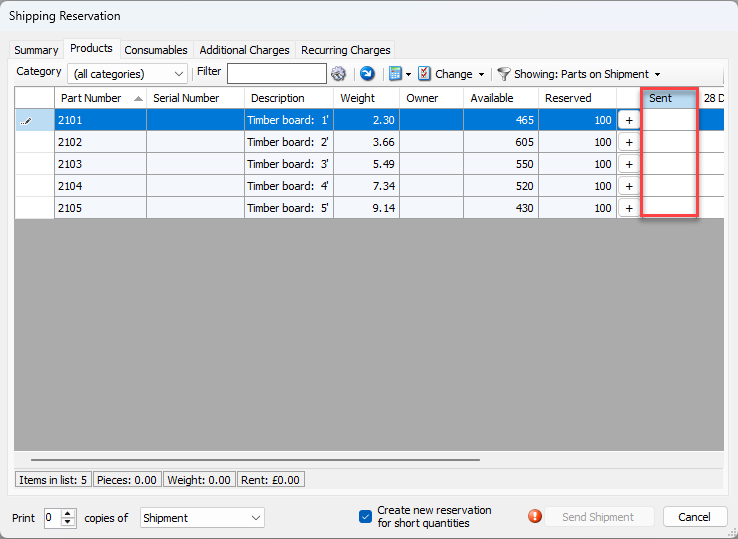
In the Sent column, enter the number of parts sent on that Shipment.
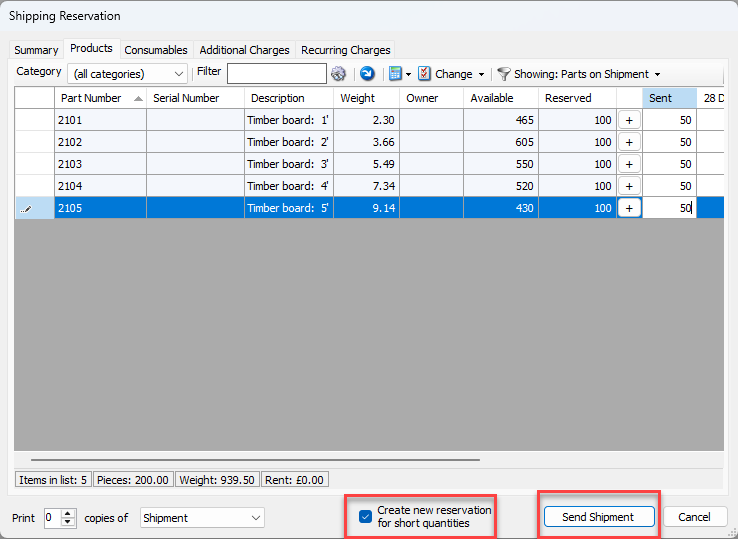
Ensure Create New Reservation for short quantities is checked
Click Send Shipment
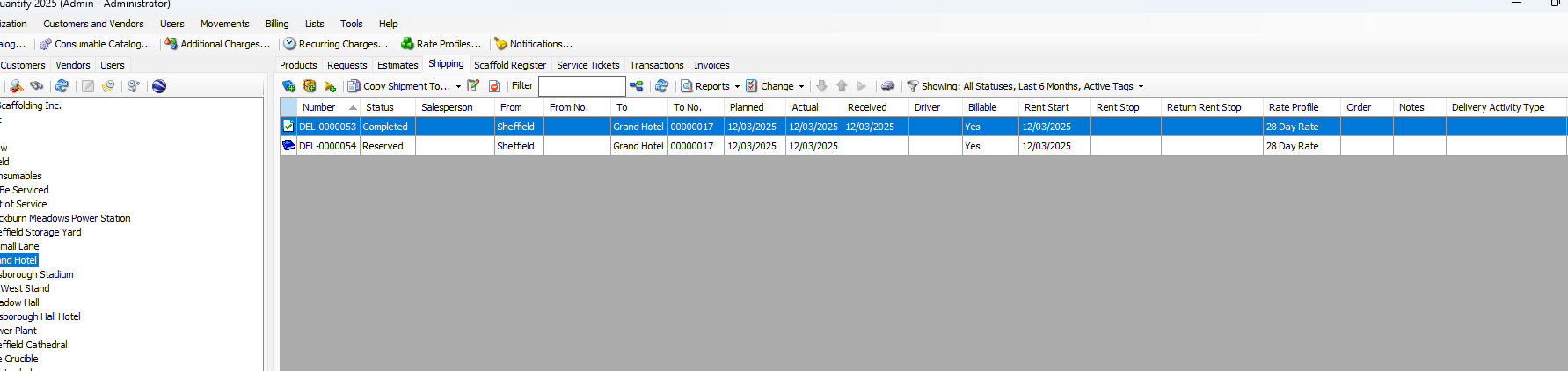
You can see that Delivery 53 has now been completed, and a new Reservation (54) has been created. The new reservation will contain the unsent parts, whilst the sent parts will be included in the completed delivery.