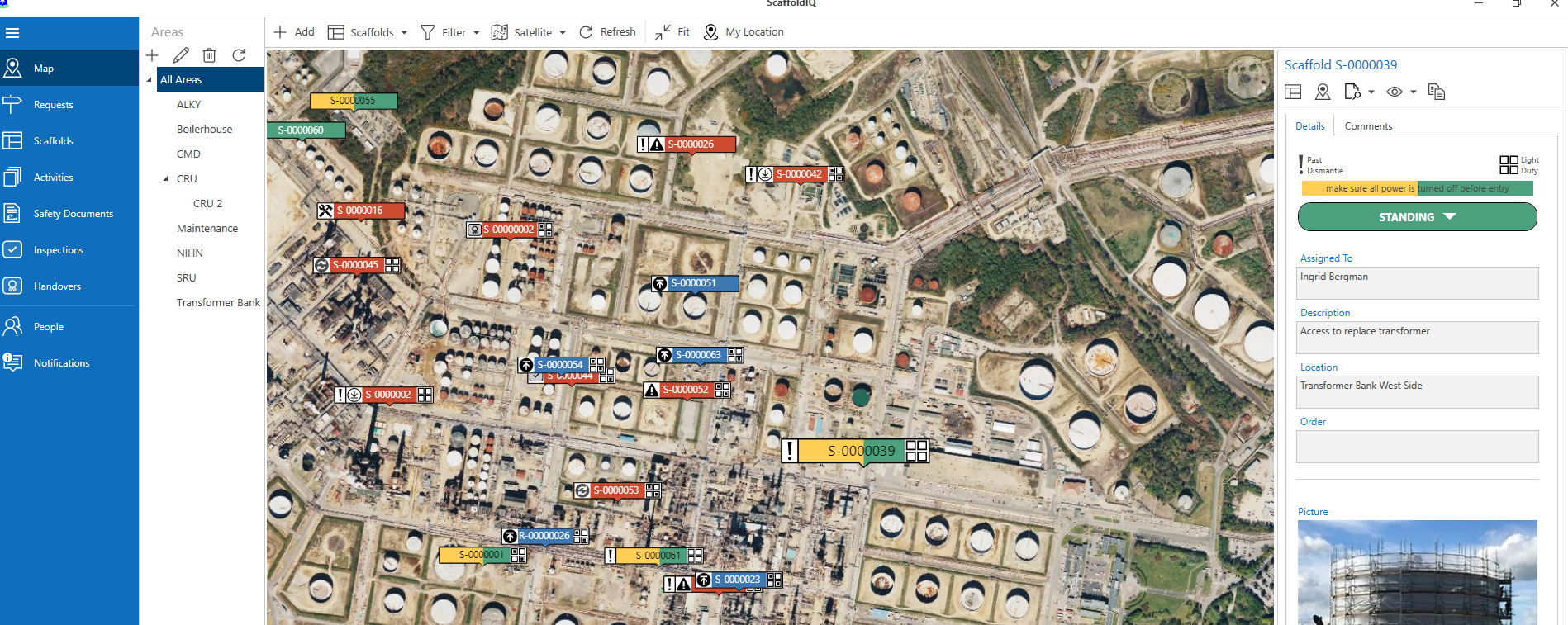
When a scaffold is safe to use, it will need to change from the Do Not Use status to Standing. You can mark a scaffold as safe to use in both the Map screen and Scaffolds screen.
To do this
In the Map screen, select the Scaffold marked as Do Not Use
Click Do Not Use
Select Standing
Note: You also have the option to inspect, handover, modify and dismantle the ScaffoldEnter a comment and click OK
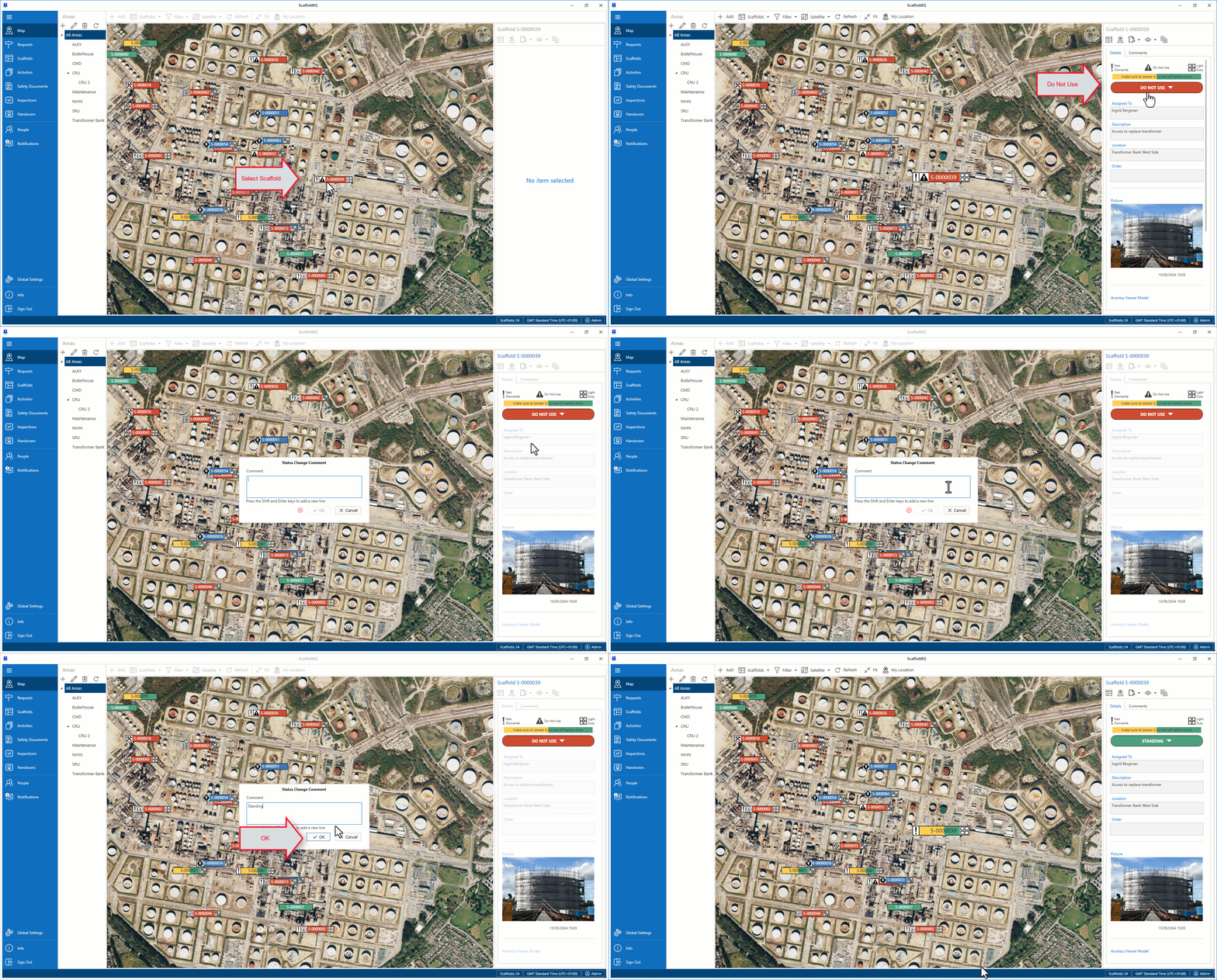
The Scaffold will now be in the Standing Status