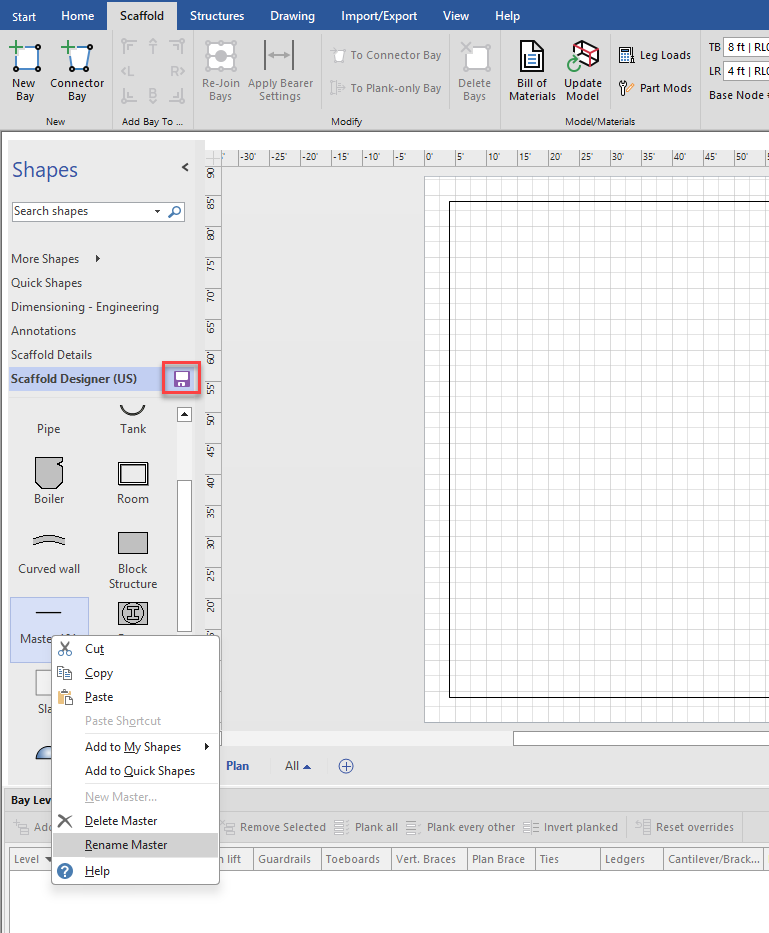
In this article we’ll show you can create any shape (called building objects), include them in the bill of materials, and drop them into the stencil to be re-used any time. In this example, we are going to create 6 ft tube.
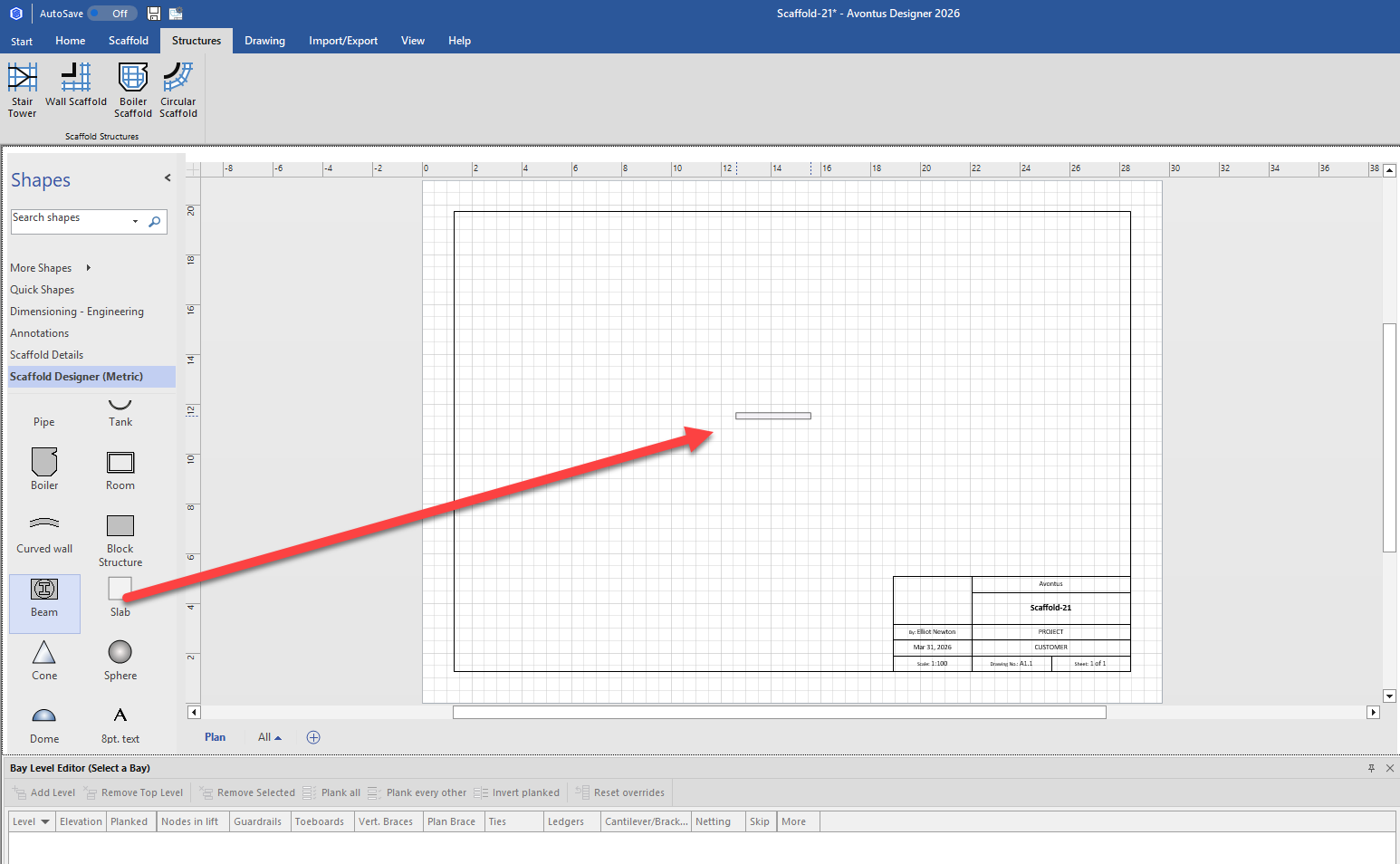
Drag in Beam
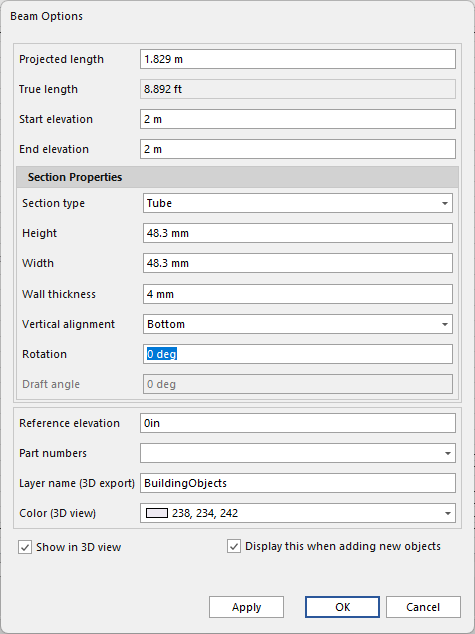
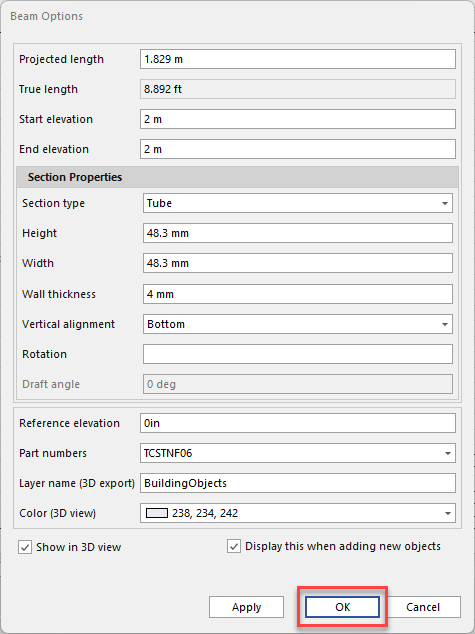
Set the Projected Length to 6ft
Set the Start and End Elevation to 2m
Set Section Type to Tube
Set Height and Width to 48.3mm
Set Wall Thickness to 4mm
Set Vertical Alignment to Bottom
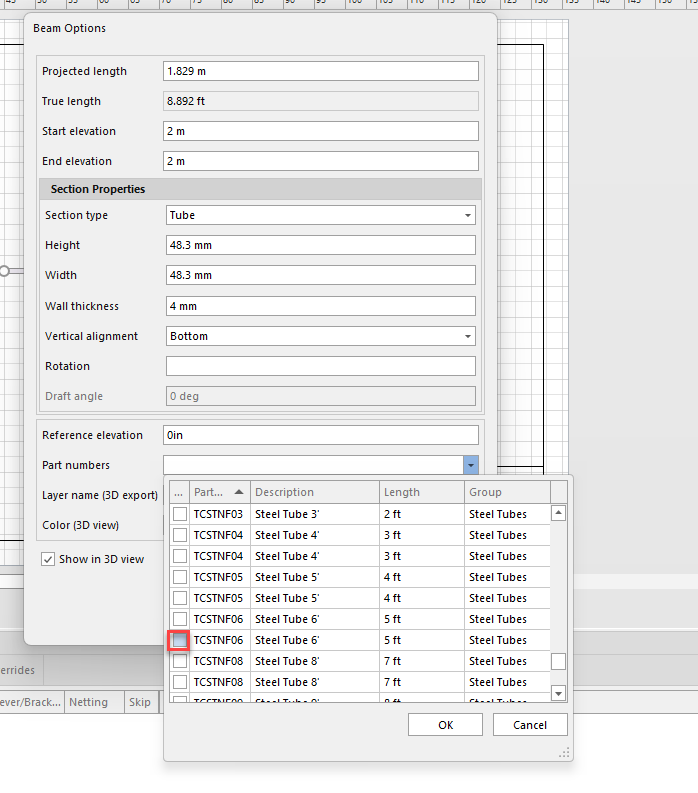
Assign a Part Number to the object
Change the color if required.
Click OK
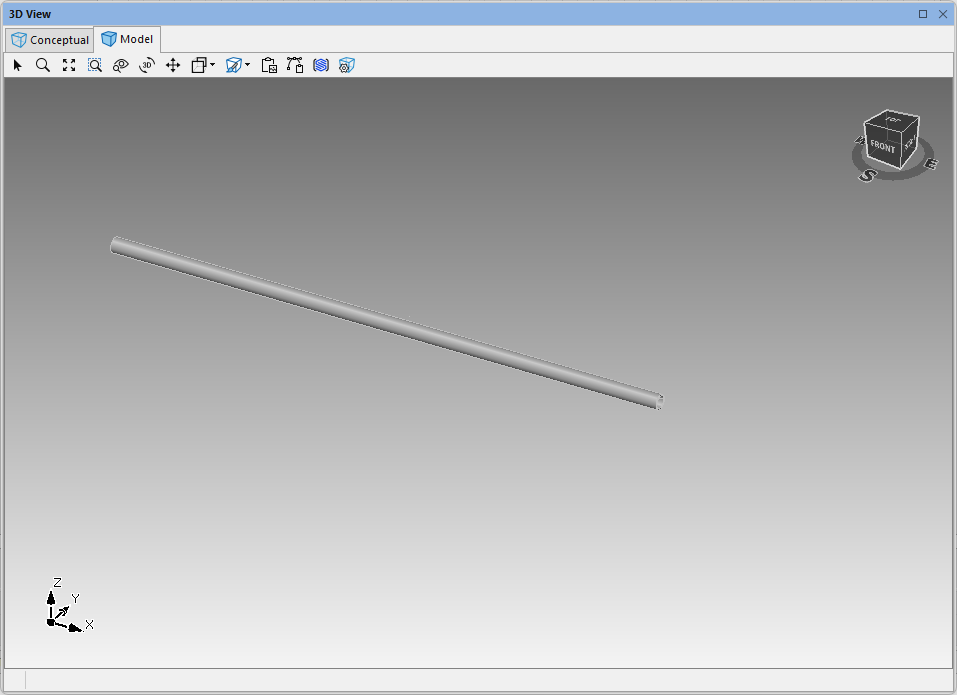
We can now view the part in the 3D view.
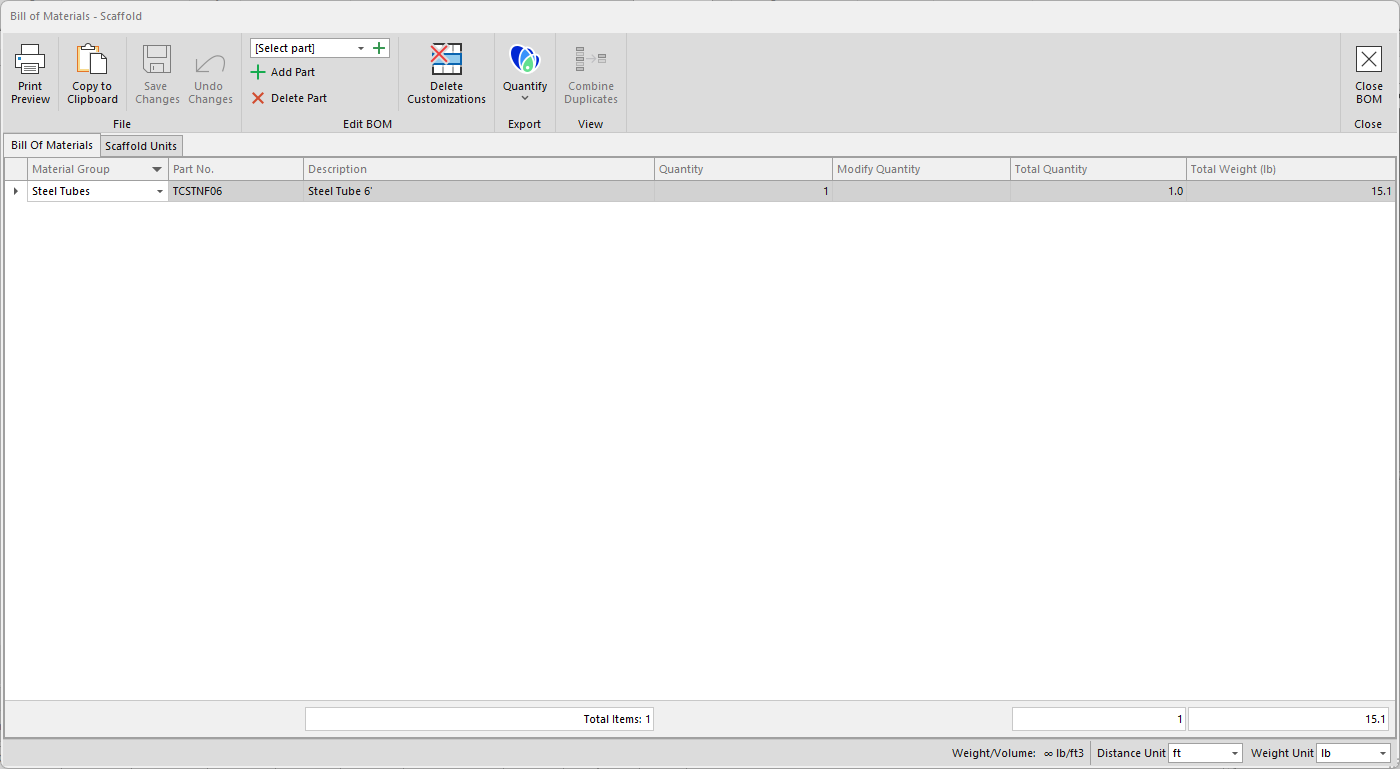
We can also see the Bill of Materials to see our part
You can then drag the object to the drawing stencil
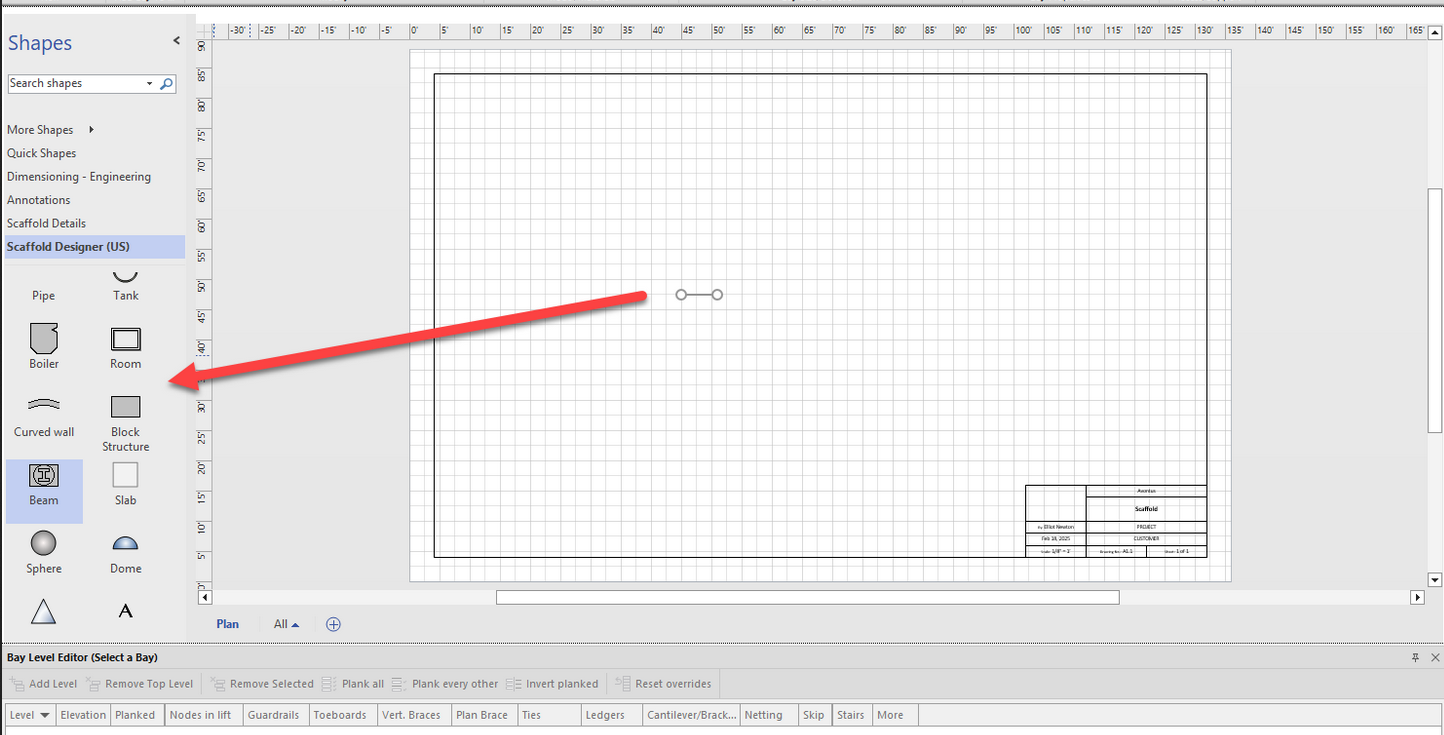
You can then rename the master, and save the stencil.