Use Blockouts to create the appearance of an opening in a Wall. They are a visual-only shape: the Formwork ignores the shape and treats the underlying Wall as though the Blockout isn't there.
To create a Blockout:
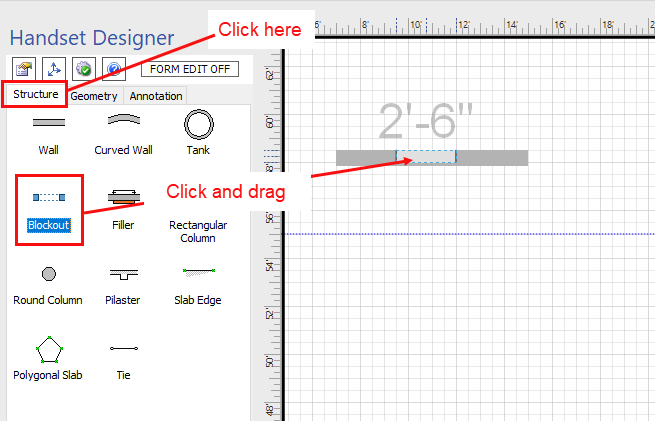
- Click the Structure tab in the Handset Designer pane.
- Click the Blockout shape, then drag and drop it onto the appropriate Wall.
The Blockout turns the foreground color of the Wall to white, giving the appearance of an opening.
Standard view Formwork view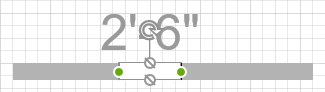
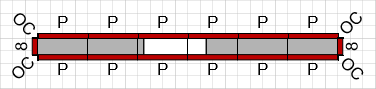
Note: If you need to form two separate Walls with bulkheads at either end, you must create two separate Walls and not use a Blockout.