Quantify enables you to easily copy Estimates into Shipments to Scaffolds. The procedures below show you how to do that.
To copy an Estimate to a Shipment to a Scaffold:
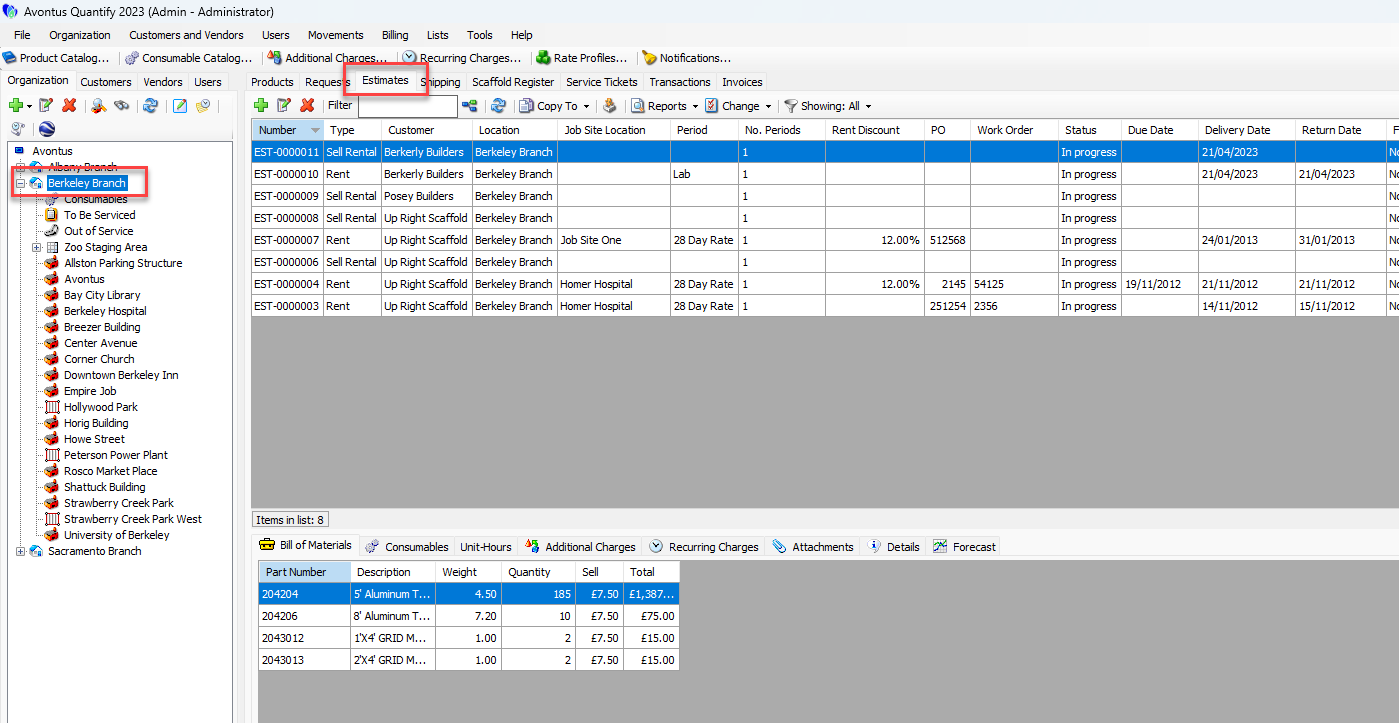
Click the appropriate Branch Office, then click the Estimates tab.
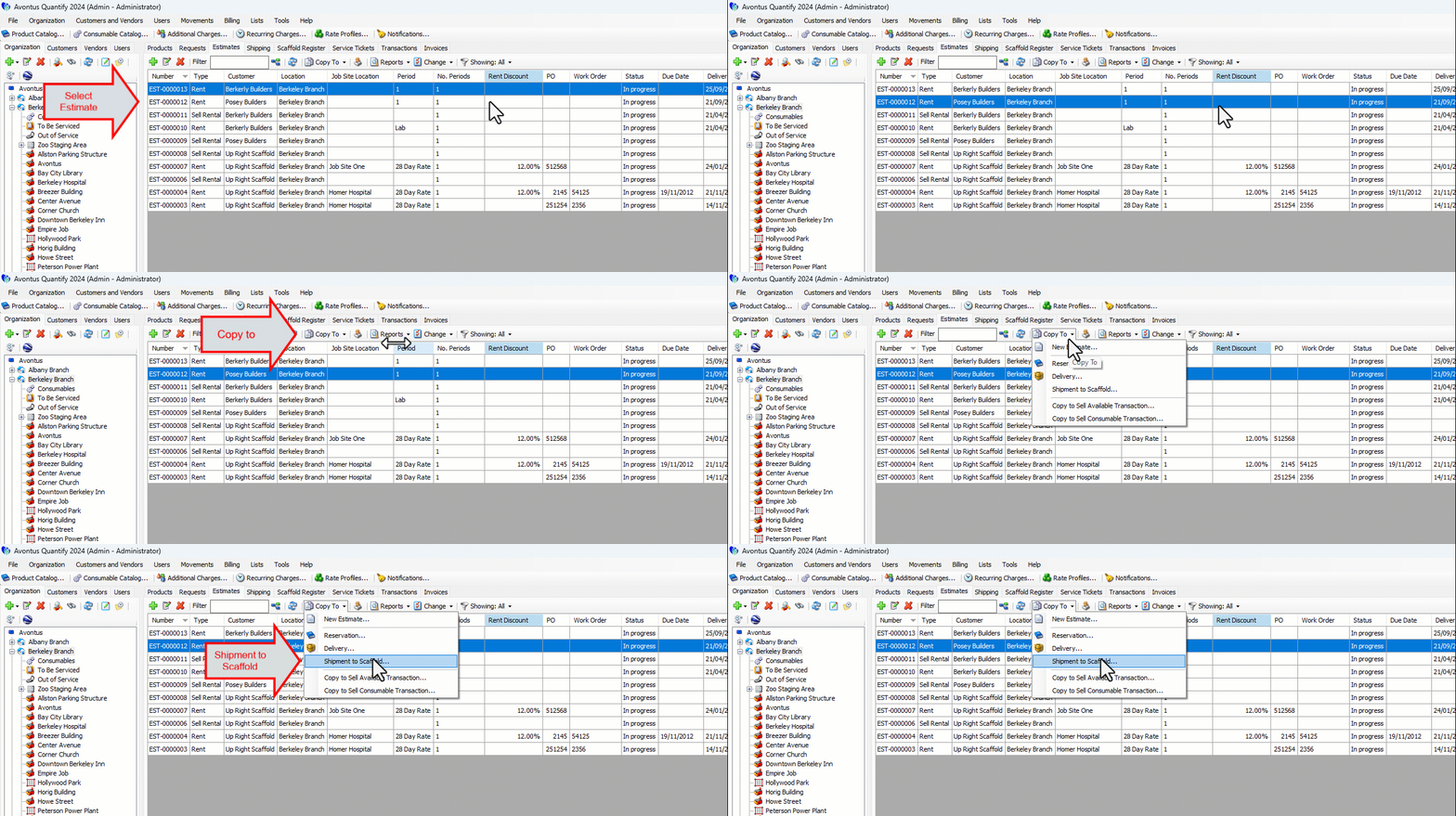
Locate and select the Estimate you want to copy into a Shipment to Scaffold, then click the Copy To menu and select Shipment to Scaffold.
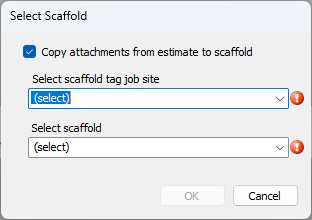
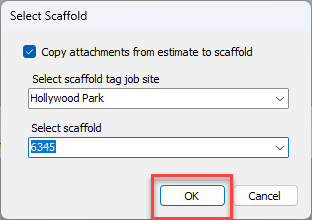
The Select Scaffold Tag dialog appears.
Note: If you do not want to copy attachments from the Estimate to the Scaffold, click the Copy attachments from estimate to scaffold tag checkbox, to remove its check.
Click the Select Scaffold Tag Job Site dropdown and select the appropriate Scaffold Tag Job Site
Click the Select Scaffold dropdown and select the appropriate Scaffold.
Click OK.
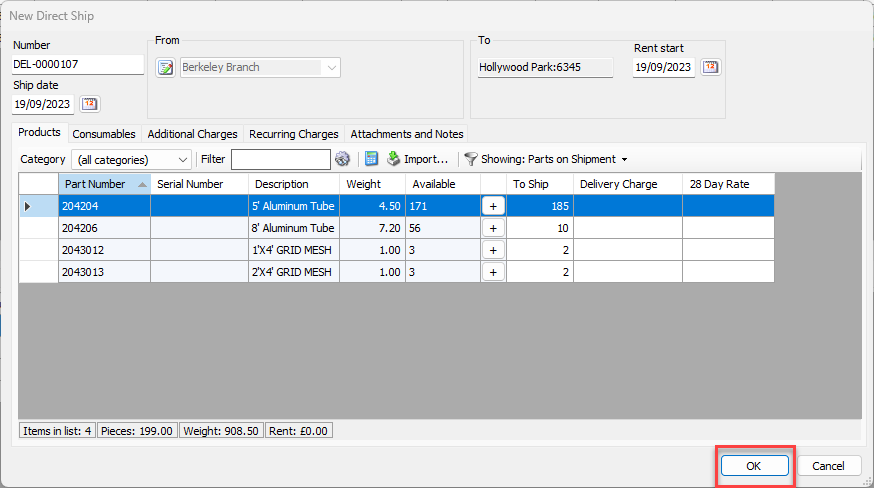
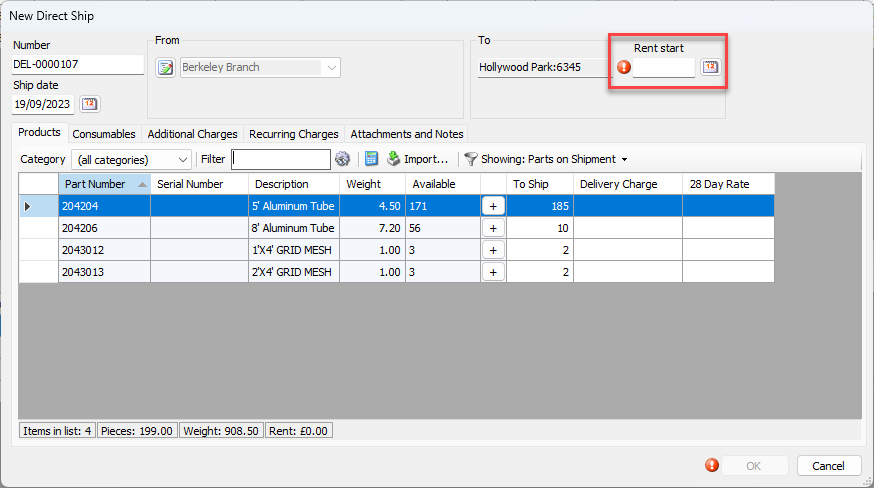
The New Direct Ship dialog appears, populated with Estimate items.
Click the Rent Start calendar icon ().
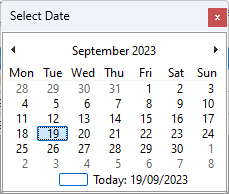
The calendar appears.
Locate and click the appropriate rent start date.
Note: If the Scaffold Job Site tracks Activities, click the Activity dropdown and select the appropriate Activity.
Click OK.