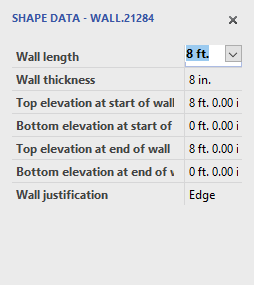
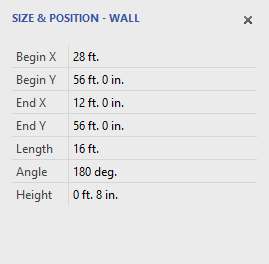
For setting elevations and other properties of building shapes that are on the page you can use the Shape Data pane and the Size and Position pane. When you start Handset Designer, these panes appear by default. You can view these two property pages from the View menu or in the Formwork stencil (if the option is turned on to view these buttons on the Formwork stencil). Once you have these two panes displayed, you can edit the properties of a shape.